ai.smithery/samihalawa-whatsapp-go-mcp
Scan QR codes and go! No more troublesome autos or APIs! Send text messages, images, links, locati…
AI & MLGovv7.5.0
<div align="center">
<img src="src/views/assets/gowa.svg" alt="GoWA Logo" width="200" height="200">
## Golang WhatsApp - Built with Go for efficient memory use
</div>
[](https://smithery.ai/server/@samihalawa/whatsapp-go-mcp)
[](https://www.patreon.com/c/aldinokemal)
**If you're using this tools to generate income, consider supporting its development by becoming a Patreon member!**
Your support helps ensure the library stays maintained and receives regular updates!
___


## Support for `ARM` & `AMD` Architecture along with `MCP` Support
Download:
- [Release](https://github.com/aldinokemal/go-whatsapp-web-multidevice/releases/latest)
- [Docker Hub](https://hub.docker.com/r/aldinokemal2104/go-whatsapp-web-multidevice/tags)
- [GitHub Container Registry](https://github.com/aldinokemal/go-whatsapp-web-multidevice/pkgs/container/go-whatsapp-web-multidevice)
## Support n8n package (n8n.io)
- [n8n package](https://www.npmjs.com/package/@aldinokemal2104/n8n-nodes-gowa)
- Go to Settings -> Community Nodes -> Input `@aldinokemal2104/n8n-nodes-gowa` -> Install
## Breaking Changes
- `v6`
- For REST mode, you need to run `<binary> rest` instead of `<binary>`
- for example: `./whatsapp rest` instead of ~~./whatsapp~~
- For MCP mode, you need to run `<binary> mcp`
- for example: `./whatsapp mcp`
- `v7`
- Starting version 7.x we are using goreleaser to build the binary, so you can download the binary
from [release](https://github.com/aldinokemal/go-whatsapp-web-multidevice/releases/latest)
## Feature
- Send WhatsApp message via http API, [docs/openapi.yml](./docs/openapi.yaml) for more details
- **MCP (Model Context Protocol) Server Support** - Integrate with AI agents and tools using standardized protocol
- Mention someone
- `@phoneNumber`
- example: `Hello @628974812XXXX, @628974812XXXX`
- Post Whatsapp Status
- Compress image before send
- Compress video before send
- Change OS name become your app (it's the device name when connect via mobile)
- `--os=Chrome` or `--os=MyApplication`
- Basic Auth (able to add multi credentials)
- `--basic-auth=kemal:secret,toni:password,userName:secretPassword`, or you can simplify
- `-b=kemal:secret,toni:password,userName:secretPassword`
- Subpath deployment support
- `--base-path="/gowa"` (allows deployment under a specific path like `/gowa/sub/path`)
- Customizable port and debug mode
- `--port 8000`
- `--debug true`
- Auto reply message
- `--autoreply="Don't reply this message"`
- Auto mark read incoming messages
- `--auto-mark-read=true` (automatically marks incoming messages as read)
- Webhook for received message
- `--webhook="http://yourwebhook.site/handler"`, or you can simplify
- `-w="http://yourwebhook.site/handler"`
- for more detail, see [Webhook Payload Documentation](./docs/webhook-payload.md)
- Webhook Secret
Our webhook will be sent to you with an HMAC header and a sha256 default key `secret`.
You may modify this by using the option below:
- `--webhook-secret="secret"`
- **Webhook Payload Documentation**
For detailed webhook payload schemas, security implementation, and integration examples,
see [Webhook Payload Documentation](./docs/webhook-payload.md)
## Configuration
You can configure the application using either command-line flags (shown above) or environment variables. Configuration
can be set in three ways (in order of priority):
1. Command-line flags (highest priority)
2. Environment variables
3. `.env` file (lowest priority)
### Environment Variables
You can configure the application using environment variables. Configuration can be set in three ways (in order of
priority):
1. Command-line flags (highest priority)
2. Environment variables
3. `.env` file (lowest priority)
To use environment variables:
1. Copy `.env.example` to `.env` in your project root (`cp src/.env.example src/.env`)
2. Modify the values in `.env` according to your needs
3. Or set the same variables as system environment variables
#### Available Environment Variables
| Variable | Description | Default | Example |
|-------------------------------|---------------------------------------------|----------------------------------------------|---------------------------------------------|
| `APP_PORT` | Application port | `3000` | `APP_PORT=8080` |
| `APP_DEBUG` | Enable debug logging | `false` | `APP_DEBUG=true` |
| `APP_OS` | OS name (device name in WhatsApp) | `Chrome` | `APP_OS=MyApp` |
| `APP_BASIC_AUTH` | Basic authentication credentials | - | `APP_BASIC_AUTH=user1:pass1,user2:pass2` |
| `APP_BASE_PATH` | Base path for subpath deployment | - | `APP_BASE_PATH=/gowa` |
| `DB_URI` | Database connection URI | `file:storages/whatsapp.db?_foreign_keys=on` | `DB_URI=postgres://user:pass@host/db` |
| `WHATSAPP_AUTO_REPLY` | Auto-reply message | - | `WHATSAPP_AUTO_REPLY="Auto reply message"` |
| `WHATSAPP_AUTO_MARK_READ` | Auto-mark incoming messages as read | `false` | `WHATSAPP_AUTO_MARK_READ=true` |
| `WHATSAPP_WEBHOOK` | Webhook URL(s) for events (comma-separated) | - | `WHATSAPP_WEBHOOK=https://webhook.site/xxx` |
| `WHATSAPP_WEBHOOK_SECRET` | Webhook secret for validation | `secret` | `WHATSAPP_WEBHOOK_SECRET=super-secret-key` |
| `WHATSAPP_ACCOUNT_VALIDATION` | Enable account validation | `true` | `WHATSAPP_ACCOUNT_VALIDATION=false` |
| `WHATSAPP_CHAT_STORAGE` | Enable chat storage | `true` | `WHATSAPP_CHAT_STORAGE=false` |
Note: Command-line flags will override any values set in environment variables or `.env` file.
- For more command `./whatsapp --help`
## Requirements
### System Requirements
- **Go 1.24.0 or higher** (for building from source)
- **FFmpeg** (for media processing)
### Platform Support
- Linux (x86_64, ARM64)
- macOS (Intel, Apple Silicon)
- Windows (x86_64) - WSL recommended
### Dependencies (without docker)
- Mac OS:
- `brew install ffmpeg`
- `export CGO_CFLAGS_ALLOW="-Xpreprocessor"`
- Linux:
- `sudo apt update`
- `sudo apt install ffmpeg`
- Windows (not recomended, prefer using [WSL](https://docs.microsoft.com/en-us/windows/wsl/install)):
- install ffmpeg, [download here](https://www.ffmpeg.org/download.html#build-windows)
- add to ffmpeg to [environment variable](https://www.google.com/search?q=windows+add+to+environment+path)
## How to use
### Basic
1. Clone this repo: `git clone https://github.com/aldinokemal/go-whatsapp-web-multidevice`
2. Open the folder that was cloned via cmd/terminal.
3. run `cd src`
4. run `go run . rest` (for REST API mode)
5. Open `http://localhost:3000`
### Docker (you don't need to install in required)
1. Clone this repo: `git clone https://github.com/aldinokemal/go-whatsapp-web-multidevice`
2. Open the folder that was cloned via cmd/terminal.
3. run `docker-compose up -d --build`
4. open `http://localhost:3000`
### Build your own binary
1. Clone this repo `git clone https://github.com/aldinokemal/go-whatsapp-web-multidevice`
2. Open the folder that was cloned via cmd/terminal.
3. run `cd src`
4. run
1. Linux & MacOS: `go build -o whatsapp`
2. Windows (CMD / PowerShell): `go build -o whatsapp.exe`
5. run
1. Linux & MacOS: `./whatsapp rest` (for REST API mode)
1. run `./whatsapp --help` for more detail flags
2. Windows: `.\whatsapp.exe rest` (for REST API mode)
1. run `.\whatsapp.exe --help` for more detail flags
6. open `http://localhost:3000` in browser
### MCP Server (Model Context Protocol)
This application can also run as an MCP server, allowing AI agents and tools to interact with WhatsApp through a
standardized protocol.
1. Clone this repo `git clone https://github.com/aldinokemal/go-whatsapp-web-multidevice`
2. Open the folder that was cloned via cmd/terminal.
3. run `cd src`
4. run `go run . mcp` or build the binary and run `./whatsapp mcp`
5. The MCP server will start on `http://localhost:8080` by default
#### MCP Server Options
- `--host localhost` - Set the host for MCP server (default: localhost)
- `--port 8080` - Set the port for MCP server (default: 8080)
#### Available MCP Tools
- `whatsapp_send_text` - Send text messages
- `whatsapp_send_contact` - Send contact cards
- `whatsapp_send_link` - Send links with captions
- `whatsapp_send_location` - Send location coordinates
#### MCP Endpoints
- SSE endpoint: `http://localhost:8080/sse`
- Message endpoint: `http://localhost:8080/message`
### MCP Configuration
Make sure you have the MCP server running: `./whatsapp mcp`
For AI tools that support MCP with SSE (like Cursor), add this configuration:
```json
{
"mcpServers": {
"whatsapp": {
"url": "http://localhost:8080/sse"
}
}
}
Production Mode REST (docker)
Using Docker Hub:
docker run --detach --publish=3000:3000 --name=whatsapp --restart=always --volume=$(docker volume create --name=whatsapp):/app/storages aldinokemal2104/go-whatsapp-web-multidevice rest --autoreply="Dont't reply this message please"
Using GitHub Container Registry:
docker run --detach --publish=3000:3000 --name=whatsapp --restart=always --volume=$(docker volume create --name=whatsapp):/app/storages ghcr.io/aldinokemal/go-whatsapp-web-multidevice rest --autoreply="Dont't reply this message please"
Production Mode REST (docker compose)
create docker-compose.yml file with the following configuration:
Using Docker Hub:
services:
  whatsapp:
    image: aldinokemal2104/go-whatsapp-web-multidevice
    container_name: whatsapp
    restart: always
    ports:
      - "3000:3000"
    volumes:
      - whatsapp:/app/storages
    command:
      - rest
      - --basic-auth=admin:admin
      - --port=3000
      - --debug=true
      - --os=Chrome
      - --account-validation=false

volumes:
  whatsapp:
Using GitHub Container Registry:
services:
  whatsapp:
    image: ghcr.io/aldinokemal/go-whatsapp-web-multidevice
    container_name: whatsapp
    restart: always
    ports:
      - "3000:3000"
    volumes:
      - whatsapp:/app/storages
    command:
      - rest
      - --basic-auth=admin:admin
      - --port=3000
      - --debug=true
      - --os=Chrome
      - --account-validation=false

volumes:
  whatsapp:
or with env file (Docker Hub):
services:
  whatsapp:
    image: aldinokemal2104/go-whatsapp-web-multidevice
    container_name: whatsapp
    restart: always
    ports:
      - "3000:3000"
    volumes:
      - whatsapp:/app/storages
    environment:
      - APP_BASIC_AUTH=admin:admin
      - APP_PORT=3000
      - APP_DEBUG=true
      - APP_OS=Chrome
      - APP_ACCOUNT_VALIDATION=false

volumes:
  whatsapp:
or with env file (GitHub Container Registry):
services:
  whatsapp:
    image: ghcr.io/aldinokemal/go-whatsapp-web-multidevice
    container_name: whatsapp
    restart: always
    ports:
      - "3000:3000"
    volumes:
      - whatsapp:/app/storages
    environment:
      - APP_BASIC_AUTH=admin:admin
      - APP_PORT=3000
      - APP_DEBUG=true
      - APP_OS=Chrome
      - APP_ACCOUNT_VALIDATION=false

volumes:
  whatsapp:
Production Mode (binary)
- download binary from release
You can fork or edit this source code !
Current API
MCP (Model Context Protocol) API
- MCP server provides standardized tools for AI agents to interact with WhatsApp
- Supports Server-Sent Events (SSE) transport
- Available tools:
whatsapp_send_text,whatsapp_send_contact,whatsapp_send_link,whatsapp_send_location - Compatible with MCP-enabled AI tools and agents
HTTP REST API
- API Specification Document.
- Check docs/openapi.yml for detailed API specifications.
- Use SwaggerEditor to visualize the API.
- Generate HTTP clients using openapi-generator.
| Feature | Menu | Method | URL |
|---|---|---|---|
| ✅ | Login with Scan QR | GET | /app/login |
| ✅ | Login With Pair Code | GET | /app/login-with-code |
| ✅ | Logout | GET | /app/logout |
| ✅ | Reconnect | GET | /app/reconnect |
| ✅ | Devices | GET | /app/devices |
| ✅ | User Info | GET | /user/info |
| ✅ | User Avatar | GET | /user/avatar |
| ✅ | User Change Avatar | POST | /user/avatar |
| ✅ | User Change PushName | POST | /user/pushname |
| ✅ | User My Groups | GET | /user/my/groups |
| ✅ | User My Newsletter | GET | /user/my/newsletters |
| ✅ | User My Privacy Setting | GET | /user/my/privacy |
| ✅ | User My Contacts | GET | /user/my/contacts |
| ✅ | User Check | GET | /user/check |
| ✅ | User Business Profile | GET | /user/business-profile |
| ✅ | Send Message | POST | /send/message |
| ✅ | Send Image | POST | /send/image |
| ✅ | Send Audio | POST | /send/audio |
| ✅ | Send File | POST | /send/file |
| ✅ | Send Video | POST | /send/video |
| ✅ | Send Contact | POST | /send/contact |
| ✅ | Send Link | POST | /send/link |
| ✅ | Send Location | POST | /send/location |
| ✅ | Send Poll / Vote | POST | /send/poll |
| ✅ | Send Presence | POST | /send/presence |
| ✅ | Send Chat Presence (Typing Indicator) | POST | /send/chat-presence |
| ✅ | Revoke Message | POST | /message/:message_id/revoke |
| ✅ | React Message | POST | /message/:message_id/reaction |
| ✅ | Delete Message | POST | /message/:message_id/delete |
| ✅ | Edit Message | POST | /message/:message_id/update |
| ✅ | Read Message (DM) | POST | /message/:message_id/read |
| ✅ | Star Message | POST | /message/:message_id/star |
| ✅ | Unstar Message | POST | /message/:message_id/unstar |
| ✅ | Join Group With Link | POST | /group/join-with-link |
| ✅ | Group Info From Link | GET | /group/info-from-link |
| ✅ | Group Info | GET | /group/info |
| ✅ | Leave Group | POST | /group/leave |
| ✅ | Create Group | POST | /group |
| ✅ | Add Participants in Group | POST | /group/participants |
| ✅ | Remove Participant in Group | POST | /group/participants/remove |
| ✅ | Promote Participant in Group | POST | /group/participants/promote |
| ✅ | Demote Participant in Group | POST | /group/participants/demote |
| ✅ | List Requested Participants in Group | GET | /group/participant-requests |
| ✅ | Approve Requested Participant in Group | POST | /group/participant-requests/approve |
| ✅ | Reject Requested Participant in Group | POST | /group/participant-requests/reject |
| ✅ | Set Group Photo | POST | /group/photo |
| ✅ | Set Group Name | POST | /group/name |
| ✅ | Set Group Locked | POST | /group/locked |
| ✅ | Set Group Announce | POST | /group/announce |
| ✅ | Set Group Topic | POST | /group/topic |
| ✅ | Get Group Invite Link | GET | /group/invite-link |
| ✅ | Unfollow Newsletter | POST | /newsletter/unfollow |
| ✅ | Get Chat List | GET | /chats |
| ✅ | Get Chat Messages | GET | /chat/:chat_jid/messages |
| ✅ | Label Chat | POST | /chat/:chat_jid/label |
| ✅ | Pin Chat | POST | /chat/:chat_jid/pin |
✅ = Available
❌ = Not Available Yet
User Interface
MCP UI
- Setup MCP (tested in cursor)

- Test MCP

- Successfully setup MCP

HTTP REST API UI
| Description | Image |
|---|---|
| Homepage | 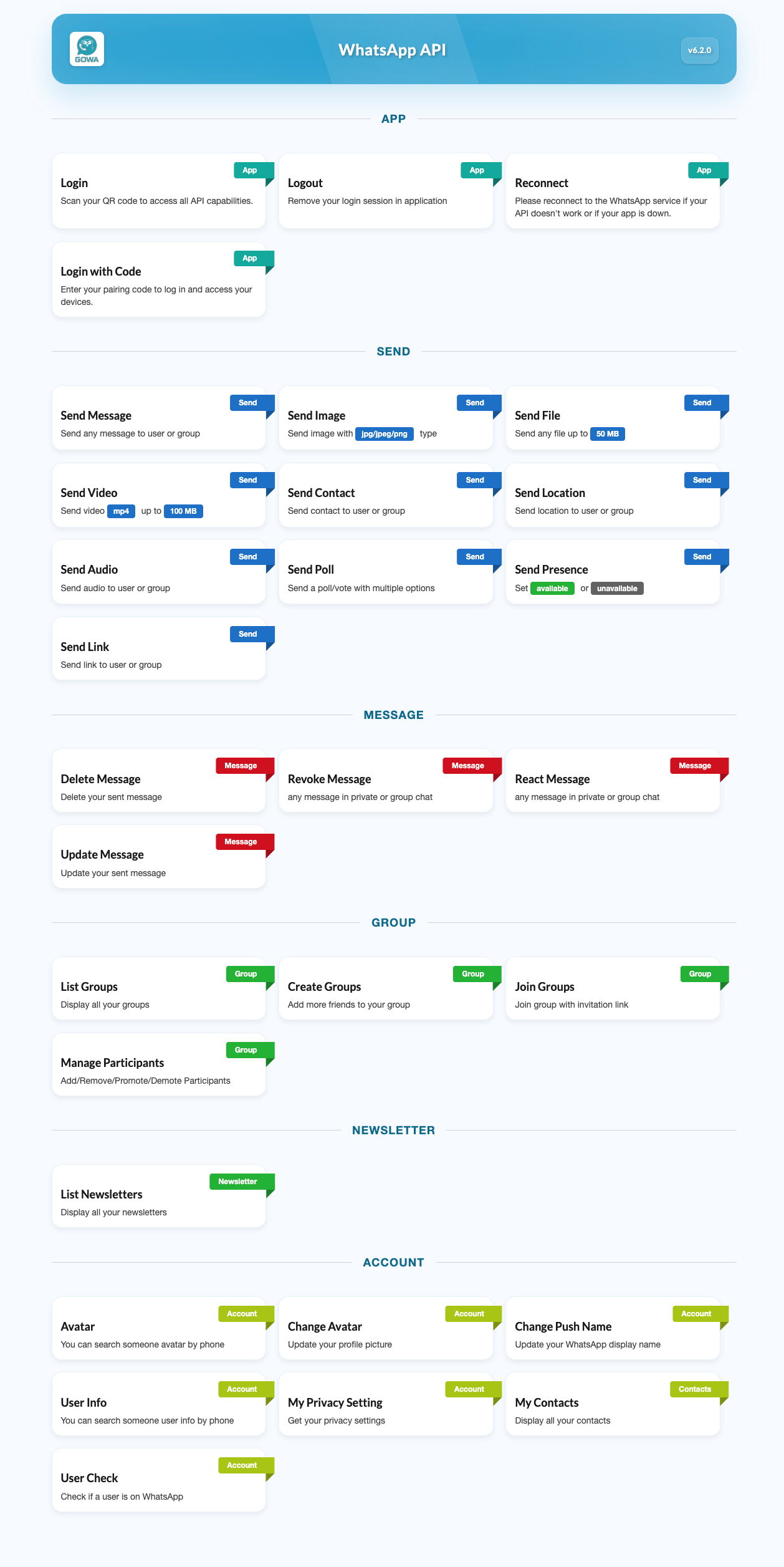 |
| Login | 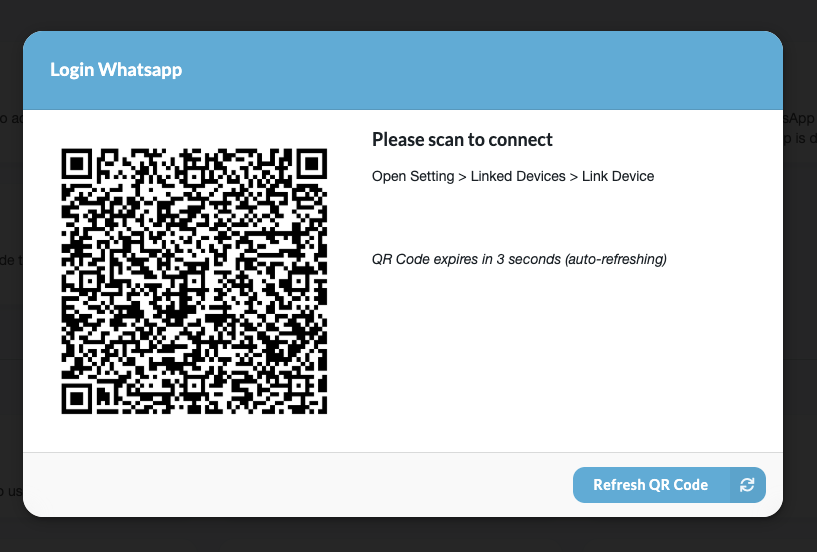 |
| Login With Code | 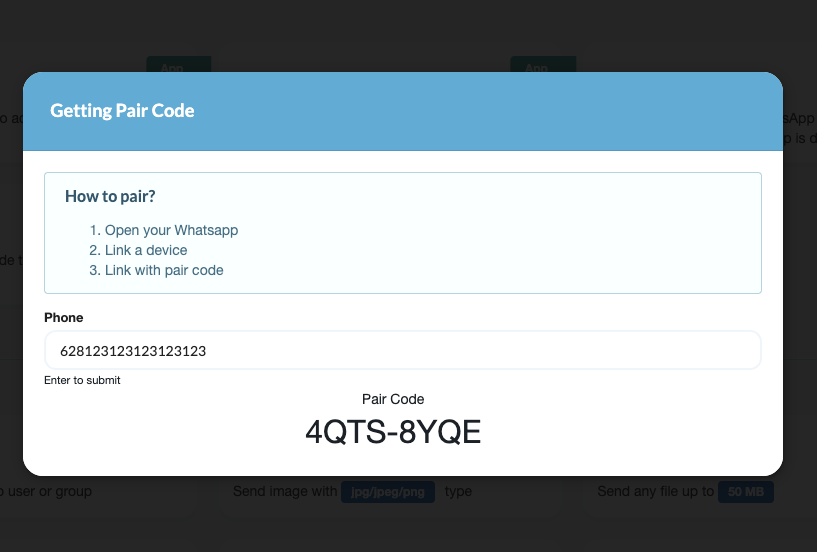 |
| Send Message | 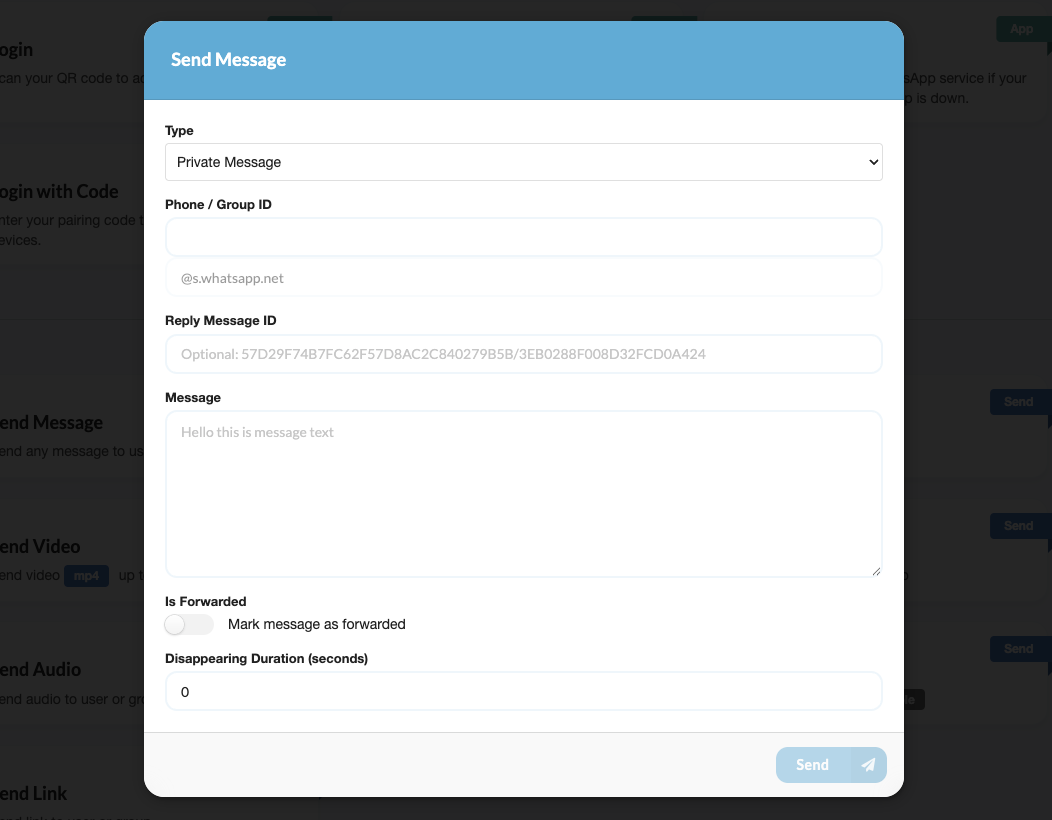 |
| Send Image | 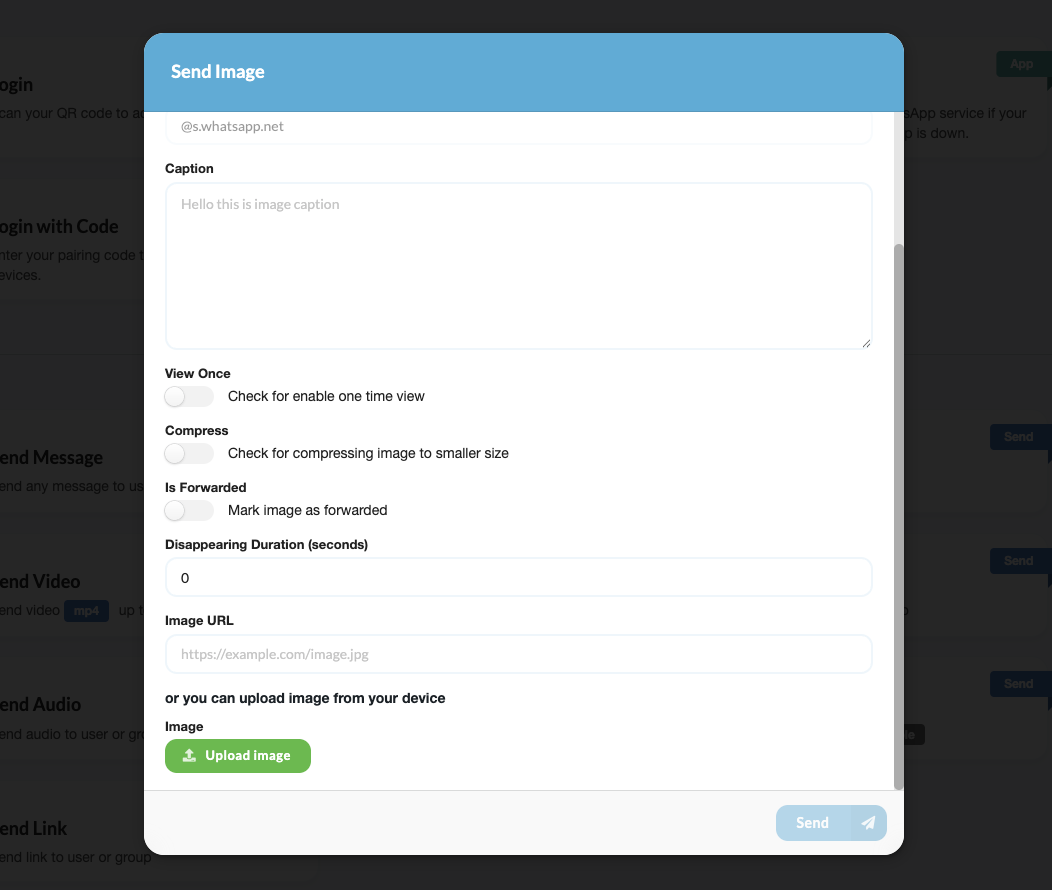 |
| Send File | 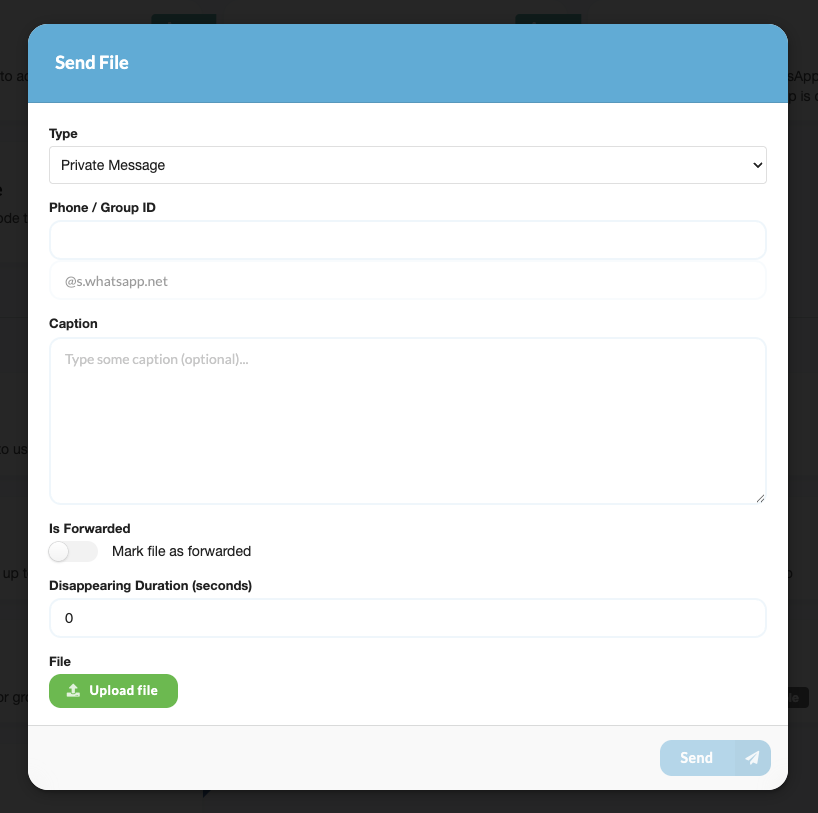 |
| Send Video | 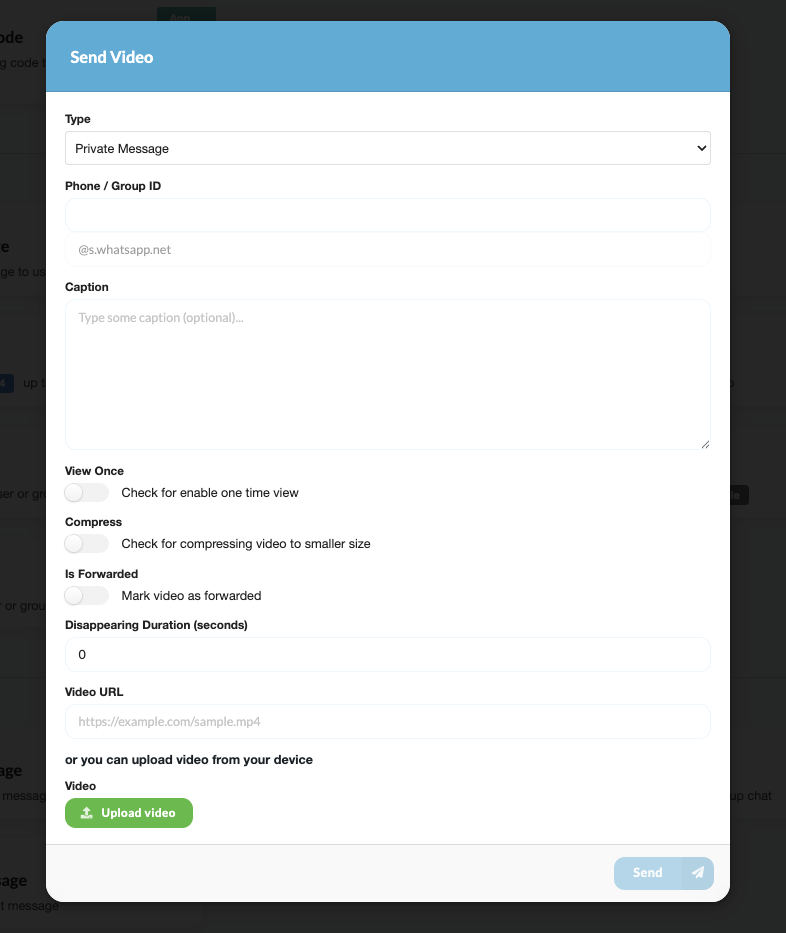 |
| Send Contact | 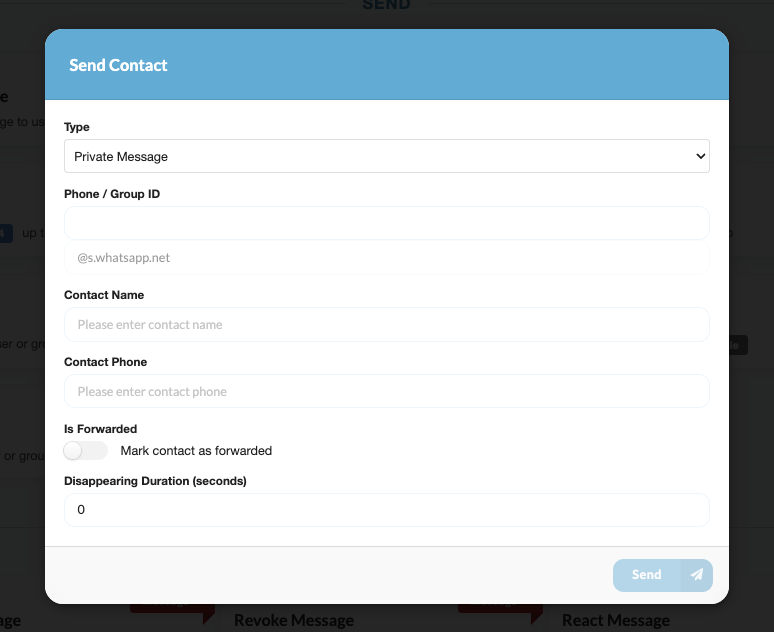 |
| Send Location | 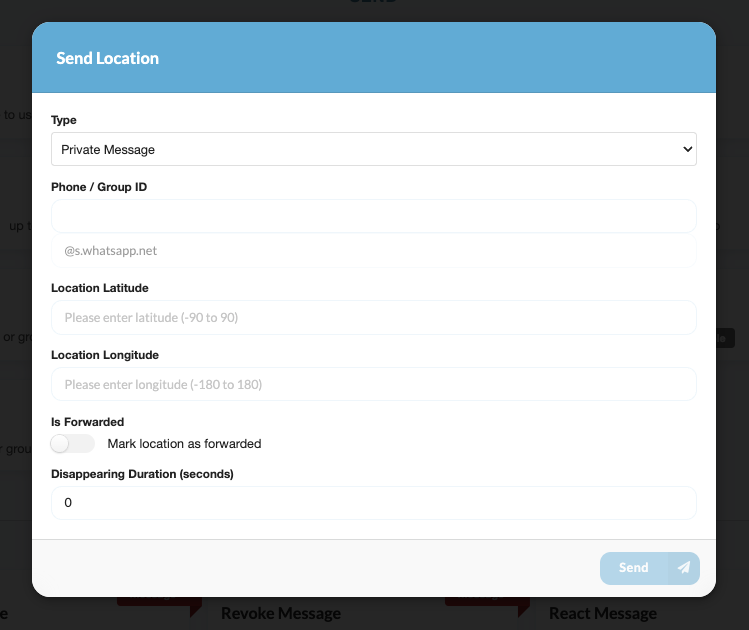 |
| Send Audio | 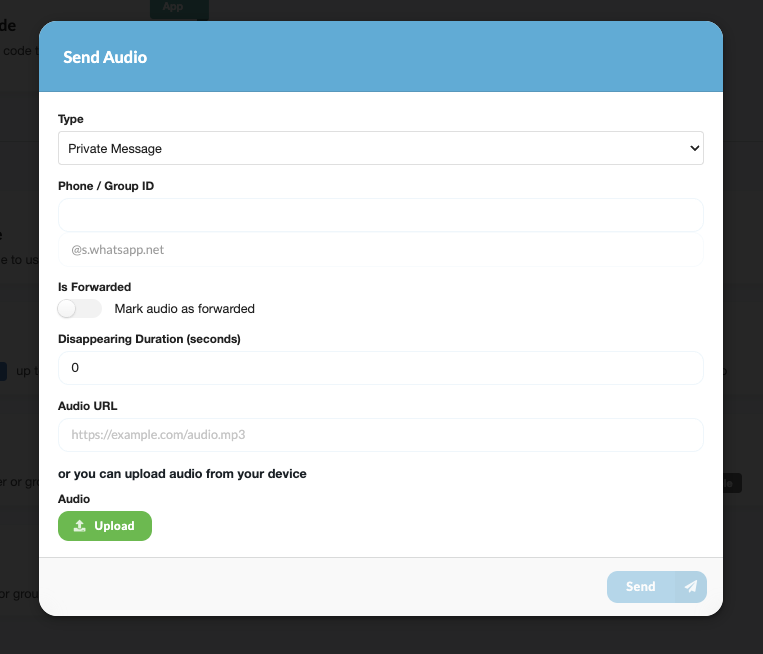 |
| Send Poll | 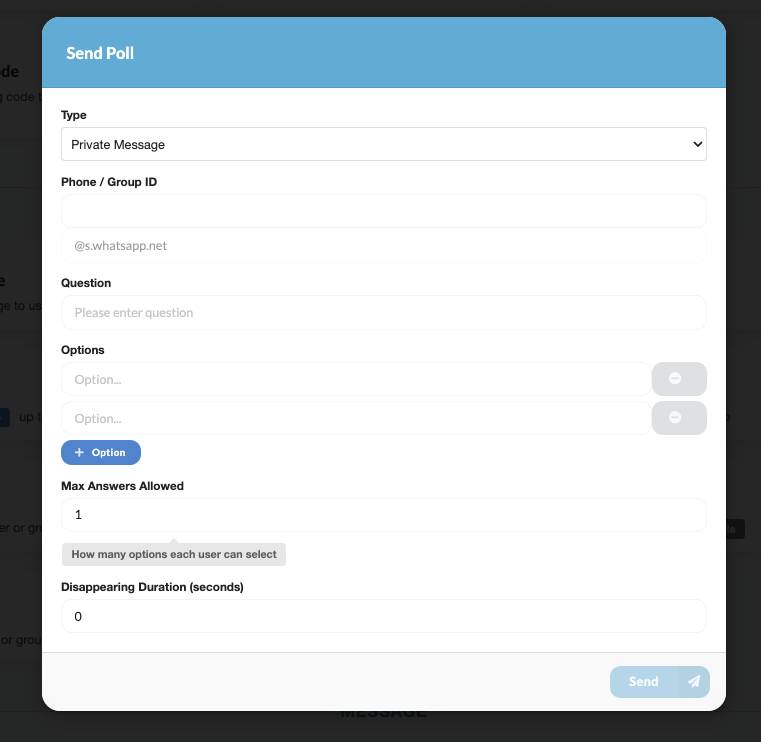 |
| Send Presence | 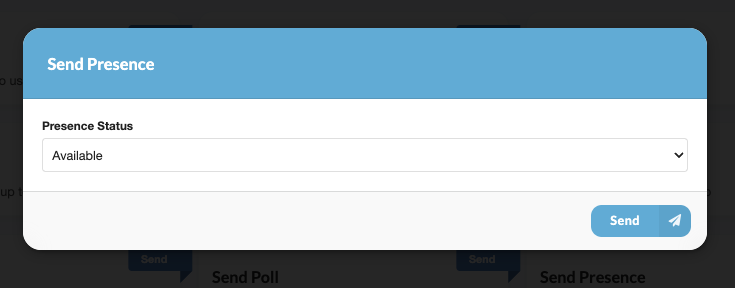 |
| Send Link | 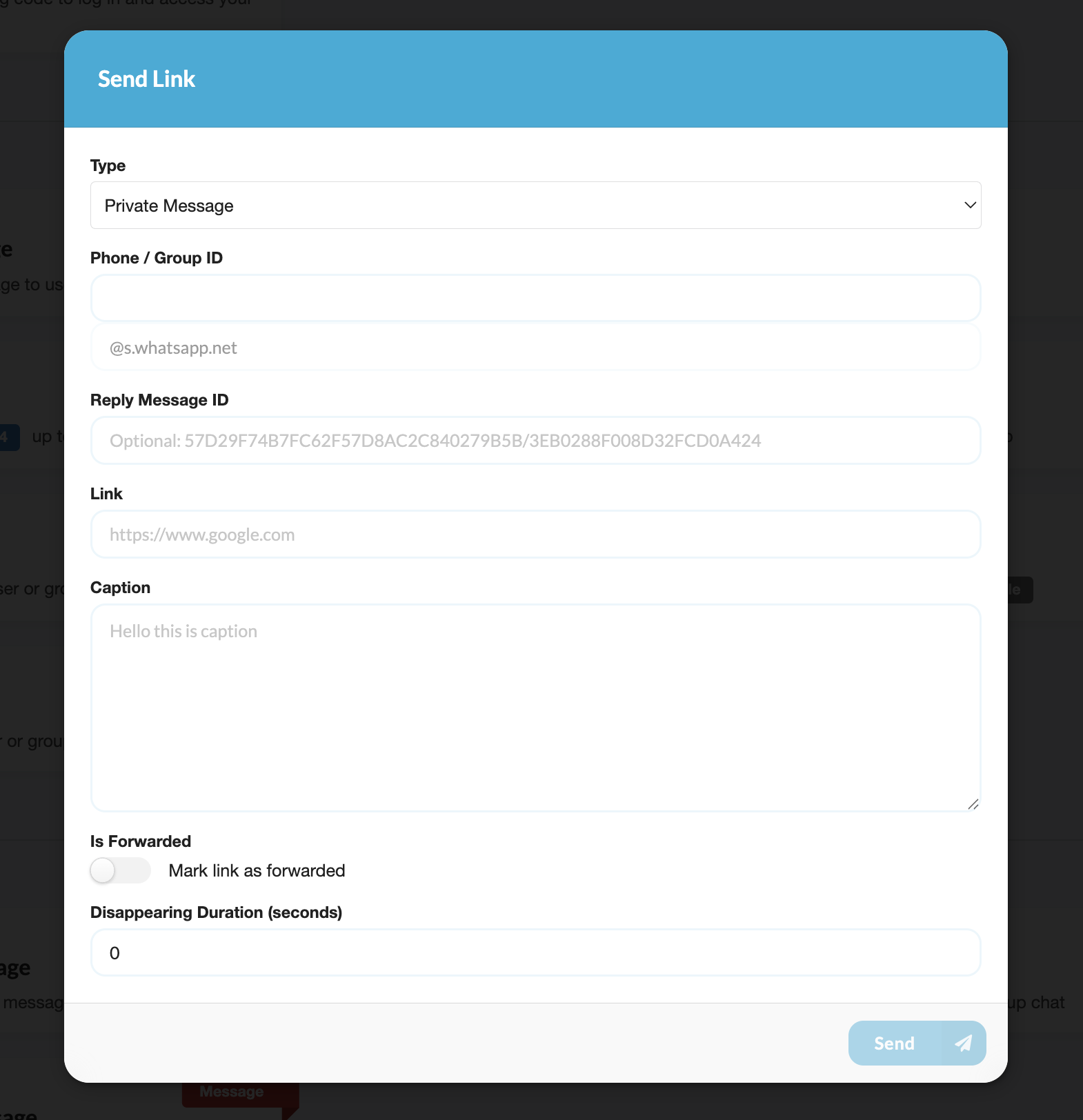 |
| My Group | 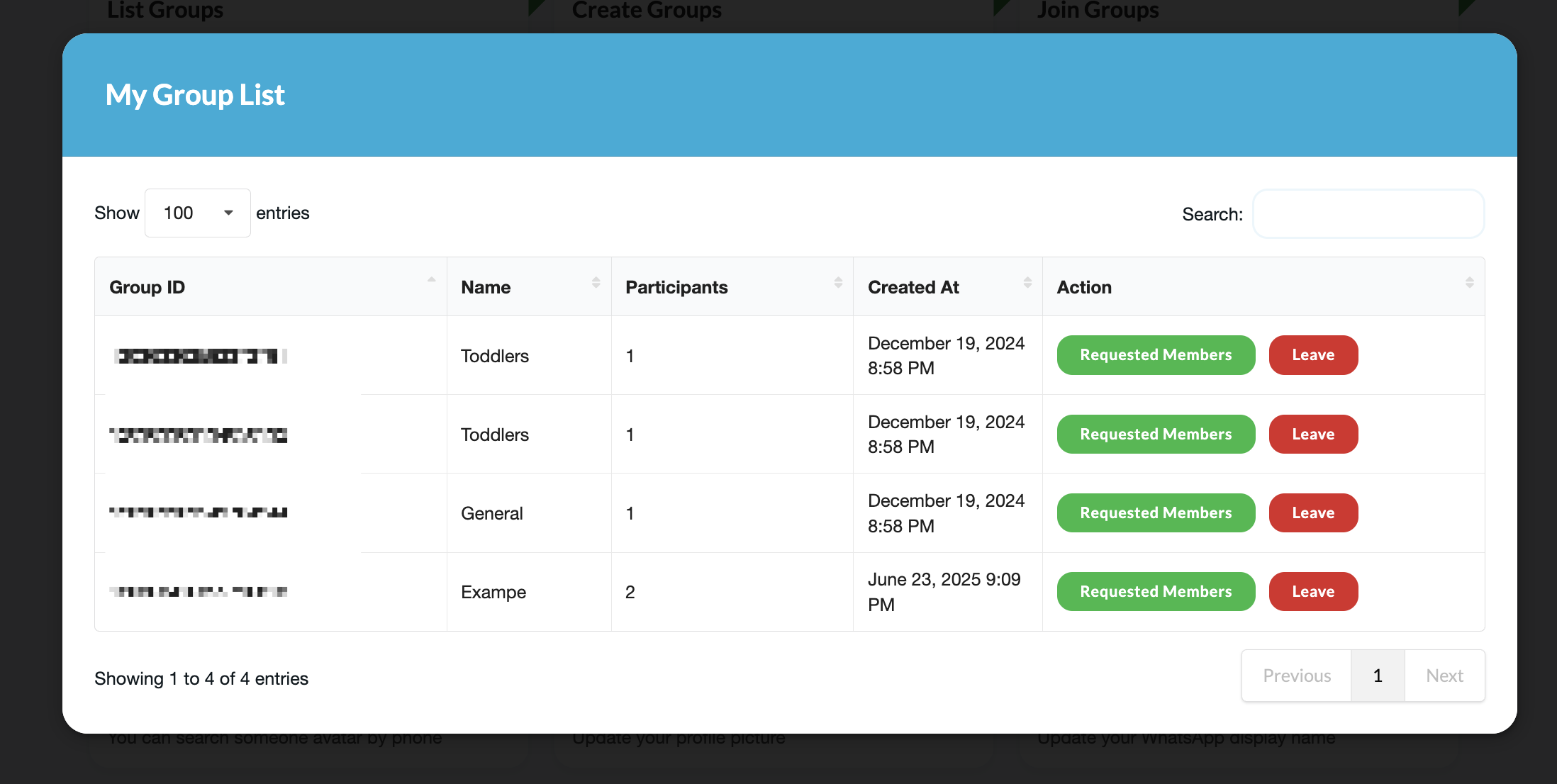 |
| Group Info From Link | 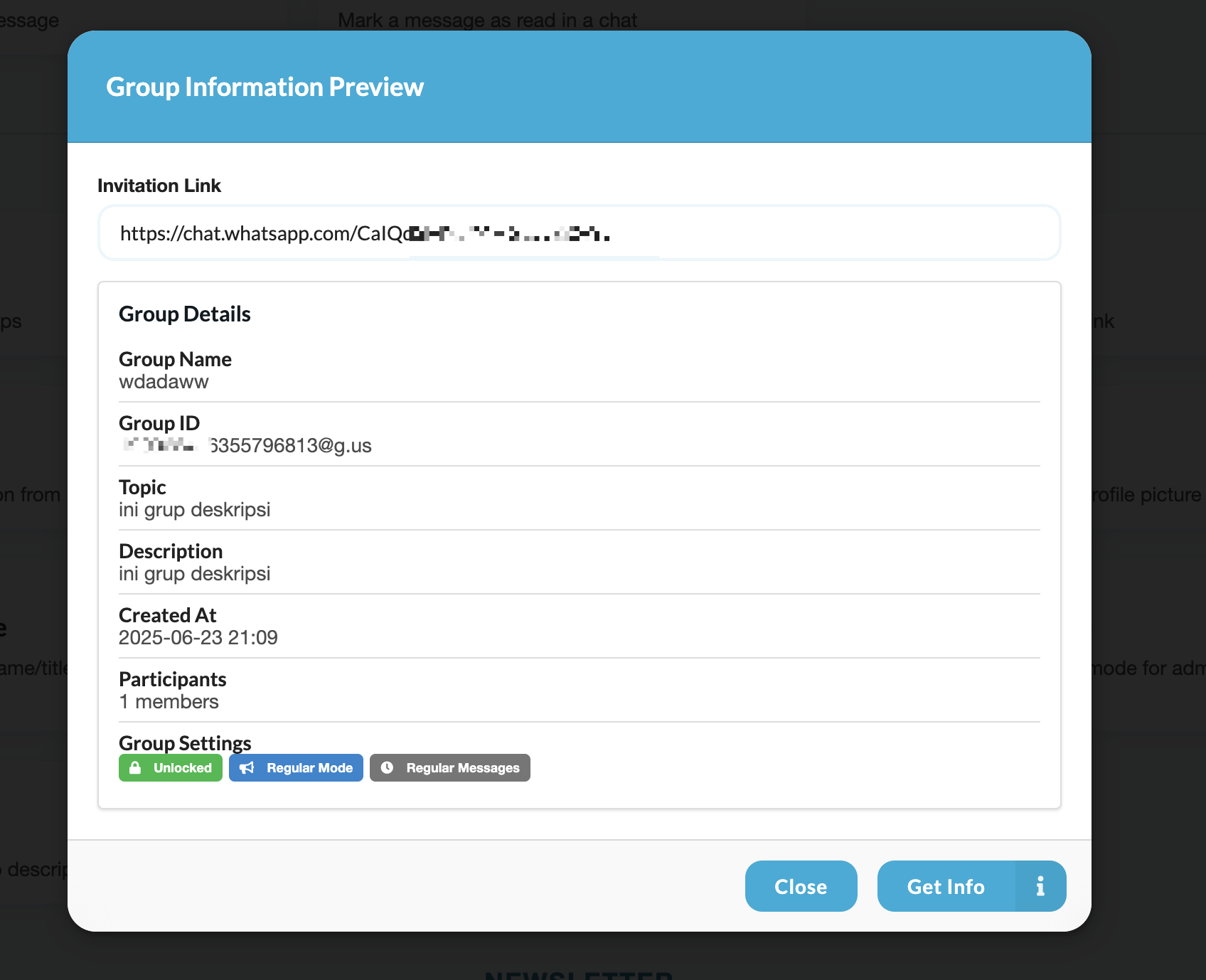 |
| Create Group | 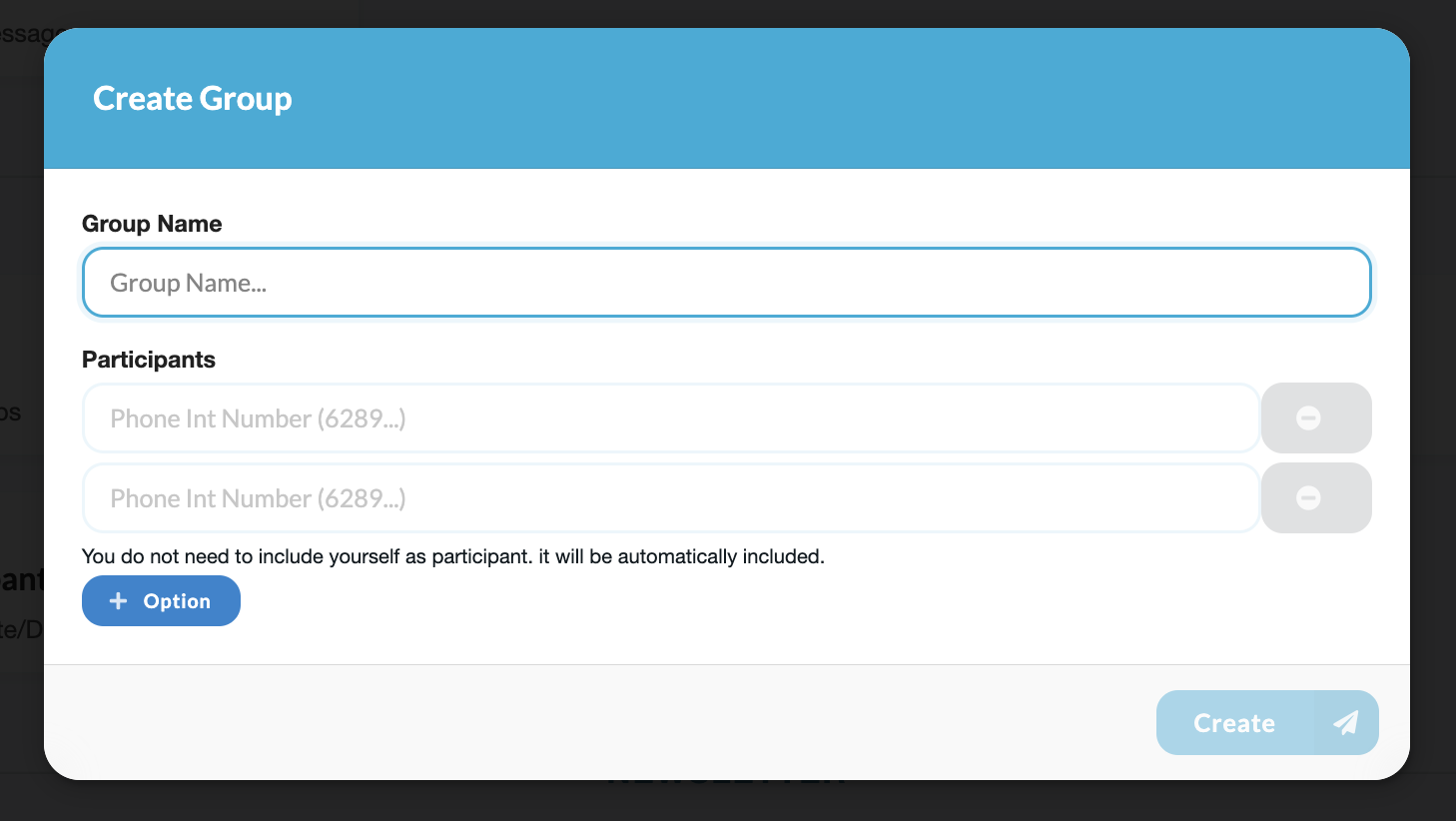 |
| Join Group with Link | 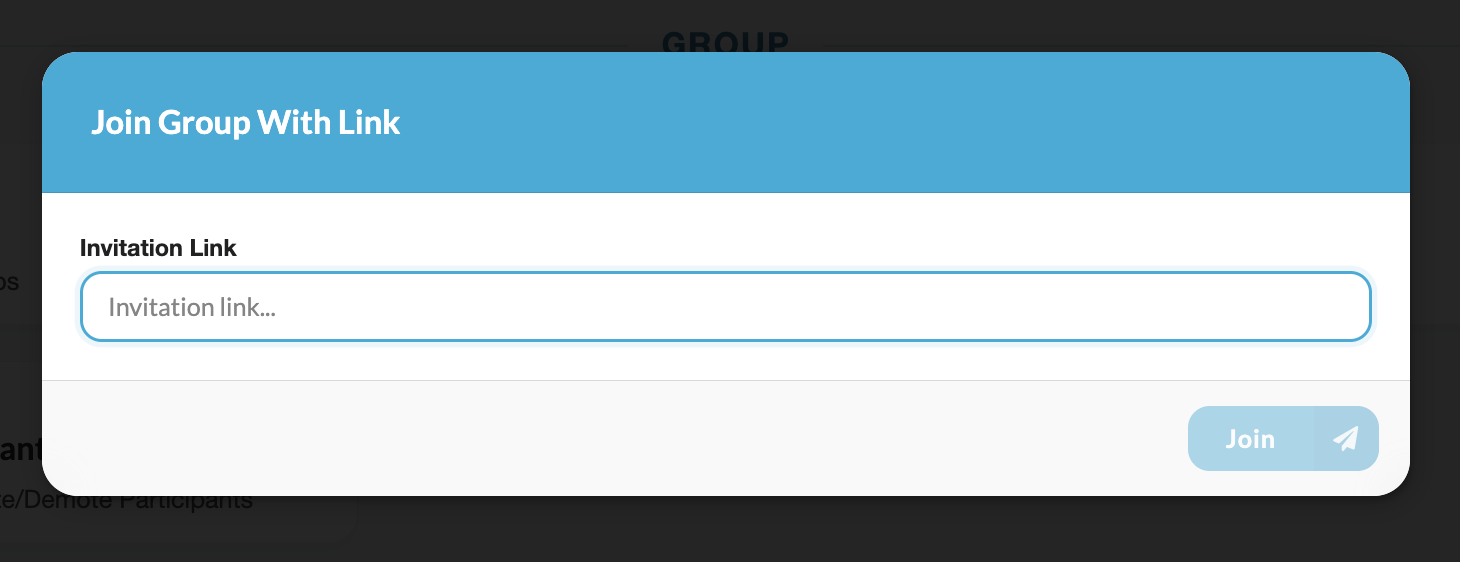 |
| Manage Participant | 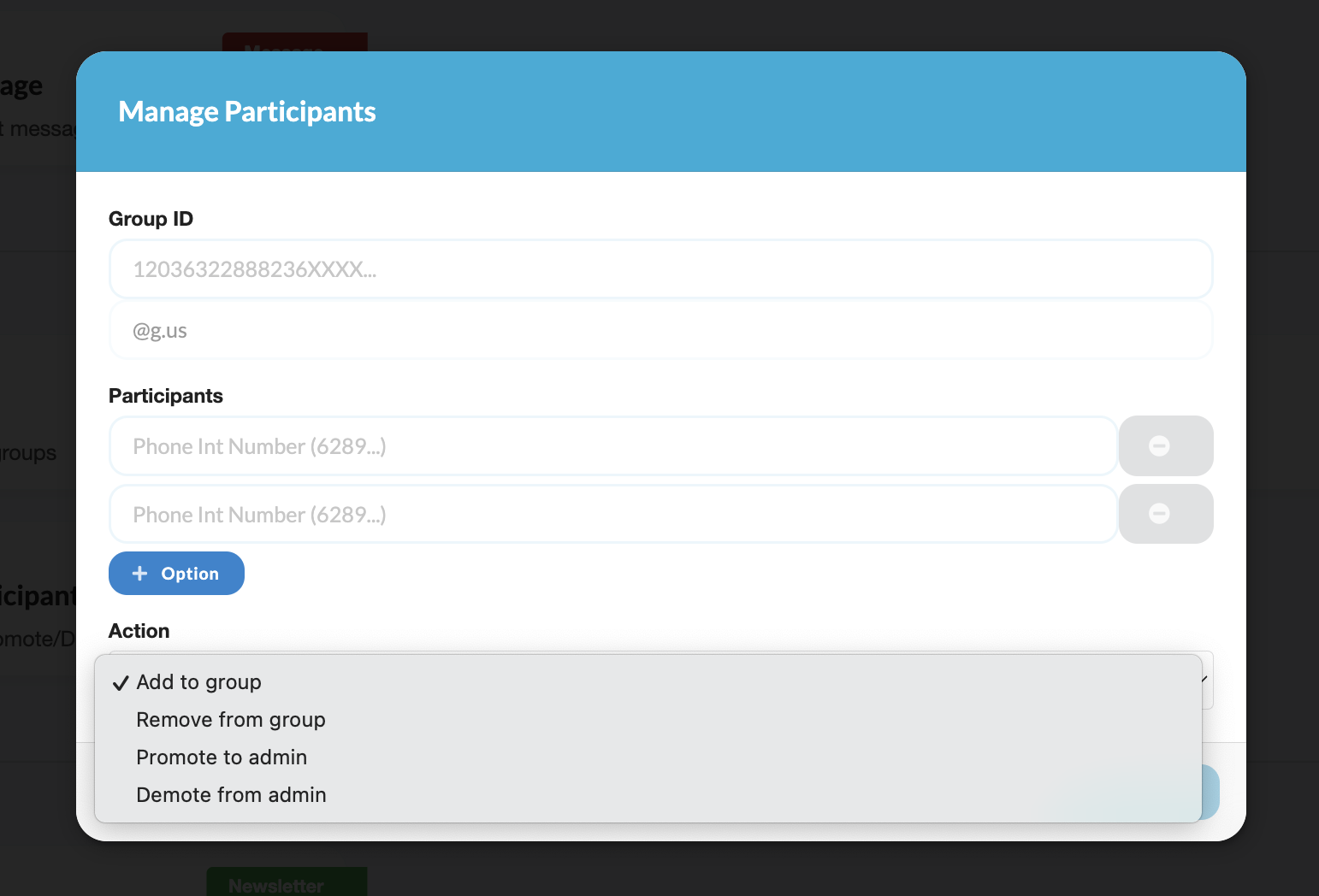 |
| My Newsletter | 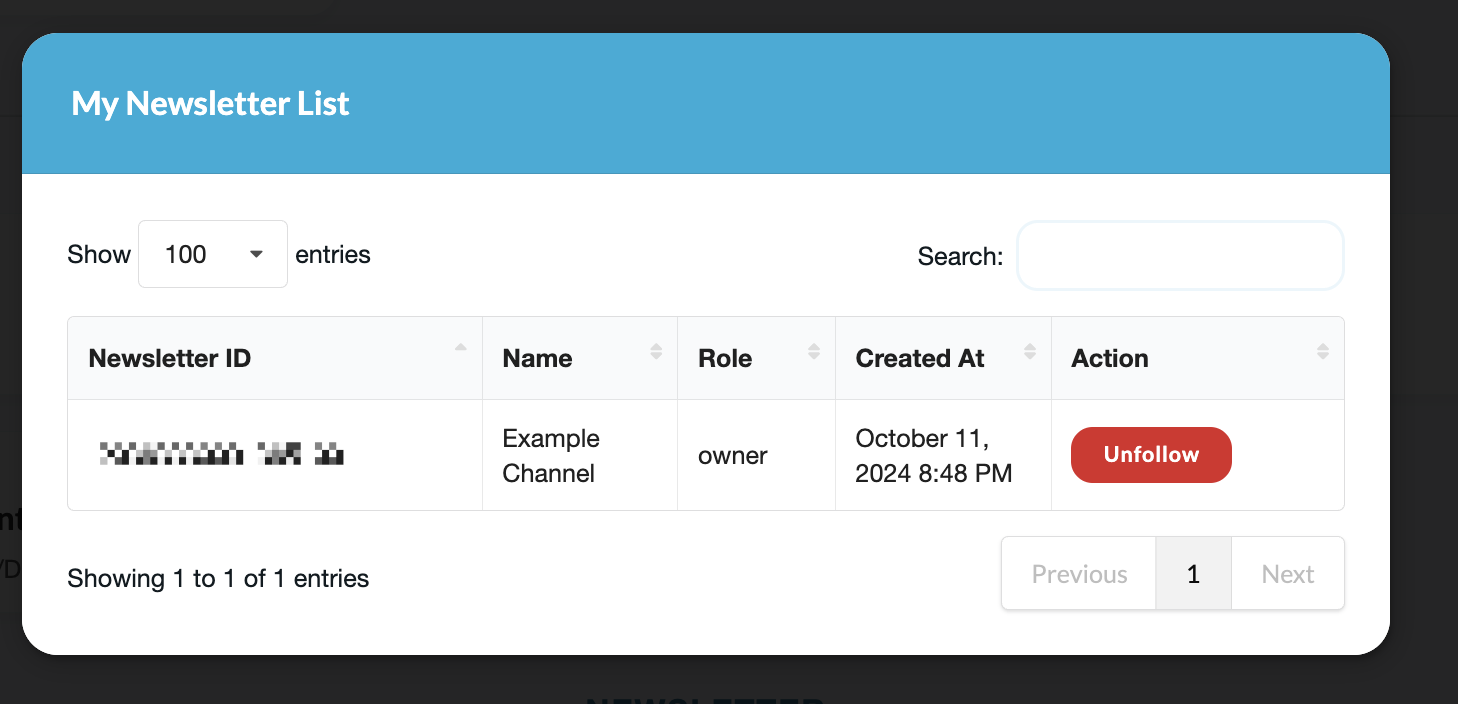 |
| My Contacts | 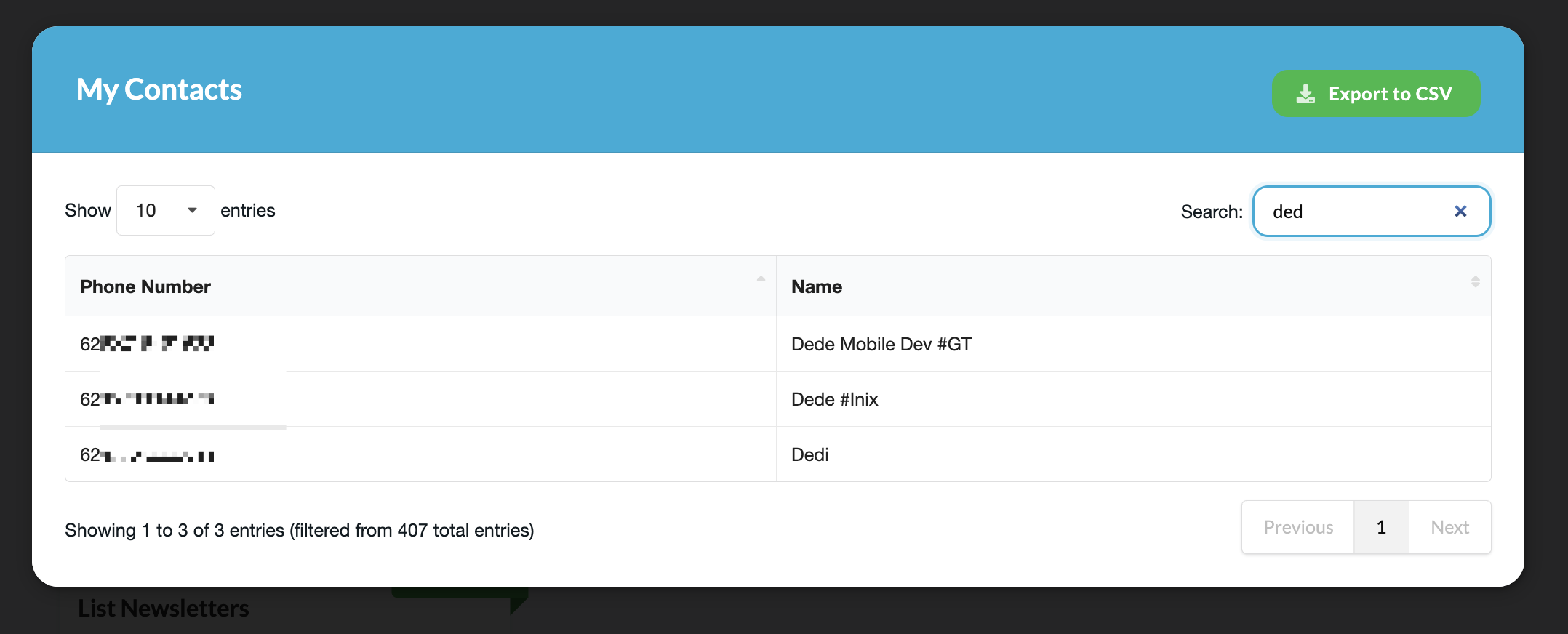 |
| Business Profile | 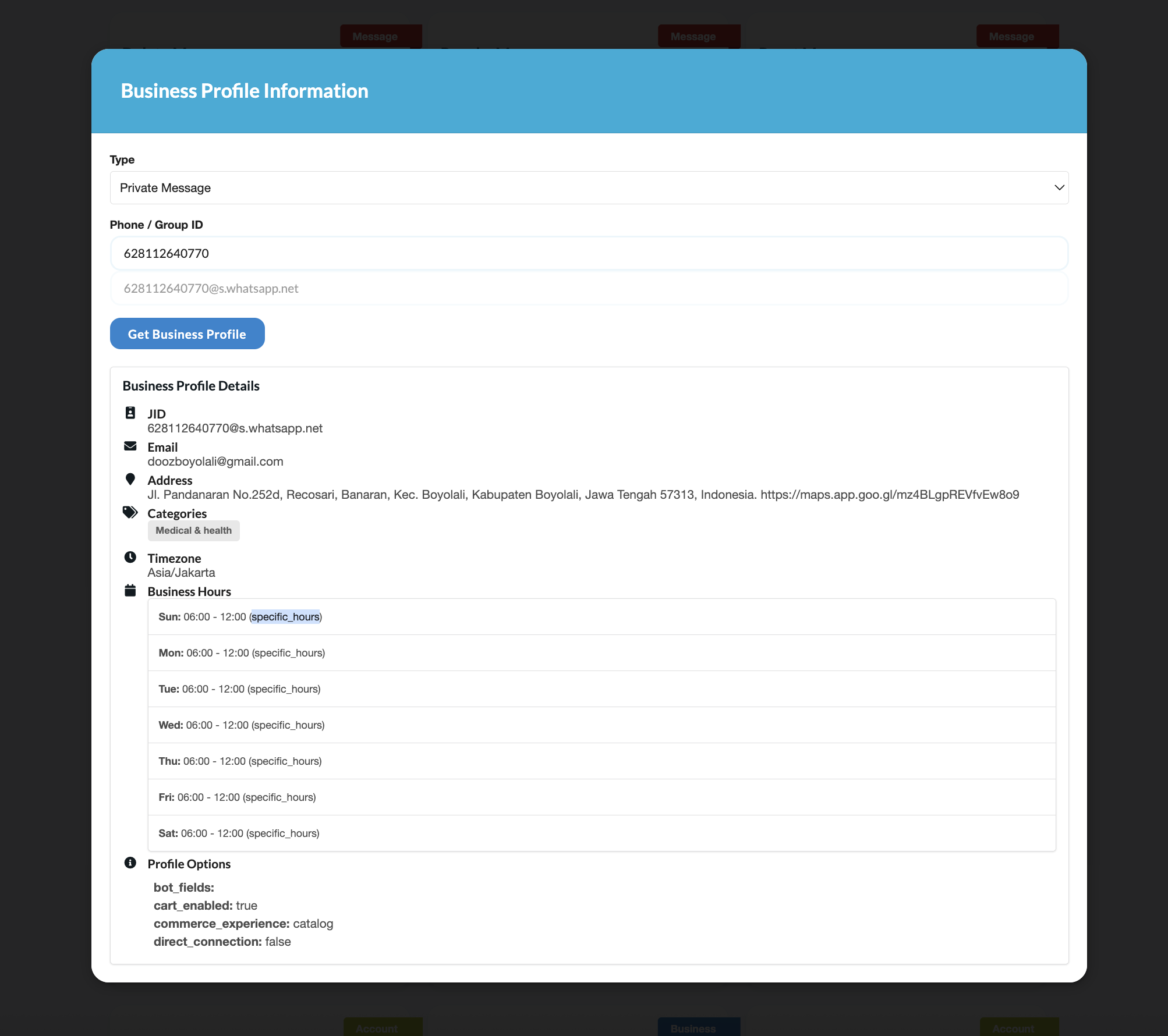 |
Mac OS NOTE
- Please do this if you have an error (invalid flag in pkg-config --cflags: -Xpreprocessor)
export CGO_CFLAGS_ALLOW="-Xpreprocessor"
Important
- This project is unofficial and not affiliated with WhatsApp.
- Please use official WhatsApp API to avoid any issues.
- We only able to run MCP or REST API, this is limitation from whatsmeow library. independent MCP will be available in the future.
Setup from the maintainer
This listing does not have a supported local package template. Use the maintainer’s documentation for its hosted endpoint, authentication, and client-specific setup. No install command has been inferred.
Learn More
Exa MCP Server: AI-Native Search for Claude and CursorExa built its search index for AI agents from the start, and its MCP server reflects that: four tools, a local and a hosted deployment path, and a code-search tool most web-search servers don't ship. Here's the real breakdown, verified against Exa's own docs.Read articlePerplexity MCP Server: The 4 Tools Explained (2026)Perplexity ships one of the most widely used MCP servers in the ecosystem, yet its own CTO has said the company is moving away from MCP internally. Here's the real tool breakdown, and the tension nobody covering Perplexity's MCP server usually mentions.Read articleElevenLabs MCP Server: Voice Cloning and TTS via ClaudeThe ElevenLabs MCP server puts text-to-speech, voice cloning, and transcription directly into Claude's toolset. This guide covers what the server exposes, how to install it, and where it fits next to MCPFind's media and ai-ml category servers.Read article