ai.smithery/TakoData-tako-mcp
Provide real-time data querying and visualization by integrating Tako with your agents. Generate o…
Tako MCP Server





Tako MCP gives your agent industry-leading live web search plus licensed data that the open web does not have. That includes company financials, macroeconomic indicators, web and app traffic, sports, US government spending, and more.
Full Documentation · Get your API key · MCP Registry
Tako MCP lets an agent:
- Search Tako's knowledge graph and the live web — top result renders inline as a chart, and
tako_contentsreads the rows behind it - Discover exactly what proprietary data exists for an entity or metric — free and fast
- Fetch the underlying rows (JSON) or a page's text behind any result URL
- Visualize your own structured data as an embeddable card — public and permanent, readable by anyone with the link (opt-in; on by default on the ChatGPT app)
- Run Tako's Answer Agent for deep, multi-step research (opt-in)
Why a data-native search API? On Tako's VerticalRTK benchmark of real-time domain questions (finance, economics, sports, weather), Tako outperforms the next-best web search API by 21% — while using ~75% fewer tool calls at up to one-tenth the cost, and answering research tasks in 15.5s vs 124.2s for OpenAI web search. It reaches parity with Exa, Parallel, Nimble, and Tavily on standard web benchmarks (SimpleQA, FRAMES) and pulls ahead where structured, real-time data matters. Read the evals →
Installation
Point your MCP client at the hosted endpoint — no install, no local server, no token:
https://mcp.tako.com/mcp
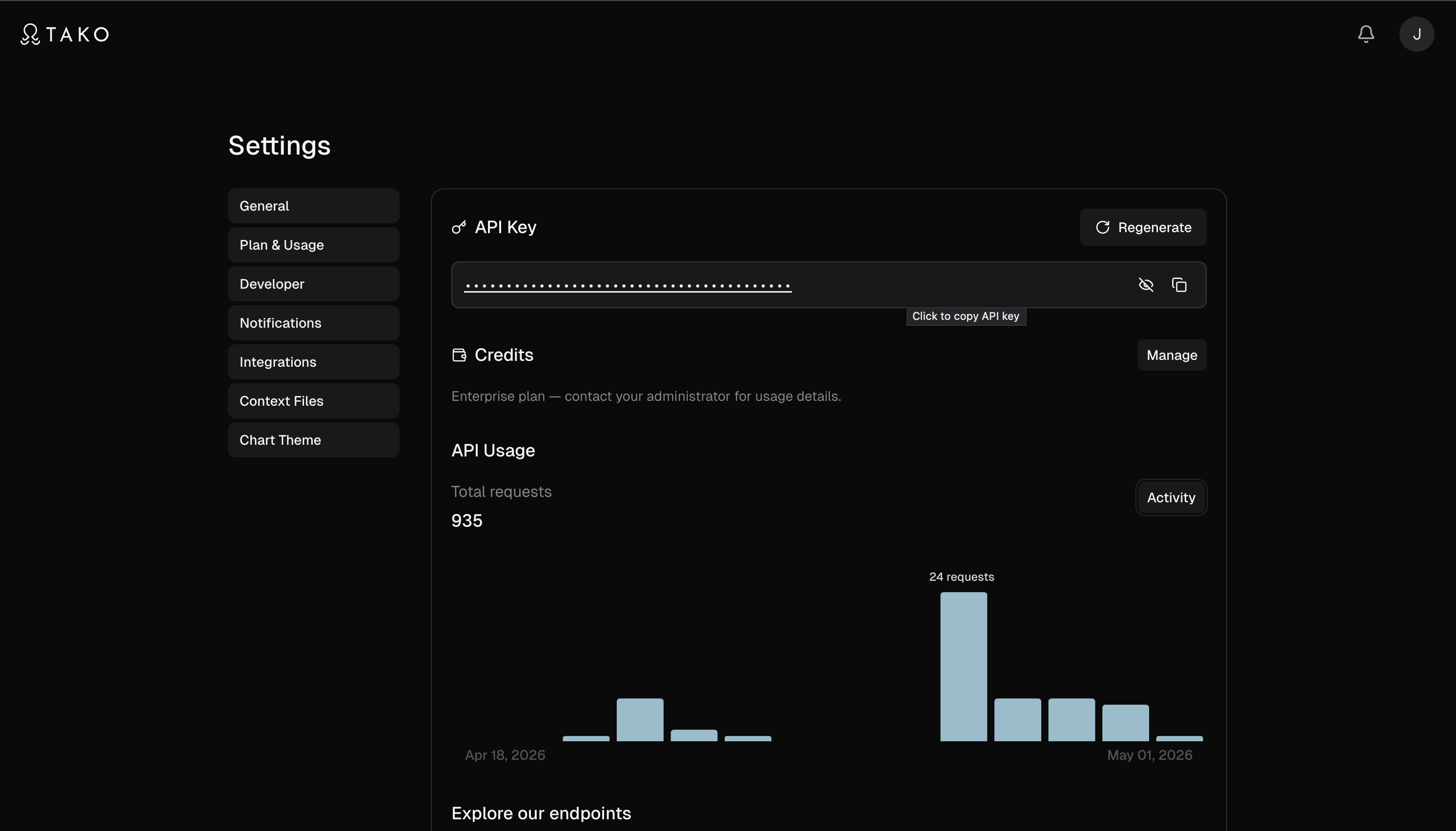
Paste the URL. Sign in when your client prompts you — a per-host key is minted automatically, and new accounts get up to 2,000 free requests. Until you sign in, the connection runs anonymously: tako_search works right away (rate-limited), and every other tool — listed like everything else — asks you to sign in when called. For CI, headless use, or a client without an OAuth flow, connect with an API key instead — see API keys and headless clients.
One-click install



Claude Code installs with one command — the plugin brings the MCP connection plus Tako's bundled research skills:
claude plugin marketplace add TakoData/tako-mcp && claude plugin install tako@tako
Gemini CLI installs as an extension. Same one command, same bundled skills, plus /data, /chart, and /coverage commands:
gemini extensions install https://github.com/TakoData/tako-mcp
Each of these lands on the free tier immediately. Authenticate later to unlock the full toolset — see your client's section below.
Pick your client below.
Claude Code
Plugin (recommended) — installs the MCP connection plus Tako's bundled research skills in one step, and works immediately on the free tier — no API key to mint or manage:
claude plugin marketplace add TakoData/tako-mcp
claude plugin install tako@tako
That's it — tako_search works right away on the anonymous free tier. To unlock the full toolset and your own account limits, authenticate once with OAuth: run /mcp inside Claude Code, select tako, and choose Authenticate. A browser opens to sign you in with your Tako account and a per-host API key is minted for you automatically (visible and revocable at tako.com/console/api-keys). The same OAuth flow powers the plugin on Claude.ai — the plugin's Tako connector connects with a click, no token pasting.
If you previously added the server with claude mcp add, remove it first (claude mcp remove tako-mcp) so you don't end up with two copies of every tool.
Updating from an earlier plugin version? Older releases asked for a Tako API key in the plugin config; that setting is gone, so after updating your connection silently lands on the anonymous tier (
tako_searchruns; the rest asks you to sign in) — nothing errors, but your account limits are no longer active. Run/mcp→ tako → Authenticate once (or use the Connect button on Claude.ai) to restore full authenticated access.
Or add the MCP server directly (then authenticate in place via /mcp → tako → Authenticate):
claude mcp add tako --transport http https://mcp.tako.com/mcp
Verify with claude mcp list (should show tako connected) or /mcp inside a session.
Cursor
Use the one-click badge above, or add to ~/.cursor/mcp.json — Cursor prompts you to sign in on first use:
{
  "mcpServers": {
    "tako": {
      "type": "http",
      "url": "https://mcp.tako.com/mcp"
    }
  }
}
Windsurf
Add to your Windsurf MCP config — Windsurf prompts you to sign in on first use:
{
  "mcpServers": {
    "tako": {
      "type": "http",
      "url": "https://mcp.tako.com/mcp"
    }
  }
}
VS Code
Add to .vscode/mcp.json (workspace) or your user mcp.json — VS Code prompts you to sign in on first use:
{
  "servers": {
    "tako": {
      "type": "http",
      "url": "https://mcp.tako.com/mcp"
    }
  }
}
Gemini CLI
Extension (recommended) installs in one command, and works immediately on the free tier with no API key to mint or manage:
gemini extensions install https://github.com/TakoData/tako-mcp
That installs the MCP connection, Tako's bundled research skills, and three commands:
| Command | What it does |
|---|---|
/data <question> | The answer, cited, across proprietary data and the full web, since sources defaults to both. One narrow tako_search (with rows) for a specific value, parallel searches for anything broad |
/chart <question> | The series as a chart, with the Open in Tako embed link |
/coverage <entity or metric> | What the proprietary graph has, before you spend a call. tako_available_data is free, and a miss there still leaves web search |
To unlock the full toolset and your own account limits, authenticate once: run /mcp auth tako inside Gemini CLI. A browser opens to sign you in with your Tako account, and a per-host API key is minted for you automatically (visible and revocable at tako.com/console/api-keys).
Manual config: if you'd rather not install the extension, or you want to pin a ?tools= allowlist, add to ~/.gemini/settings.json (authenticate later with /mcp auth tako):
{
  "mcpServers": {
    "tako": {
      "httpUrl": "https://mcp.tako.com/mcp"
    }
  }
}
To use an API key instead, add a headers block with "Authorization": "Bearer <key>" — but fill it completely: Gemini substitutes unset ${VAR} references literally, and a malformed Authorization header is rejected rather than ignored, so a half-filled token breaks the connection where no token at all would have worked.
OpenCode
Add to opencode.json — OpenCode prompts you to sign in on first use:
{
  "mcp": {
    "tako": {
      "type": "remote",
      "url": "https://mcp.tako.com/mcp",
      "enabled": true
    }
  }
}
Codex CLI
Codex connects to remote servers through the mcp-remote bridge, which runs the sign-in flow in your browser on first connect:
[mcp_servers.tako]
command = "npx"
args = ["-y", "mcp-remote", "https://mcp.tako.com/mcp"]
Zed
Add to Zed settings.json (via the mcp-remote bridge, which runs the sign-in flow in your browser on first connect):
{
  "context_servers": {
    "tako": {
      "source": "custom",
      "command": "npx",
      "args": ["-y", "mcp-remote", "https://mcp.tako.com/mcp"]
    }
  }
}
Claude.ai, Claude Desktop & ChatGPT (OAuth — no token needed)
The consumer chat hosts don't accept Bearer tokens. claude_desktop_config.json only validates stdio servers, so a remote "type": "http" entry there is silently dropped — Claude Desktop connects through Connectors like Claude.ai. The hosted endpoint runs an OAuth 2.1 flow that signs you in with your Tako account and mints a per-host key for you automatically.
Prerequisites: just sign in at tako.com with the identity you'll authorize. You do not mint a token yourself — the consent flow creates a per-host key (named MCP: <client>, visible and revocable at tako.com/console/api-keys). Connecting a new host never rotates another host's key; Tako trims your oldest MCP key past ten.
Claude.ai (requires Pro, Max, Team, or Enterprise)
- Open Claude.ai → Settings → Connectors
- Click Add custom connector
- Paste
https://mcp.tako.com/mcpand click Connect - Complete the Tako sign-in flow; Tako then appears as connected
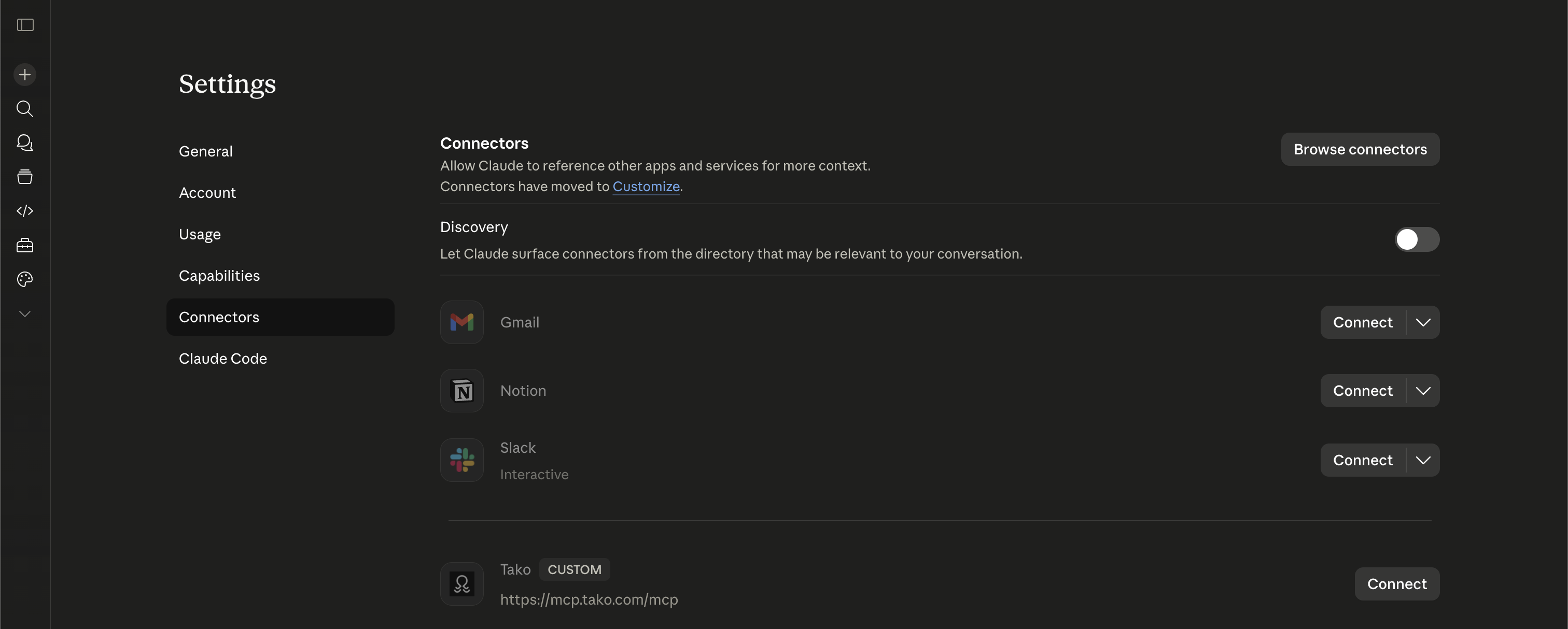
Claude Desktop (same plan requirement as Claude.ai)
- Open Claude Desktop → Settings → Connectors
- Click Add custom connector
- Paste
https://mcp.tako.com/mcpand click Connect - Complete the Tako sign-in flow; Tako then appears as connected
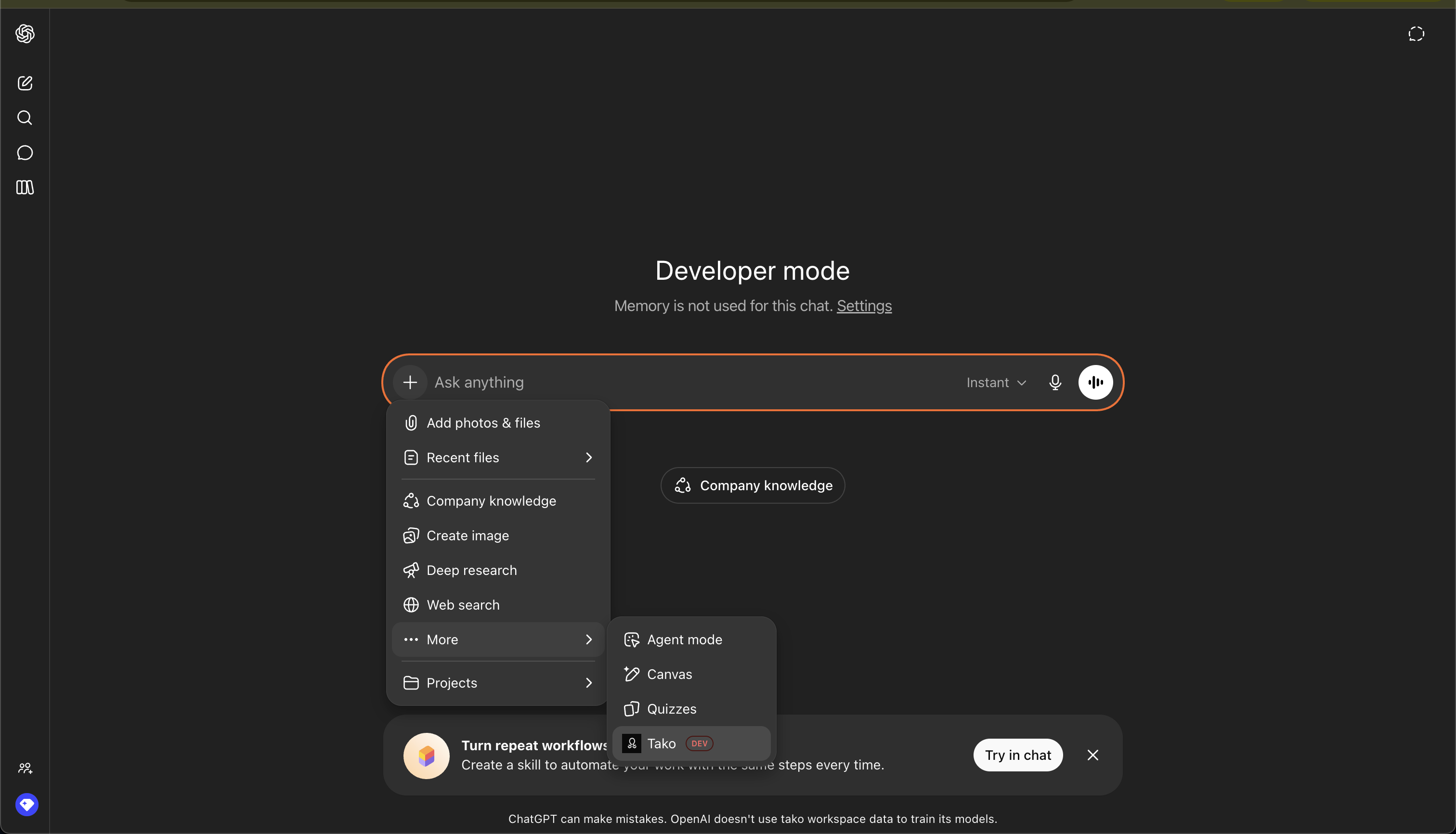
ChatGPT — install the Tako app from ChatGPT's app directory (it connects via OAuth and uses the app surface at https://mcp.tako.com/mcp/chatgpt). To hand-add it as a custom connector instead (requires Pro, Business, or Enterprise; Developer Mode enabled):
- Open ChatGPT → Settings → Connectors → Developer Mode and toggle it on
- Click Create custom connector
- Paste
https://mcp.tako.com/mcp/chatgptand click Connect - Complete the Tako sign-in flow; the connector is then listed and ready
The /mcp/chatgpt surface is OAuth-only and tuned for ChatGPT (interactive chart widget, a fixed five-tool listing; ?tools= is ignored there). The generic /mcp URL also works there — you get chart images instead of the interactive widget.
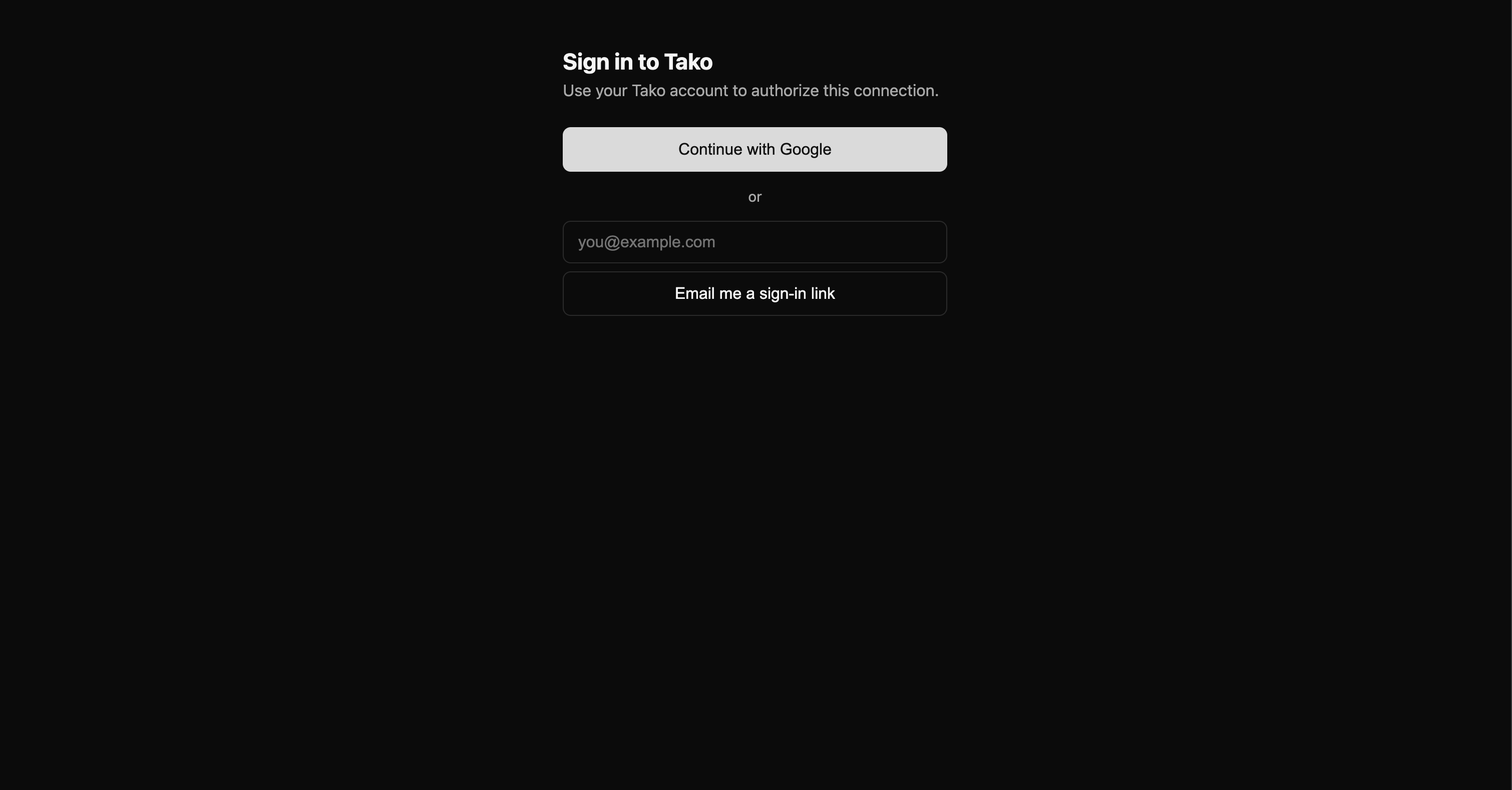
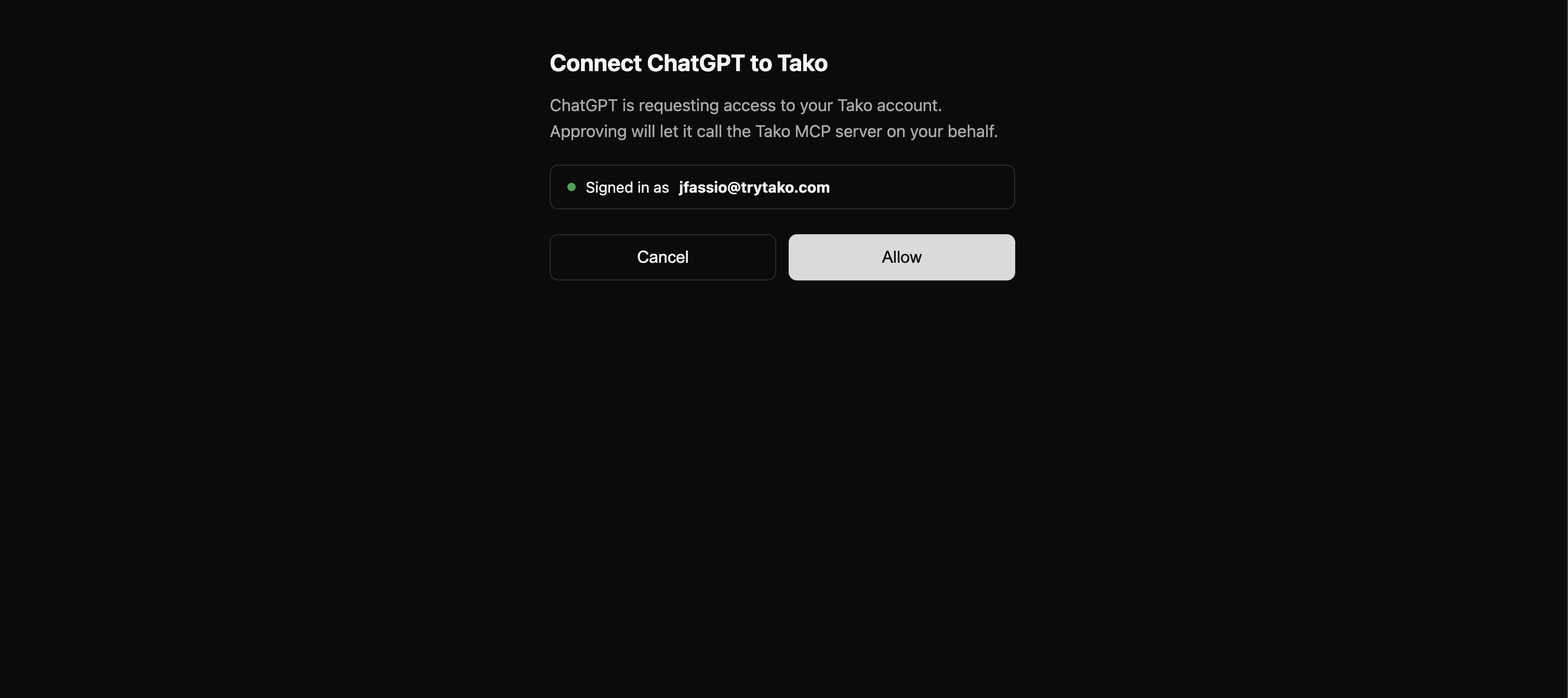
During connect you'll see three Tako-hosted screens regardless of host: a sign-in page (Google, or your Tako email and password), a consent page ("Connect [host] to Tako — Allow / Cancel"), then a bounce back to the host. The host may show its own consent prompt too — that's normal.
Disconnecting. A per-host disconnect (remove the connector in host settings) stops that host only; other hosts and Bearer-auth clients keep working. To hard-kill everything, rotate your key at tako.com/console/api-keys — every previously-issued grant across every host stops authenticating immediately.
Endpoints:
| Environment | URL |
|---|---|
| Production | https://mcp.tako.com/mcp |
| Production, ChatGPT app surface (OAuth-only) | https://mcp.tako.com/mcp/chatgpt |
| Staging (testing only) | https://mcp.staging.tako.com/mcp |
Tools are discovered automatically via the MCP tools/list handshake, so your client always sees the live surface. Auth is connection-level — once connected, tool inputs need no api_token argument.
API keys and headless clients
Sign-in is the default path, but some setups need a key in config: CI and other headless runs, Roo Code, Warp, and mcp-remote pinned to a specific identity. Get your API key and send it as a Bearer header on the same URL:
// any config-file client
{
  "mcpServers": {
    "tako": {
      "type": "http",
      "url": "https://mcp.tako.com/mcp",
      "headers": { "Authorization": "Bearer <your-tako-api-key>" }
    }
  }
}
A key connects exactly like OAuth — same tools, same account limits. Rotating the key at the console kills every connection using it.
Available Tools
The full reference — every description and parameter exactly as the model sees them, per surface — is generated into docs/TOOLS.md. Summary:
Listed by default on /mcp:
| Tool | What it's for |
|---|---|
tako_search | Find the data. Fast search over Tako's curated graph and the live web. Four parameters — query, sources, country_code, locale — and no defaults of its own, so an omitted field takes the API's. Cards carry headline values, node ids and chart links; tako_contents reads the rows. The top result renders inline as a chart with an Open in Tako link. Parallelize broad questions into narrow single entity+metric searches. |
tako_available_data | Find what structured data exists on an entity or metric in one free call — the exact metric name to search on, an id for graph traversal, and a ready-to-run next_call. Ambiguous names come back as candidates with a kind; metric doubles as the substring browse filter; limit widens the candidate list. |
tako_contents | Fetch what's behind result URLs (1-10 per call): a card's rows (billed per 1k rows) or a web page's text — pass query for only the matching passages. Requires a signed-in connection. |
tako_graph_related | Explore a graph node: a map (each relation's key, total, first three names) or one paged relation — metrics, the entities a metric covers, competitors (rel:competes_with), memberships, sources. q is a substring filter. Free. |
Anonymous connections (no credentials): the tool list is the same — it never changes with auth state. tako_search runs anonymously (rate-limited, on shared capacity); the others answer with sign-in instructions.
On connect, the server also advertises MCP server instructions that hosts like Claude.ai, Claude Desktop, and Claude Code place in the model's system prompt. They steer data and metric questions to tako_search ahead of the host's built-in web search, and note that tako_search covers the live web too, so one call can stand in for a separate web search on mixed questions. Built-in web search remains the fallback for queries outside Tako's coverage.
Opt-in on /mcp — name them in ?tools=:
| Tool | Token | What it's for |
|---|---|---|
tako_search_advanced | search_advanced | The whole v3 search request body: per-source count, inline rows and max_rows, graph pins (node_ids + strict), web include_domains / exclude_domains / category / snippet_max_chars / published_after / published_before, location, timezone, include_related, and effort: deep. Set include_answer: true for one synthesized, citation-backed answer (and output_schema to fill a JSON Schema from the same evidence). Same structured payload as tako_search, minus the auto-rendered inline chart — embed_url is still there to click through. |
tako_agent | agent | Tako's Answer Agent: multi-step research (~30–90s) across many retrievals, returning a synthesized answer plus chart cards. |
tako_visualize | visualize | Author a Tako card from your own typed components (timeseries, bar, table, financial boxes…). It PUBLISHES: the card is public, permanent, and readable by anyone with the link. On by default on /mcp/chatgpt, the host that renders the widget inline. |
?tools= is an allowlist that replaces the defaults. ?tools=search,contents lists exactly those two; ?tools=agent lists only tako_agent. Tokens are tool names with the tako_ prefix optional. Unknown tokens are ignored, and a param that names nothing yields the defaults, so a typo never breaks the connection. Include the defaults you rely on:
claude mcp add tako --transport http "https://mcp.tako.com/mcp?tools=search,available_data,contents,graph_related,agent"
- Claude.ai, Claude Desktop, ChatGPT developer-mode connectors: put the param on the URL you paste. OAuth is unaffected (the server canonicalizes the resource, query string included).
- Claude Code plugin: the plugin pins the default surface (its URL isn't user-editable). For a different set, add the server yourself with
claude mcp addas above, and keep only one Tako connection active so you don't get two copies of every tool. /mcp/chatgptignores?tools=: its listing is fixed at submission —tako_search,tako_available_data,tako_contents,tako_visualize,tako_graph_related.
Getting values vs. getting pointers
Two tools, one step apart — tako_search finds, tako_contents fetches:
| You want… | Call | What you get back |
|---|---|---|
| To see what exists — recon, fan-outs, a chart to embed | tako_search | Cards with headline values, node ids, and chart links, plus web results. Cheap; safe to parallelize widely. |
| The values themselves — rows to compute over or quote | tako_contents on the card's url | Up to 2,000 rows of an exportable: true card, billed per 1k delivered. |
| A web page's text | tako_contents on the web result's url | The page's extracted text (query narrows it to matching passages). |
More search options — per-source counts, graph pins, domain filters, effort: deep | tako_search_advanced (opt-in, ?tools=search_advanced) | The same structured payload as tako_search. No inline chart render — the response still carries embed_url. |
- Broad or multi-part questions → parallel narrow searches. Decompose into single entity+metric queries fired concurrently — e.g. "US CPI inflation", "US core CPI inflation", "US PCE inflation" — then synthesize yourself.
- Unsure what Tako covers →
tako_available_datafirst. It is free, returns the metric's exact name to search on, and a miss there still leaves web search.
Example flows
Specific question → search, then fetch the rows:
- User asks: "What was US GDP in 2024?"
- Agent calls
tako_search; the top card carries the headline value and its chart - For the series itself, the agent calls
tako_contentson that card's url, then answers with the chart inline
Data to work with → parallel tako_search (synthesize yourself):
- User asks: "Compare US CPI, core CPI, PCE, and core PCE inflation."
- Agent fires four narrow
tako_searchcalls concurrently — one per entity+metric - Each returns a card with headline values (top result renders inline as a chart)
- Agent synthesizes the four results, calling
tako_contentson a card'surlif it needs full rows (when the card isexportable: true)
Agent Skills
Ready-to-use skills for Claude Code. Each teaches Claude how to use Tako for a specific kind of data work. Copy the block inside a dropdown and paste it into Claude Code — it sets up the connection and skill for you.
Financial Research
Copy the block below and paste it into Claude Code. It will set up the MCP connection and skill for you.
Step 1: Install or update Tako MCP

If Tako MCP already exists in your config, update it to this endpoint. Run this in your terminal:

claude mcp add tako-mcp --transport http "https://mcp.tako.com/mcp" --header "Authorization: Bearer $TAKO_API_TOKEN"

Step 2: Add this Claude skill

---
name: tako-financial-research
description: >-
  Use when the user asks what a company's financial metric is or was (revenue, margins, EPS, cash flow, valuation, stock price, analyst estimates), compares companies on a metric, asks who a company competes with or what data exists on it, or wants a financial chart — including private companies and crypto spot prices. Returns the figures as structured, citation-backed data from Tako (S&P Global, Fiscal.ai, Visible Alpha, Xignite and others), each with a chart. Company-level data only, not country indicators or website traffic.
---

# Financial Research (Tako)

Tako serves company financials as structured, cited data: each result is a card carrying the headline value, the underlying rows, and a chart of the series. All tools below live on the Tako MCP server installed in Step 1. The tool descriptions and every result already carry the card fields, the `sources` guidance and the zero-card recovery; this skill covers how to shape a financial query, how to check a card against the question, and how to report.

## Workflow

1. **Query as ENTITY + METRIC**: `"Nvidia revenue"`, `"Tesla free cash flow"`, with `quarterly` or `annual` to steer the period. When the user wants several metrics or companies, run one call per pair in parallel: each answer then comes back as its own card, and the checks below apply cleanly to each.
2. **Call `tako_search`** with the default sources. Web results carry the qualitative half and the facts the graph doesn't hold (earnings dates, management commentary, companies with no filings or coverage).
3. **Check the top card against the question** with the list below. The top card renders inline automatically; if a different card is the right one, link its title to its `url` and say so.
4. **Read the figure from the card's `description`.** Fetch the series with `tako_contents` on the card's `url` only when you need the rows, such as to compute a growth rate, ratio or change yourself: search retrieves reported values and derives nothing. A locked card (`exportable: false`) is a licensing wall, not an error: quote the headline and stop.
5. **Zero cards?** Follow the recovery the result states, and keep to two priced searches per question. Empty means Tako doesn't cover it, not that the fact is false: no dividend card is not "pays no dividend".
6. **Ambiguous entity?** `"Costco"` resolves to Costco Wholesale Corporation and Costco Wholesale Australia; `"Coca-Cola"` to four listed companies. If the user's intent doesn't settle it, ask before quoting a number.
7. **Discovery asks** ("who does Nvidia compete with", "what does Tako track for Tesla", "Nvidia's acquisitions")? Resolve the entity with `tako_available_data` to get its node id, then call `tako_graph_related` on it. The first call returns the relation map with counts (`rel:competes_with`, `rel:subsidiaries`, `rel:acquisitions`, `metrics`, `sources`); pass `relation` to page one and `q` to filter it, then search on the names it returns.

## Checking a card against the question

Search ranks on relevance to the words, and financial vocabulary is dense: the same query can match a level and a rate, a segment and the total, an actual and an estimate. Before quoting, confirm:

1. **Metric.** The title names the metric asked for, not an overview of several. Overview cards ("Earnings & Estimates Overview", "Ratios Overview", "Stock Overview") summarize many metrics and lead with estimate-vs-actual; use one only when the question is that broad.
2. **Scope.** The card is company-wide unless a segment or geography was asked for. Segment cards exist for every line the company reports, so they can match the same words. If only a segment card exists, say so; never pass a segment off as the total.
3. **Unit.** A rate query can match the level (operating income vs operating margin). Confirm the unit in `description`.
4. **Reported or estimate, as asked.** Analyst-estimate and consensus cards match plain metric queries, and a future `coverage_end` is how you spot one. Both are financial data: quote the estimate when the question is about forecasts or consensus and label it so; otherwise take the reported card.
5. **Entity.** `nodes` names the company asked about; related listed entities share names. Some cards (Fiscal.ai charts, Stock and Ratios Overviews) carry no nodes; fall back to the title there.

## Comparisons

- A two-series comparison card exists for many pairs but not all; some pairs return two single-entity cards. Treat a card as a comparison only if every compared entity appears in its `nodes` or title; otherwise synthesize from the per-entity cards. Comparisons default to annual; say `quarterly` for quarterly.
- A cross-currency pair plots both series on one axis unnormalized. State each currency and convert before comparing; never present the raw chart as like-for-like.
- Period labels are calendar-normalized (a September fiscal year-end shows as Dec 31). Flag the normalization when the fiscal period matters.

## Output

1. One or two lines on the finding, referencing the chart in prose. Never re-post the image URL: it double-renders the inline chart.
2. Source name and `coverage_end` date. Cite the source the card names; it varies by metric. Say plainly when a figure came from a web result rather than a card.
3. One `[Open in Tako](url)` link for the card you embedded.

Step 3: Ask the user to restart Claude Code

Ask the user to restart Claude Code so the config change takes effect.
Website & App Traffic
Copy the block below and paste it into Claude Code. It will set up the MCP connection and skill for you.
Step 1: Install or update Tako MCP

If Tako MCP already exists in your config, update it to this endpoint. Run this in your terminal:

claude mcp add tako-mcp --transport http "https://mcp.tako.com/mcp" --header "Authorization: Bearer $TAKO_API_TOKEN"

Step 2: Add this Claude skill

---
name: tako-web-traffic
description: >-
  Use when the user asks how much traffic a website gets, compares sites' visits, wants a top-sites ranking, asks which sites compete with a brand for attention, or asks about an app's monthly active users — including when they name the brand rather than the domain ("how much traffic does Netflix get"). Returns SimilarWeb figures as structured, citation-backed data from Tako, each with a chart. Not for company financials such as subscribers or revenue.
---

# Web & App Traffic (Tako)

Tako serves SimilarWeb traffic data as structured, cited data: each result is a card carrying the headline value and a chart of the series. All tools below live on the Tako MCP server installed in Step 1. The tool descriptions and every result already carry the card fields, the `sources` guidance and the zero-card recovery; this skill covers how to shape a traffic query, how to check a card against the question, and how to report.

## Workflow

1. **Query by domain**: `"netflix.com monthly visits"`, `"chatgpt.com"`. Traffic data is keyed by domain, so resolve a brand to its domain yourself. For app usage, query app name + metric: `"Spotify app monthly active users"`; app cards are keyed by the bare app name.
2. **Call `tako_search`** with the default sources. Web results add competitive write-ups and ranking roundups.
3. **Check the top card against the question** with the list below. You have the traffic number only when the card's title is `<domain> Monthly Visits`, or the app's active-users card.
4. **Read the figure from `description`**: the latest monthly value and the % change over the period. Traffic cards are licensed and don't export (`exportable: false`), so the description and the chart are the data; don't call `tako_contents` on one. Web-result urls remain fetchable.
5. **Zero cards?** If the query wasn't a bare domain, make it one and retry once. If a domain query is still empty, answer from the web results and label the figure web-sourced. Don't use `tako_available_data` to rule a domain out: the graph resolves brands to companies, not to domains, so a domain it doesn't know can still have a traffic card.
6. **Competitive asks** ("who competes with Netflix for attention", "Netflix vs its rivals")? Resolve the brand with `tako_available_data` to get its company node id, call `tako_graph_related` with `relation: "rel:competes_with"`, map the competitors to their domains yourself, and run one domain search per site in parallel.

## Checking a card against the question

1. **Domain, from the title.** Traffic cards list only the metric in `nodes`; the domain never appears there, so the entity check that works elsewhere doesn't apply.
2. **Absolute vs relative.** An `"A vs B"` card's description reports each series as a % change over the period. For absolute visits, read each domain's single-series card; run a per-domain search if the comparison result didn't include them.
3. **Ranking scope.** Ranking cards exist per category and per measure ("Top Websites by Visits", "Top Arts and Entertainment Websites by Visits", "… by Average Visit Duration"). The title names both; confirm they match the question.
4. **Metric family.** SimilarWeb app "Monthly Active Users" and a company's own reported MAU are different numbers from different sources, and both can appear in one result. Say which you're quoting.
5. **Month.** `coverage_end` is the data month. Cite it.

## Output

1. One or two lines on the traffic, referencing the inline chart in prose. Never re-post the image URL: it double-renders the chart.
2. "SimilarWeb" and the `coverage_end` month. Say plainly when a figure is web-sourced.
3. One `[Open in Tako](url)` link for the top card; point at extra cards by linking their titles to their `url`.

Step 3: Ask the user to restart Claude Code

Ask the user to restart Claude Code so the config change takes effect.
Macroeconomics
Copy the block below and paste it into Claude Code. It will set up the MCP connection and skill for you.
Step 1: Install or update Tako MCP

If Tako MCP already exists in your config, update it to this endpoint. Run this in your terminal:

claude mcp add tako-mcp --transport http "https://mcp.tako.com/mcp" --header "Authorization: Bearer $TAKO_API_TOKEN"

Step 2: Add this Claude skill

---
name: tako-macroeconomics
description: >-
  Use when the user asks what a country's economic indicator is or was (inflation, CPI, PCE, unemployment, GDP, interest rates, population), compares countries on one, asks which indicators exist for a country or which countries belong to a bloc, or wants a macro chart or briefing. Returns the figures as structured, citation-backed data from Tako (FRED, BLS, OECD, BIS, IMF, World Bank, Census and Polymarket), each with a chart. Country-level indicators only, not company financials or website traffic.
---

# Macroeconomics (Tako)

Tako serves macro and demographic indicators as structured, cited data: each result is a card carrying the headline value, the underlying rows, and a chart of the series. All tools below live on the Tako MCP server installed in Step 1. The tool descriptions and every result already carry the card fields, the `sources` guidance and the zero-card recovery; this skill covers how to shape a macro query, how to check a card against the question, and how to report.

## Workflow

1. **Query as COUNTRY + INDICATOR**: `"US CPI inflation"`, `"Japan unemployment rate"`. Coverage is keyed by country. For a bloc or region, check coverage with `tako_available_data` before searching: member-country series are far denser, so aggregate them yourself or take the figure from the web results and say so.
2. **Name the variant when intent is precise.** Most indicators exist in several variants with materially different values: headline vs core, seasonally adjusted or not, BLS vs IMF vs OECD-harmonised, U-3 vs U-6, target rate vs effective rate. When you don't know the exact name, call `tako_available_data` first, which is free, and search on the name it returns. Level and rate series share a stem: "Core PCE Price Index" is the index level and "Core PCE Price Index (% Change)" is the inflation rate, and a query that says "inflation" can match either, or a CPI series.
3. **Call `tako_search`** with the default sources. Web results carry release commentary and cover the gaps in bloc-level data.
4. **Check the top card against the question** with the list below. If a different card is the right one, link its title to its `url` and say so.
5. **Read the value from `description`.** When the card is exportable and you need more than the headline, `tako_contents` on its `url` returns the series.
6. **Zero cards?** Follow the recovery the result states, and keep to two priced searches per question. Empty means not covered, not that the indicator doesn't exist.
7. **Discovery asks** ("what does Tako track for Japan", "which countries are in the G7", "who publishes Japan's data")? Resolve the country with `tako_available_data` to get its node id, then call `tako_graph_related` on it. The first call returns the relation map with counts (`metrics`, `part_of`, `siblings`, `sources`; `members` on a bloc node); pass `relation` to page one and `q` to filter it, then search on the names it returns.

## Checking a card against the question

One indicator name covers many series: providers, methodologies, vintages, levels and rates, and prediction markets on the same quantity. Before quoting, confirm:

1. **Variant.** The title names the variant asked for; several providers' headline numbers can come back together. Don't average them or take the first.
2. **Vintage, as asked.** For a current figure, take the series whose `coverage_end` is latest among the matches: discontinued series stay in the graph and an annual series can sit a year behind the monthly one. For a historical period, any series that covers it is valid. Series refresh on different schedules, so don't present two indicators as the same vintage without checking.
3. **Rate, not level.** A "(% Change)" card is a percentage; a bare "Price Index" card is index points. Confirm from the unit in `description`.
4. **Indicator or expectation, as asked.** Polymarket cards report what traders expect, not what a statistics agency published, and exist for many macro quantities. Quote one when the question is about expectations, and label it market-implied; otherwise take the published series.
5. **Country.** `nodes` names it. Country overview cards sometimes carry no nodes; fall back to the title there.

## Comparisons

- Cross-country comparison is built in: `"US vs China inflation"` returns a two-series card. For currency-denominated indicators (GDP, wages) the chart plots both currencies on one axis unnormalized; state each currency and convert before comparing.

## Output

1. One or two lines on the indicator, referencing the chart in prose. Never re-post the image URL: it double-renders the inline chart.
2. Source name and `coverage_end` date. The roster is wider than FRED, so cite what the card names. Say plainly when a figure is web-sourced.
3. One `[Open in Tako](url)` link for the card you embedded.

Step 3: Ask the user to restart Claude Code

Ask the user to restart Claude Code so the config change takes effect.
Architecture
Tako MCP is a Cloudflare Worker — a thin TypeScript proxy deployed at mcp.tako.com:
AI Agent (Claude Code/Desktop, Cursor, Claude.ai, ChatGPT, …)
    ↓  MCP Protocol (Streamable HTTP, POST /mcp — the ChatGPT app uses /mcp/chatgpt)
Cloudflare Worker  ──  Bearer auth / OAuth, tool dispatch
    ↓  X-API-Key
Tako Django API  (tako.com)
The Worker extracts the Bearer (or OAuth-derived) token, validates the MCP request, calls the appropriate Django endpoint with the user's token forwarded as X-API-Key, and returns structured tool results. Code lives in workers/.
- Health check:
GET /healthreturns a simpleok.
Breaking changes
tako_answeris gone, and?tools=answerno longer resolves to anything. Synthesis isinclude_answer: trueontako_search_advanced, which reaches the same endpoint.answeris now an unknown token: it is dropped, so?tools=answeralone falls back to the four default tools — none of which synthesize. Update the URL to?tools=search,available_data,contents,search_advanced.?tools=now replaces the default listing instead of adding to it (tokens are tool names, e.g.?tools=search,contents,agent).tako_graph_search,tako_graph_node,tako_agent_start,tako_agent_wait,get_credit_balance, andtako_credit_balancewere removed;tako_graph_relatedis listed by default. Seedocs/TOOLS.md.- The ChatGPT app surface no longer serves the Answer Agent in any form.
https://mcp.tako.com/mcp/chatgpt?tools=agentwas the documented way to reach it; that URL now serves the fixed five-tool listing, because?tools=is ignored on/mcp/chatgpt.https://mcp.tako.com/mcp?tools=search,available_data,agentregisterstako_agentfor a ChatGPT developer-mode connector, but ChatGPT's ~60 s per-call ceiling cannot hold a 30–90 s run, so treat it as unsupported rather than a replacement. The agent returns to ChatGPT as reviewed app functionality, not as a hidden opt-in. tako_searchtakes four parameters —query,sources,country_code,locale.include_contents,preview_rows,effort,count,node_idsandstrictare gone, and it declares no defaults of its own, so an omitted field takes the v3 API's. Rows come fromtako_contentson anexportable: truecard's url. Every removed option, pluseffort: deep,include_domains,exclude_domains,category,max_rowsandcontent_format, lives on the new opt-intako_search_advanced(?tools=search_advanced).tako_contentstakes four parameters —urls(now required),max_rows,max_chars,query. The deprecated singleurl, pluscontent_formatandmode, are gone: every call is delivered inline, and a card's rows come back as one projectedrowsshape ({columns, rows, total_rows}, positional cells,nullfor a missing value) rather than CSV or a choice of JSON.download_url,expires_at,data,records,datasetandformatleft the output with them. Itsmax_rowsdocumentation said "20-row default"; the real default is the whole card, up to 2,000 rows.tako_agentreturns the answer itself instead of a run envelope. ItsstructuredContentused to carry{run_id, status, timed_out, thread_id}and nothing else — the answer, the citations and the cards existed in the markdown text only, so a host that readsstructuredContentand dropscontentsaw a uuid and the wordcompleted. Both channels now carryanswer,cards,citations,definitions,assumptions,methodology,thread_id,usage,guidanceanderror.run_id,statusandtimed_outleft the output: the first has no poll tool to spend it on, anderroralready distinguishes the only two states the other two could report.usageis new. Per card,methodologies,metric_definitions,content,card_id,card_type,semantic_description,source_indexes,nodes,relevanceandrelevance_scoreare gone; per citation,source_name,excerpt,publish_dateandcontentare gone.sources: "tako"— a synonym for"data"— was removed fromtako_search,tako_answerandtako_agent.tako_available_data'snext_callcarries onlytoolandquerynow, andtoolnames whichever search tool the connection registers rather than alwaystako_search. The query names both halves by their canonical graph names, becausetako_searchmatches the graph's own names; the pin is gone becausetako_searchno longer accepts one.tako_available_dataandtako_graph_relatedrenamed most of their output.node_idisideverywhere in the OUTPUT (the input parameter keeps its name),other_matchesiscandidates,entity_alternates/metric_alternatesareentity_candidates/metric_candidates, andcoverage.cappediscoverage.total_capped.subtypeandlabelcollapse into onekind. Thesummaryprose field is gone: a shortguidancestring now carries the verdict on the branches that have one. Dropped entirely:coverage.kind,coverage.names, the relation group'skind, each related item'stypeandlabel,inferred_labels, candidatealiases, and thequery/metric_queryechoes.tako_graph_related's map previews names only — ids come from drilling the relation.
v0.3.0:
- The tool surface was reorganized into a small default listing plus
?tools=opt-ins, and?tools=group aliases (graph,credits,answer,visualize,agent) were introduced. Both the aliases and several of those tools are gone — see the entry above anddocs/TOOLS.mdfor the current surface. - The chart-image (
get_chart_image), interactive-chart (open_chart_ui), chart-creation (create_chart), and report tools (create_report,get_report,list_reports,export_report) were removed. - The self-hosted Python server (
pip install tako-mcp/ Docker) was removed in favor of the hosted Cloudflare Worker.
Update any client config or agent prompts that referenced the old tool names or the Python SSE endpoint.
MCP Registry & releases (maintainers)
Tako is published to the official MCP Registry as a remote server under io.github.TakoData/tako-mcp.
server.json(repo root) is the registry descriptor: a remotestreamable-httpentry pointing athttps://mcp.tako.com/mcp. The schema doesn't list tools — hosts discover them at runtime viatools/list. (Distinct fromregistry/server.json, the generated in-repo tool catalog used bynpm run registry:gen/registry:check.)- Publishing is automated by
.github/workflows/publish-mcp.yml, authenticating via GitHub OIDC (no secret). The version lives in code: bumpserver.json'sversion, merge tomain, and it publishes automatically. A merge that doesn't change the version is a no-op. - Branded namespace (
com.tako/tako-mcp) is a future upgrade requiring DNS authentication (Ed25519 key +TXTrecord ontako.com). - Versioning & changelog are automated via release-please. Contributors use Conventional Commit PR titles (squash-merge); maintainers cut a release by merging the bot's
release: X.Y.ZPR. SeeAGENTS.md→ Releases.
ChatGPT app submission
chatgpt-app-submission.json at the repo root is the file the OpenAI portal imports. assertChatgptSubmissionParity in workers/scripts/gen-registry.ts keeps its tools object matched to what /mcp/chatgpt serves. The schema has no field for three things the portal asks for, so set them by hand:
- MCP URL:
https://mcp.tako.com/mcp/chatgpt. Not/mcp, which is the generic surface and serves no widget. - Authentication: OAuth only. An anonymous request to
/mcp/chatgptgets a 401. - Frame domain explanation: paste the block below. The portal cuts the field at 200 characters without warning, so keep any edit under that. Name only tools on the submitted surface.
Tako's own chart pages at https://tako.com/embed/{pub_id}/ (the embed_url a tool returns) render tako_search results and tako_visualize cards interactively. No ads, sign-in, or upgrade UI.
-
Screenshots: one per starter prompt, showing the widget alone: no ChatGPT chrome, no prompt bubble, no model text. OpenAI's template is a 353×400 CSS px frame exported at 2x, so capture the card's embed page (
https://tako.com/embed/{pub_id}/) in a 353 px wide viewport atdeviceScaleFactor: 2and clip to 400–860 px tall. The portal accepts any 706 px wide PNG, so it won't tell you when a capture includes the conversation; review does. -
Annotations come from the server, not the form. A wrong hint is fixed in the tool module, deployed to production, and re-scanned with Scan Tools before you submit; the justification alone changes nothing.
Links
- Full Documentation — setup, tools, and integration guides
- Evaluating a new kind of Search API — benchmarks vs. Exa, Parallel, Nimble, Tavily; why data-native search wins
- Get your API key — Tako console
- Tako — the data visualization platform
- Tako on Smithery — MCP server listing
- MCP Registry —
io.github.TakoData/tako-mcp - MCP Specification — Model Context Protocol
License
MIT License — see LICENSE for details.
Setup from the maintainer
This listing does not have a supported local package template. Use the maintainer’s documentation for its hosted endpoint, authentication, and client-specific setup. No install command has been inferred.