com.slickfast/mcp
Render 47 chart types and tiled dashboards as PNG/SVG. Deterministic, no headless browser.
SlickFast
A deterministic render engine. Spec in, same bytes out. Forever. Charts, boards, and whole Pages. No headless browser.
 ↑ Engine output — one JSON spec, one image. Get this exact board on your README with the dashboard template (
teal-hero layout).
Local MCP is free forever. A public URL is a plan (free key is enough to learn).
The spec is the chart. A pagespec is a Page. Add .json — that’s the twin.
The hash is on the page. Don’t trust us. Check the math.
- npm (MCP):
@slickfast/mcp@0.7.33 - Website: slickfast.com
- Engine explainer (a Page): open it · twin
- Get started / News: slickfast.com/start · slickfast.com/news
- Bugs: GitHub Issues · feedback@slickfast.com
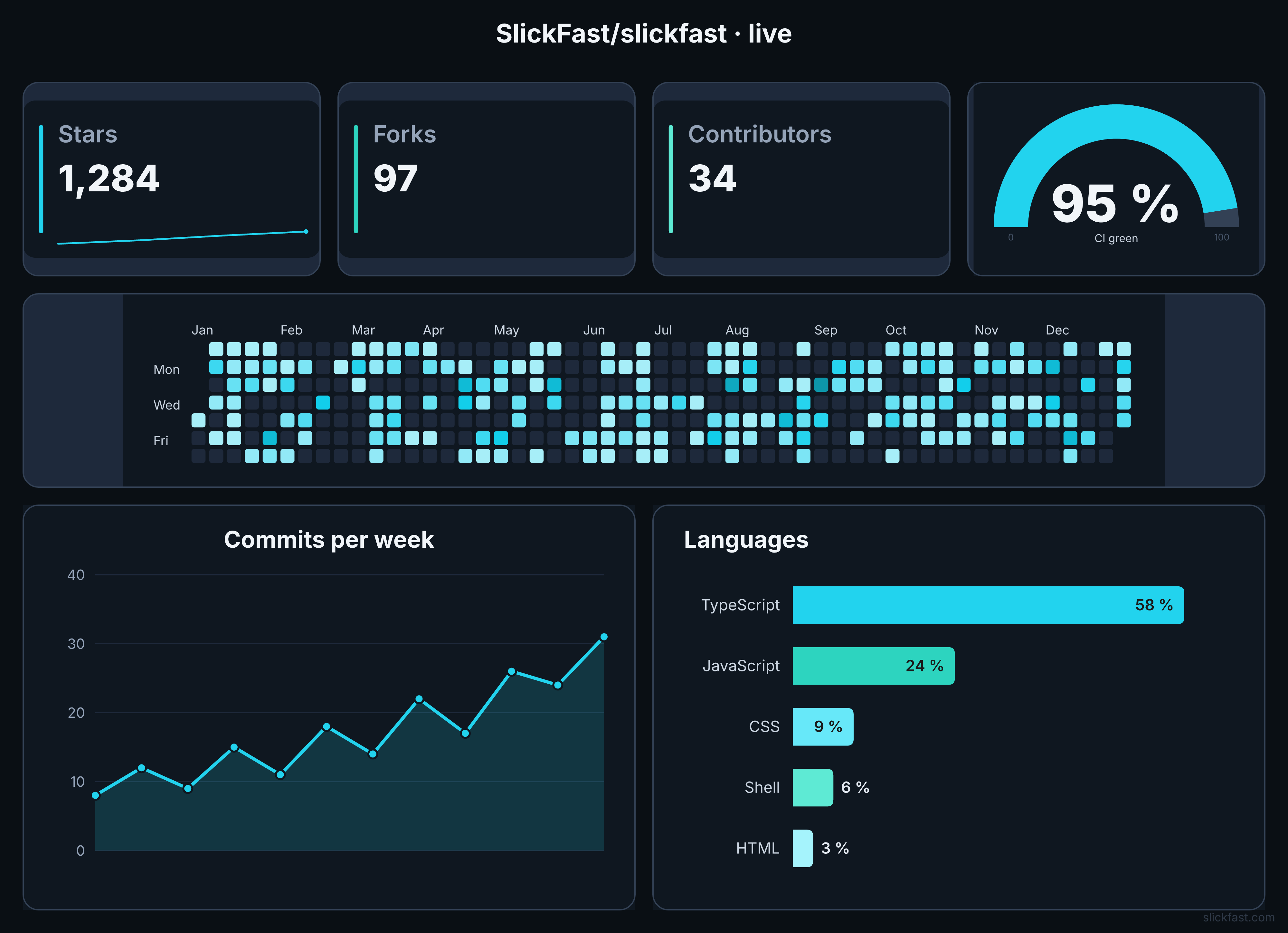
This project's pulse — a LIVE chart, right here in the README
The dashboard below is not a screenshot. It's a SlickFast live chart: a permanent image URL whose numbers update on their own. A scheduled job pushes fresh stats; every visitor sees current data. Live Charts — embed once, update forever.

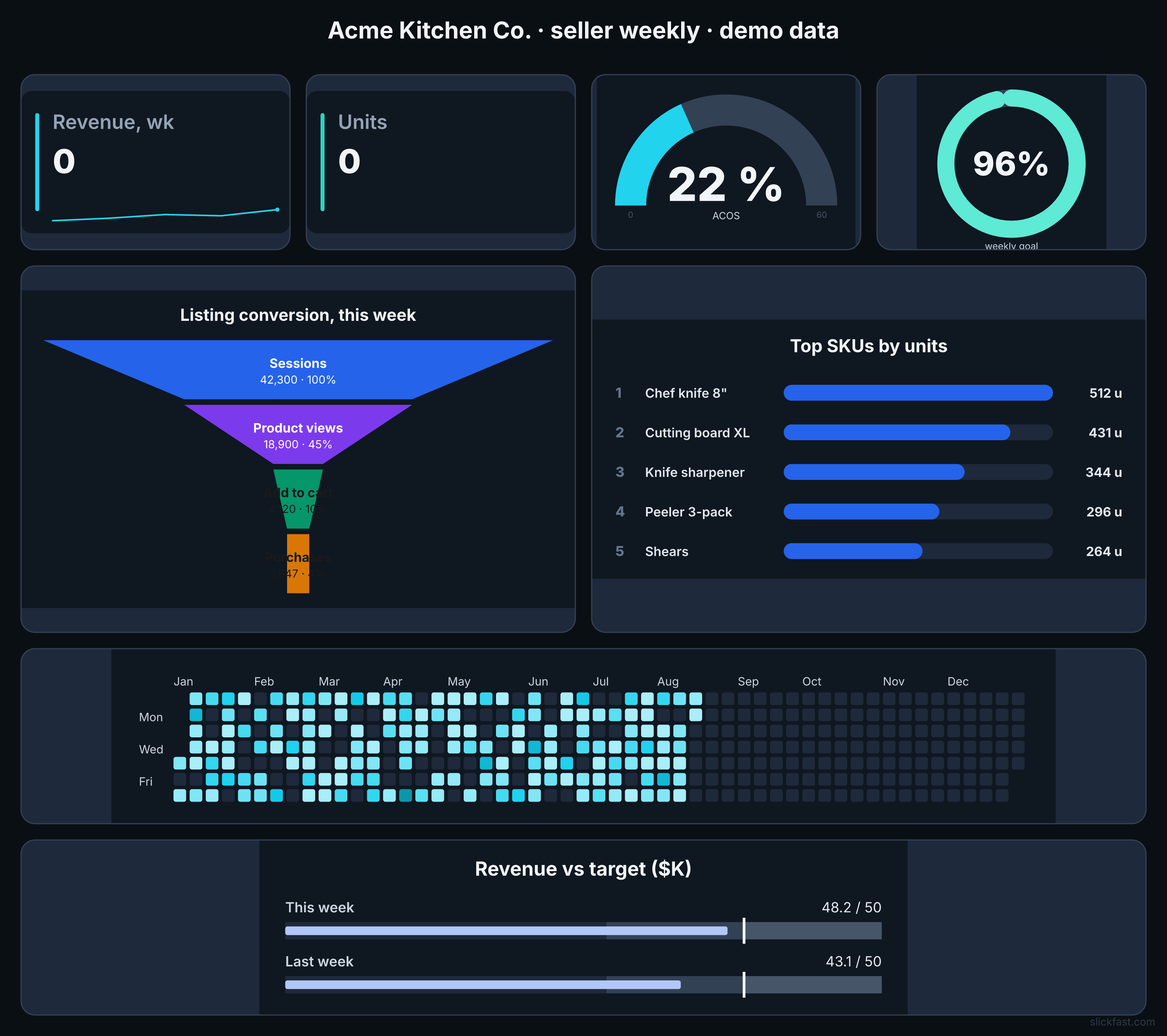
The range — two boards, two renders
A seller ops board (funnel, bullet graph, goal ring, gauge, calendar heatmap, leaderboard — demo data):
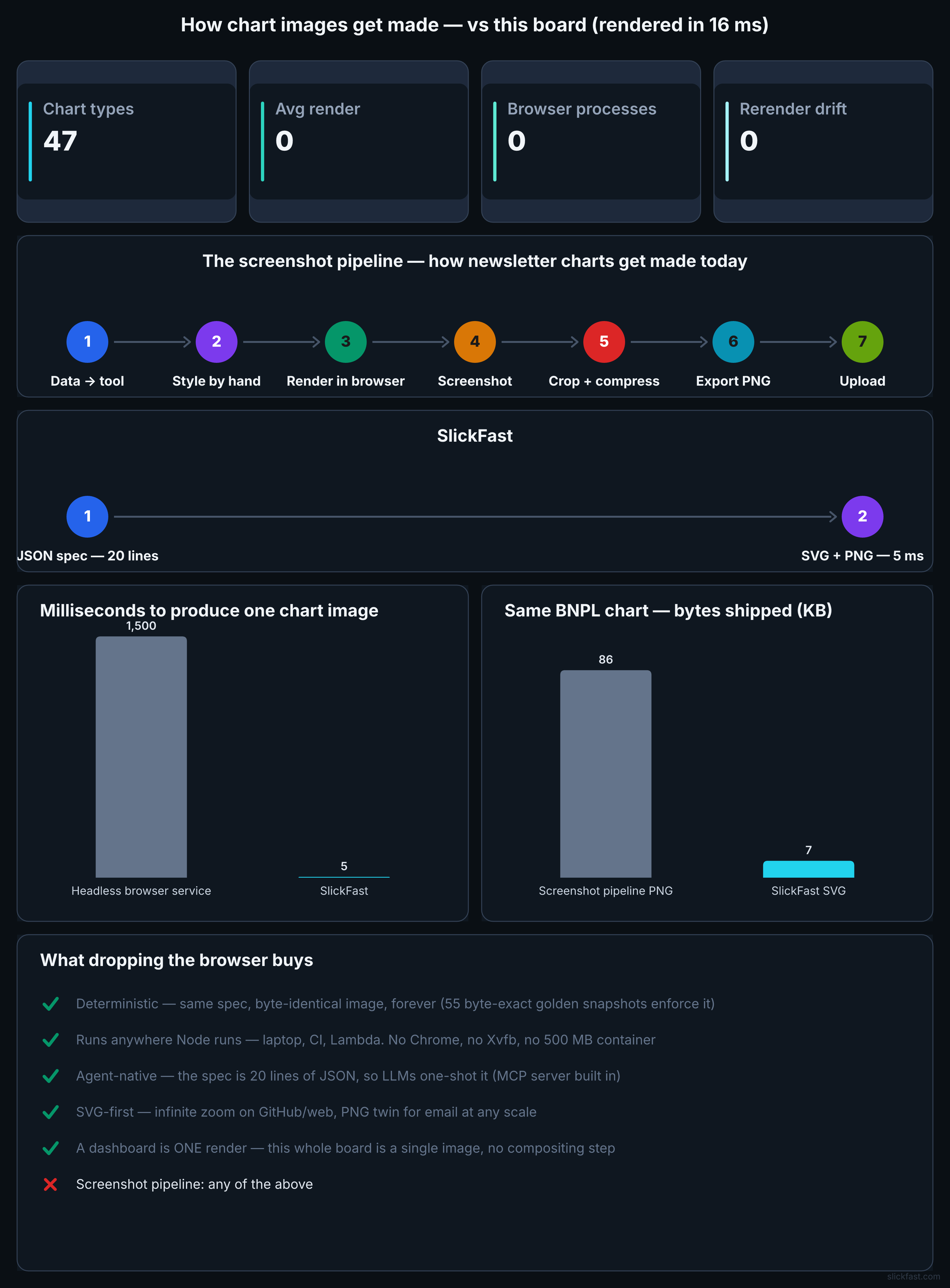
And the board that explains the engine — it times its own render into its title:
Prove it yourself
Don't take the speed or determinism claims on faith — run the benchmark on your own machine:
git clone https://github.com/SlickFast/slickfast && cd slickfast
node scripts/bench.mjs
It renders all 47 chart types, times each, runs a 10,000-chart throughput burst, and double-renders everything to verify byte-identical output. On an M1 Max: median 15µs per chart, ~140,000 renders/sec, 47/47 deterministic. Your numbers are your numbers.
Quick start (MCP)
One-click:


Add to your MCP client config (Claude Code, Claude Desktop, Cursor, …):
{
  "mcpServers": {
    "slickfast": {
      "command": "npx",
      "args": ["-y", "@slickfast/mcp"],
      "env": { "SLICKFAST_API_KEY": "SF-…" }
    }
  }
}
Omit env to stay local-only (draw free forever). Add a free key from slickfast.com when you want a live URL, share, or a published Page.
Then: get_started → news → gallery → one render_chart. Full tool docs: apps/mcp/README.md.
How to keep a Page
“Save it” is two jobs. On disk: render_page + keep the pagespec JSON (no key). In the world: publish_page (SF- key) → pages.slickfast.com/s/… + .json twin. The hash is on the page. Find it later with my_pages.
Why agents pick SlickFast
- Deterministic — same spec, same bytes. Cacheable. Testable.
- Cheap tokens — a few dozen tokens of JSON beat hundreds of matplotlib / SVG retries.
- One-field edits — swap type, palette, size; re-render. No code rewrite.
- Pages = shareable memory — agent output → Page → twin → hash on the page. Not stuck in chat.
- No headless browser — pure in-memory SVG → PNG (and Page HTML).
- 47 types + tiled dashboards in one call.
- Loud errors — bad enum / unknown palette lists the valid options.
- Local by default — nothing phones home from the MCP package.
What's in this repo
| Path | What it is |
|---|---|
packages/render-core/ | The engine: pure (spec) → SVG string. All 47 types, the type registry, SPEC.md (the spec contract), examples, gallery, and the golden snapshot net. |
packages/palette-core/ | The color library: palettes, nested themes, WCAG contrast, tokens. |
packages/raster/ | SVG → PNG rasterization (resvg). |
packages/fonts/ | The swappable font layer. |
apps/mcp/ | The MCP server published as @slickfast/mcp — a thin surface over the engine. |
apps/api/ | The hosted HTTP API — API.md is the how-to-call-it guide (no MCP needed: curl, <img src>, any language), openapi.yaml the machine-readable contract. Live at api.slickfast.com; free tier at slickfast.com. |
scripts/ | The safety net: golden checks, registry-drift check, 323-case torture suite, palette hex check. |
templates/ | Ready-made spec presets. |
Build & verify from source
cd apps/mcp && npm install && npm run build     # builds dist/index.js
cd ../../packages/raster && npm install          # native resvg binding (PNG)

# from the repo root — the full safety net:
node packages/render-core/generate.mjs --check   # golden snapshots (all types)
node scripts/check-surfaces.mjs                  # type-registry drift check
node scripts/torture.mjs                         # 323 empty/edge-case renders
node scripts/check-palettes.mjs                  # palette hex validation
The engine is pure and deterministic by contract: no IO, no Date.now(), no
Math.random() in drawing code, and nothing ships without a snapshot test.
Contributing
- Bug reports and feature requests are the best way to contribute — please use the
issue templates. The MCP's
built-in
report_issuetool writes a ready-to-paste report for you. - Day-to-day development happens in an internal tree and releases are published here, so a PR may be ported in rather than merged directly — you'll be credited either way. For anything non-trivial, open an issue first so we can agree on the shape.
License
AGPL-3.0-only. Local MCP is free. Closed commercial products (embed or self-host without AGPL) need a commercial license from $99/year: slickfast.com/license.html · licensing@slickfast.com. Hosted API / hosted MCP: slickfast.com/#pricing.
Installation
Source-derived launch command. Check the maintainer’s required arguments and credentials before running:
npx -y @slickfast/mcpSet up in your AI client
Merge this template into ~/Library/Application Support/Claude/claude_desktop_config.json. Keep existing servers. Add any arguments, credentials, and permissions required by the maintainer; this template has not been install-tested.
{
  "mcpServers": {
    "com-slickfast-mcp": {
      "command": "npx",
      "args": [
        "-y",
        "@slickfast/mcp"
      ]
    }
  }
}
Restart Claude Desktop completely for changes to take effect. Confirm the server appears connected in the client’s tool list, then try a read-only example from its documentation.
Claude Desktop setup referencePackage
Compatible MCP Clients
com.slickfast/mcp works with any MCP-compatible client. Copy the config snippet from the Configuration section above and add it to the file shown for your client, then restart the application.
- Claude Desktop
~/Library/Application Support/Claude/claude_desktop_config.jsonRestart Claude Desktop completely for changes to take effect. - Cursor
~/.cursor/mcp.jsonRestart Cursor for changes to take effect. - VS Code
.vscode/mcp.jsonReload VS Code window for changes to take effect. - Windsurf
~/.codeium/windsurf/mcp_config.jsonRestart Windsurf for changes to take effect. - Claude Code
.mcp.jsonSave at the project root, then start Claude Code in that project and review the MCP server approval prompt. Keep real credentials out of shared files.