Playrunner
Discover Playwright workflows, start runs, and inspect results in Playrunner Cloud.
Your tests stay. The platform glue goes.
Playwright runs your tests brilliantly. The hard part is everything around the command: compute, environments, credentials, schedules, conditions, artefacts, reporting, and the CI scripts that connect them.
Playrunner turns those moving parts into a workflow your whole team can see, run, and evolve.
| 🎨 Build visually | Connect tests, triggers, conditions, branches, and downstream systems on a live workflow canvas. |
| 🤖 Code with confidence | Ask AI to generate a Playrunner workflow alongside your app, then create or update it from the CLI in your development pipeline. |
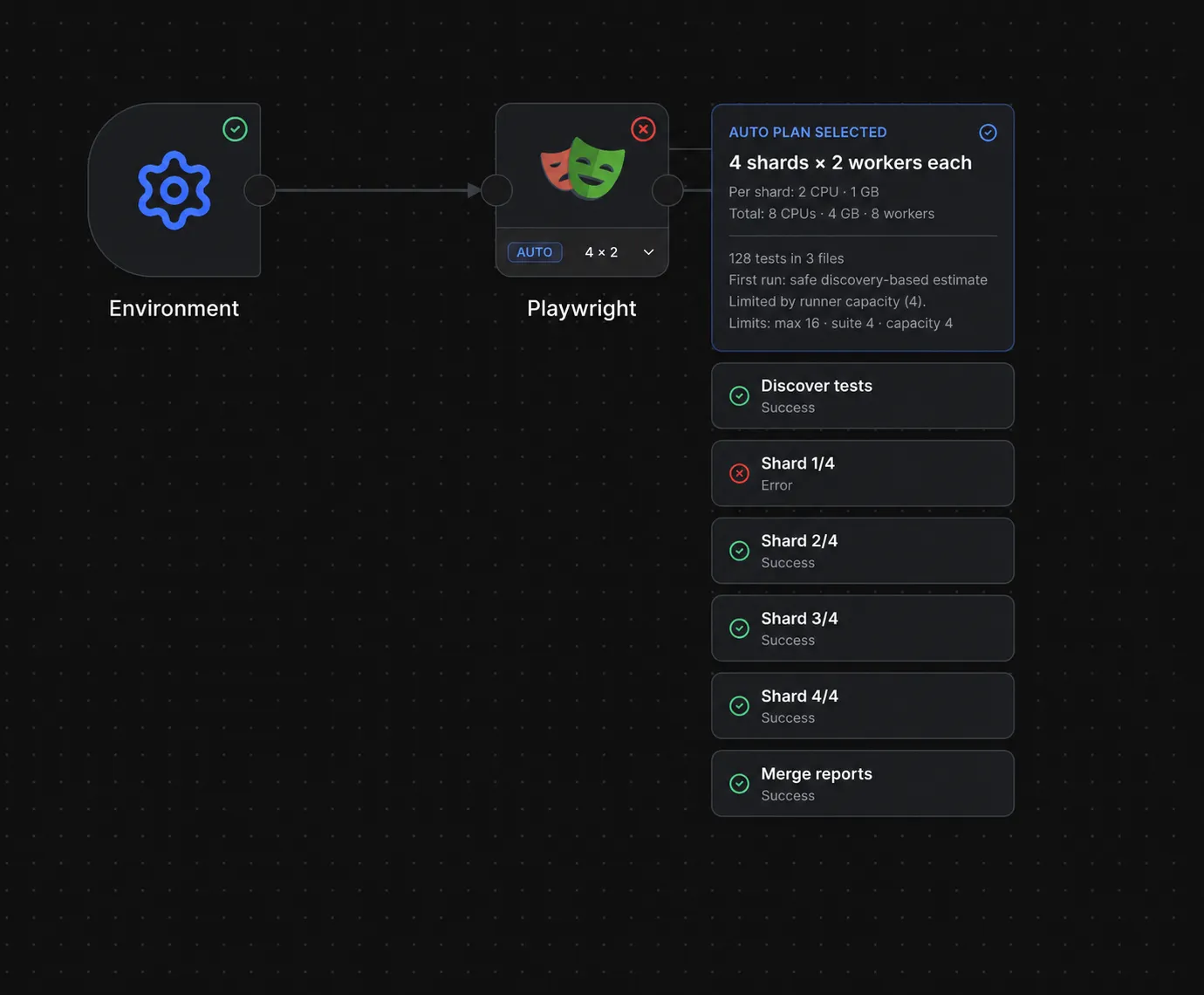
| ⚡ Shard automatically | Discover the real suite, fit useful parallelism to runner capacity, and merge every shard into one report. |
| 🏃 Run where you want | Use local Docker, managed cloud runners, or your own infrastructure without changing the suite. |
| 🔎 See the complete run | Follow node state and logs live, with Playwright reports, screenshots, videos, and traces attached to the run. |
| 🔐 Keep secrets out of workflows | Reuse managed environments and credentials instead of copying sensitive values into scripts. |
| 🪪 Reuse browser sign-ins | Capture authenticated browser sessions interactively and attach them to Playwright nodes without storing identity-provider passwords. |
| 🧩 Extend with integrations | Wire source control, schedules, messaging, AI analysis, issue tracking, webhooks, and more into the same DAG. |
From suite to signal
Trigger → Environment → Playwright → Condition → Slack / Jira / AI / Webhook
                              │
                              └── reports · traces · screenshots · video
- Bring your existing tests. Your repository, Playwright configuration, and CI can stay as they are.
- Choose where they run. Start with local Docker, then move execution to managed or self-hosted runners when you are ready.
- Draw the workflow. Add schedules, branches, notifications, failure analysis, tickets, and downstream actions without another CI matrix.
- Inspect one complete result. Follow execution live and keep every log, report, and artefact attached to the run that produced it.
Reuse authenticated browser sessions
Authentication Profiles let tests start from a real signed-in browser session without storing identity-provider passwords in Playrunner. Create a profile for an Environment and authenticate manually in a visible browser. Local Playrunner opens the browser through its API; Playrunner Cloud uses a paired computer running the outbound-only CLI authentication companion.
npm install --global playrunner@latest
playrunner login
playrunner auth connect
Keep the companion terminal open, select the online device under Authentication Profiles, and start authentication. After signing in to the Chrome window, return to the terminal and press Enter to encrypt and upload the captured session state.
Select the profile on any Playwright node that needs it. Playrunner restores the session for that execution while keeping profiles isolated by Environment. The CLI is needed only while capturing or refreshing the profile. Cloud Test session checks and Hosted Runner workflows restore the encrypted stored state remotely and do not require the companion to remain connected. Each profile records its application, role, authentication status, last sign-in, and known expiry, and can be reauthenticated, revoked, or removed when access changes. Follow the Authentication Profiles tutorial and CLI companion guide for pairing, capture, hosted testing, and security.
Playrunner from the command line
The Playrunner CLI brings the same workflows to your terminal and CI/CD pipeline—without a global install. Use a revocable machine token to start a saved workflow, stream its progress, and turn its final status into a quality gate:
export PLAYRUNNER_URL='https://playrunner.cloud'
export PLAYRUNNER_API_KEY='<your-api-token>'

npx playrunner WORKFLOW_ID
By default, the command waits for completion and exits non-zero when the
workflow fails, is cancelled, or times out. Pass inputs and acceptance criteria
to a run, attach pull-request context, emit newline-delimited JSON, or use
--no-wait when another system will monitor the result.
The CLI also supports workflow as code. Keep a project and workflow definition in source control, then create or update it idempotently from JSON:
npx playrunner workflow create --file playrunner-workflow.json
Use npx playrunner --help for every option. See the
CLI overview, run guide,
and workflow creation guide for token scopes,
CI examples, inputs, source-change context, and the complete definition format.
Quick start
Prerequisites
- Docker Desktop
- Node.js 20+
- npm
Start the full local stack
./install-local.sh
cp .env.local.example .env.local
./start-local.sh
On the first run, Playrunner opens the setup app. Follow the printed URL to confirm PostgreSQL and create the first admin account. With the default ports:
- Playrunner:
http://127.0.0.1:3100 - Setup:
http://127.0.0.1:3100/setup - Documentation:
http://127.0.0.1:3104/playrunner/
The .env.local file is optional unless you want to change ports before the
first run. If it is missing, ./start-local.sh creates it from the example. For
the complete walkthrough, see the
Getting Started guide.
Reopen setup or change the local defaults
To reopen the setup wizard:
rm apps/api/.env
./start-local.sh
Remove .env.local as well if you want Playrunner to regenerate the local port
and PostgreSQL defaults.
Run only the documentation site
cd docs
npm run start -- --port 3104
Then open http://127.0.0.1:3104/playrunner/.
Explore
| Start here | What you will find |
|---|---|
| Automatic sharding | Suite discovery, capacity-aware planning, and report merging |
| Integration reference | Available nodes, providers, and configuration |
| Runner architecture | Local, managed, and self-hosted execution |
| Workflow execution | How the API, orchestrator, and ephemeral runners coordinate |
| Contributing | Ways to extend runners, integrations, reporting, and the product |
Package end-to-end tests
Package E2E tests run the real Vite frontend and Playrunner API against the
isolated playrunner_e2e PostgreSQL schema. Complete local setup first so
apps/api/.env contains a working DATABASE_URL, and keep PostgreSQL running.
Install Chromium once on a new development machine:
npm exec --prefix apps/frontend -- playwright install chromium
Run the deterministic mock-provider suite:
npm run test:e2e:mock
Run one integration package by its Playwright tag:
npm run test:e2e:mock -- --grep @github
npm run test:e2e -- --grep @github
Mock mode still uses the real frontend, authentication, API, credential encryption, and database; only outbound provider boundaries may be faked. Live-provider scenarios are opt-in and require protected credentials:
npm run test:e2e:live
npm run test:e2e:live -- --grep @github
Set PLAYRUNNER_E2E_DATABASE_URL to use another PostgreSQL server. Open the
latest report with npx playwright show-report, or read the
Testing guide for architecture and package
authoring details.
License
Playrunner is source-available under the Playrunner Sustainable Use License, copyright © 2026 Concept AI PTY LTD.
Setup from the maintainer
This listing does not have a supported local package template. Use the maintainer’s documentation for its hosted endpoint, authentication, and client-specific setup. No install command has been inferred.