Odysseus Web MCP
Secure MCP server for public web search and URL fetching.
Odysseus Web MCP — Secure Web Search and Fetch Server for AI Assistants
Odysseus Web MCP is a standalone Model Context Protocol (MCP) server for safe public-web search and URL fetching. It runs locally over stdio and gives MCP-compatible AI assistants two retrieval tools: web_search to discover sources and web_fetch to retrieve and extract public URLs.
Built for clients such as Claude Code, Cursor, and Codex, it combines search-provider fallback, readable HTML/PDF/text extraction, optional JavaScript rendering, and SSRF protections including DNS validation and redirect rechecks.
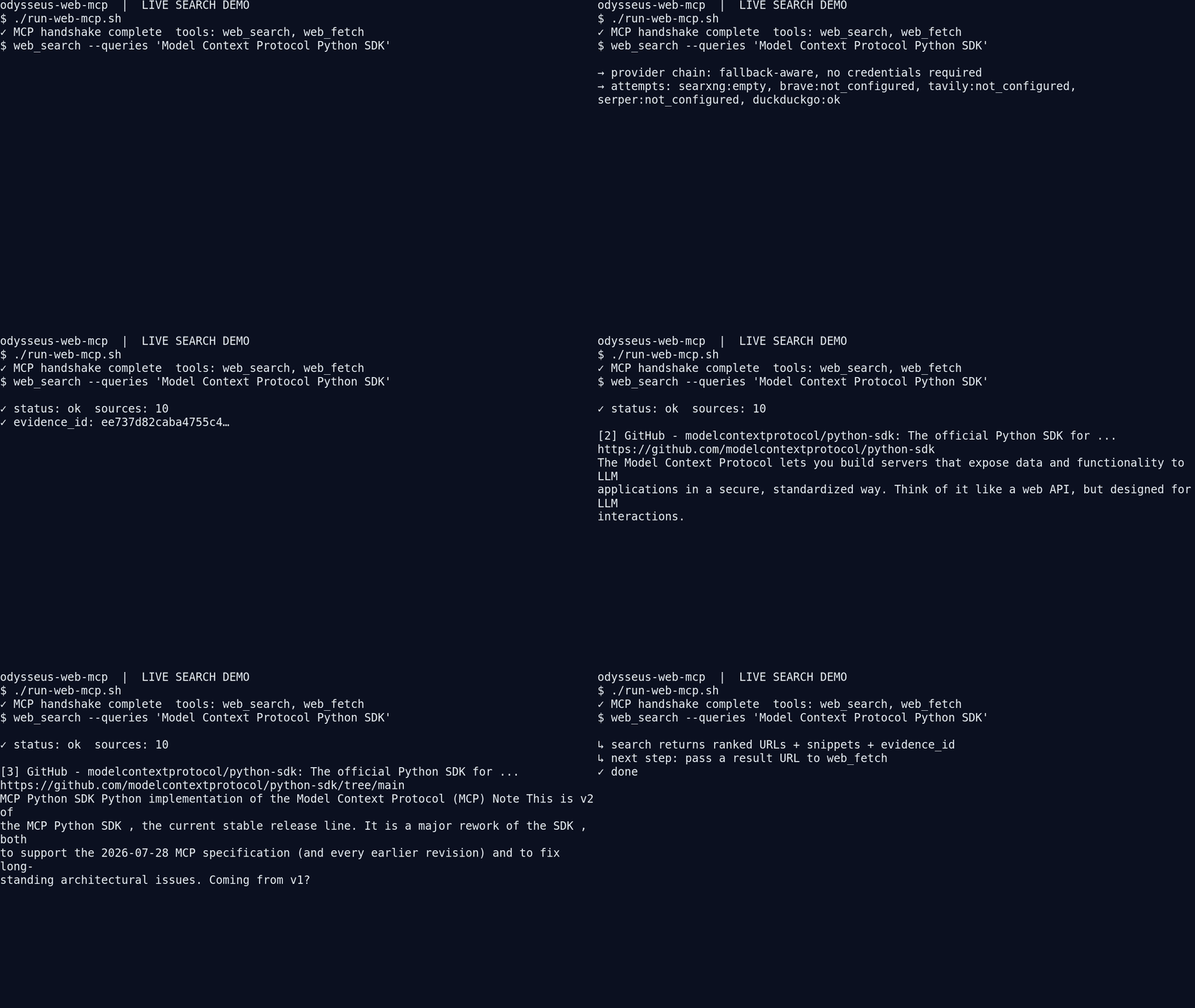
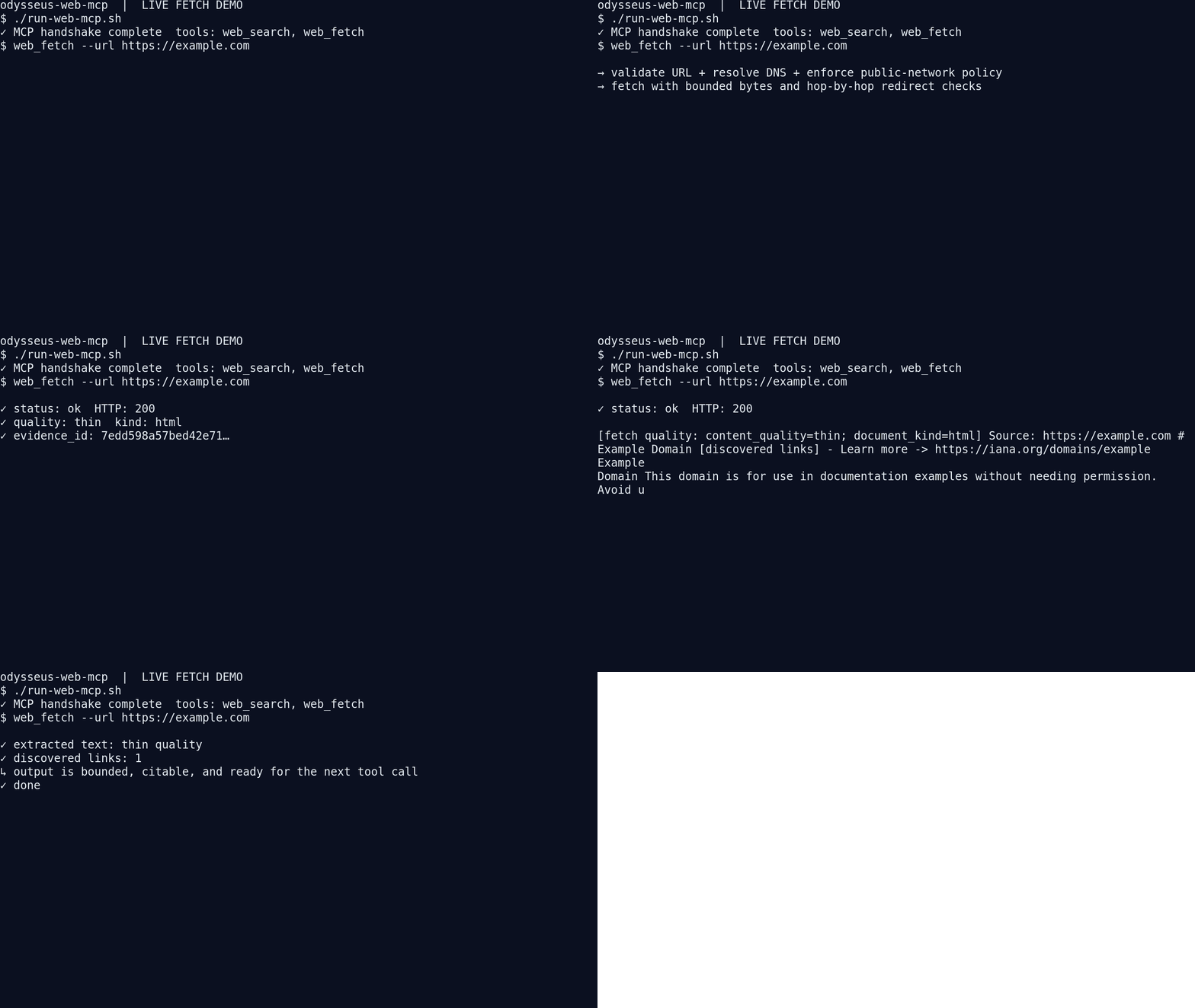
Features
- Search the public web with provider fallback and ranked, attributed sources.
- Fetch and extract HTML, PDF, and text content from public URLs.
- Protect against SSRF with public-network checks, DNS validation, and redirect revalidation.
- Return bounded, evidence-oriented output with cursors, quality signals, and discovered links.
- Optionally render JavaScript-heavy pages in isolated Playwright.
Install in minutes
Requirements: Python 3.11+ and uv.
# after downloading/extracting this folder (or cloning your copy)
cd odysseus-web-mcp
uv venv .venv
uv pip install -e '.[dev]'
./run-web-mcp.sh
The server communicates over stdio, so it does not open a web port and does not need to be installed into your host application's Python environment. Register the absolute launcher path in your MCP client:
{
  "name": "odysseus-web-mcp",
  "command": "/absolute/path/to/odysseus-web-mcp/run-web-mcp.sh",
  "args": [],
  "cwd": "/absolute/path/to/odysseus-web-mcp"
}
The launcher automatically uses the package's .venv. State defaults to
~/.local/share/odysseus-web-mcp; set WEB_MCP_DATA_DIR to place it
elsewhere. No API key is required for the default fallback path, though Brave,
Tavily, and Serper keys can be added when you want those providers.
The two tools
web_search
Use it to discover sources for a focused question. It accepts one to three queries plus optional mode, vertical, and freshness controls.
{
  "queries": "Model Context Protocol Python SDK",
  "mode": "discovery",
  "vertical": "general"
}
The response contains ranked URLs, titles, snippets, provider attempts,
cache state, a plain-text display projection, and an evidence_id. A host can
take any returned URL directly into web_fetch.
web_fetch
Use it to read a known public URL or a bounded batch of URLs.
{
  "url": "https://example.com",
  "focus": "the page's purpose",
  "render": "auto"
}
It returns extracted text, title and document kind, content quality, link
discovery, redirect history, HTTP status, truncation/continuation metadata,
and an evidence_id. Private and special-use destinations are rejected before
transport by default.
Example: how an agent uses the MCP
An agent normally uses the tools as a two-step retrieval loop: search first, then fetch the source it wants to inspect. The payloads below show the shape of a real MCP interaction; IDs and result text are abbreviated for readability.
1. Agent searches for sources
{
  "name": "web_search",
  "arguments": {
    "queries": "official Model Context Protocol architecture",
    "mode": "grounding",
    "vertical": "general"
  }
}
The MCP returns a text content block containing structured JSON:
{
  "status": "ok",
  "query": "official Model Context Protocol architecture",
  "sources": [
    {
      "title": "Architecture - Model Context Protocol",
      "url": "https://modelcontextprotocol.io/docs/concepts/architecture",
      "snippet": "Understand the architecture and communication model...",
      "provider": "duckduckgo",
      "relevance_score": 1.0
    }
  ],
  "provider_attempts": {
    "searxng": "empty",
    "duckduckgo": "ok"
  },
  "evidence_id": "a1b2c3d4...",
  "exit_code": 0
}
2. Agent fetches the selected source
The agent takes the returned URL and calls the second tool:
{
  "name": "web_fetch",
  "arguments": {
    "url": "https://modelcontextprotocol.io/docs/concepts/architecture",
    "focus": "How do clients and servers communicate?",
    "render": "auto"
  }
}
The MCP returns bounded, extracted evidence:
{
  "success": true,
  "url": "https://modelcontextprotocol.io/docs/concepts/architecture",
  "final_url": "https://modelcontextprotocol.io/docs/concepts/architecture",
  "http_status": 200,
  "document_kind": "html",
  "content_quality": "good",
  "content": "The Model Context Protocol defines how clients and servers...",
  "links": [
    {
      "url": "https://modelcontextprotocol.io/docs/concepts/transports",
      "text": "Transports"
    }
  ],
  "evidence_id": "e5f6g7h8...",
  "exit_code": 0
}
The agent can now answer the user from the extracted content, preserve the
evidence_id for traceability, and continue with another web_fetch using a
returned cursor if the page was longer than the output budget.
How it works locally
MCP host ──stdio──▶ mcp_server.py
                       ├─ web_search → provider chain → ranked evidence
                       └─ web_fetch  → security → HTTP/extract/render → evidence
All persistent state is rooted under WEB_MCP_DATA_DIR. The package has no
runtime imports from Odysseus and no access to its credentials, database,
memory, browser profiles, scheduler, or agent loop.
Read the full local system design in
docs/TECHNICAL_DESIGN.md, and see how the GIFs
were recorded in docs/INTERACTIVE_DEMO.md.
Search providers and configuration
The default provider chain is:
SearXNG → Brave → Tavily → Serper → DuckDuckGo → Wikipedia → Bing
Configure it with WEB_MCP_SEARCH_PROVIDER_CHAIN. Optional credentials are
DATA_BRAVE_API_KEY, TAVILY_API_KEY, and SERPER_API_KEY. Copy
.env.example as a reference, but keep secrets in the host
environment rather than committing them.
The optional browser path is disabled by default:
uv pip install -e '.[render]'
./.venv/bin/python -m playwright install chromium
export WEB_MCP_RENDER_ENABLED=true
Distribution and discovery
The server is published in the official MCP Registry
under io.github.AceAtDev/odysseus-web-mcp.
For Claude Desktop and other MCPB-compatible clients, download the validated
MCPB release bundle
from the v0.1.0 GitHub Release.
The bundle uses the uv runtime to resolve the declared Python dependencies
without shipping a machine-specific virtual environment.
Verify it yourself
The project has a focused test suite and a live qualification runner:
./.venv/bin/python -m pytest -q
./.venv/bin/python tests/live_20_cases.py --output reports/live-20-cases.json
The live qualification runs 10 searches and 10 fetches through the real MCP
launcher with disposable state. The latest verification record is in
VERIFICATION.md.
To re-record the terminal previews from fresh live calls (requires
ImageMagick's convert command):
./.venv/bin/python demos/record_terminal_demos.py
Each GIF is intentionally under ten seconds and shows a real MCP handshake and result shape, not a static product mockup.
Project boundaries
This package is a retrieval primitive, not an agent loop, general-purpose crawler, scheduler, memory store, browser-profile manager, or credential vault. It is designed to be downloaded and connected as an independent MCP server.
License and status
This is the standalone extraction workspace for the Odysseus web search/fetch
capability. See MIGRATION_MAP.md for the source-to-module
mapping and VERIFICATION.md for the current evidence-based
status.
Setup from the maintainer
This listing does not have a supported local package template. Use the maintainer’s documentation for its hosted endpoint, authentication, and client-specific setup. No install command has been inferred.
Package
https://github.com/AceAtDev/odysseus-web-mcp/releases/download/v0.1.0/odysseus-web-mcp.mcpbotherCompatible MCP Clients
Odysseus Web MCP works with any MCP-compatible client. Copy the config snippet from the Configuration section above and add it to the file shown for your client, then restart the application.
- Claude Desktop
~/Library/Application Support/Claude/claude_desktop_config.jsonRestart Claude Desktop completely for changes to take effect. - Cursor
~/.cursor/mcp.jsonRestart Cursor for changes to take effect. - VS Code
.vscode/mcp.jsonReload VS Code window for changes to take effect. - Windsurf
~/.codeium/windsurf/mcp_config.jsonRestart Windsurf for changes to take effect. - Claude Code
.mcp.jsonSave at the project root, then start Claude Code in that project and review the MCP server approval prompt. Keep real credentials out of shared files.