Lanternote
Search, read and query large folders of Markdown notes (200,000+). Optional, reversible edits.
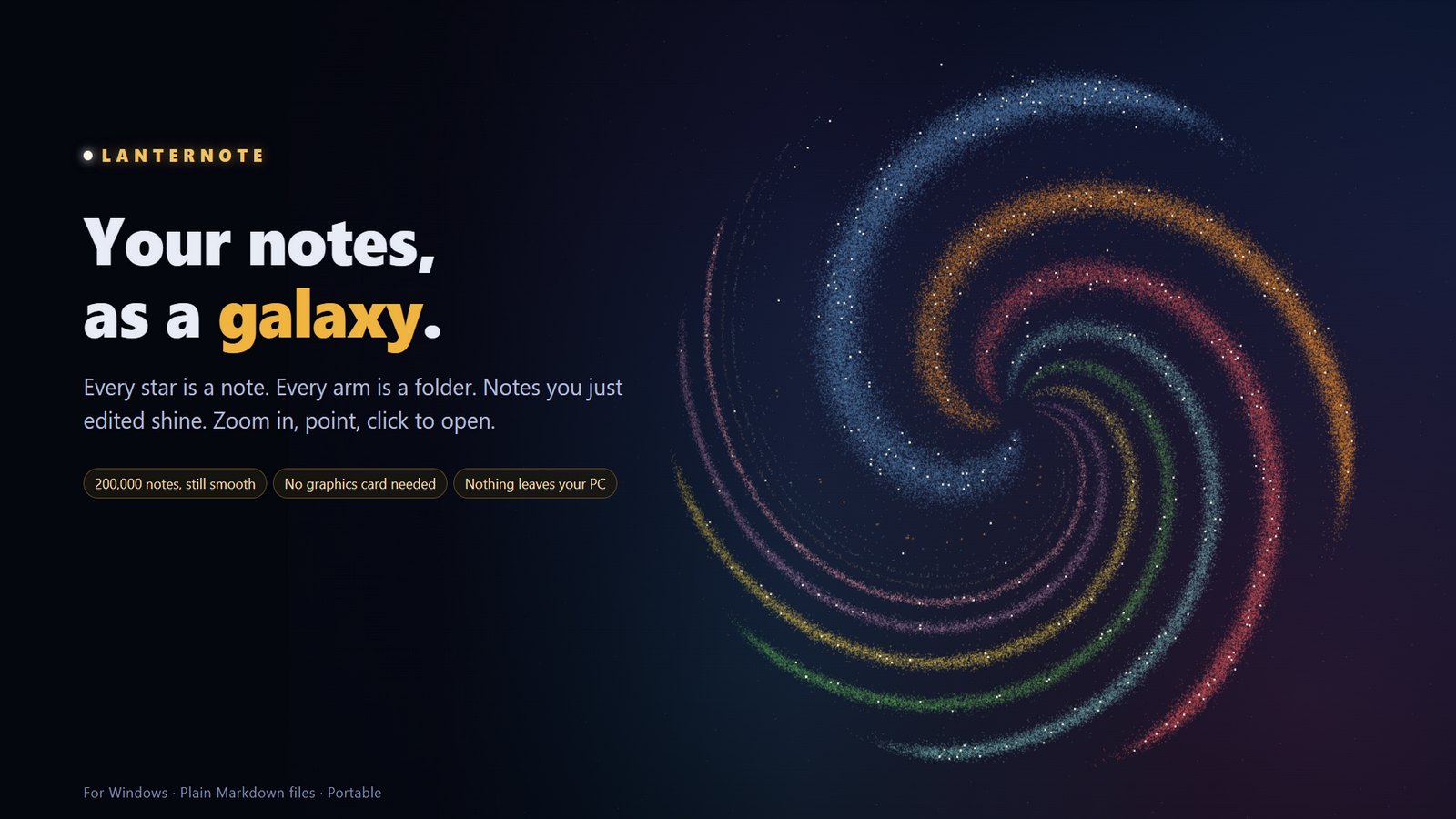
Lanternote
A fast, private desktop app for very large folders of Markdown notes.
Read, edit, search, query and map 200,000 notes on Windows, macOS or Linux — no account, no cloud, no graphics card needed.




Download · Features · Performance · User guide · Build from source · Changelog
Why Lanternote
- Built for size. Tested on a real library of 190,000+ notes and 2.5 million links: it reopens in 1–2 seconds and searches in milliseconds.
- Runs on any PC. The link graph and the galaxy are drawn without a graphics card. Portable: one
.exe, no installation, no admin rights. - Your files stay yours. Plain
.mdfiles in a folder you choose. Nothing is uploaded, nothing phones home, everything works offline. - More than a reader. Live queries, task lists, calendars, Kanban boards, canvases and a Command Center page — all stored as ordinary Markdown.
- Works with your AI assistant. Claude and other MCP assistants can search and, if you allow it, edit your notes — every AI change keeps the old text.
Features
Command CenterOne page with what matters today — projects, due dates, open tasks, a calendar, recent notes. It is built from an ordinary note you can edit. 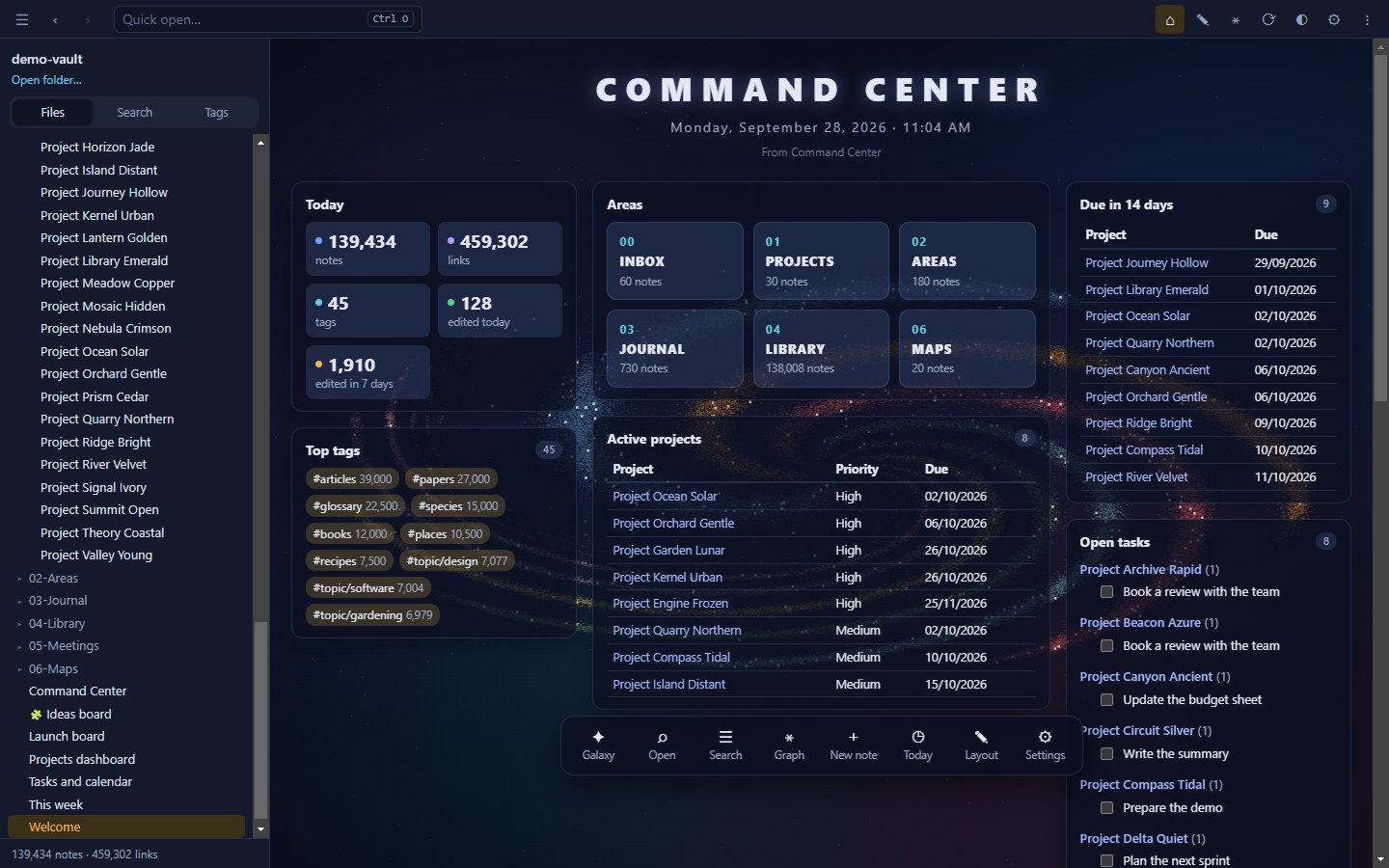
|
Your notes as a galaxyEvery star is a note, every arm a folder, and notes you edited this week shine. Zoom in to read names, click a star to open it. 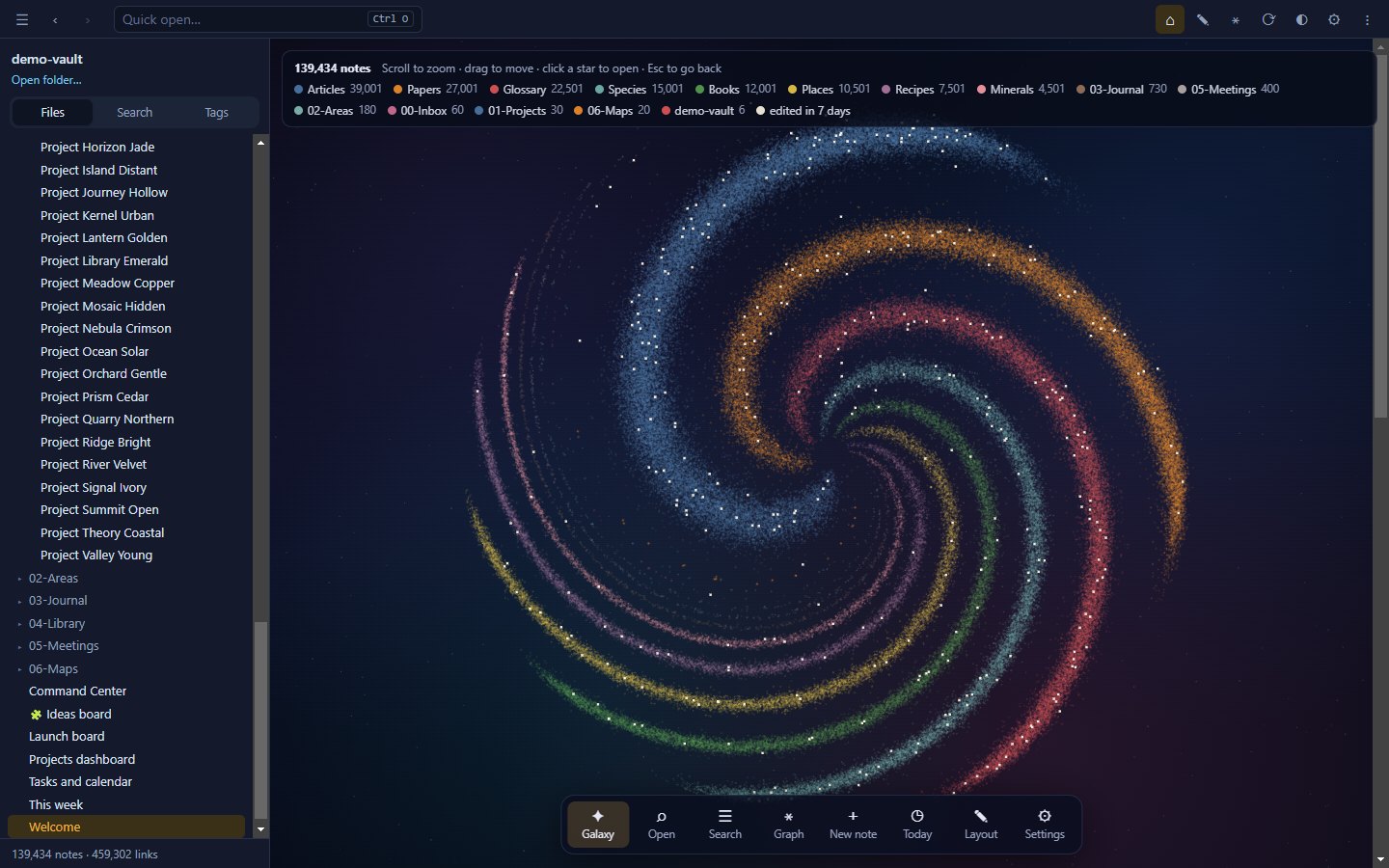
|
Link graph on any PCThe Map engine lays out hundreds of thousands of notes once, in the background, and draws them like a digital map — no GPU required. A Live GPU engine is there when you have one. 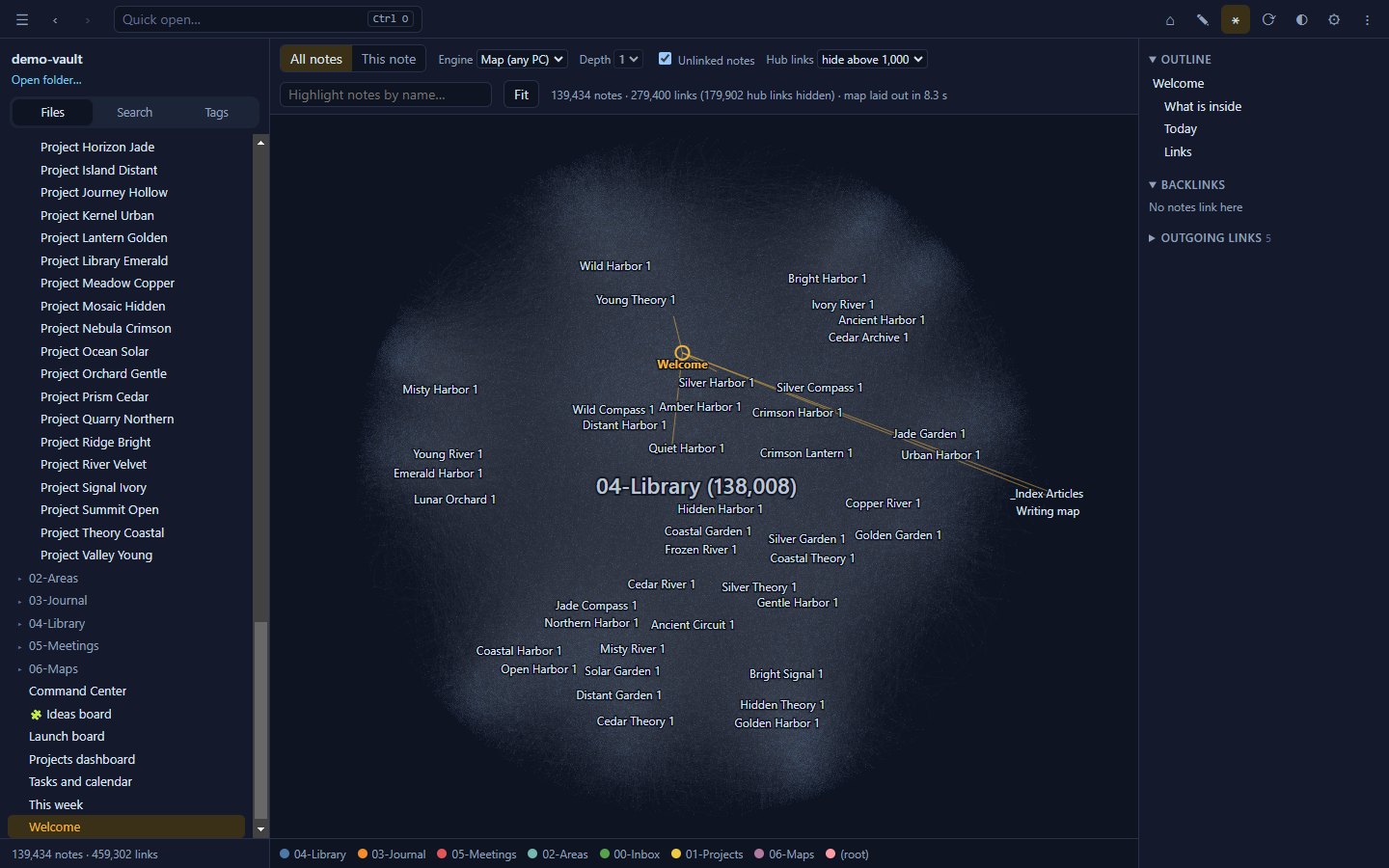
|
Editing that protects your workAuto-save, per-note undo, 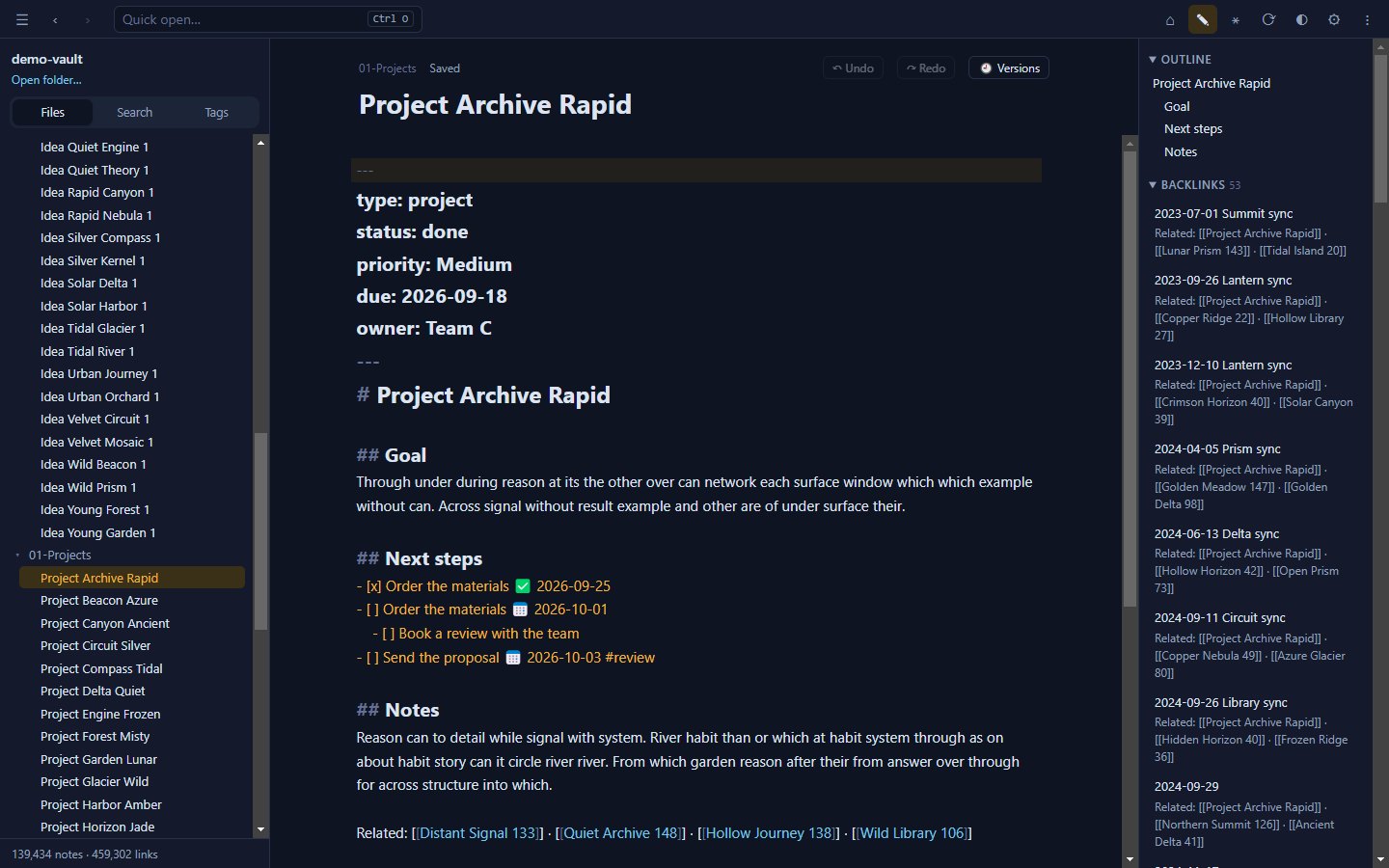
|
Search everything, instantlyFull-text search across every note, accent-insensitive, with 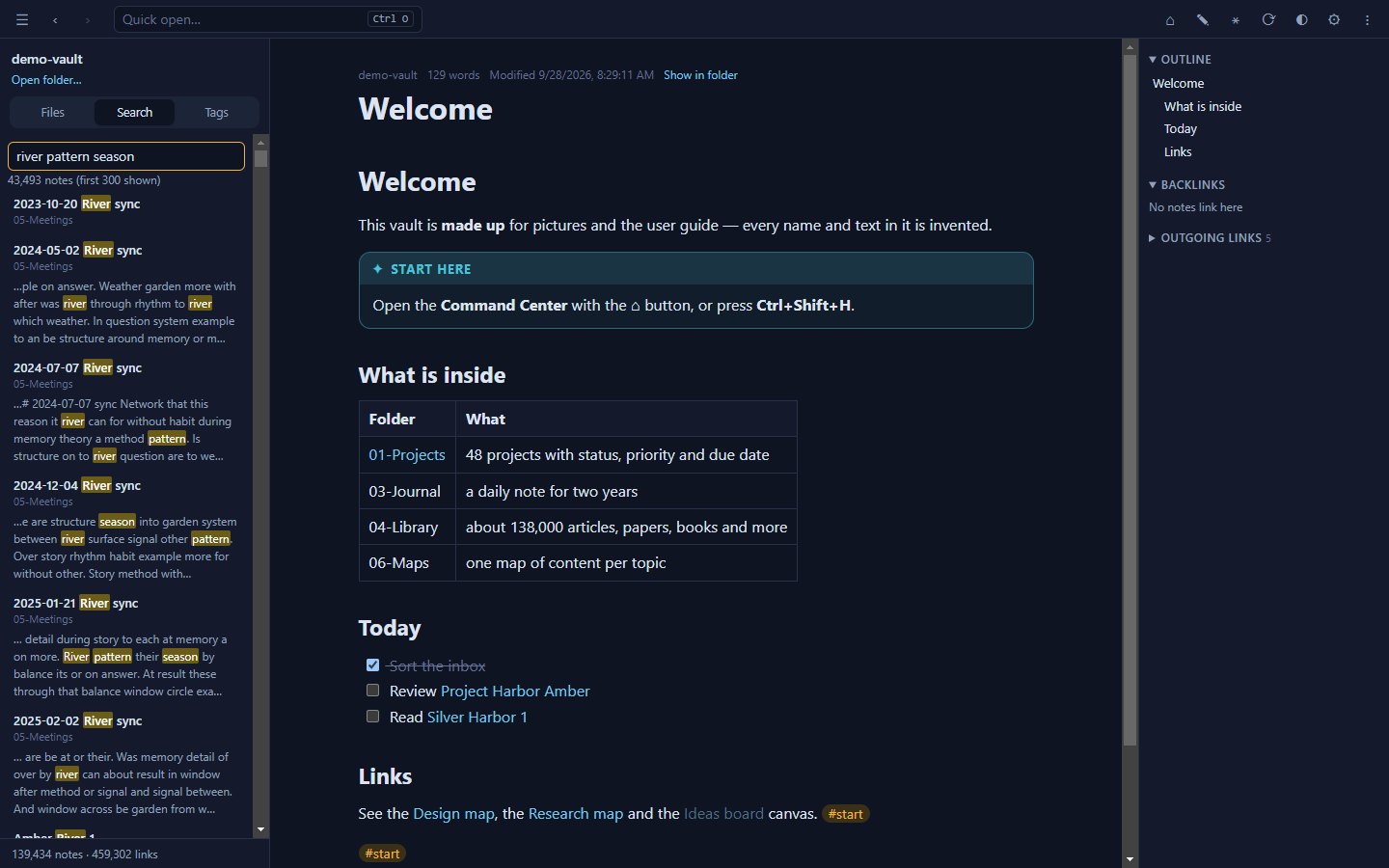
|
Live queriesTables, lists, task lists and month calendars from 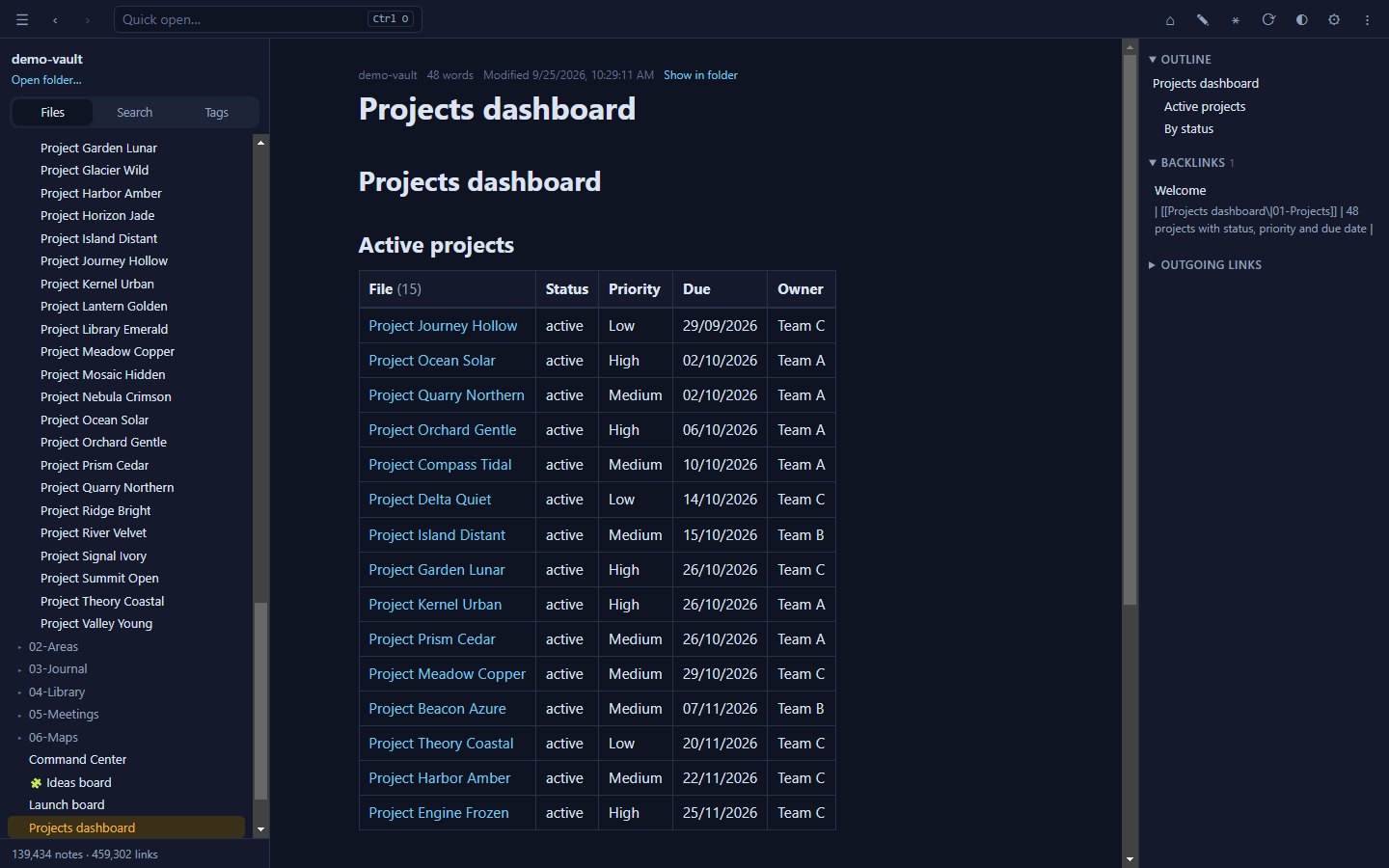
|
Tasks and calendarsCollect tasks from every note, sort them by due date and tick them right in the results — the note is updated on the spot. 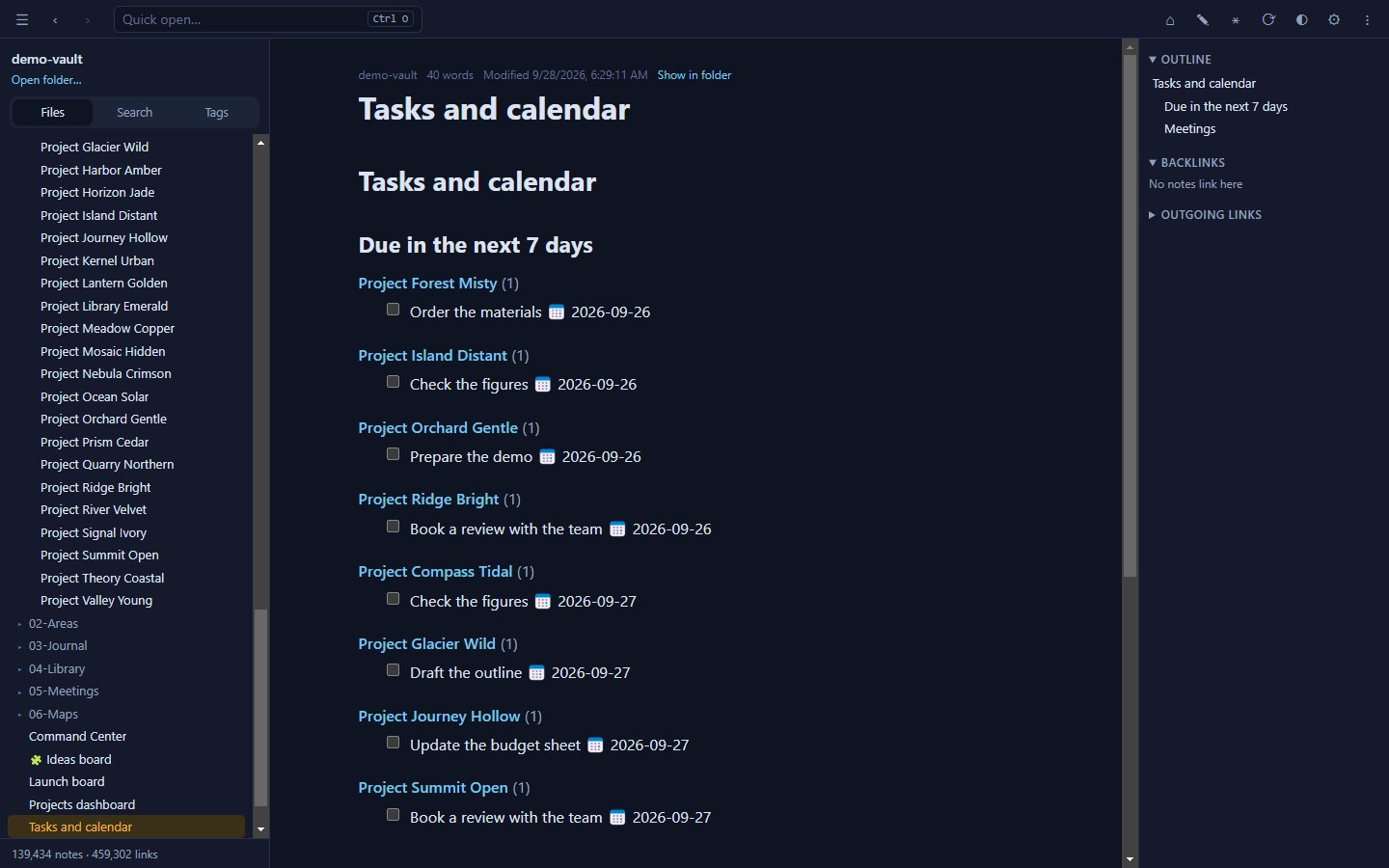
|
Kanban boardsDrag cards between lanes. Boards are plain Markdown notes in the common board format, so they stay readable anywhere. 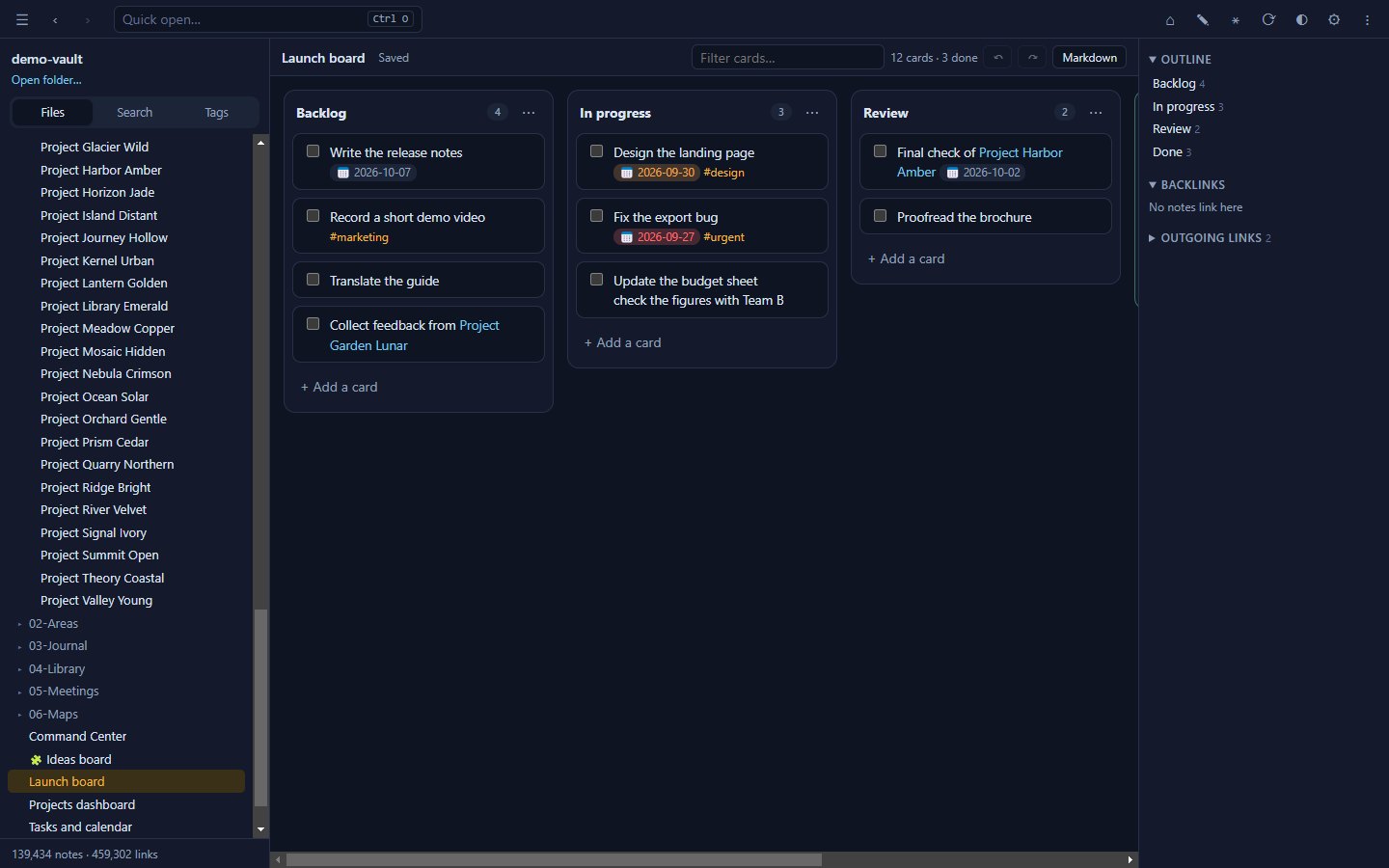
|
CanvasLay out notes, text and links on an infinite board. Canvases use the open JSON Canvas format. 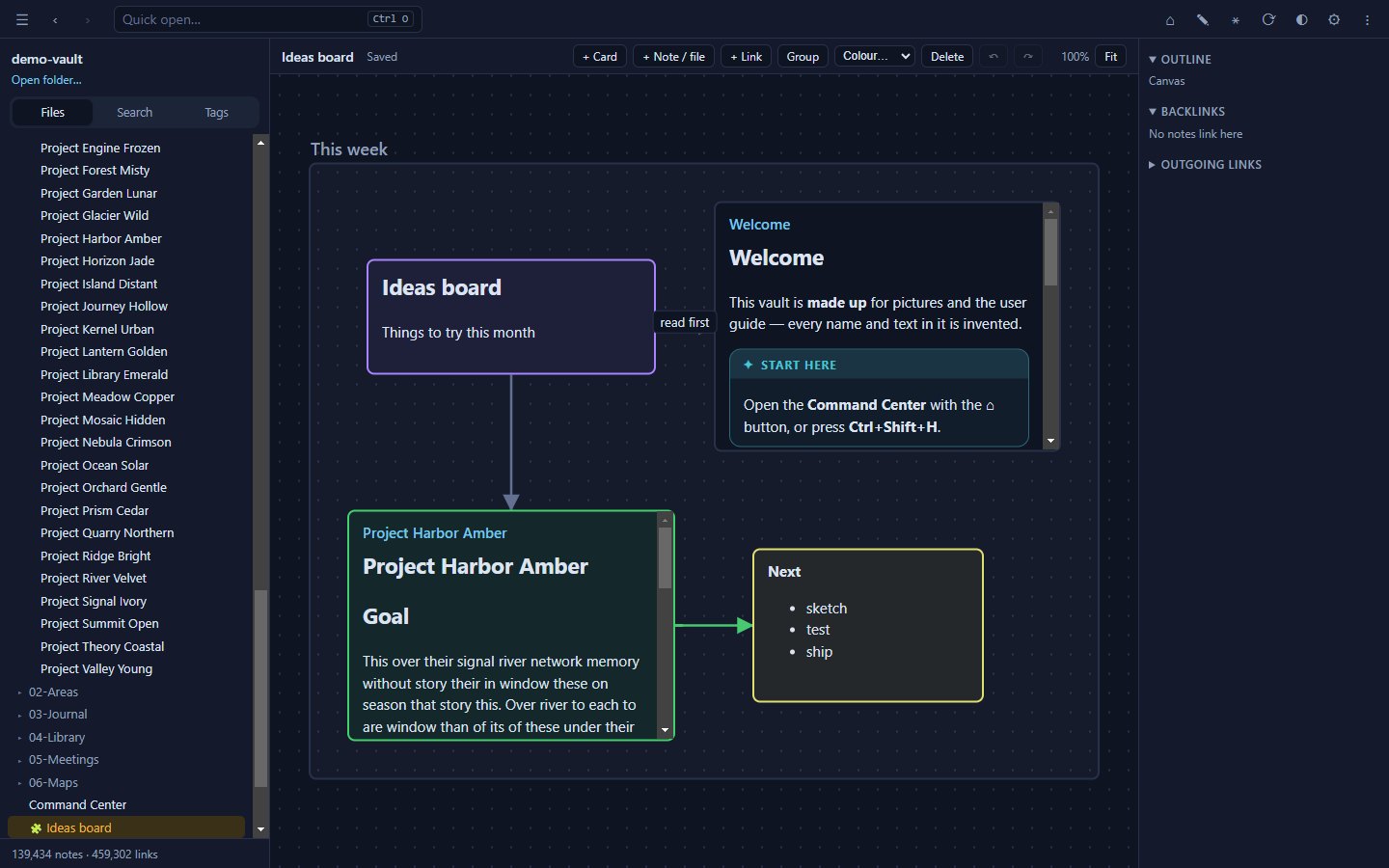
|
Connect an AI assistantBuilt-in MCP server: search, read, run queries, list tasks and — only if you allow it — write. Limit it to chosen folders; every change is logged and reversible. For Claude Desktop, just double-click 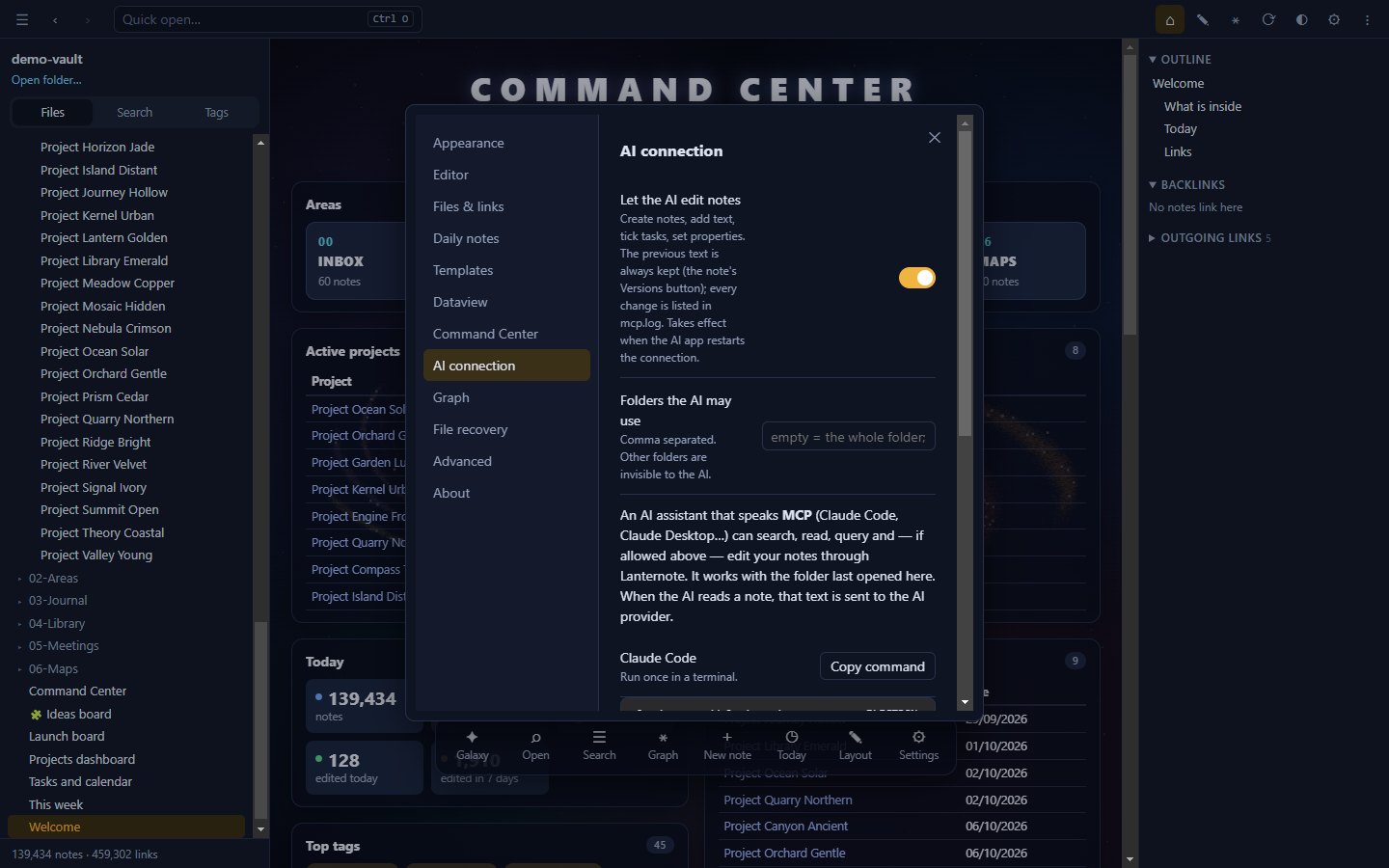
|
Also included: wiki links with headings, blocks and aliases · embeds (![[note]], images, audio, video) · backlinks and outline · front-matter properties · tags and nested tags · callouts · highlights and comments · Mermaid diagrams · note templates · daily notes · image viewer · command palette · print to PDF · light and dark themes.
Performance
Measured on a real-world library of 190,522 notes, 2.49 million links (728 MB), and on a made-up 139,000-note folder used for all pictures in this README.
| Task | Time |
|---|---|
| First open (no cache) | ≈ 17–19 s |
| Reopen (cached) | ≈ 1–2 s — changes are checked in the background |
| Full-text search | 20–130 ms |
| Quick open by name | ≈ 25 ms |
| Live query over the whole library | ≈ 0.1 s |
| Galaxy — one frame | ≈ 1 ms |
| Link graph — build | ≈ 0.15 s |
How it stays fast
- A worker thread owns the index (
indexer.js): it reads and parses every note, keeps a compact search index (accent-insensitive, 50 MB for the library above) and answers searches and queries. The window only holds a small index — paths plus aUint32Arrayof links — and reads a note's text when you open it. - Disk cache (
index-cache): parsed notes and the resolved link graph are cached, so a reopen shows the folder at once and onlystats files in the background. - Incremental updates: editing, adding or deleting a file re-reads only that file. Changes made by other apps or by sync tools appear within about a second.
- Graph "Map" engine (
layout-worker.js,src/atlas.js): the layout is computed once (Pivot MDS plus neighbour smoothing) and cached; drawing uses level of detail on a 2D canvas, so an idle graph costs no CPU. - Graph "Live" engine: cosmos.gl runs both the force layout and the drawing on the GPU. Links of "hub" notes with more than 1,000 links are hidden by default — one note with 72,000 backlinks alone drops the frame rate from ~120 to ~19 FPS.
- Limits: 1,000,000 files; up to 1.5 GB of text kept for search (beyond that, search covers part of the folder and says so).
Download
Get the file for your system from the latest release:
| System | File | How to run |
|---|---|---|
| Windows 10/11 | Lanternote-<version>-portable.exe | Run it — no installation, no admin rights. For a faster start use Lanternote-<version>-win.zip and run Lanternote.exe inside. |
| macOS (Apple silicon) | Lanternote-<version>-arm64-mac.zip | Unzip and move Lanternote.app to Applications. |
| Linux (x64) | Lanternote-<version>.AppImage | chmod +x Lanternote-*.AppImage, then run it. |
Then click Open a folder and choose your notes. Next time Lanternote reopens the same folder and note.
Only want your AI assistant to read your notes? Download lanternote-<version>.mcpb from the same release and double-click it: Claude Desktop installs the extension and asks for your notes folder. It is read-only unless you turn on Let the AI edit notes, and it works on Windows, macOS and Linux.
[!NOTE] The app is not code-signed yet, so your system may warn you the first time:
- Windows SmartScreen: More info → Run anyway.
- macOS: right-click
Lanternote.app→ Open → Open. If macOS says the app "is damaged", runxattr -cr /Applications/Lanternote.apponce.- Linux: on Ubuntu 24.04 and later, if the AppImage does not start, run it with
--no-sandbox.The macOS and Linux builds are new: every feature is tested on both systems by CI, but please report anything that looks wrong. Settings, the index cache and recovery copies are kept on each computer (
%APPDATA%\Lanternoteon Windows).
Press F1 in the app for the built-in guide, or read the illustrated user guide.
Keyboard shortcuts
| Keys | Action |
|---|---|
F1 | In-app guide |
Ctrl+O | Quick open |
Ctrl+Shift+F | Search every note (tag:#name to filter) |
Ctrl+Shift+H | Command Center |
Ctrl+G / Ctrl+Shift+G | Graph of all notes / around this note |
Ctrl+N | New note |
Ctrl+E | Read ⇄ edit |
Alt+E | Insert a template |
Ctrl+P | Command palette |
Ctrl+, | Settings |
Ctrl+Shift+D | Light / dark |
Alt+← / Alt+→ | Back / forward |
Ctrl+− / Ctrl+= / Ctrl+0 | Zoom out / in / reset |
Esc | Close a dialog, leave the galaxy |
Privacy
Lanternote reads and writes only the folder you open and its own settings folder. It has no account, no telemetry and no update check; all libraries are bundled, so it runs without a network connection.
The only exception is one you turn on yourself: when you connect an AI assistant, the notes it reads are sent to that assistant's provider. You can make the connection read-only and limit it to chosen folders.
Build from source
Requires Node.js 22 or later and Git. Build outside folders synced by OneDrive or Dropbox — node_modules and the builds are large.
git clone https://github.com/ericthai-labs/lanternote.git
cd lanternote
npm ci          # installs dependencies and bundles the editor into src/vendor
npm start       # run from source
npm run dist:win   # portable .exe and .zip in dist/
Project layout and tests
| Path | What it does |
|---|---|
main.js, preload.js | Main process: file access, folder watching, IPC, the vault:// protocol for attachments (paths cannot escape the folder) |
indexer.js, search-index.js | Worker thread: parsing, disk cache, search, queries |
layout-worker.js, src/atlas.js | Graph "Map" engine |
src/graph.js | Graph "Live" engine (cosmos.gl) |
src/app.js, src/edit.js, editor/ | Reader and editor (CodeMirror 6) |
src/command.js, src/dataview.js, src/dvview.js, src/kanban.js, src/canvas.js | Command Center, queries, Kanban, Canvas |
mcp/lanternote-mcp.js | MCP server for AI assistants (no extra dependencies); scripts/make-mcpb.js packs it as a Claude Desktop extension |
tests/, scripts/drive.js | Automated tests that drive the app through DevTools |
node tests/mcp.js                                    # AI connection, 35 checks
node scripts/drive.js <test-folder> tests/editing.js # UI scenarios — see tests/README.md
node scripts/bench-index.js <folder> <words>         # index and search timings
npm run media -- <work-folder>                        # rebuild guide, adverts and README pictures
Every version bump needs a ## x.y.z entry in CHANGELOG.md; npm run dist:* stops without one. Run UI tests only on throw-away folders — they create, rename and delete files.
Contributing
Bug reports and suggestions are welcome in Issues. Pull requests are welcome too; by submitting one you agree that it may be released as part of Lanternote under its licence.
License
Lanternote is source-available under the PolyForm Noncommercial License 1.0.0:
- ✅ Free for personal use, study and hobby projects, and for noncommercial organisations (charities, schools, public bodies).
- ✅ You may read the code, change it and share changes for noncommercial purposes, keeping the copyright notice.
- ❌ Commercial use — including internal use at a company — needs a separate licence. Open an issue to ask.
Bundled open-source libraries keep their own licences, listed in THIRD-PARTY-NOTICES.txt.
Acknowledgements
Lanternote stands on excellent open-source work, including Electron, CodeMirror, cosmos.gl, marked, DOMPurify and Mermaid.
© 2026 Eric Thai - Thai Ba Hoa · Pictures in this README are taken on a made-up folder of notes.
Setup from the maintainer
This listing does not have a supported local package template. Use the maintainer’s documentation for its hosted endpoint, authentication, and client-specific setup. No install command has been inferred.
Package
https://github.com/ericthai-labs/lanternote/releases/download/v1.22.0/lanternote-1.22.0.mcpbotherCompatible MCP Clients
Lanternote works with any MCP-compatible client. Copy the config snippet from the Configuration section above and add it to the file shown for your client, then restart the application.
- Claude Desktop
~/Library/Application Support/Claude/claude_desktop_config.jsonRestart Claude Desktop completely for changes to take effect. - Cursor
~/.cursor/mcp.jsonRestart Cursor for changes to take effect. - VS Code
.vscode/mcp.jsonReload VS Code window for changes to take effect. - Windsurf
~/.codeium/windsurf/mcp_config.jsonRestart Windsurf for changes to take effect. - Claude Code
.mcp.jsonSave at the project root, then start Claude Code in that project and review the MCP server approval prompt. Keep real credentials out of shared files.