OfficeIMO Document Tools
Inspect, search, fetch, and convert local documents and mail stores with bounded access.
OfficeIMO — Office and document libraries for .NET





OfficeIMO is a family of COM-free .NET libraries for creating, reading, editing, converting, and exporting Office and document formats. It runs in services, desktop applications, build agents, containers, and automation hosts without Microsoft Office, Excel, PowerPoint, Visio, or LibreOffice automation.
This is not one facade over a collection of unrelated document libraries. OfficeIMO owns its OneNote, PDF, Markdown, RTF, OpenDocument, AsciiDoc, LaTeX, OPML, DocBook, CSV, EPUB, ZIP, drawing, Apple iWork source, legacy Word .doc, legacy Excel .xls, and legacy PowerPoint .ppt/.pot/.pps implementations. Word, Excel, and PowerPoint use the Open XML SDK for package mechanics; HTML exposes owned document and provider contracts while retaining AngleSharp for parsing and CSS execution. Converters compose the same first-party object models used by the native packages and return diagnostics when a target format cannot carry everything from the source.
Applications should keep OfficeIMO packages on the same coordinated version. Converters compose package-owned document models and expose result-bearing APIs when callers need fidelity diagnostics.
For existing Windows x64 applications that import through ODBC, OfficeIMO.Odbc exposes bounded .xlsx workbook snapshots as read-only SQL tables. It is built and deployed separately from the .NET document packages.
Upgrading an existing application? The OfficeIMO migration guide covers package, API, and behavior changes across every format. Release history and downloadable artifacts are published through GitHub Releases.
If OfficeIMO saves you time, please consider supporting the work through GitHub Sponsors or PayPal. PowerShell users should start with PSWriteOffice.
Sponsors
Dependency model
OfficeIMO keeps document engines first-party and optional integrations isolated. The table calls out direct non-OfficeIMO runtime dependencies that matter to package selection; Microsoft/BCL compatibility packages are still used where older target frameworks need platform APIs.
| Package family | Direct external runtime dependency | What OfficeIMO owns |
|---|---|---|
| Drawing, OneNote, Markdown, RTF, OpenDocument, AsciiDoc, LaTeX, OPML, DocBook, CSV, EPUB, ZIP | No third-party document engine | Parsing, object models, writing, rendering primitives, safety limits, and diagnostics |
| CAB and passive MSI extraction | None | Managed Cabinet decoding, embedded MSI payload mapping, bounded extraction, and path validation |
| JavaScript and browser assets | None | Strict TypeScript document layers, streaming XLSX/CSV and embedded portable scripts |
| Apple iWork source reading | No third-party document engine | Bounded package, Snappy/IWA, protobuf-envelope, record-preservation, and Pages/Numbers/Keynote projection layers |
| Word, Excel, PowerPoint | Open XML SDK | Fluent/editable object models, lifecycle, validation, conversions, managed image export, and first-party .doc/.xls/.ppt support |
HTML document contracts (OfficeIMO.Html.Core) | None | Owned nodes, immutable snapshots, edits and parser/charset contracts |
HTML syntax provider (OfficeIMO.Html.AngleSharp) | AngleSharp and System.Text.Encoding.CodePages | Translation to owned nodes, selector/serialization services and charset-provider integration |
| HTML conversion and rendering | AngleSharp and AngleSharp.Css | Resource policy, media filtering, layout scene, and PNG/JPEG/TIFF/SVG/WebP output; opt-in bridges add RTF, MHTML, email-image, and PDF workflows |
| No third-party PDF or cryptographic dependency | PDF parsing/writing/rendering, password security, signature structure, preservation policy, limits, and diagnostics | |
| Email, email stores, and address books | System.Text.Encoding.CodePages | EML/MIME, MSG/OFT, TNEF, mbox, PST/OST, OLM, EMLX, Outlook OAB, MAPI projection, protected-wrapper preservation, limits, and diagnostics |
| Optional Security provider | Bouncy Castle and System.Security.Cryptography.Xml | CMS/S/MIME/RFC 3161/X.509/XML DSig orchestration behind one typed provider explicitly supplied to Word, PDF, or Email |
| Optional ChartForgeX bridge | ChartForgeX | Vector-first visual artifact conversion, OfficeDrawing fidelity reports, and Word, Excel, PowerPoint, and PDF placement |
| Visio | System.IO.Packaging | VSDX/VSTX/VSSX and macro-enabled package model, bounded legacy binary import, diagram builders, editing, validation, topology, and PNG/JPEG/TIFF/SVG/WebP export |
| Reader.Yaml | YamlDotNet | Reader projection, chunking, limits, locations, and diagnostics |
| MarkdownRenderer.Wpf | Microsoft WebView2 | Rendering shell, presets, plug-in model, and WPF host contract |
| Optional document AI | OfficeIMO.AI and IntelligenceX adapter | Read-only questions, summaries, field extraction and proposed structure with bounded source evidence; .NET 10 and caller-selected model execution |
| Optional OCR providers | A caller-supplied executable or an installed Tesseract CLI | Neutral request/result/geometry contracts, bounded provider execution, and opt-in Reader/PDF integrations |
| Google Workspace packages | System.Text.Json and platform HTTP/cryptography | Credentials abstraction, request/retry logic, Drive placement, translation plans, and reports; no Google client SDK |
| Converter packages not listed above | Only the OfficeIMO format packages they connect | Feature mapping, limits, loss reports, and destination APIs |
At a glance
| Surface | Current repository coverage |
|---|---|
| Modern Office authoring/editing | .docx, .xlsx, .pptx, .vsdx, .vstx, .vssx, .vsdm, .vstm, .vssm |
| First-party legacy binary support | Word 97–2003 .doc, Excel BIFF8 .xls, PowerPoint 97–2003 .ppt/.pot/.pps |
| First-party Apple iWork support | Modern IWA-based .pages, .numbers, and .key read/inspect plus editable or visual-fallback projection; bounded template-free Keynote text/image/table slides, Pages body documents and Numbers scalar-table spreadsheets |
| First-party offline OneNote support | Desktop/FSSHTTP .one, .onetoc2, .onepkg |
| Managed PNG/JPEG/TIFF/WebP/SVG document export | Drawing; Word, Excel, PowerPoint, HTML, OneNote, Visio, and PDF; HTML-backed email and EPUB; ODT/ODS/ODP through their Office adapters |
The checkboxes describe the exact level of support: authoring, editing, reading, preserving, inspecting, converting, or exporting. A checked inspection or preservation item is not presented as full authoring support.
OfficeIMO Studio
OfficeIMO Studio puts the OfficeIMO engines in an app: read, search, mark up and fill PDFs, organize pages, make scans searchable, convert Office documents to PDF, and protect and sign the result. Documents are processed on your own device; connecting the document assistant to a model is optional.
- Windows and Linux: the desktop workspace, from the Microsoft Store or as a signed MSI, Debian package or portable ZIP for x64 and Arm64 from GitHub Releases. It adds comment threads, redaction, content editing, form authoring, conversion from PDF, comparison and a document assistant. See the Studio README.
- Mac, iPad and iPhone: native apps on the same engine, in development, with system document handling, Apple Pencil markup, the document camera, on-device text recognition with Vision, and Shortcuts. See the Apple app README.
The feature table on the Studio page shows what Studio does on each system and what is planned.
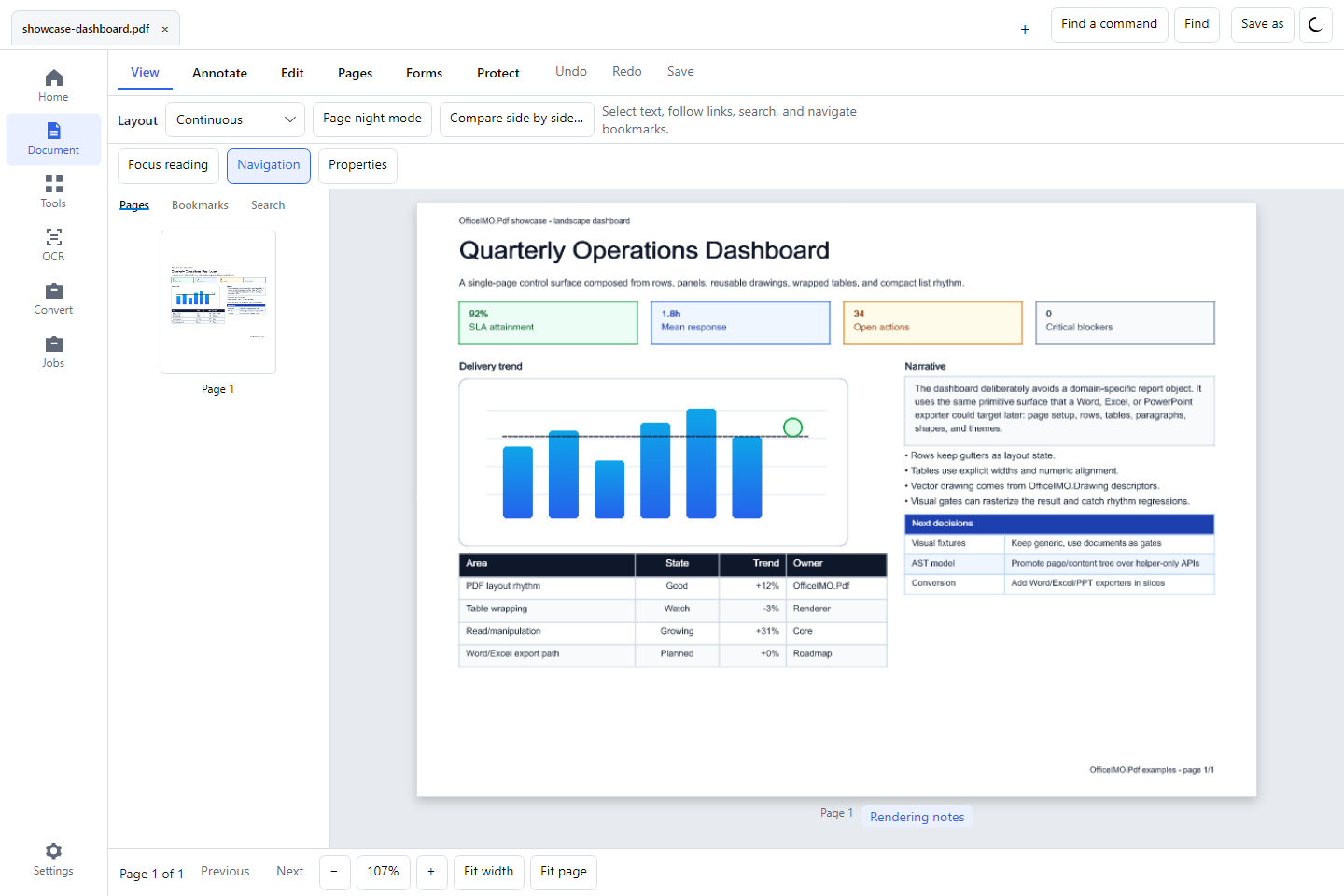
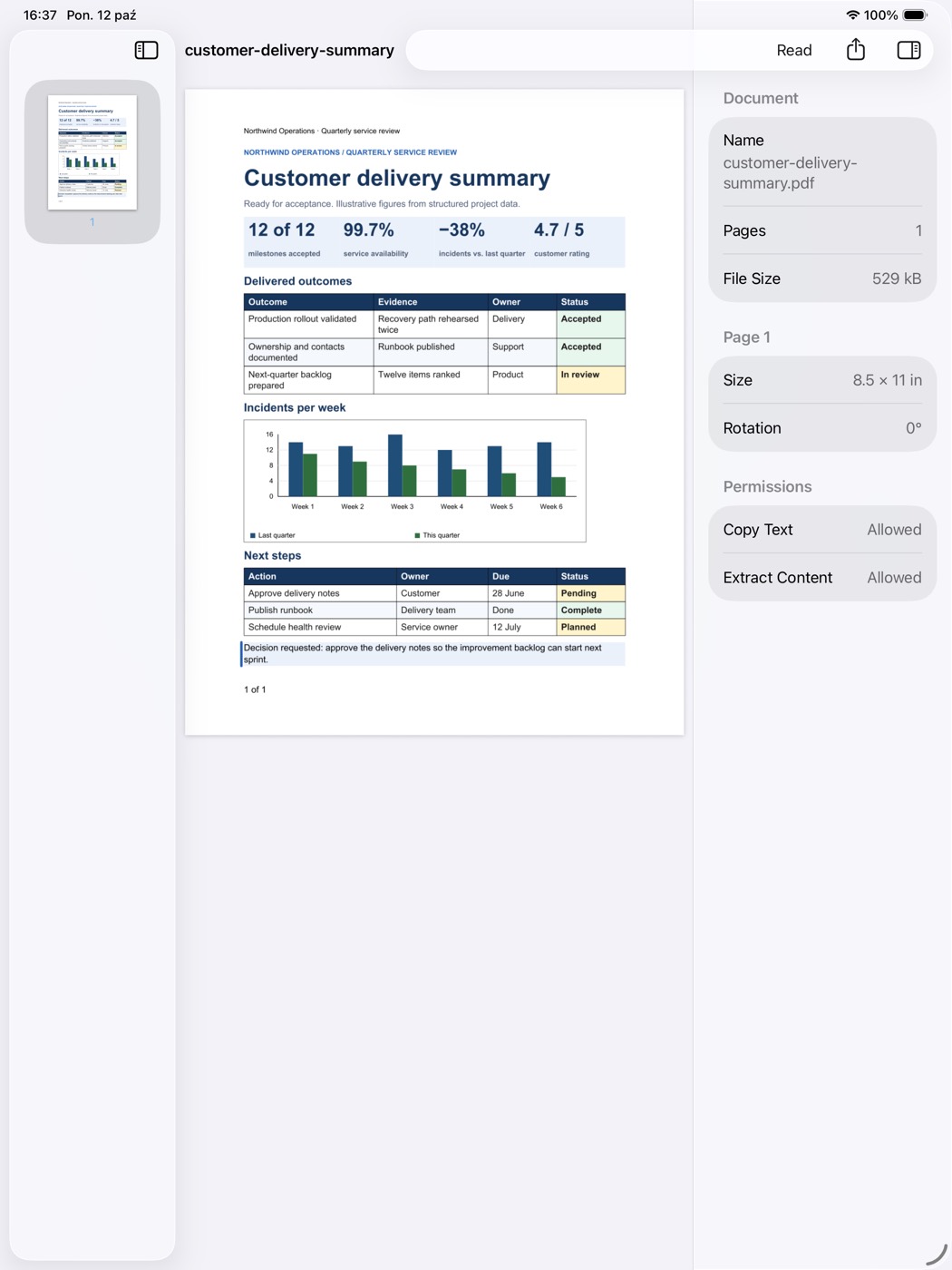
The OfficeIMO command-line tool runs the same conversions, extraction and workflows from scripts, and serves them to AI agents over MCP.
OfficeIMO for AI agents
Claude Code, Codex, VS Code with GitHub Copilot, Cursor and other MCP clients use OfficeIMO to inspect, search, fetch and convert local Word, Excel, PowerPoint, PDF and mail files, and to make separate PDF outputs. The OfficeIMO Document Tools plugin adds two Agent Skills and the MCP server, which runs on your computer and opens only the folders you allow:
claude plugin marketplace add EvotecIT/OfficeIMO
codex plugin marketplace add EvotecIT/OfficeIMO --ref master --sparse .agents/plugins
The AI agents page has one-click installation for VS Code and Cursor, the configuration for other clients, every tool the server provides, and the directories that list OfficeIMO.
Packages and tools
Every checked item below is implemented today. Detailed behavior, examples, and fidelity boundaries live in each project README.
Native formats and shared foundations
OfficeIMO.Core
- Common
Save,SaveAsync,SaveCopy,ToBytes, andToStreamlifecycle contracts used across formats - Immutable RGBA colors, named colors, hexadecimal parsing, palettes, and cross-format visual themes
- Image identification, dimensions, MIME metadata, fit modes, projection, cropping, and transform helpers
- Bounded async remote-image loading with URL policy, byte limits, media checks, and diagnostics
- Font descriptors, deterministic text measurement, TrueType font discovery, and glyph-outline reading
- One shaping-provider contract with a dependency-light managed core-Arabic/TrueType implementation and explicit fallback diagnostics
- Shapes, paths, gradients, shadows, clipping, transforms, vector scenes, and text blocks
- Shared chart kinds, chart snapshots, series data, renderers, and visual-quality reports
- Dependency-free raster buffers, drawing canvases, compositing, patterns, data bars, and sparklines
- First-party PNG/JPEG identification, decoding, encoding, and raster export paths
- Explicit composited-GIF frame selection or animation rejection with typed loss evidence
- Dependency-free TIFF output with uncompressed, PackBits, or Deflate strips and deterministic lossless WebP encoding with common raster export options
- Shared SVG primitive writing and scalable drawing export
- Single and batch image-export builders with dimensions, source metadata, and diagnostics
- Reproducible, output-validated identification, decode, encode, resize, and placement-optimization benchmarks with opt-in library comparisons isolated from runtime packages
Dependency footprint: zero third-party runtime dependencies.
OfficeIMO.Archives
- Bounded ZIP metadata traversal with ingestion warnings and verified member reads in memory
- Managed ZIP extraction with path, declared-size, decoded-length and CRC validation
- Managed single-cabinet extraction with Store, MSZIP, and LZX compression
- Passive MSI extraction maps embedded CAB members through authored Directory, Component, File, and Media tables
- Selective output, path and collision validation, finite resource limits, cancellation, and atomic destination publication
Dependency footprint: only OfficeIMO.Core; extraction does not execute installers or custom actions. Cabinet sets, external MSI payloads, and action-dependent installation layouts are unsupported; see the support matrix.
OfficeIMO.IWork
- Bounded ZIP, directory-bundle, nested
Index.zip, Snappy-framed IWA, ArchiveInfo, MessageInfo, and protobuf-envelope reading - Application detection, producer build history, raster/PDF preview discovery, defensive package-entry access, and preservation of primary and auxiliary IWA payloads
- Extended semantic projections: rich Pages content/layout/images/tables; sparse typed Numbers cells/formulas/merges/table metadata; and positioned Keynote rich text/images/tables/notes
- Opt-in
OfficeIMO.Word.IWork,OfficeIMO.Excel.IWork, andOfficeIMO.PowerPoint.IWorkadapters with editable reconstruction versus visual fallback reports - Independently sourced corpus evidence across Pages 14.1/14.5, Numbers 11.1–15.1 histories, and Keynote 8.1/14.5/15.2.1
- Template-free native Keynote slides with rich text, PNG/JPEG images and scalar tables; native Pages body documents with page settings and rich paragraphs; independent decoding and fixture-specific Apple reopen/export/edit evidence
- Template-free native Numbers scalar-table spreadsheets with independent decoding and native open/edit/save/export evidence
- Preservation-aware unchanged native saves, direct Keynote image moves/resizes and existing Numbers numeric/boolean cell edits through separate sessions over immutable source snapshots, with explicit visual-cache acceptance and operation reports
Dependency footprint: only OfficeIMO.Core; the package and IWA readers are first-party implementations. Word, Excel, and PowerPoint remain independent unless an iWork adapter is installed explicitly.
OfficeIMO.Data.Arrow
- Bounded synchronous and asynchronous Apache Arrow record batches from any forward-only
DbDataReader - Native Boolean, numeric, decimal, temporal, GUID, binary, and text arrays with explicit unsupported-type policy
- Shared adapter for OfficeIMO Excel, CSV, and ordinary ADO.NET providers without adding Arrow to their runtime graphs
Dependency footprint: OfficeIMO.Core and Apache.Arrow; Excel and CSV remain independently usable.
OfficeIMO.Data.Generators
- Compile-time
RowMapper<T>configuration shared by Excel, CSV, and otherDbDataReadersources - Primary column names, aliases, inherited writable properties, and build diagnostics for unsupported model shapes
- Reflection-free generated mapping validated in a NativeAOT consumer
Dependency footprint: build-time Roslyn analyzer only; no generator assembly is deployed with the application.
OfficeIMO.Drawing.HarfBuzz
- Optional full OpenType GSUB/GPOS shaping through the shared
IOfficeTextShapingProvidercontract - Stable logical cluster mappings and positioned glyph advances for TrueType and OpenType/CFF fonts
- Windows, Linux, macOS, and WebAssembly native assets kept out of the dependency-light Drawing and PDF cores
Dependency footprint: OfficeIMO.Core, HarfBuzzSharp, and its platform-native runtime assets.
OfficeIMO.Drawing.CodeGlyphX
- Optional typed bridge from CodeGlyphX QR, matrix, and linear barcode symbols to reusable
OfficeDrawingscenes - Neutral SVG handoff without making either core package depend on the other
- Searchable barcode label text and explicit unsupported-import counts
Dependency footprint: only OfficeIMO.Core and CodeGlyphX; both core packages remain independently usable.
OfficeIMO.ChartForgeX
- Optional bridge from every ChartForgeX
VisualArtifactto reusable SVG andOfficeDrawingrepresentations - Vector-native placement in Word, Excel, and PowerPoint plus first-party PDF composition through OfficeIMO.Drawing
- Point-normalized sizing, accessibility text, region metadata, and explicit preserve-vector, raster-fallback, or require-vector policy
- Native editable Visio projection for CFX topology, flow, and sequence semantics, including containers, Shape Data, hyperlinks, messages, notes, activations, and fragments
- ChartForgeX watermarks and render options flow through the same conversion, while document/page watermarks remain owned by OfficeIMO
Dependency footprint: ChartForgeX and the OfficeIMO Word, Excel, PowerPoint, PDF, Visio, and Core packages. Existing format packages remain independently usable and do not depend on ChartForgeX.
OfficeIMO.ChartForgeX.Markdown
- Optional static Mermaid fence rendering for Markdown-to-Word, PDF, HTML, and PowerPoint pipelines
- Embedded PNG images for documents and isolated SVG images for HTML, with captions, accessibility text, diagnostics, and source fallback
Dependency footprint: ChartForgeX.Markup.Mermaid and OfficeIMO.MarkdownRenderer. The document and Markdown cores remain independently usable.
OfficeIMO.Word
- Create, load, edit, append, inspect, and save
.docxdocuments - Read, write, and convert the supported first-party Word 97–2003
.docsubset with loss preflight - Rich runs, fonts, colors, highlights, borders, shading, tabs, spacing, line breaks, and custom paragraph styles
- Bullets, numbering, picture bullets, nested lists, start values, cloning, and list-style detection
- Tables with styles, borders, cell margins, merge/split, nested tables, repeated header rows, widths, heights, and page-break control
- Images from files, streams, bytes, Base64, and URLs with alt text, crop, transparency, wrapping, rotation, flipping, and positioning
- Native charts, shapes, lines, text boxes, equations, embedded documents/objects, and SmartArt inspection/mutation helpers
- Fields, TOCs, bookmarks, hyperlinks, cross-references, document variables, bibliography sources, and field-update reports
- Sections, page sizes, orientation, margins, columns, page/background color, watermarks, and page numbers
- Default, first-page, and even-page headers and footers, including multi-section inheritance and cleanup
- Footnotes, endnotes, comments, revisions, tracked-change helpers, comparison/redline reports, and document merging
- Content controls for text, checkboxes, dates, lists, pictures, rich text, and repeating sections
- Mail merge, formatting-preserving field replacement, conditional template blocks, Custom XML binding, and form-map validation
- Macro add/extract/remove, document protection, encrypted packages, digital-signature inspection, cleanup, repair, and feature preflight
- Managed document export to PNG, JPEG, TIFF, lossless WebP, and SVG; opt-in conversion packages add PDF, HTML, Markdown, RTF, ODT, and Google Docs
Dependency footprint: Open XML SDK plus OfficeIMO.Core; legacy .doc support and image export are OfficeIMO implementations. Apple Pages import is opt-in through OfficeIMO.Word.IWork.
OfficeIMO.Excel
- Create, load, edit, inspect, and save
.xlsxworkbooks - Read, write, and convert the supported first-party BIFF8
.xlssubset with loss preflight - Worksheets, cells, range algebra, merges, mutable table schemas, complete filter state, freeze panes, hyperlinks, local/workbook names, and named styles
- Object, dictionary,
DataTable,DataSet, row, stream, and typed-model import/export with editable-row workflows - Streaming reads, direct package writers, parallel compute/apply phases, progress, cancellation, and large-workbook controls
- Fonts, fills, borders, alignment, number formats, rich text, themes, row/column sizing, and reusable report styling
- Transactional row/column/cell shifts plus copy/move/transpose with dry-runs, rollback budgets, reference remapping, and package diagnostics
- Data validation, conditional formatting, icon sets, data bars, color scales, allowed-edit range management, ignored-error metadata preservation, and sparkline lifecycles
- Shared A1/R1C1 formula/reference syntax, formula-aware search and state diagnostics, dependency graphs, and a bounded calculation engine for reporting functions
- Charts across common 2-D/3-D, pie, radar, stock, surface, combo, secondary-axis, trendline, dashboard, and native ChartEx scenarios
- Pivot tables with fields, layouts, styles, filters, grouping, calculated fields, shared caches, and native slicer/timeline views
- Native query-backed tables with caller-hosted execution, explicit security policy, bounded transactional refresh, cancellation, and structural remapping
- Templates with marker binding, repeated rows, repeated sheets, optional regions, formatters, image binding, and preflight diagnostics
- Legacy comments plus threaded-comment/person metadata inspection and preservation
- Worksheet/workbook protection, encrypted OOXML packages, document properties, and compatibility validation
- Print areas, page breaks, page setup, and first/odd/even headers and footers with supported images
- Native in-cell images plus feature inspection and relationship-preserving round trips for macros, external links, custom XML, embedded packages, signatures, controls, and unowned imported parts
- Explicit file-backed editing with size/part budgets and deterministic cancellation, without changing established direct-write, streaming-read, or unchanged-package fast paths
- Workbook, worksheet, and range export to PNG, JPEG, TIFF, lossless WebP, and SVG; adapters add PDF, HTML, ODS, and Google Sheets
- Reproducible read, write, edit, package-size, and feature-rich cross-library benchmark suites with output validation and platform provenance
Dependency footprint: Open XML SDK plus OfficeIMO.Core; legacy .xls support and image export are OfficeIMO implementations. Apple Numbers import is opt-in through OfficeIMO.Excel.IWork.
OfficeIMO.PowerPoint
- Create, load, edit, inspect, and save editable
.pptxpresentations - Read, author, edit, preserve, encrypt, and convert
.ppt,.pot, and.ppsthrough a versioned capability contract and loss preflight - Slide creation, duplication, deletion, reordering, sections, presentation sizes, layouts, placeholders, and templates
- Text boxes, rich runs, paragraphs, bullets, alignment, spacing, auto-fit, hyperlinks, and theme-aware typography
- PNG/JPEG/SVG pictures from files and streams with crop, replacement, validation, positioning, and effects
- Tables with merges, cell formatting, borders, fills, pagination helpers, and data-driven creation
- Shared chart authoring, data binding, formatting, markers, axes, combo charts, secondary axes, and chart updates
- Auto-shapes, custom geometry, lines, groups, alignment, distribution, grids, sizing, anchors, stacking, and effects
- Backgrounds, gradients, overlays, themes, color transforms, transitions, speaker notes, notes masters, metadata, and media inspection
- Semantic deck plans and reusable executive-summary, chart-story, comparison, screenshot, appendix, architecture, and closing compositions
- Deck preflight and rhythm analysis for density, repetition, long sections, layout balance, and missing closings
- Feature/package inspection, validation, repair, accessibility metadata, SmartArt inspection, and preservation-aware editing
- Encrypted presentation save/load and read-only, stream-backed, detached-load, and explicit-persistence lifecycles
- Slide export to PNG, JPEG, TIFF, lossless WebP, and SVG plus presentation-wide image export; adapters add PDF, HTML, and ODP
Dependency footprint: Open XML SDK plus OfficeIMO.Core; legacy binary support, composition, editing, charting, and managed image export are OfficeIMO implementations. Apple Keynote import is opt-in through OfficeIMO.PowerPoint.IWork.
OfficeIMO.Visio
- Create, load, edit, inspect, and save drawing, template, stencil, and macro-enabled Open XML Visio packages without Visio automation
- Explicit VDX/VSX/VTX XML import/export through the same model, with bounded loading and fidelity reports
- Multi-page documents, page settings, scale, backgrounds, metadata, document settings, and stream/file lifecycles
- Rectangles, ellipses, diamonds, triangles, callouts, custom/master geometry, groups, and shape duplication
- Connectors, connection points, arrows, routing, line jumps, endpoint queries, and topology inspection
- Shape text, text styles, fills, lines, themes, style sheets, Shape Data, hyperlinks, comments, and protection
- Layers, containers, background pages, page instances, and fluent selection/query helpers
- Built-in and learned masters, stencil profiles, master editing, replacement, and migration plans/artifacts
- Flowchart, block, architecture, network, topology, swimlane, org-chart, sequence, timeline, dependency, and graph builders
- Loaded-diagram editing, layout, selection, validation, package checks, desktop compatibility proof, and visual-quality analysis
- Headless PNG, JPEG, TIFF, lossless WebP, and SVG export for individual pages plus document-wide batch export
- Searchable PDF conversion through
OfficeIMO.Visio.Pdf, with explicit semantic-fallback diagnostics
Dependency footprint: System.IO.Packaging plus OfficeIMO.Core; the VSDX model and renderers are first-party, while PDF conversion reuses the shared Reader/PDF projection.
OfficeIMO.Invoicing
Typed invoice and credit-note authoring, parsing, editing and bounded CII/UBL conversion. One decimal calculation owns quantities, adjustments, VAT and payable totals. Unsupported source data is reported before rewriting. The core has no external runtime dependencies.
OfficeIMO.Invoicing.Validation adds
hash-pinned XSD and Schematron releases for all five Factur-X 1.09.2 profiles,
EN 16931, XRechnung and UBL Peppol BIS, plus pinned independent corpus evidence.
Business-rule execution uses an explicitly configured local Java/Saxon runtime.
OfficeIMO.Invoicing.Pdf renders localized or
multilingual layouts and attaches the exact captured XML through PdfInvoiceDocument.
Native Polish FA(3) reading and bounded authoring keep national declarations
separate from EN totals, with an offline pinned-schema validator and official
fixtures. OfficeIMO.Invoicing.KSeF owns token
authentication, encrypted online submission, status and UPO retrieval. Submission
references, accepted status, receipt binding and receipt schema results remain
distinct.
OfficeIMO.Pdf
- Create PDFs with page setup, rich text, TrueType/OpenType-CFF subsetting, bounded managed Arabic plus shaping-provider positioning, multilingual font fallback, dictionary hyphenation, mixed inline visuals, typed business recipes, page-aware components, styled multipage containers, balanced block-flow columns, tables, and images
- Conditional and replayable flow, position capture, semantic sections, generated TOCs, named destinations, outlines, and generated optional-content layers
- Vector drawings, chart scenes, backgrounds, page decorations, headers, first/even footers, watermarks, metadata, and viewer preferences
- AcroForm creation, field values, choice fields, appearance generation, filling, flattening, and validation
- Annotations, bookmarks/outlines, named destinations, attachments/associated files, optional-content layers, and structured/tagged output
- Exact-artifact validator-backed generation and proof for PDF/A-2b, PDF/A-3b, PDF/UA-1, Factur-X, and ZUGFeRD, plus fail-closed readiness analysis for other formal profiles
- Text extraction by page/range, layout-aware Markdown, logical paragraphs/headings/lists/tables, links, forms, images, and navigation
- Inspect pages, boxes, fonts, images, attachments, outlines, forms, actions, layers, tags, catalog metadata, security, signatures, and revisions
- Extract, split, merge, import, crop, delete, duplicate, reorder, move, rotate, and overlay/underlay complete source pages
- Edit metadata, forms, annotations, bookmarks, attachments, and security; stamp text/images and apply watermarks
- Redaction search/application/verification, sanitization, optimization, OCR hooks, and document-understanding pipelines
- Standard and modern encrypted PDF read/write plus signature mutation and permissions analysis
- Incremental object updates and append-only annotation paths where the source structure allows them
- Managed page rendering to PNG, JPEG, TIFF, lossless WebP, and SVG with page selections, pixel/page limits, capability diagnostics, and continue-on-error batches
- Shared mutation-portfolio and render-compatibility assessments backed by the canonical preflight/planner and generated capability registry
- Bounded stream serialization with per-save peak-retention, spill, buffering, and passthrough evidence
- Exact embedded TrueType outlines plus shared managed CMYK, Lab, XYZ, and calibrated-color conversion where supported
- Logical recovery used by PDF-to-Word, PDF-to-Excel, PDF-to-PowerPoint, and PDF-to-RTF adapters
- Conversion proof, visual comparison, external-validator hooks, and rewrite-preservation reports for warnings, blockers, and structure drift
Dependency footprint: only OfficeIMO.Core; no third-party PDF parser, writer, renderer, OCR, or cryptographic dependency. Install OfficeIMO.Pdf.Ocr only for scanned-page recognition and searchable output, and OfficeIMO.Security only for its built-in CMS/X.509/RFC 3161 adapter.
OfficeIMO.Invoicing.Pdf
- Capture a typed invoice once for visible PDF content and its embedded CII XML
- Render invoices and credit notes with line items, VAT breakdowns, payment details, identifiers, and totals
- Keep later model edits separate from an existing snapshot
- Localize generated labels in English, German, Polish, French, or custom multilingual packs
- Preserve long mixed-script descriptions through embedded font fallbacks and exact XML/PDF agreement checks
Dependency footprint: OfficeIMO.Invoicing and OfficeIMO.Pdf. Install this optional adapter only when combining the XML invoice engine with PDF generation.
OfficeIMO.Pdf.Ocr
- Any
IOcrEngineover bounded rendered PDF pages without a Reader or provider dependency - Standalone raster image recognition at source resolution, with reusable text/table reconstruction and review snapshots for editable format adapters
- Pixel, point, and normalized geometry projection into cropped and rotated visual PDF coordinates
- Confidence and native-text overlap filtering followed by the canonical language-neutral PDF understanding pipeline
- Searchable invisible-text output with per-page provider, model, language, word, rejection, and diagnostic evidence
Dependency footprint: only OfficeIMO.Ocr and OfficeIMO.Pdf; providers and native runtimes remain explicit application choices.
OfficeIMO.Security
- Detached and encapsulated CMS signing and verification with bounded parsing and structured findings
- RSA and ECDSA verification, platform X.509 chain/revocation policy, and RFC 3161 timestamp validation
- CMS EnvelopedData encryption/decryption for S/MIME recipients
- Bounded XML Digital Signature creation, verification, and canonicalization for format-owned signing workflows
- Platform-RSA signing without exporting private keys, including CNG/HSM-compatible key handles
- One strongly typed provider explicitly supplied to thin format-package security adapters
Dependency footprint: OfficeIMO.Core contracts plus BouncyCastle.Cryptography and System.Security.Cryptography.Xml; no dependency on Word, PDF, Email, or another format package. Format packages do not depend on Security.
| Format package | Security support without the provider | Optional provider-backed operations |
|---|---|---|
OfficeIMO.Word | OPC/VBA signature discovery, evidence reporting, and fail-safe mutation policy | OPC XML signature creation/validation and VBA CMS/trust/timestamp validation |
OfficeIMO.Pdf | Signature dictionaries, byte ranges, external-signer hooks, preservation and mutation policy | Built-in CMS signing, X.509 validation, and RFC 3161 processing |
OfficeIMO.Email | MIME parsing, S/MIME carrier discovery, and protected-source retention | CMS signing, encryption, verification, decryption, and sign-then-encrypt for RFC 5322/MIME output |
OfficeIMO.Excel | OPC/VBA signature inspection and fail-safe mutation policy | OPC/VBA signature creation, validation, and trust evaluation |
OfficeIMO.PowerPoint | OPC, legacy, and VBA signature inspection plus fail-safe mutation policy | OPC/VBA signature creation, validation, and trust evaluation |
OfficeIMO.Visio | OPC signature inspection plus fail-safe mutation policy | OPC signature creation and validation |
OfficeIMO.OpenDocument | First-party password encryption/decryption, signature discovery, and fail-safe mutation policy | Bounded XML package-manifest signature creation and validation |
OfficeIMO.Epub | IDPF/Adobe font deobfuscation, signature discovery, and diagnostics | Bounded XML package-manifest signature creation and validation |
Install OfficeIMO.Security only in applications that use a provider-backed operation. Its cryptographic dependencies
therefore do not change the restore graph, trimming roots, or NativeAOT surface of ordinary format consumers.
OfficeIMO.OpenDocument
- Native ODT, ODS, ODP, and ODG package and flat-XML loading, editing, inspection, and deterministic saving
- ODT paragraphs, headings, runs, styles, lists, tables, links, bookmarks, sections, page layout, headers/footers, images, and tracked changes
- ODS sparse/repeated cells, typed values, formulas, styles, merges, sizing, visibility, names, validation, and print ranges
- ODP slides, masters/layouts, text, shapes, groups, images, crop, tables, notes, backgrounds, transitions, and basic animation metadata
- ODG pages, groups, basic shapes, text and image editing, FODG conversion, and a reported drawing projection for shared exporters
- Unknown XML and package-part preservation with explicit loss and capability reports
- Dependency-free AES-256-CBC password encryption/decryption with bounded aggregate KDF work and hash-pinned LibreOffice interoperability evidence
Dependency footprint: only OfficeIMO.Core; no OpenDocument SDK and no LibreOffice runtime.
OfficeIMO.Publisher
Native Publisher publication recovery into positioned pages, styled text stories,
table cells and embedded image assets, with SVG export and explicit fidelity
reports. OfficeIMO.Publisher.Pdf adds multi-page
PDF conversion through the shared drawing and PDF engines. The
support contract identifies profile and rendering
limits. The reader references only OfficeIMO.Core and does not require Publisher.
The Reader adapter retains complete stories,
physical page inventory and image descriptors for semantic ingestion.
OfficeIMO.Chm
Compiled HTML Help reading with exact entry extraction, topics, embedded resources, hierarchical contents, and the keyword index. Optional Markdown, EPUB, and PDF adapters reuse the existing conversion engines and expose fidelity reports. Reader ingestion retains archive hashes and topic citations. See supported profiles for ITSF/LZX coverage and export limits. Loading is inert and needs no Windows help viewer.
OfficeIMO.DjVu
Managed DjVu scanned-book reading, stored UTF-8 text and word geometry, bounded page rendering, and source navigation. OfficeIMO.DjVu.Pdf adds searchable scanned-page PDFs and explicit OCR for missing text; OfficeIMO.Reader.DjVu projects the native document into Reader. See the codec and independent qualification contract.
OfficeIMO.Xps
Portable XPS/OpenXPS package reading, native page editing, and writing, with
embedded fonts, paths, images, and explicit conversion diagnostics. SVG and raster
export reuse the shared drawing engine; OfficeIMO.Xps.Pdf
adds vector PDF export. Rendering and preservation boundaries
are documented separately. OfficeIMO.Reader.Xps
adds bounded Unicode, logical-order and page ingestion. The core package references
only OfficeIMO.Core.
OfficeIMO.Rtf
- Bounded RTF lexer/parser with a lossless syntax tree and exact unchanged-source round trips
- Editable semantic model for paragraphs, runs, styles, lists, tables, sections, headers/footers, notes, fields, images, shapes, objects, comments, and revisions
- Canonical and preserve-mode writing with structured parser, binding, and conversion diagnostics
- HTML bridge and dedicated Markdown, PDF, and Word workflow adapters
Dependency footprint: System.Text.Encoding.CodePages plus OfficeIMO.Core; no third-party RTF parser.
OfficeIMO.Markdown
- Typed Markdown AST and fluent builder for headings, paragraphs, lists, tasks, tables, code, callouts, details, definitions, front matter, footnotes, TOCs, and semantic fenced blocks
- Native parsing with source spans, anchors, stable block identities, transforms, and diagnostics
- HTML fragment/document rendering with CSS profiles and optional Prism, Mermaid, chart, and math shell assets
- AOT-friendly typed selectors and DTO-style AST projection for editor, chat, transcript, and document hosts
Dependency footprint: only OfficeIMO.Core; Markdown parsing and writing are first-party.
OfficeIMO.Adf
- Lossless Atlas Document Format JSON model with unknown nodes, marks, attributes, and extension properties preserved
- Structural validation plus Markdown and HTML projections with explicit fidelity diagnostics
- Markdown and HTML import through OfficeIMO's existing document engines
Dependency footprint: OfficeIMO Markdown, Markdown.Html, and HTML plus System.Text.Json on compatibility targets; no Atlassian SDK.
OfficeIMO.Html.Core
- Owned HTML nodes, attributes, document modes, source offsets and separate template contents
- Immutable snapshots, independent edits, stable node IDs and detached-node ownership
- Parser, selector/serialization and charset contracts without graphics or browser dependencies
OfficeIMO.Html.AngleSharp
- Inert full-document parsing with source limits and cooperative cancellation
- Selectors and serialization over owned nodes, preserving parser recovery during edits
- Existing web encoding aliases and code-page support behind a replaceable provider
OfficeIMO.Html
- Canonical
HtmlConversionDocumentwith DOM, base-URI, media, resource, and URL-policy ownership - CSS-aware layout scene shared by PNG, JPEG, TIFF, SVG, WebP, PDF, and Office adapters
- Direct PNG, JPEG, TIFF, SVG, and lossless WebP output with structured diagnostics and bounded local/remote resource loading
- Bounded CSS math, deterministic media preferences, caller stylesheets, paged running strings, shared CSS/SVG color parsing, WOFF 1, and Unicode-range-aware font selection
- Stable HTML contracts reused by Office, Markdown, Reader, PDF, and optional cross-format bridges
Dependency footprint: OfficeIMO.Core, AngleSharp, and AngleSharp.Css. Email, RTF, MHTML, and PDF are not part of the base HTML restore graph.
OfficeIMO.Html.Rtf
- Semantic HTML-to-RTF and RTF-to-HTML conversion with structured fidelity diagnostics
- Existing
OfficeIMO.Htmlconversion namespaces retained while package ownership becomes explicit
Dependency footprint: OfficeIMO.Core, OfficeIMO.Html, and OfficeIMO.Rtf.
OfficeIMO.Mhtml
- MHTML/MHT loading and deterministic saving with HTML root selection
- CID and Content-Location resource resolution through the shared HTML resource policy
Dependency footprint: OfficeIMO.Core, OfficeIMO.Html, and OfficeIMO.Email for MIME parsing.
OfficeIMO.Email.Html
- One safe HTML/RTF/text body-selection contract with untrusted sanitization and remote resources blocked by default
- CID, Content-Location, absolute-location, and filename resource resolution with bounded operation-scoped reads
- Shared prepared projection consumed by
OfficeIMO.Email.ImageandOfficeIMO.Reader.Email
Dependency footprint: OfficeIMO.Email, OfficeIMO.Html, and OfficeIMO.Html.Rtf; the base Email package remains HTML-free.
OfficeIMO.Email.Image
- Email body export through the HTML image pipeline with plain-text and RTF fallbacks
- Inline MIME/CID resources, page selection, diagnostics, and bounded output
Dependency footprint: OfficeIMO.Core, OfficeIMO.Email, OfficeIMO.Email.Html, and OfficeIMO.Html.
OfficeIMO.Mhtml.Pdf
- Bounded MHTML-to-PDF conversion with embedded MIME resources and combined diagnostics
- First-party PDF document, bytes, stream, path, sync, and async result paths
Dependency footprint: OfficeIMO.Core, OfficeIMO.Mhtml, OfficeIMO.Html.Pdf, and OfficeIMO.Pdf.
OfficeIMO.AsciiDoc
- Dependency-free, source-preserving AsciiDoc parser, typed tree, semantic model, and writer
- Headings, paragraphs, lists, definitions, admonitions, delimited blocks, tables, images, anchors, attributes, and STEM content
- Preserve and canonical output modes with source-located diagnostics
- Explicit bounded processing with root-confined include policy; parsing never executes directives
Dependency footprint: only OfficeIMO.Core; no Asciidoctor process or parser package.
OfficeIMO.Latex
- Source-preserving parser for a bounded LaTeX2e interoperability profile
- Tokens, groups, commands, environments, comments, headings, lists, figures, tables, labels, references, citations, theorems, and math
- Exact unchanged-source writing and visible preservation of unknown commands/environments
- Opt-in bounded expansion for safe document-local simple macros
Dependency footprint: only OfficeIMO.Core; no TeX runtime, compiler, or parser dependency.
OfficeIMO.Bibliography
- Format-neutral citation keys, item kinds, contributors, dates, identifiers, publication fields, keywords, notes, and ordered native extensions
- Source-preserving read, edit, deterministic write, and reopen workflows for BibTeX/BibLaTeX, CSL JSON, RIS, NBIB/MEDLINE, and EndNote XML
- Exact unchanged text and loaded-byte output, plus safe same-format unknown-field preservation after edits
- Cross-format conversion reports with strict rejection of approximated or omitted data
- Bounded file, stream, text, sync, and async APIs with cancellation and inert XML/TeX handling
Dependency footprint: System.Text.Json and System.Text.Encoding.CodePages on compatibility targets; no dependency on another OfficeIMO package, Word, Open XML, TeX, EndNote, rendering, or network clients.
OfficeIMO.Opml
- OPML 1.0/2.0 create, read, edit, validate, convert, and deterministic write
- Nested outlines, subscription attributes, qualified extension attributes, and exact unchanged-source output
- Explicit size, character, depth, outline, and attribute limits with DTD processing disabled
Dependency footprint: only OfficeIMO.Core; no external parser or runtime dependency.
OfficeIMO.Project
- Microsoft Project XML create, read, edit, validate, and source-preserving save
- Qualified MPP/MPT 8, 9, 12, and 14 authoring and editing, document templates, MPX 4 exchange, and assessed format conversion
- Typed tasks, calendars, resources, assignments, baselines, custom fields, and thin fluent builders
- Explicit assignment/progress/cost calculation, resource leveling, earned value, bounded formulas/lookups, and caller-resolved external schedules
- Portable project views and mapped tables; optional PDF/HTML/image and editable Office reports through
OfficeIMO.Workflows - Explicit input limits, cancellation, stable identities, and loss assessment
Native producer profiles, opaque-record preservation, scheduling, legacy formats, and rendering have separate operation boundaries.
Dependency footprint: only the matching coordinated OfficeIMO.Core release; no COM, external parser, or network dependency in file operations.
OfficeIMO.DocBook
- DocBook 4.5 and 5.2 article/book creation, bounded reading, editing, validation, conversion, and writing
- Typed common structures for metadata, sections, lists, tables, code, links, notes, media, and indexes
- Lossless extension preservation and exact schema identifiers without claiming exhaustive vocabulary validation
Dependency footprint: only OfficeIMO.Core; external schemas are identified but not downloaded at runtime.
OfficeIMO.CSV
- First-class headers/rows document model with file, stream, text, in-memory, and forward-only streaming lifecycles
- Single- and multi-character delimiters, culture, encoding, newline, quote, escape, whitespace, comment, and null-token controls
- Duplicate/blank header policy, W3C
#Fields:support, static metadata columns, row-length policy, and custom date formats - Gzip, deflate, Brotli, and zlib CSV read/write with extension-based detection
- Add/remove/transform columns and rows, filter, sort, materialize, and culture-aware save workflows
- Schema inference and validation with required/optional typed columns, defaults, conversion delegates, and custom rules
- Reflection-free typed object mapping suitable for trimming and NativeAOT-sensitive consumers
-
DataTable,IDataReader/DbDataReader, typed-reader, SQL/bulk-copy-shaped, reusable-row, field-span, and trusted-text paths - Ordered bounded parallel row projection plus a .N
Setup from the maintainer
This listing does not have a supported local package template. Use the maintainer’s documentation for its hosted endpoint, authentication, and client-specific setup. No install command has been inferred.
Package
Compatible MCP Clients
OfficeIMO Document Tools works with any MCP-compatible client. Copy the config snippet from the Configuration section above and add it to the file shown for your client, then restart the application.
- Claude Desktop
~/Library/Application Support/Claude/claude_desktop_config.jsonRestart Claude Desktop completely for changes to take effect. - Cursor
~/.cursor/mcp.jsonRestart Cursor for changes to take effect. - VS Code
.vscode/mcp.jsonReload VS Code window for changes to take effect. - Windsurf
~/.codeium/windsurf/mcp_config.jsonRestart Windsurf for changes to take effect. - Claude Code
.mcp.jsonSave at the project root, then start Claude Code in that project and review the MCP server approval prompt. Keep real credentials out of shared files.