Aspicio
DXF and PDF/X-4 for AI agents: structured facts, PNG renders, an interactive in-chat viewer.

Aspicio
Drawing understanding for people, applications, and AI agents — DXF and vector PDF.
Aspicio (Latin: "I look at")
Aspicio is an open-source (MIT), TypeScript-first drawing engine: one
framework-free parse → tessellate pipeline that runs in the browser, in
Node, and in serverless runtimes. It reads DXF and the vector content of
PDF — the kind of PDF that carries artwork and dielines rather than a
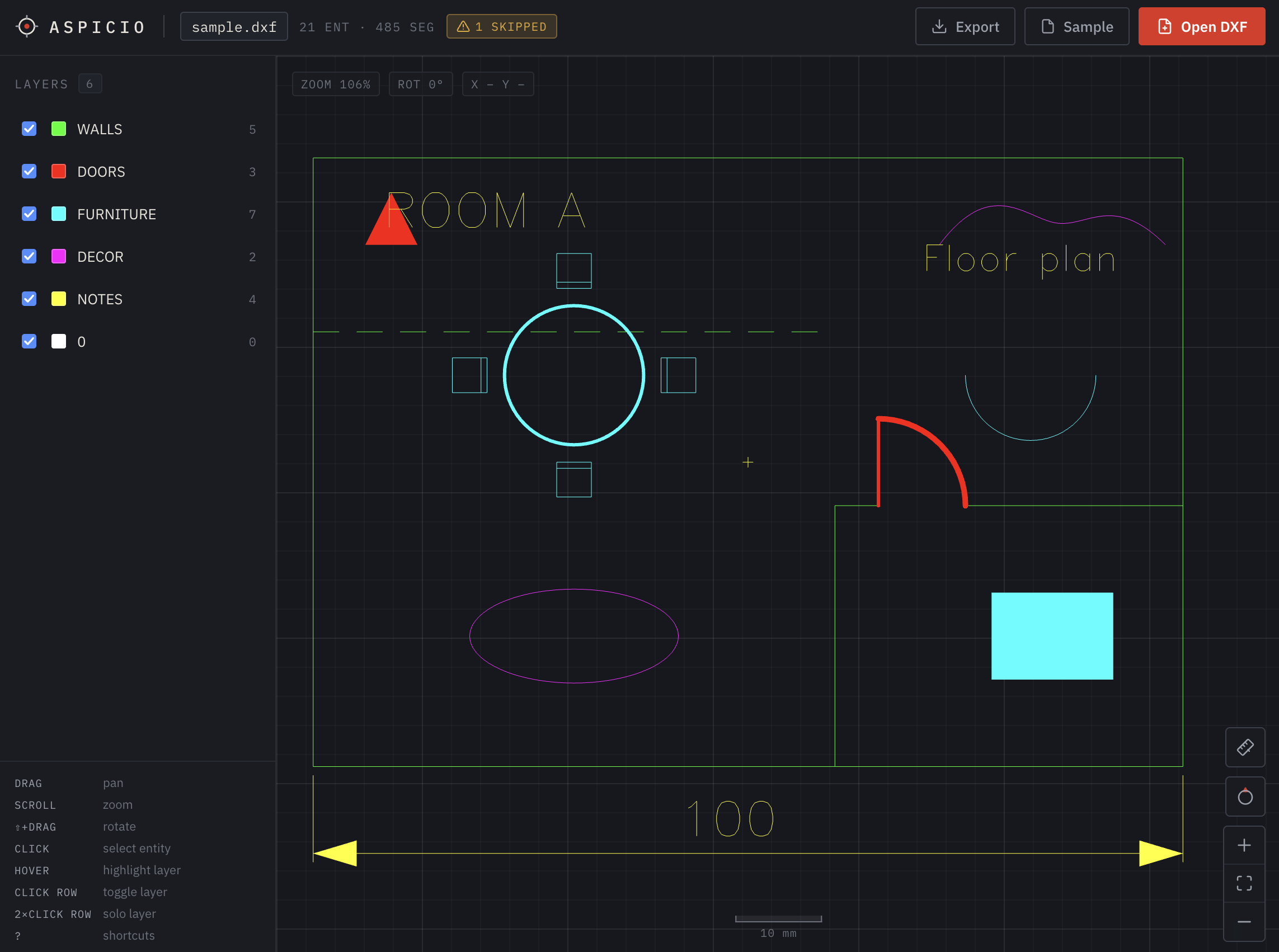
scan. A person gets an interactive WebGL viewer of a CAD drawing; an AI
agent gets structured JSON facts and a rendered PNG of the same file.
Every surface — the browser viewer, the web components and their React,
Vue, and Svelte bindings, the headless renderer, the HTTP API, and the MCP
server — is a thin adapter over the same engine, so a drawing is equally
readable everywhere.
DXF / PDF bytes ─parse─▶ DrawingDocument ─tessellate─▶ Tessellation ──┬─▶ WebGL renderer (viewer)
                        (normalized model)   (batched geometry)       ├─▶ SVG string (export / API / MCP)
                                                                      └─▶ DrawingSummary (describe)
How it's built: docs/architecture.md · behavior specs: docs/product-specs/
Embed it
One embed, every flavor — and every path below renders the same web components, so the result is pixel-identical no matter which you pick.
Web components — plain HTML, any framework
One tag gives you the layer panel plus an interactive preview; no bindings needed:
<script type="module">
  import "@aspicio/elements";
  import "@aspicio/elements/formats/dxf";
</script>

<aspicio-embed src-url="/drawing.dxf" style="height: 480px"></aspicio-embed>
Formats are opted into by import: the package brings the components, the
formats/* entry brings the parser. That is what keeps a DXF app from
shipping every other format's code — and every flavor below does the same.
React
The same embed with idiomatic props and a ref exposing the full
viewer, via @aspicio/react:
import { AspicioEmbed } from "@aspicio/react";
import "@aspicio/react/formats/dxf";

<AspicioEmbed src={file} style={{ height: 480 }} />;
Vue
Typed props and emits with unwrapped payloads, via
@aspicio/vue:
<script setup>
import { AspicioEmbed } from "@aspicio/vue";
import "@aspicio/vue/formats/dxf";
</script>

<template>
  <AspicioEmbed src-url="/drawing.dxf" style="height: 480px" />
</template>
Svelte
The same components as raw Svelte 5 source with typed callback props,
via @aspicio/svelte:
<script>
  import { AspicioEmbed } from "@aspicio/svelte";
  import "@aspicio/svelte/formats/dxf";
</script>

<AspicioEmbed srcUrl="/drawing.dxf" style="height: 480px" />
Vanilla TypeScript
Skip the ready-made UI and drive the viewer directly from
@aspicio/core — bring your own chrome:
import { DrawingViewer } from "@aspicio/core";
import { dxfParser } from "@aspicio/core/dxf";

const viewer = new DrawingViewer(document.querySelector("#preview")!, {
  parsers: [dxfParser],
});
await viewer.load(file); // File | Blob | ArrayBuffer | DXF text (ASCII or binary)
Headless — Node and serverless
Parse, describe, and render with no browser at all (server-side previews, thumbnails, pipelines):
import {
  describeDrawing,
  parseWith,
  tessellate,
  tessellateSpace,
  tessellationToSvg,
} from "@aspicio/core";
import { dxfParser } from "@aspicio/core/dxf";

const doc = await parseWith([dxfParser], bytes); // ASCII or binary DXF
const summary = describeDrawing(doc); // units, bounds, layers, texts, spaces…
const svg = tessellationToSvg(tessellate(doc)); // model space (a PDF's page 1)

// Multi-page PDFs and multi-sheet DXFs: describe covers all of them, and
// either verb can be scoped to one.
const page3 = describeDrawing(doc, { space: "Page 3" });
const sheet = tessellationToSvg(tessellateSpace(doc, "Layout1"));
What you get: WebGL rendering batched to one draw call per layer (large drawings stay interactive), broad entity coverage (lines, arcs, circles, ellipses, polylines with bulges, splines, TEXT/MTEXT, DIMENSION, SOLID/HATCH fills, nested INSERT blocks — anything unsupported is counted and reported, never fatal), a layer list with the colors that are actually drawn (per-entity overrides included, not just the layer table), measure with object snap, entity picking, paper-space layouts, SVG/PNG export, and first-class touch. Out of scope: editing and 3D.
Hand it to an agent
The same engine speaks MCP and HTTP, so an agent can read a drawing instead of guessing at it:
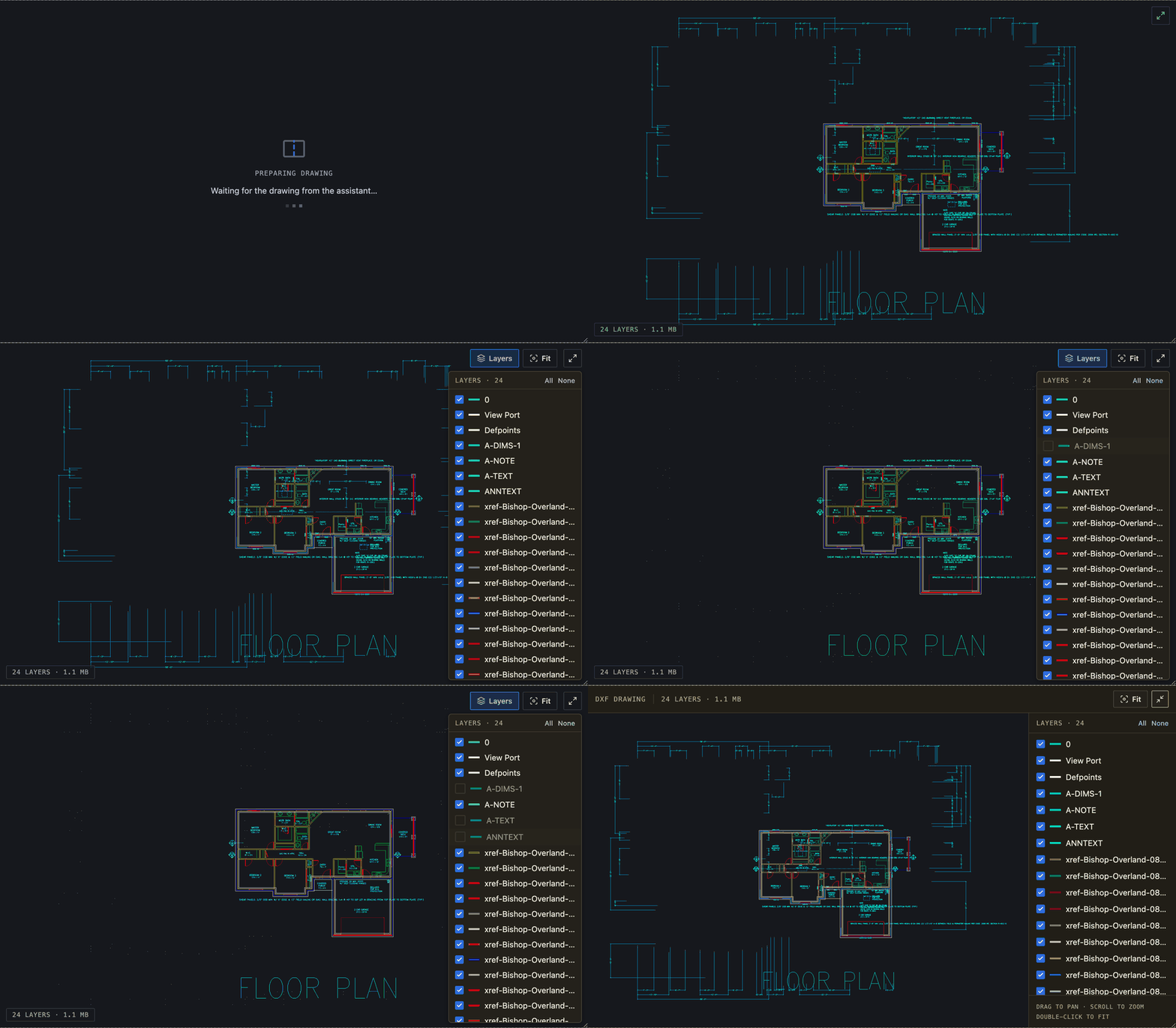
describe_dxf— units, bounds, size, layers with effective colors, entity counts, and the drawing's text content. An agent reads a title block or a dimension value directly — no OCR, no vision round-trip.render_dxf— a PNG of the drawing the model can look at.view_dxf(hosted server) — an interactive in-chat viewer for the person in the conversation, via the open MCP Apps extension: pan, zoom, layer toggles, fullscreen, host light/dark theming. The widget is locked to the drawing the tool call delivered and makes no network requests; hosts without MCP Apps still get the structured facts.
| Surface | Local files | URLs | Inline DXF |
|---|---|---|---|
stdio MCP — npx -y @aspicio/mcp | ✅ | ✅ | ✅ |
Hosted MCP — aspicio-api.frontsail.app/mcp | — | ✅ | ✅ |
HTTP API — /describe, /render | POST body | ✅ | ✅ |
Connect:
- Claude Code — one step installs the MCP server plus the bundled
skills (
aspicio-inspect-dxf,aspicio-embed):/plugin marketplace add frontsail-ai/aspiciothen/plugin install aspicio@aspicio - Codex — the same repo doubles as a Codex marketplace:
codex plugin marketplace add https://github.com/frontsail-ai/aspicio,codex plugin add aspicio@aspicio, thencodex mcp add aspicio -- npx -y @aspicio/mcp - Any client that launches stdio MCP servers — register
npx -y @aspicio/mcp - Any client that supports remote MCP (Streamable HTTP) — point it
at
https://aspicio-api.frontsail.app/mcp(no install; speaks MCP, not a browser page) - Plain HTTP —
GET /describe?src=<dxf-url>,GET /render?src=<dxf-url>&format=png|svg; the API self-describes at/openapi.json
URL fetches are guarded (private-network blocking, size caps, redirect validation, timeouts). The stdio server reads local files in-process and never uploads the DXF to any Aspicio service — though, as with any tool result, your MCP client passes the returned summary or image to its model provider. Full details: privacy policy · terms.
Available today · direction
Everything above is shipped and live: viewer + demo, core, web components, React, Vue, and Svelte packages, headless describe/render, stdio and hosted MCP, the in-chat MCP Apps viewer, the HTTP API with OpenAPI, and plugin packaging for Claude Code and Codex.
Direction (intent, not commitments — see issues): MCP registry listings, structured entity queries and focused rendering, and an upload flow so remote surfaces can handle local files.
Packages
| Package | Description |
|---|---|
@aspicio/core | The viewer library: parsing, tessellation, rendering, camera, input |
@aspicio/elements | Web components: <aspicio-embed>, <aspicio-preview>, <aspicio-layer-panel> — plain HTML, Svelte, any framework |
@aspicio/react | React bindings: <AspicioEmbed>, <AspicioPreview>, <AspicioLayerPanel> |
@aspicio/vue | Vue 3 bindings: the same three components with typed props and emits |
@aspicio/svelte | Svelte 5 bindings: the same three components as raw .svelte source |
@aspicio/mcp | MCP server for AI agents: describe_dxf + render_dxf |
@aspicio/api | DXF HTTP API server (private): /describe, /render, /mcp |
@aspicio/widget | MCP Apps in-chat viewer widget (private), served by the api server |
@aspicio/demo | Standalone demo app (private) — also the reference integration |
How the viewer packages fit together: every framework path funnels into the same Lit web components — one implementation of the embed UI — which sit on the framework-free core. React, Vue, and Svelte get thin veneers with idiomatic props; plain HTML consumes the elements directly.
flowchart TD
REACTAPP["React app"]
HTMLAPP["Plain HTML / vanilla JS app"]
VUEAPP["Vue app"]
SVELTEAPP["Svelte app"]
REACT["<b>@aspicio/react</b><br/><AspicioEmbed> · <AspicioPreview> · <AspicioLayerPanel><br/><i>thin @lit/react veneer, API-stable</i>"]
VUE["<b>@aspicio/vue</b><br/><AspicioEmbed> · <AspicioPreview> · <AspicioLayerPanel><br/><i>thin Vue 3 veneer, typed emits</i>"]
SVELTE["<b>@aspicio/svelte</b><br/><AspicioEmbed> · <AspicioPreview> · <AspicioLayerPanel><br/><i>raw Svelte 5 source, compiled by your bundler</i>"]
ELEMENTS["<b>@aspicio/elements</b><br/><aspicio-embed> · <aspicio-preview> · <aspicio-layer-panel><br/><i>Lit web components — the one embed-UI implementation</i>"]
CORE["<b>@aspicio/core</b><br/>parse → tessellate → render<br/><i>camera · input · picking · SVG/PNG export · headless describe</i>"]
REACTAPP -->|"idiomatic props, ref → DrawingViewer"| REACT
REACT -->|"wraps"| ELEMENTS
HTMLAPP -->|"attributes + DOM events"| ELEMENTS
VUEAPP -->|"idiomatic props + emits"| VUE
VUE -->|"wraps"| ELEMENTS
SVELTEAPP -->|"typed callback props"| SVELTE
SVELTE -->|"wraps"| ELEMENTS
ELEMENTS -->|"drives"| CORE
HTMLAPP -.->|"or hand-rolled UI on the DrawingViewer API"| CORE
classDef pkg fill:#191c22,stroke:#4c8dff,color:#e7e3da
classDef app fill:#1f232b,stroke:#3a3f4a,color:#9aa0ab
class REACT,VUE,SVELTE,ELEMENTS,CORE pkg
class REACTAPP,HTMLAPP,VUEAPP,SVELTEAPP app
Development
Toolchain: Vite+ (vp) on top of bun.
vp install       # install dependencies
vp run dev       # start the demo app
vp run ready     # check + test + build everything (the repo gate)
Testing, CI/deploy, releasing, and contribution guidance: CONTRIBUTING.md.
Aspicio is developed and maintained by FrontSail AI.
Installation
Source-derived launch command. Check the maintainer’s required arguments and credentials before running:
npx -y @aspicio/mcpSet up in your AI client
Merge this template into ~/Library/Application Support/Claude/claude_desktop_config.json. Keep existing servers. Add any arguments, credentials, and permissions required by the maintainer; this template has not been install-tested.
{
  "mcpServers": {
    "io-github-frontsail-ai-aspicio": {
      "command": "npx",
      "args": [
        "-y",
        "@aspicio/mcp"
      ]
    }
  }
}
Restart Claude Desktop completely for changes to take effect. Confirm the server appears connected in the client’s tool list, then try a read-only example from its documentation.
Claude Desktop setup referencePackage
@aspicio/mcpnpmCompatible MCP Clients
Aspicio works with any MCP-compatible client. Copy the config snippet from the Configuration section above and add it to the file shown for your client, then restart the application.
- Claude Desktop
~/Library/Application Support/Claude/claude_desktop_config.jsonRestart Claude Desktop completely for changes to take effect. - Cursor
~/.cursor/mcp.jsonRestart Cursor for changes to take effect. - VS Code
.vscode/mcp.jsonReload VS Code window for changes to take effect. - Windsurf
~/.codeium/windsurf/mcp_config.jsonRestart Windsurf for changes to take effect. - Claude Code
.mcp.jsonSave at the project root, then start Claude Code in that project and review the MCP server approval prompt. Keep real credentials out of shared files.