Universal Brute Workpack
Stdio-first Agent MCP workpack for local tools, audit chains, search, memory, and pipelines.
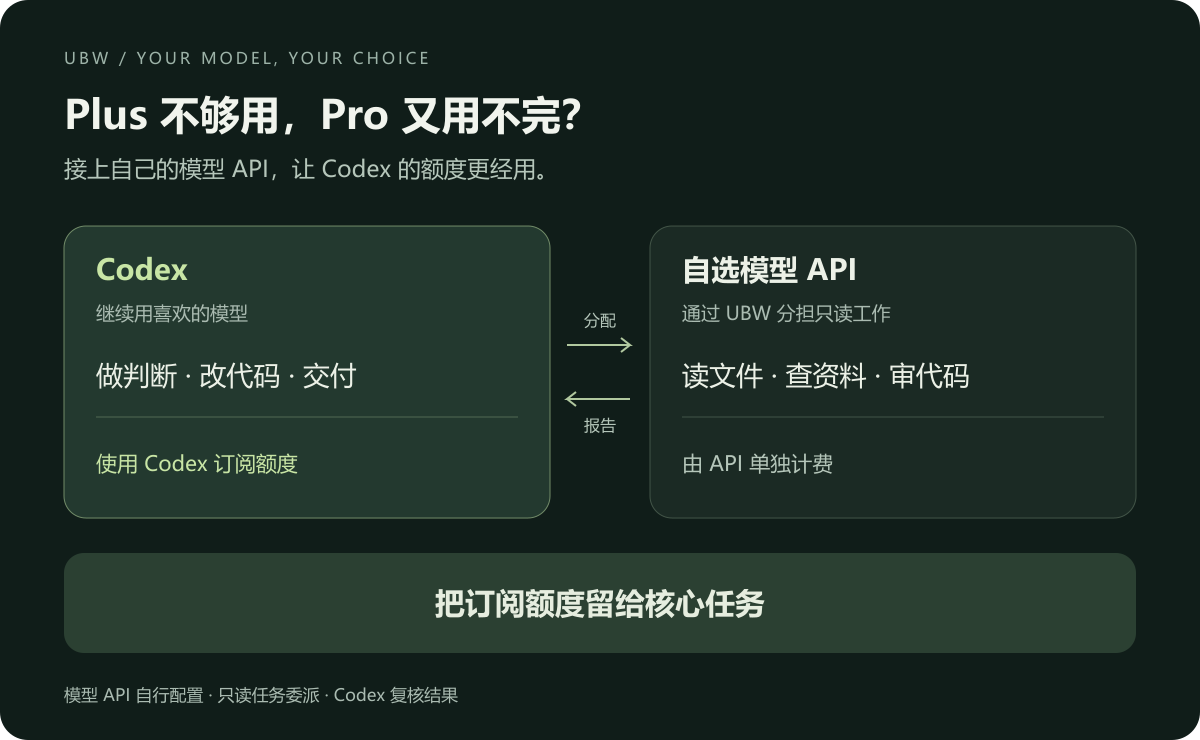
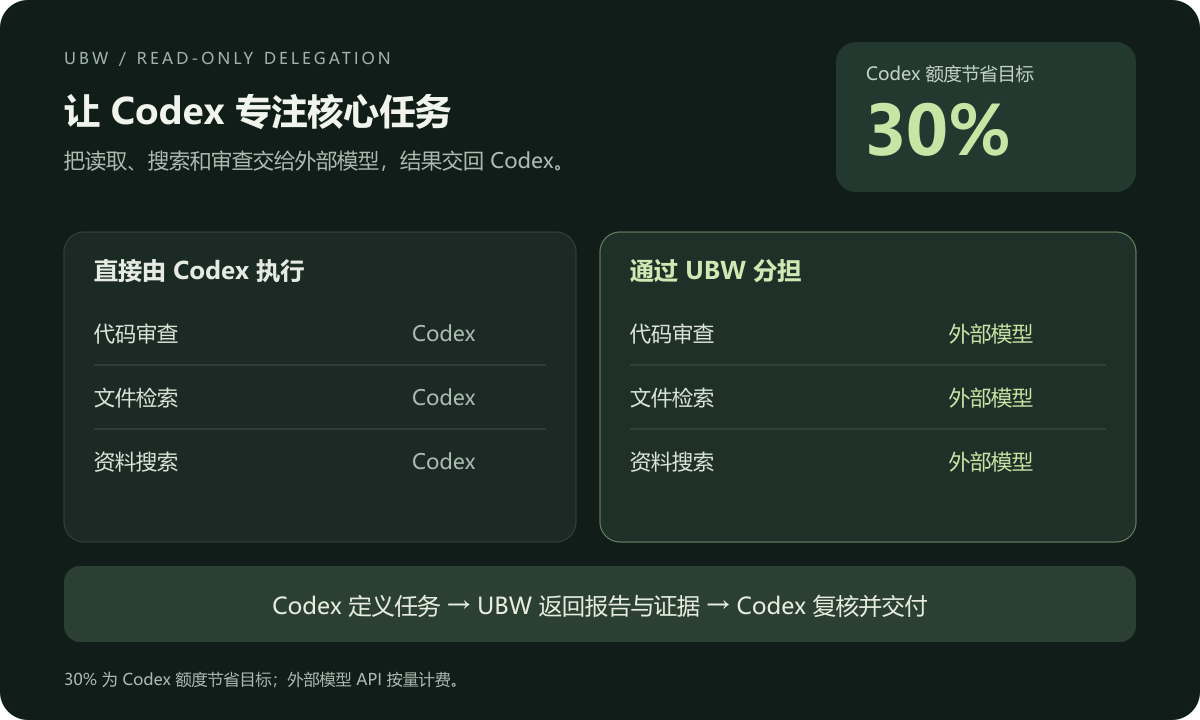
UBW 是一个 MCP 服务。Codex 分配任务、限定目录,用户自主配置的大模型通过 API 只负责调用只读工具,返回报告与证据。联网搜索通过配置的搜索服务完成。
Plus 额度不够用,又用不完 Pro?UBW 支持接入自选模型 API,分担读取、搜索和代码审查等任务,让原本交给 Codex 子 Agent 的只读工作走自定义模型的 API 计费。Codex 负责判断、修改和交付,把订阅额度留给核心任务。
更多用法,欢迎探索,也欢迎提交 Issue 或 PR。
能做什么
- 列目录、找文件、搜索文本、读取文件、查看 Git 差异。
- 搜索公开网页,保留来源链接。
- 查看进度、补充指令、暂停、恢复和取消任务。
- 保存阶段结果;失联或预算耗尽时暂停。
不提供文件写入、Shell 执行或子 Agent 派生。
接入
需要 Node.js ≥ 20.3、DeepSeek API Key;读取 Git 差异需要 Git。
复制 配置示例,将 roots 设为允许读取的项目目录:
{
  "roots": ["D:/projects/example"],
  "search": { "backend": "deepseek" }
}
MCP 客户端配置:
{
  "mcpServers": {
    "ubw": {
      "command": "node",
      "args": ["D:/tools/ubw/src/bridge.js"],
      "env": {
        "UBW_CONFIG": "D:/config/ubw.json",
        "DEEPSEEK_API_KEY": "<API_KEY>"
      }
    }
  }
}
路径改为实际位置。密钥保存在本机配置或环境变量中,不提交到仓库。
配套 Skill
ubw:任务委派、进度跟进和结果复核。使用时将 skills/ubw 目录放入宿主的 Skill 目录。
工具
| 工具 | 用途 |
|---|---|
delegate.start | 分配任务,指定目录、预算和联网权限 |
delegate.inspect | 查看进度并续租,可等待状态变化 |
delegate.control | 补充指令、暂停、恢复、取消 |
delegate.result | 获取完整任务的报告或当前阶段结果 |
读取的文件内容会发送到 DeepSeek API。联网任务需设置 allowNetwork: true;官方搜索另计 API 用量。
默认租约为 120 秒,需在到期前调用 delegate.inspect。任务记录含文件摘录和报告,保存在 ~/.ubw/tasks;重启后保持暂停。Token 预算用于停止后续请求,不是账户金额上限。
开发
npm test
npm run doctor
已通过 Windows / Node.js 26 的本地模拟测试。真实 API 联调尚未完成。
许可证
欢迎按需修改和扩展,也欢迎提交 Issue 或 PR。
Installation
Source-derived launch command. Check the maintainer’s required arguments and credentials before running:
npx -y universal-brute-workpackSet up in your AI client
Merge this template into ~/Library/Application Support/Claude/claude_desktop_config.json. Keep existing servers. Add any arguments, credentials, and permissions required by the maintainer; this template has not been install-tested.
{
  "mcpServers": {
    "io-github-haoyun18881-beep-universal-brute-workpack": {
      "command": "npx",
      "args": [
        "-y",
        "universal-brute-workpack"
      ]
    }
  }
}
Restart Claude Desktop completely for changes to take effect. Confirm the server appears connected in the client’s tool list, then try a read-only example from its documentation.
Claude Desktop setup referencePackage
Compatible MCP Clients
Universal Brute Workpack works with any MCP-compatible client. Copy the config snippet from the Configuration section above and add it to the file shown for your client, then restart the application.
- Claude Desktop
~/Library/Application Support/Claude/claude_desktop_config.jsonRestart Claude Desktop completely for changes to take effect. - Cursor
~/.cursor/mcp.jsonRestart Cursor for changes to take effect. - VS Code
.vscode/mcp.jsonReload VS Code window for changes to take effect. - Windsurf
~/.codeium/windsurf/mcp_config.jsonRestart Windsurf for changes to take effect. - Claude Code
.mcp.jsonSave at the project root, then start Claude Code in that project and review the MCP server approval prompt. Keep real credentials out of shared files.