Anti-Vibe
Read coding-agent output one sentence at a time, skim it by heading, or speed-read it.
Anti-Vibe
Your agent wrote 800 lines in 4 seconds. You read 6 of them and hit "Approve." Be honest.
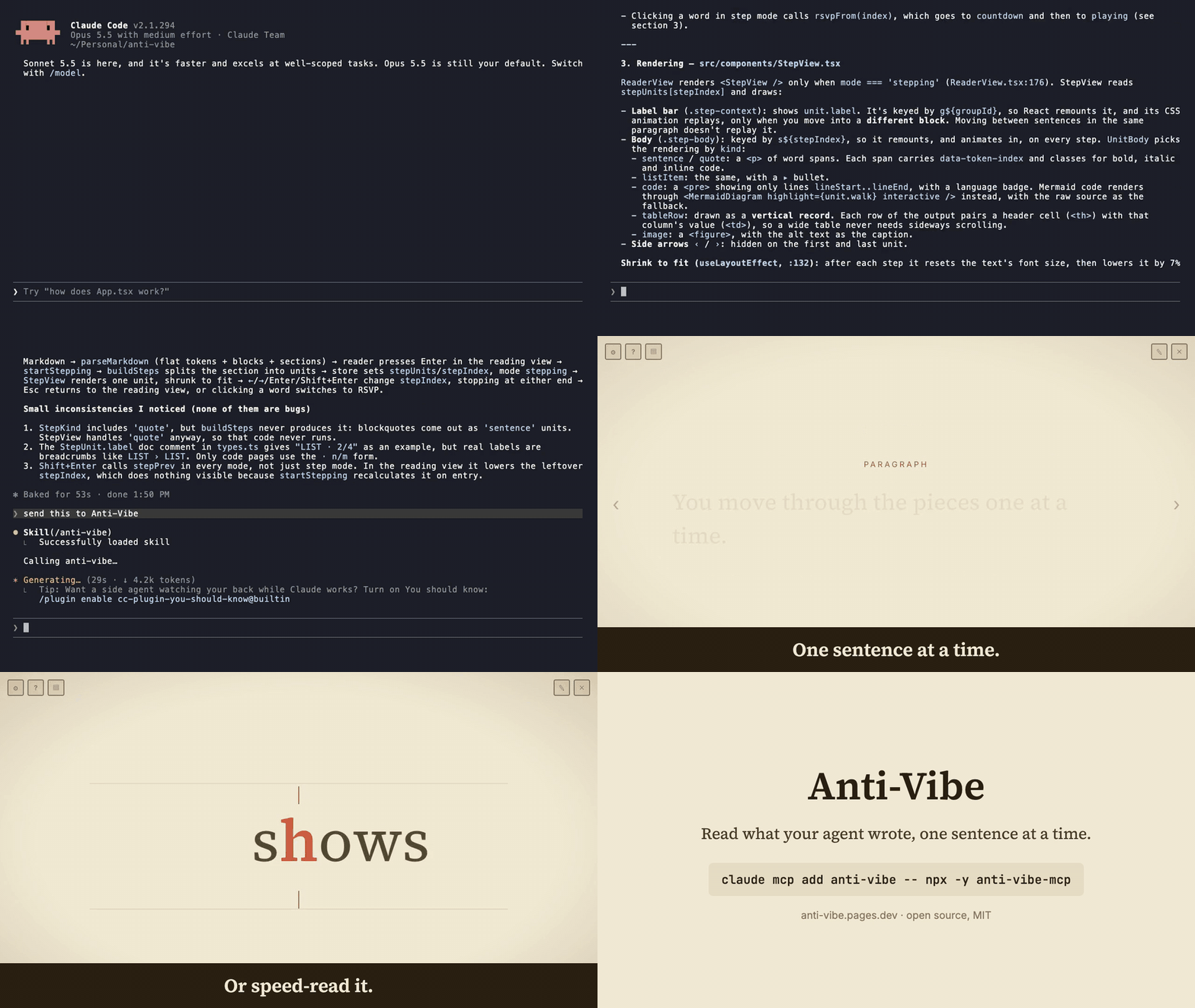
▸ Live at anti-vibe.pages.dev (paste any markdown, no install)
Add it to Claude Code:
claude mcp add anti-vibe -- npx -y anti-vibe-mcp
Then ask your agent to "send this to Anti-Vibe". For other MCP clients, see MCP server.
"Vibe coding" is letting the AI cook and merging whatever it hands back on faith. Fun, fast, and a great way to ship a bug you'll spend Saturday debugging. Anti-Vibe is the retro-cyberpunk reader for people who actually read the diff — LLM / agent output, reviewed section by section without the fatigue that makes you give up and click "Approve" at line 6.
Read it one sentence at a time: each sentence, list item, or table row alone on the screen, with everything else out of sight. Skim by heading and skip what doesn't matter. Speed-read it when you're in a hurry. No wall of text to bounce off.
Full disclosure: yes, a tool for not vibe coding is itself vibe coded — for now. The irony is not lost on us; we're firing shots from inside the glass house. The plan is to close the loop and use Anti-Vibe on its own source until it's earned its way out of "vibe coded" and into "actually reviewed."
Why
LLMs and agents generate walls of text faster than any human can read them, and the cost of reviewing it is real — not just the time. This app attacks that cost from several sides:
- Less reading fatigue — one sentence at a time means there's no wall of text to scan, and the reading view's top/bottom fade keeps the focus on the middle of the screen, easing the load.
- Lower inertia to review — section-by-section navigation means you commit to one small chunk at a time instead of facing the whole document. Glance at a heading, decide, skip it or speed-read it.
- Faster review — opt-in RSVP blasts through the sections worth reading at your target WPM; review keeps pace with how much AI output you now generate.
- Less screen time — faster, gentler review means fewer hours staring at walls of text.
- Easier to focus (great for ADHD) — one word, one sentence, or one section at a time, fixed in place, with everything else dimmed away. By removing the wall of text — and any progress counter or sense of how much is left — Anti-Vibe keeps attention on the single thing in front of you, which can make focusing and starting far easier for ADHD and other attention/focus challenges.
The goal is review tooling that's easier on your eyes and attention, not only quicker — a focus and wellbeing angle baked into a speed tool. See docs/VISION.md for where it could go.
Screenshots
Shown in the Cream theme (warm, soft, left-aligned prose). There's also a CRT theme — dark, pixel, scanlines — if you want your code review to feel like it's coming from a 1983 terminal.
Landing — paste or open a .md file
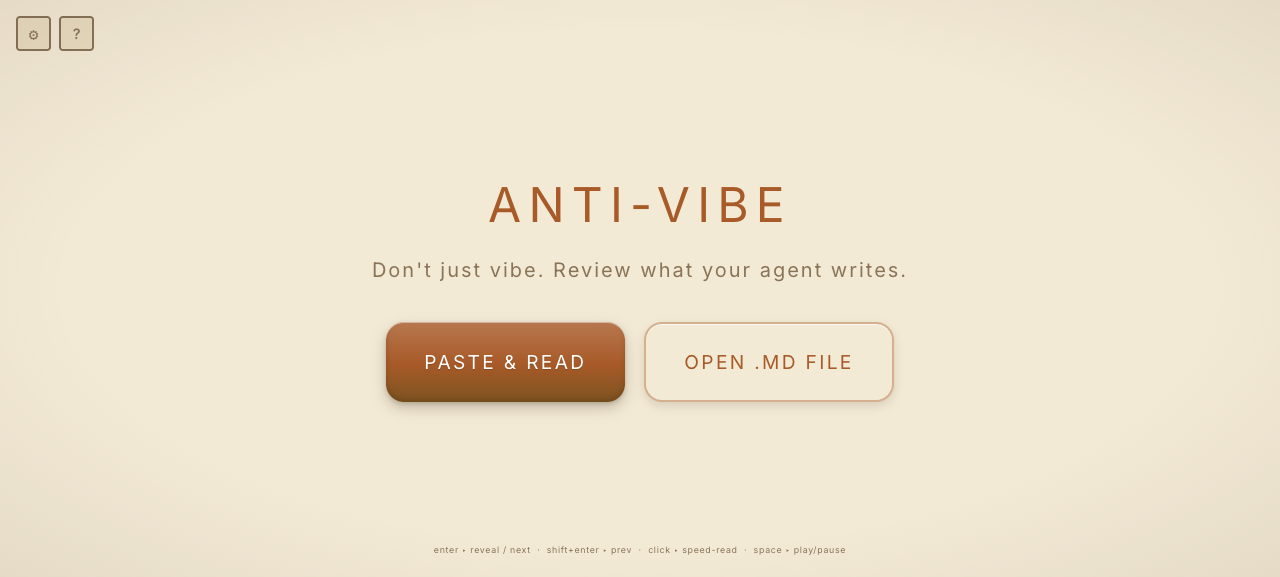
Reading view — a section with a top/bottom fade
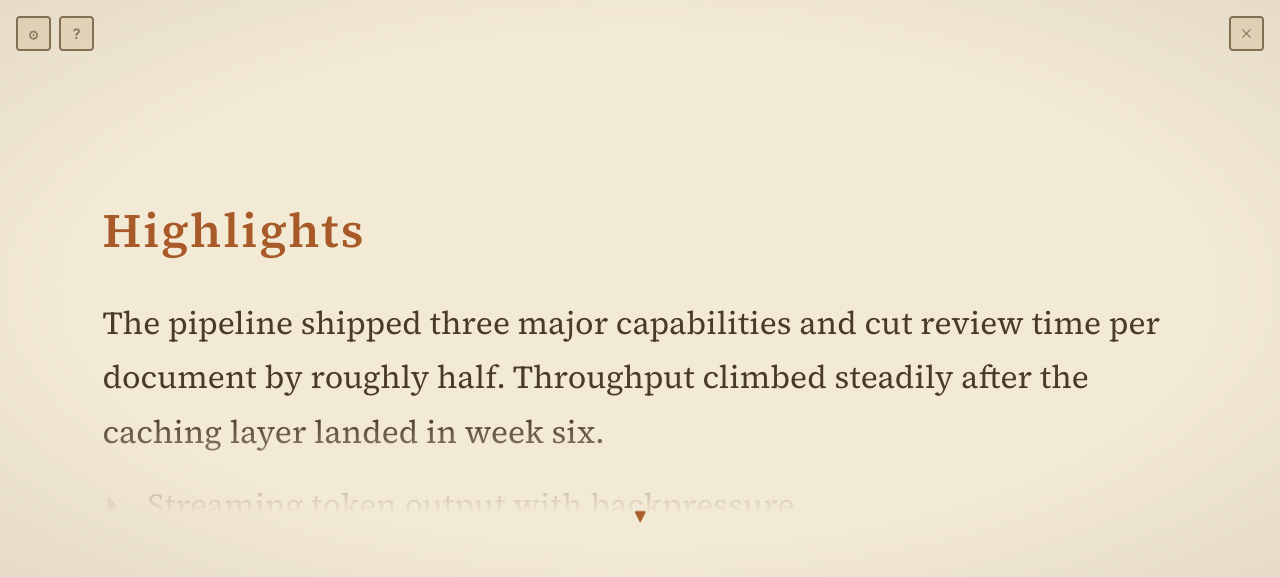
One sentence at a time — step through a section, one unit on screen
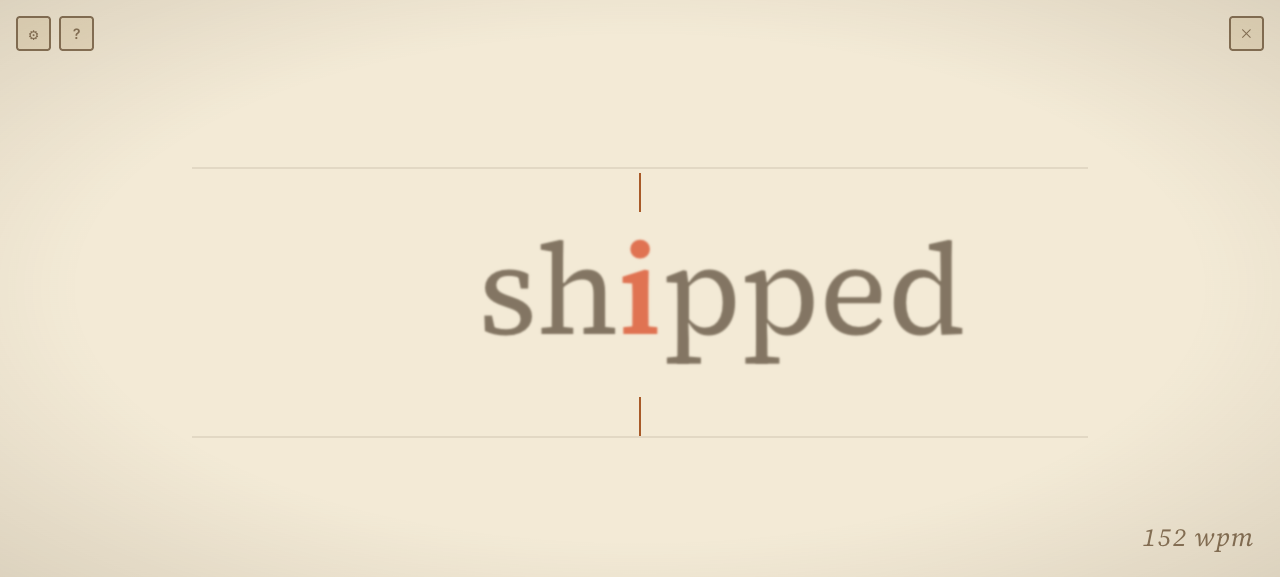
Speed-read (RSVP) — one word at a time, ORP pivot accented
Features
- Load — paste markdown from the clipboard, or open a
.mdfile. - Section navigation — the doc is split into heading-delimited sections. You land on the heading list:
↑/↓move between headings, Enter opens a section in the reading view, and Cmd/Ctrl + arrow jumps to the next or previous section. Skim heading-to-heading without reading everything. - One sentence at a time (step mode) — press Enter again in the reading view (or the eye button) to step through the section one unit at a time: a sentence, a list item, a table row (shown as header→value pairs), a code block, an image, or one element of a mermaid diagram. A breadcrumb label (
PARAGRAPH,LIST › LIST,TABLE ROW) shows where you are in the layout. Stepping starts from the word you clicked, or the section start.Enteradvances,Shift+Entergoes back. - Speed-read (RSVP) — RSVP (Rapid Serial Visual Presentation) flashes one word at a time in the same spot, so the content moves and your eyes don't. When a section looks worth speed-reading, Cmd/Ctrl + Enter RSVPs it from the start. Or click a word to set your place, then press
space(or the fast-forward button) to RSVP from there. Words flash centered with the ORP/pivot letter pinned to a reticle; speed ramps from slow to your target WPM (and re-ramps on each start).spacepauses in place on the current word, with a scrub strip to move back or forward;spaceagain resumes, andescreturns to the reading view. - CRT reading view — a revealed section shows in full inside a scrollable pane that dissolves toward the top and bottom edges (CRT-style fade). Scroll with the arrow keys.
- Markdown-aware — headings, lists, blockquotes, fenced code, tables, and images render as styled markdown; prose centered, list items bulleted, line breaks preserved.
- Help — a
?icon beside the settings gear opens a menu of the shortcuts for the current view. - Sound — chiptune blips on interactions (synthesized, no audio files); toggle in settings.
- Configurable — target/start WPM and words-per-flash (saved to localStorage; settings reachable from the landing page and the reader).
- Keyboard — one axis of focus:
enterfocus deeper (heading → reveal → step → next unit) ·shift+enterstep back ·cmd/ctrl+enterRSVP the section from the start (any level) ·spacepause/resume RSVP ·escup one level (never to landing — the ✕ exits). Arrows are contextual: in the heading list↑/↓move between headings; in the reading view↑/↓scroll and←/→scroll wide content; in step mode←/→move between units. To jump across sections,⌘/ctrl+ arrow (down/right = next, up/left = prev) — always landing in the next section's reading view. Once you finish a section (scrolled to the bottom, or reached the last step), a small advance button appears at the bottom — click it to go to the next section. - Theme — two built-in themes (Cream and CRT); the reading font is swappable via the
--word-fontCSS variable.
Flow Review (in development)
Early and changing fast: expect rough edges, and expect the review_flow input to change.
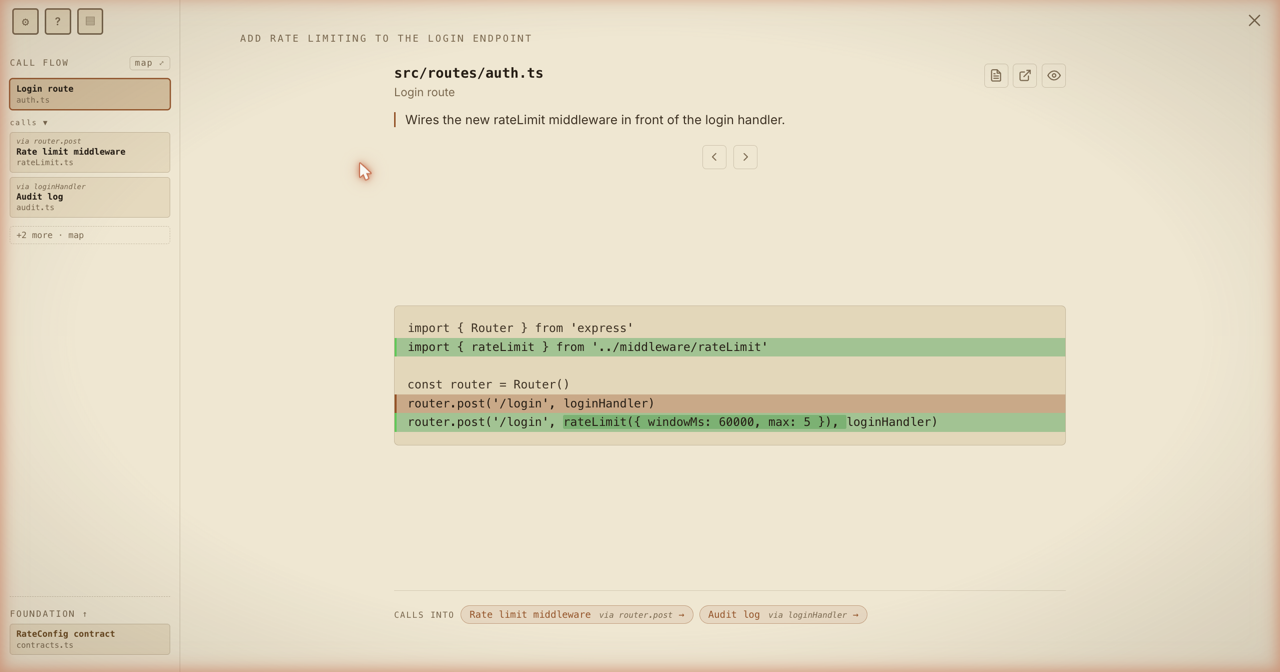
The feature vibe coding hopes you never use. Flow Review walks a code change in the order it actually runs — entry → handler → service → effect, like stepping through a sequence diagram — instead of the alphabetical file dump your git tool gives you. One hunk at a time, always showing where you are in the call flow.
- Runtime order, not file order — the agent describes the traversal structure; Anti-Vibe runs
git diffand resolves each stop to its real hunks. You follow the call graph, branching where a function calls several others. - Foundation lane — models / schemas / contracts / types sit pinned at the bottom, read after you've seen how they're used.
- Minimap — click any node to jump; the call-flow lane shows edges and the path you've walked.
- Focus mode + open-in-editor —
Enterhides the chrome to one hunk; per-hunk deep links open in VS Code / Cursor / Windsurf / Zed / JetBrains / a custom template. - Keys —
← / →(orj / k) step hunks and follow the graph;1–9pick a branch;Enter/Escfocus and back out.
Driven by the review_flow MCP tool (below). Full docs: docs/FLOW-REVIEW.md.
Run
npm install
npm run dev
Opens on http://localhost:5173. Copy some markdown and click PASTE & READ, or OPEN .MD FILE.
No install needed to try it — the latest build is hosted at anti-vibe.pages.dev.
Tests
npm test          # run unit tests once (Vitest)
npm run test:watch
Unit tests cover the pure logic: ORP pivot + WPM ramp + per-word timing (timing.ts), chunk gathering (chunk.ts), and the markdown → token-stream parse (parseMarkdown.ts).
Clipboard access needs a secure context. On
localhostit works; if the browser blocks it, the app falls back to a paste box.
Stack
Vite · React · TypeScript · unified / remark (markdown AST) · Zustand (playback state).
Architecture
Markdown is parsed once (src/lib/parseMarkdown.ts) into a flat token stream with a global index — word tokens and atomic-block tokens. That index is the single source of truth linking RSVP playback to click-to-resume in the pause view. The playback loop is a self-rescheduling setTimeout in a Zustand store (src/store/readerStore.ts); per-word timing lives in src/lib/timing.ts.
MCP server
Anti-Vibe ships an MCP STDIO server (mcp/) so an AI agent can push its output straight into the reader for review — no copy-paste.
Because Anti-Vibe is a static SPA with no backend, the MCP process also runs a tiny localhost bridge: it serves the built app from its own origin and live-pushes documents to the open tab over Server-Sent Events. Three tools:
review_markdown—{ markdown, title? }→ normalizes the markdown (CRLF→LF, optional# title), validates it parses, sends it to the reader, and opens the tab on first use. Preserves code blocks, tables and structure verbatim. Returns{ documentId, sectionCount, wordCount, url }.rsvpify_markdown—{ markdown, title? }→ same transport, but for content a human will speed-read. The agent must first rewrite its output into flowing prose (full sentences, no bullet fragments), replace each code block with a short prose summary of what it does, and keep essential tables verbatim (Anti-Vibe auto-pauses the RSVP stream on them). Returns{ documentId, sectionCount, wordCount, url }.review_flow(in development) —{ stops, title?, repoPath?, diffBase? }→ pushes a flow-ordered code review. The agent sends only the traversal structure (stops taggedflow/foundation, wired bycallsTo, with per-hunk reading order viahunkFlow) — never the diff text. Anti-Vibe runsgit diffin the repo and resolves each stop to its real hunks. Returns{ documentId, stopCount, resolvedCount, url }. Seedocs/FLOW-REVIEW.mdfor the full input schema anddiffBaseforms.
The server ships as a separate self-contained npm package, anti-vibe-mcp, that bundles a built copy of the web app — so the bridge always serves a matching front-end with no clone or build step for end users.
Use it (end users)
Add it to your MCP client (Claude Desktop claude_desktop_config.json, or claude mcp add):
{
  "mcpServers": {
    "anti-vibe": {
      "command": "npx",
      "args": ["-y", "anti-vibe-mcp"],
      "env": { "ANTIVIBE_MCP_PORT": "7777" }
    }
  }
}
Then ask the agent to "send this to Anti-Vibe for review". The first call opens http://127.0.0.1:7777; later calls go to the same tab. If you're in another window, the tab switches to the new document; if you're reading in it, the new document waits in the Documents list (l). ANTIVIBE_MCP_PORT (default 7777) is also the review URL.
Run from source (contributors)
Cloning this repo auto-registers the server via the committed .mcp.json (it runs mcp/server.ts with tsx). Just install and build once so the bridge has a front-end to serve:
npm install
npm run build    # the bridge serves dist/
npm run mcp      # optional: launch the server standalone for testing
Publishing the package
npm run build:mcp      # vite build -> dist/, bundle mcp/server.ts -> mcp/bin, copy dist -> mcp/app
npm run release:mcp    # build:mcp then `npm publish mcp`
The bridge listens on loopback only. The browser-side receiver is a silent no-op anywhere except behind the bridge, so the deployed app and
npm run devare unaffected. The web app and theanti-vibe-mcppackage are versioned and shipped independently.
Roadmap
- Non-markdown / plain-text and HTML input.
- Customizable fonts and themes in-app.
- Resumability — pick a review back up where you left off.
- Mobile sync — start on desktop, keep going on your phone.
License
MIT — see LICENSE.
Installation
Source-derived launch command. Check the maintainer’s required arguments and credentials before running:
npx -y anti-vibe-mcpSet up in your AI client
Merge this template into ~/Library/Application Support/Claude/claude_desktop_config.json. Keep existing servers. Add any arguments, credentials, and permissions required by the maintainer; this template has not been install-tested.
{
  "mcpServers": {
    "io-github-hellstellar-anti-vibe": {
      "command": "npx",
      "args": [
        "-y",
        "anti-vibe-mcp"
      ]
    }
  }
}
Restart Claude Desktop completely for changes to take effect. Confirm the server appears connected in the client’s tool list, then try a read-only example from its documentation.
Claude Desktop setup referencePackage
anti-vibe-mcpnpmCompatible MCP Clients
Anti-Vibe works with any MCP-compatible client. Copy the config snippet from the Configuration section above and add it to the file shown for your client, then restart the application.
- Claude Desktop
~/Library/Application Support/Claude/claude_desktop_config.jsonRestart Claude Desktop completely for changes to take effect. - Cursor
~/.cursor/mcp.jsonRestart Cursor for changes to take effect. - VS Code
.vscode/mcp.jsonReload VS Code window for changes to take effect. - Windsurf
~/.codeium/windsurf/mcp_config.jsonRestart Windsurf for changes to take effect. - Claude Code
.mcp.jsonSave at the project root, then start Claude Code in that project and review the MCP server approval prompt. Keep real credentials out of shared files.