Ledgr
Self-hosted personal finance app with bank sync, budgets, net worth and investment tracking

Ledgr
Self-hostable personal finance app with automatic bank sync and AI agent support.



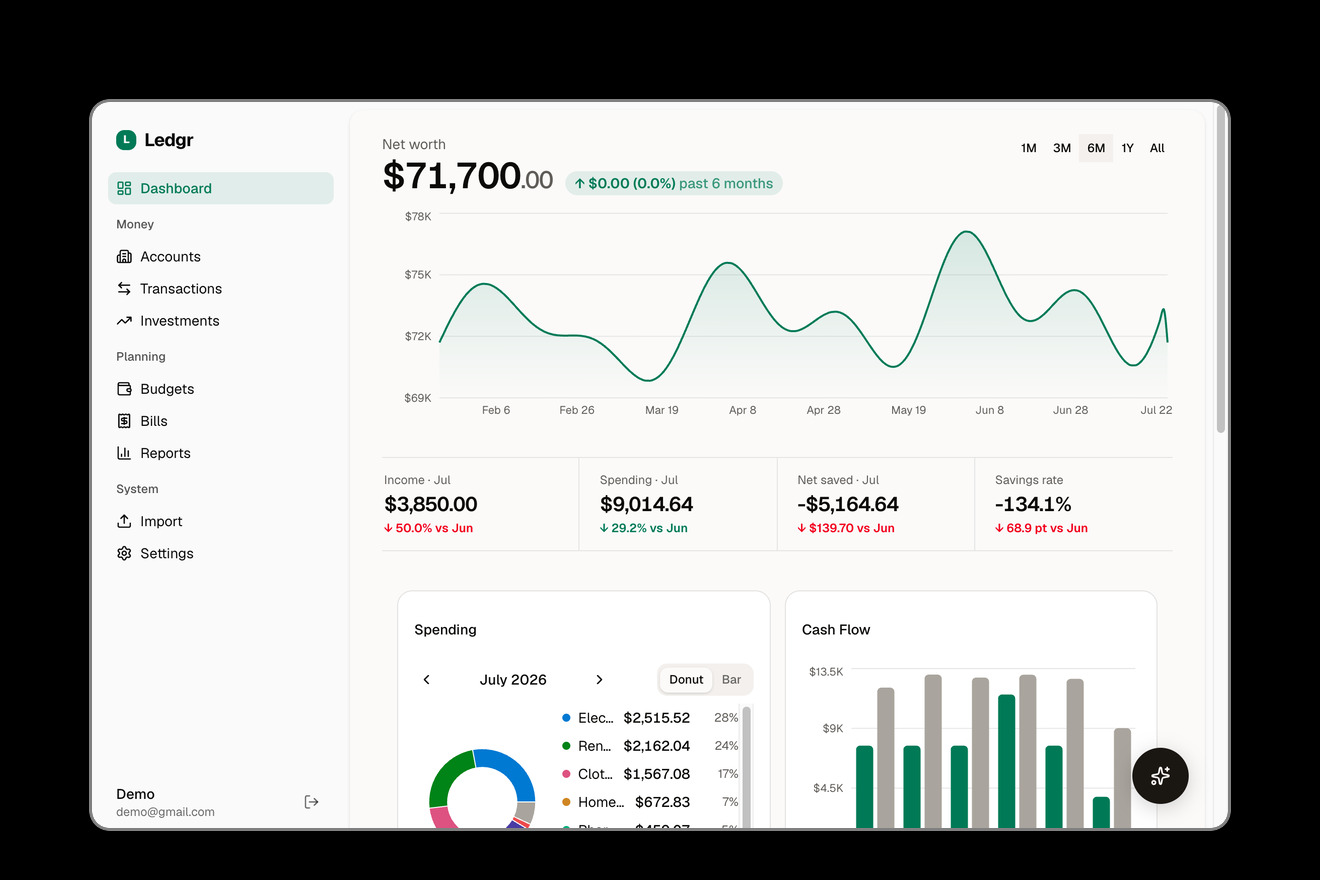
Ledgr connects to your bank accounts through Plaid or SimpleFIN, automatically syncs and categorizes transactions, and gives you budgets, investment tracking, bill detection, and financial reports — all running on your own server with your own data.
It also exposes an MCP server, so AI assistants like Claude can query your finances through natural conversation.
You: "How much did I spend on dining out last month?"
Claude: Based on your transactions, you spent $342.18 on dining out in April...
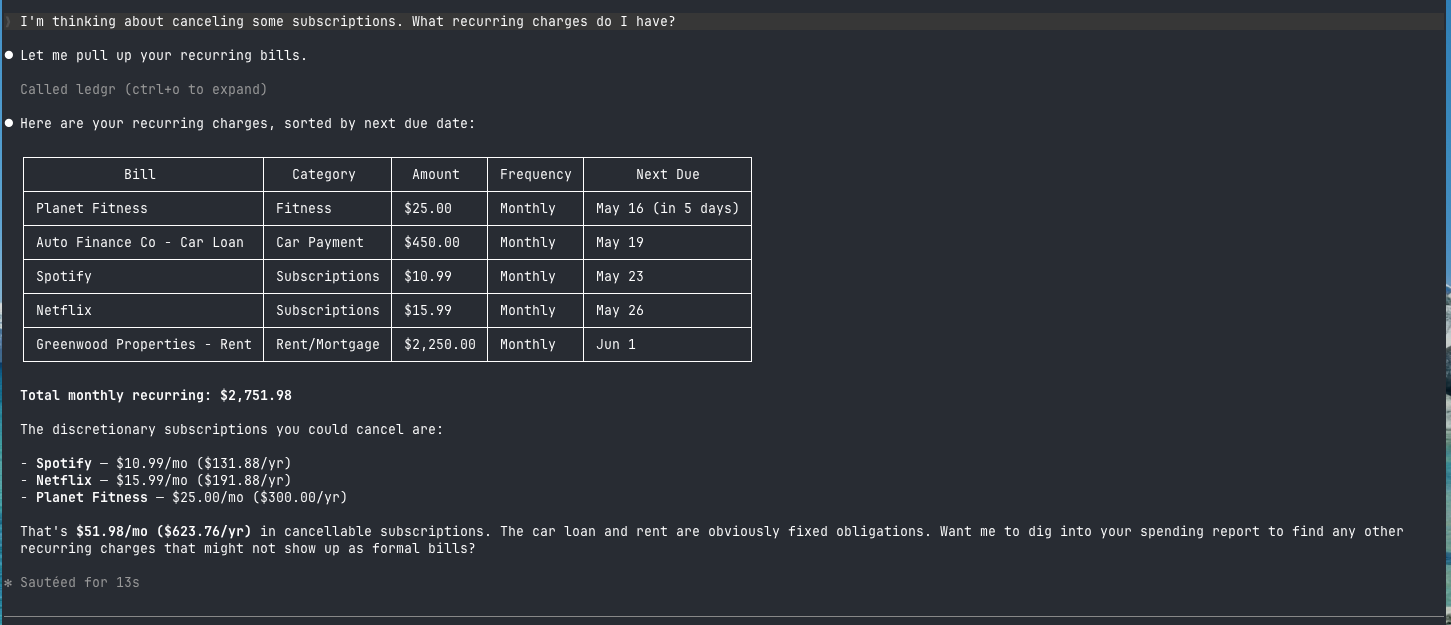
Querying your finances from Claude Code via MCP
Features
- Automatic bank sync — connect 12,000+ banks via Plaid (real-time webhook sync or scheduled polling), or via SimpleFIN if you'd rather not use a Plaid developer account
- Smart categorization — four-tier pipeline: your rules > merchant defaults > Plaid categories > AI fallback
- Budgets — set monthly budgets by category, track progress in real time
- Investment tracking — portfolio holdings, performance history, and allocation breakdowns, synced automatically from Plaid or SimpleFIN
- Recurring bill detection — automatically identifies subscriptions and recurring charges
- Financial reports — spending, income, net worth, and category trends over time
- AI agent interface (MCP) — query your finances from Claude Code, Claude Desktop, Cursor, or any MCP client
- In-app AI chat — ask questions about your finances right from the dashboard
- BYOK AI — bring your own API key (OpenAI, Anthropic, Google, or local models) for chat and categorization
- CSV/OFX/QFX import & CSV export — for accounts not supported by Plaid, and for getting your data out
- Self-hosted — Docker Compose with PostgreSQL, your data never leaves your server
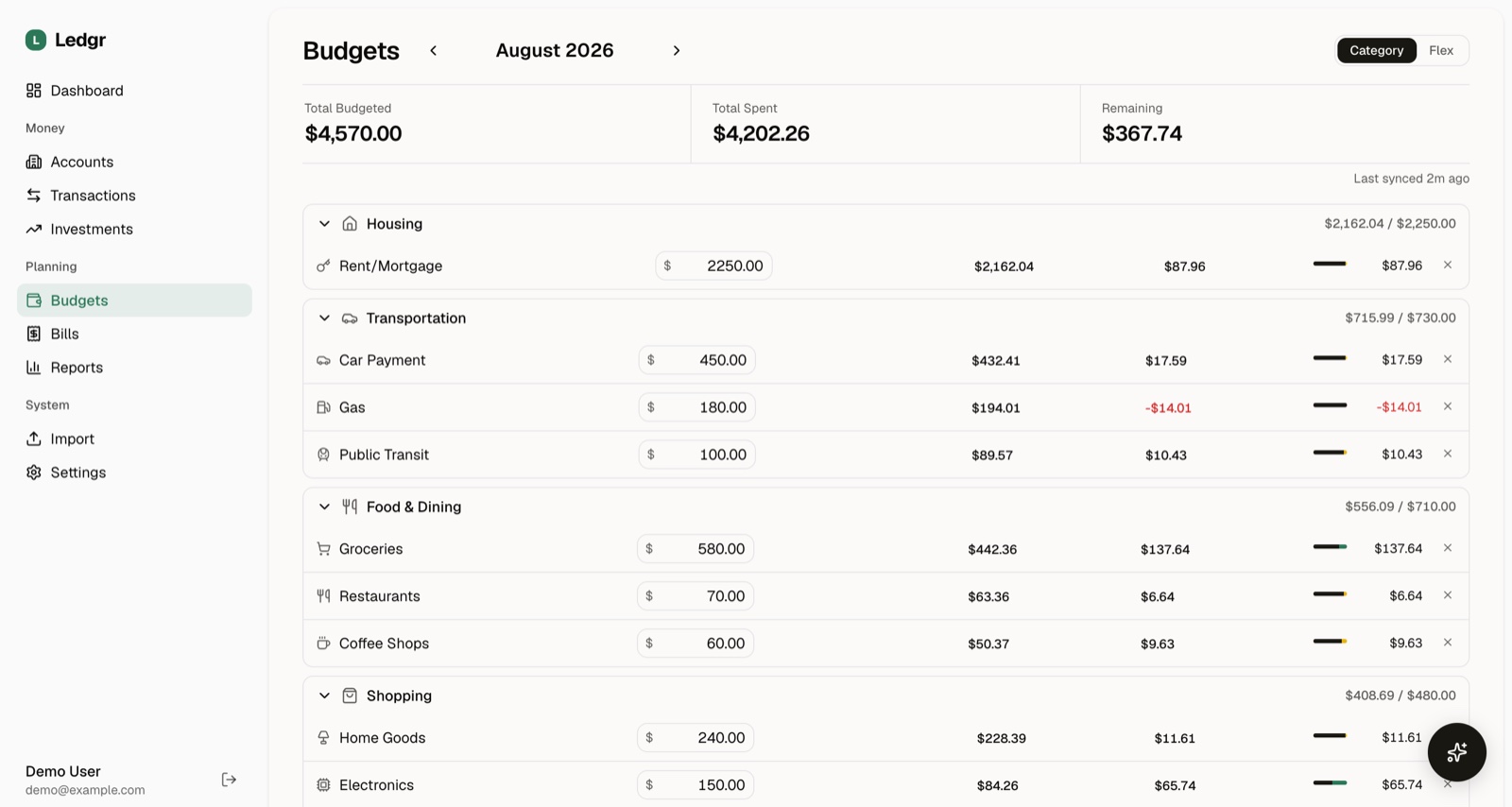
Monthly budgets by category, tracked against real spending
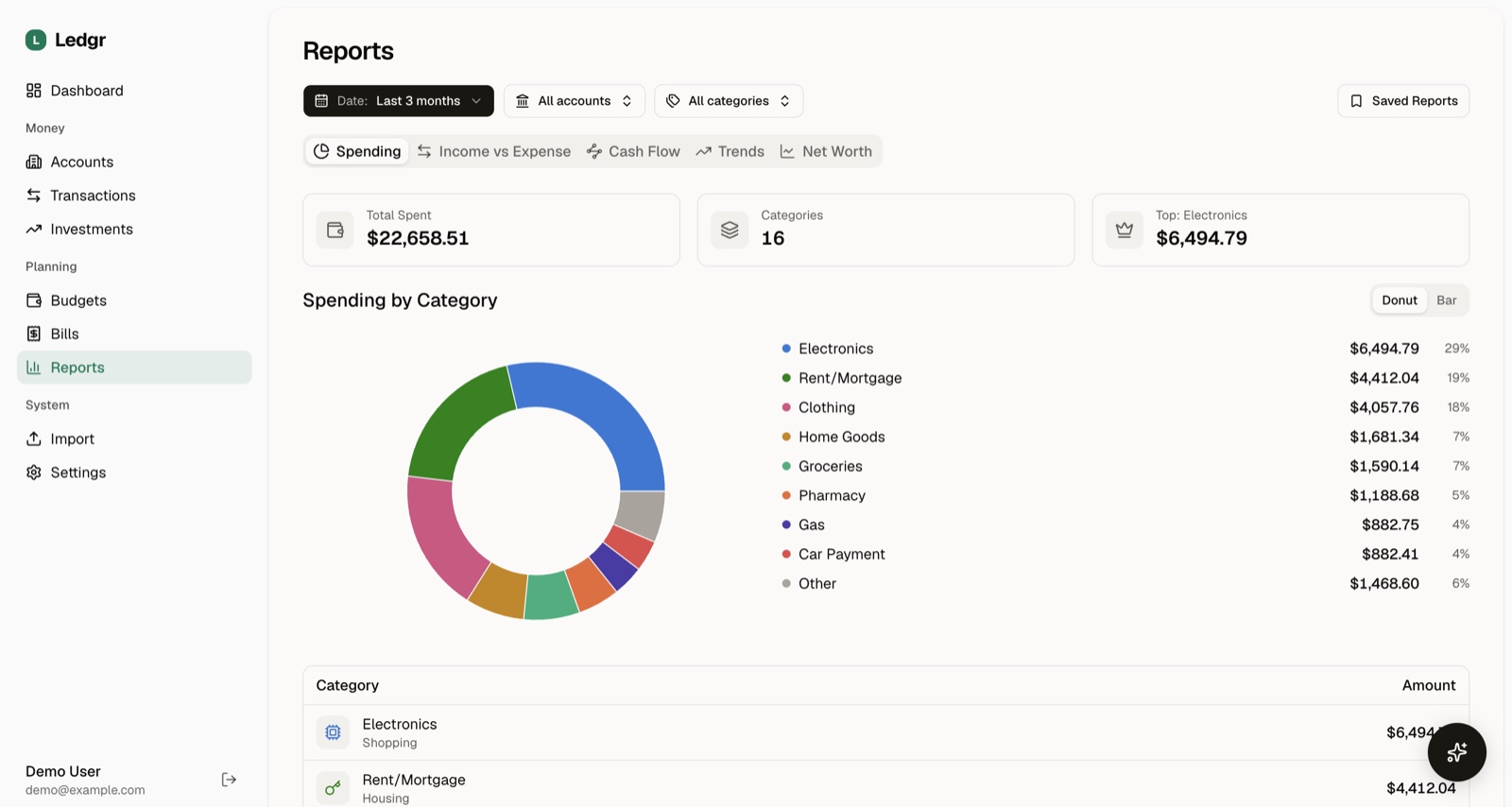
Spending, income, cash flow, trends, and net worth reports
Quick Start
Requires Docker and Docker Compose.
curl -fsSL https://raw.githubusercontent.com/KenTaniguchi-R/ledgr/main/scripts/install.sh | sh
This creates a ledgr/ directory, downloads docker-compose.yml, and starts the app.
Prefer to see the steps first?
mkdir ledgr && cd ledgr
curl -O https://raw.githubusercontent.com/KenTaniguchi-R/ledgr/main/docker-compose.yml
docker compose up -d
Visit http://localhost:4200, create an account, and start exploring.
On first boot, Ledgr generates an encryption key and session secret and stores them in the app data volume. Back up that volume (or the /data/encryption-key file) along with your database — losing the key means losing access to encrypted data like Plaid and SimpleFIN tokens. Prefer to manage the key yourself? Set ENCRYPTION_KEY in a .env file (see Configuration) and it takes precedence.
Add your Plaid keys to
.envto enable bank sync — see Connect Your Bank below (or skip the keys and use SimpleFIN). The app works without either via CSV import.
Connect Your Bank
- Sign up at dashboard.plaid.com and get your
client_idand secret from Developers > Keys - Add them to a
.envfile next to yourdocker-compose.yml(start from.env.exampleif you don't have one):PLAID_CLIENT_ID=your_client_id PLAID_SECRET=your_secret PLAID_ENV=production # or sandbox for fake data - Restart:
docker compose restart - In the app, go to Accounts > Link Bank to connect via Plaid
Plaid's free trial plan includes 10 production connections and unlimited sandbox access. After that, the Launch plan is pay-as-you-go with no contract. Don't have Plaid keys yet? The app still works — import transactions via CSV and add Plaid later.
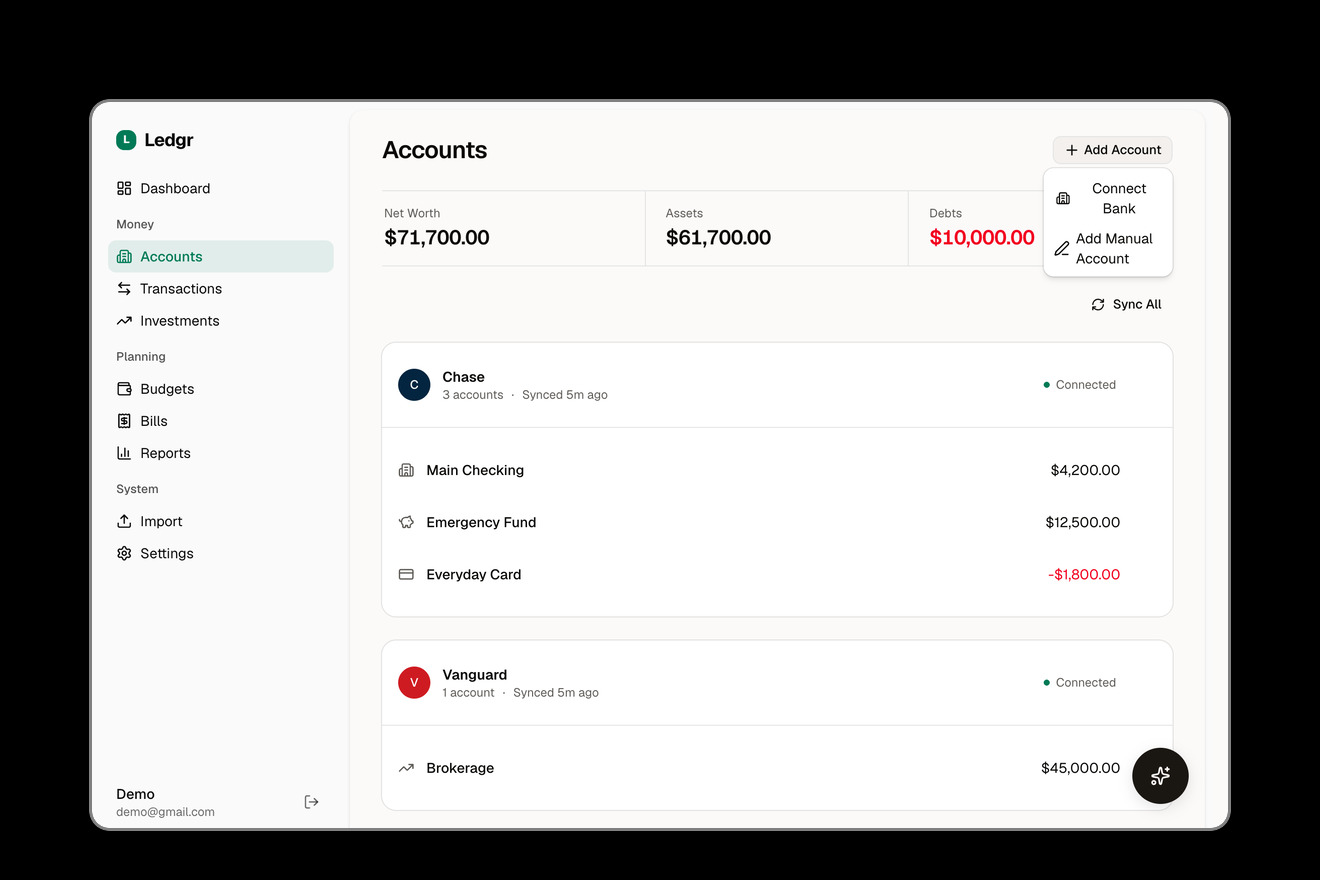
Connect any of 12,000+ banks through Plaid
Or connect via SimpleFIN
SimpleFIN works out of the box — no developer account or .env changes needed.
- Get a SimpleFIN Bridge account and generate a Setup Token from your bridge provider
- In the app, go to Accounts > Link Bank and choose the SimpleFIN option
- Paste your Setup Token to connect
SimpleFIN has no webhooks, so accounts sync on a daily schedule (SCHEDULER_SIMPLEFIN_SYNC_CRON, see Configuration) instead of in real time. Investment holdings sync the same way as they do for Plaid.
Connect Your AI Agent
Ledgr ships with a built-in MCP server and plugin support.
First, enable the MCP endpoint in your .env and restart:
MCP_ENABLED=true
Then pick your tool:
Claude Code
/plugin marketplace add KenTaniguchi-R/ledgr
/plugin install ledgr@ledgr
Codex CLI
codex plugin marketplace add KenTaniguchi-R/ledgr
OpenCode — add to opencode.json:
{
  "$schema": "https://opencode.ai/config.json",
  "plugin": ["ledgr"]
}
OpenClaw
openclaw plugins install ledgr --marketplace KenTaniguchi-R/ledgr
Hermes
hermes plugins install KenTaniguchi-R/ledgr
Other MCP clients (Cursor, Windsurf, Cline, etc.)
Point any MCP-compatible client to your Ledgr instance:
http://localhost:4200/api/mcp
On first connection, Ledgr redirects you through an OAuth flow to authorize access.
Available Tools
| Tool | Description |
|---|---|
list_accounts | Linked bank accounts and balances |
get_account_summary | Balance totals by account type |
get_transactions | Search and filter transactions |
update_transaction_category | Recategorize a transaction |
mark_transaction_transfer | Mark or unmark a transaction as a transfer |
get_budget | Budget progress for a month |
set_budget_category | Set a category's budget amount |
list_categories | Spending categories |
get_spending_report | Spending breakdown over a date range |
get_income_vs_expense | Income vs. expense trends |
get_net_worth_history | Net worth over time |
get_holdings | Investment portfolio holdings |
get_portfolio_summary | Portfolio value and allocation |
get_upcoming_bills | Recurring transactions and bills |
get_dashboard_summary | Overview of your finances |
show_financial_dashboard | Interactive dashboard widget |
sync_accounts | Trigger a bank sync |
Read, write, and sync tools are gated by OAuth scopes (ledgr:read, ledgr:write, ledgr:sync) that you grant during authorization.
Example prompts:
- "How much did I spend on groceries this month?"
- "Show me my budget status"
- "What recurring bills do I have?"
- "Generate a spending report for Q1"
- "Sync my accounts and show my balances"
Comparison
| Ledgr | Actual Budget | Firefly III | |
|---|---|---|---|
| Automatic bank sync | Plaid (12,000+ banks) or SimpleFIN | SimpleFIN (US/CA), GoCardless (EU/UK) | SimpleFIN, GoCardless, Spectre (via Data Importer) |
| Built-in MCP server | Yes | -- | -- |
| AI categorization | Yes (BYOK) | -- | -- |
| Investment tracking | Yes | -- | -- |
| Self-hostable | Yes | Yes | Yes |
| Database | PostgreSQL | SQLite | MySQL/Postgres |
| License | AGPL-3.0 | MIT | AGPL-3.0 |
Updating
docker compose pull
docker compose up -d
Migrations run automatically on container startup.
Configuration
| Variable | Required | Default | Description |
|---|---|---|---|
ENCRYPTION_KEY | No | auto-generated | Encrypts Plaid tokens & API keys. Generated on first boot and persisted in the app data volume; set your own with openssl rand -hex 32 |
BETTER_AUTH_SECRET | No | auto-generated | Session secret, persisted in the app data volume. Set your own with openssl rand -base64 32 |
PORT | No | 4200 | Host port for the app |
POSTGRES_PASSWORD | No | ledgr | Database password (change in production) |
PLAID_CLIENT_ID | No | -- | Plaid client ID |
PLAID_SECRET | No | -- | Plaid secret key |
PLAID_ENV | No | production | production or sandbox |
PLAID_SYNC_MODE | No | poll | poll (scheduled) or webhook (real-time) |
PLAID_WEBHOOK_URL | No | -- | Public URL for Plaid webhooks (webhook mode) |
SCHEDULER_SIMPLEFIN_SYNC_CRON | No | 45 4 * * * | Daily SimpleFIN account sync (no webhooks, so this is the only sync trigger) |
AI_PROVIDER | No | -- | openai, anthropic, google, openrouter, or custom |
AI_API_KEY | No | -- | Provider API key for AI chat & categorization |
MCP_ENABLED | No | false | Enable the MCP endpoint for AI agents |
See .env.example for all options.
Development
If you're self-hosting Ledgr, use the Quick Start above. The instructions below are for contributors.
Prerequisites
Setup
git clone https://github.com/KenTaniguchi-R/ledgr.git
cd ledgr
pnpm install
cp .env.example .env        # Fill in ENCRYPTION_KEY
pnpm dev:setup              # Start DB + migrate + dev server
To run the full app in Docker from source (instead of pulling the pre-built image):
docker compose -f docker-compose.yml -f docker-compose.dev.yml up -d
Commands
pnpm dev                    # Dev server (Turbopack)
pnpm test                   # Unit + integration tests
pnpm test:e2e               # Playwright E2E tests
pnpm lint                   # ESLint
pnpm typecheck              # Type checking
pnpm db:studio              # Drizzle Studio (DB browser)
Tech Stack
| Layer | Choice |
|---|---|
| Framework | Next.js 16 (App Router) |
| Language | TypeScript |
| UI | shadcn/ui + Tailwind CSS 4 |
| Charts | Recharts 3 |
| Database | PostgreSQL 18 via Drizzle ORM |
| Auth | Better Auth |
| Bank Sync | Plaid Node SDK, SimpleFIN |
| AI | Vercel AI SDK (BYOK) |
| MCP | Model Context Protocol SDK |
| Testing | Vitest + Playwright + Stryker |
Roadmap
- Plaid webhook support (real-time sync)
- AI chat assistant (in-app)
- OFX/QFX import
- SimpleFIN bank sync (Plaid alternative)
- Automatic transfer detection between accounts
- Mobile-responsive UI
- Multi-currency support
- Custom report builder
- Goal tracking (savings goals, debt payoff)
- Recurring budget templates
See Issues for what's being worked on.
Security
Security is critical for a finance app. If you discover a vulnerability, please do not open a public issue. Instead, see SECURITY.md for responsible disclosure instructions.
For details on how Ledgr handles your data, see PRIVACY.md.
Contributing
Contributions are welcome! Please open an issue first to discuss what you'd like to change. See CONTRIBUTING.md for setup and workflow details.
- Fork the repo
- Create your branch (
git checkout -b feat/my-feature) - Commit your changes
- Push and open a Pull Request
License
AGPL-3.0 — you can self-host freely. If you modify and distribute the server, you must open-source your changes.
Installation
Source-derived launch command. Check the maintainer’s required arguments and credentials before running:
docker run -i --rm ghcr.io/kentaniguchi-r/ledgr:0.3.4Set up in your AI client
Merge this template into ~/Library/Application Support/Claude/claude_desktop_config.json. Keep existing servers. Add any arguments, credentials, and permissions required by the maintainer; this template has not been install-tested.
{
  "mcpServers": {
    "io-github-kentaniguchi-r-ledgr": {
      "command": "docker",
      "args": [
        "run",
        "-i",
        "--rm",
        "ghcr.io/kentaniguchi-r/ledgr:0.3.4"
      ]
    }
  }
}
Restart Claude Desktop completely for changes to take effect. Confirm the server appears connected in the client’s tool list, then try a read-only example from its documentation.
Claude Desktop setup referencePackage
ghcr.io/kentaniguchi-r/ledgr:0.3.4dockerCompatible MCP Clients
Ledgr works with any MCP-compatible client. Copy the config snippet from the Configuration section above and add it to the file shown for your client, then restart the application.
- Claude Desktop
~/Library/Application Support/Claude/claude_desktop_config.jsonRestart Claude Desktop completely for changes to take effect. - Cursor
~/.cursor/mcp.jsonRestart Cursor for changes to take effect. - VS Code
.vscode/mcp.jsonReload VS Code window for changes to take effect. - Windsurf
~/.codeium/windsurf/mcp_config.jsonRestart Windsurf for changes to take effect. - Claude Code
.mcp.jsonSave at the project root, then start Claude Code in that project and review the MCP server approval prompt. Keep real credentials out of shared files.