io.github.kofujimura/tctc-mcp
ERC-7303 token-controlled roles for AI agents: grant, check, and revoke permissions on-chain
tctc-mcp

An MCP server exposing ERC-7303 (Token-Controlled Token Circulation) roles to AI agents: agents check their own on-chain permissions, and human principals grant/revoke them by minting/burning control tokens — no permission server required.
Status: v0.3.4 — adds timed roles with gasless auto-expiry (below),
on top of v0.2's IERC7303 auto-discovery; published on npm
(tctc-mcp), unit-tested
and verified end-to-end against the Sepolia demo deployment (grant →
check → revoke → check, and grant-for-75s → auto-expiry, through a
real MCP client).
Demo (60 seconds)
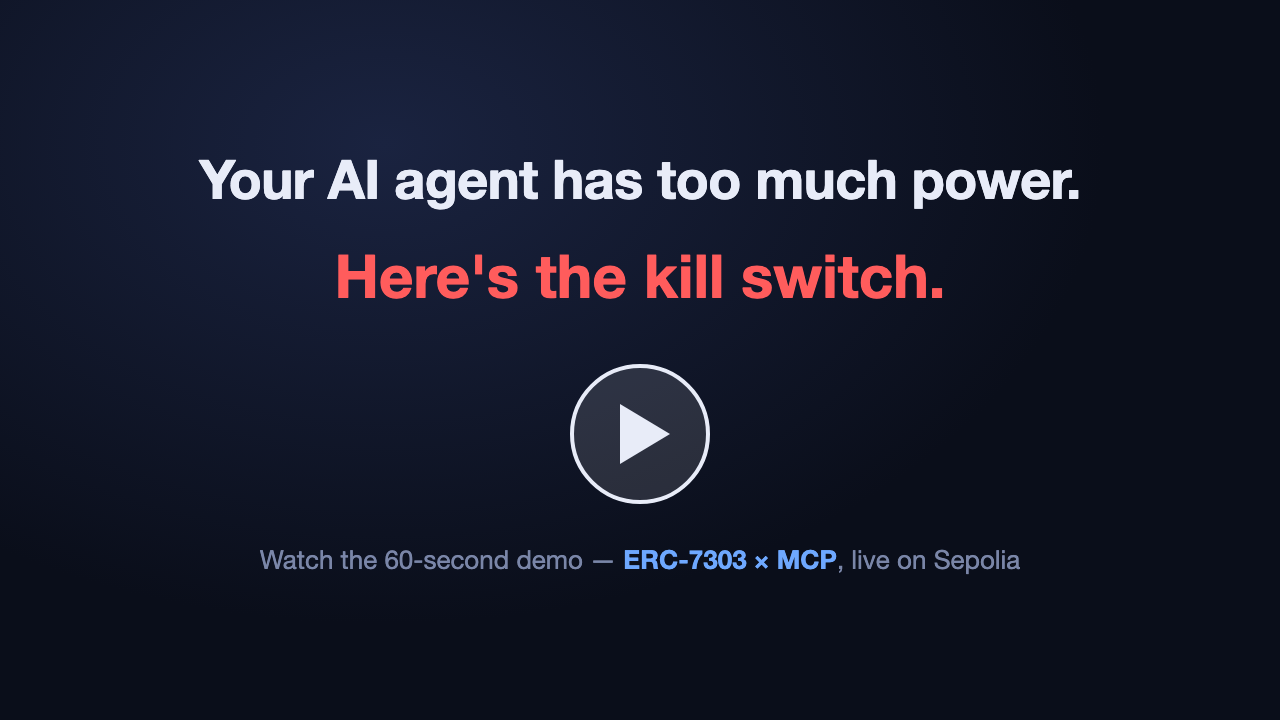
A human grants an AI agent a minting permission; the agent verifies it on-chain and mints an NFT. The human burns the role token — and the agent instantly loses the capability. Live on Sepolia, no permission server involved.
Quick start
The package is published on npm, so no clone or build is needed — npx
fetches and runs it directly:
# 1. Get a config. The secret-free Sepolia demo config needs no API keys:
curl -fsSLO https://raw.githubusercontent.com/kofujimura/tctc-mcp/main/examples/config.sepolia.agent.json

# 2. Register with your MCP client, e.g. Claude Code
#    (read-only mode: only query tools are registered)
claude mcp add tctc -- npx -y tctc-mcp --config "$PWD/config.sepolia.agent.json"

# Admin mode (principal side): grant_role / revoke_role also registered.
# Provide the issuer key ONLY via the environment:
claude mcp add tctc-admin --env TCTC_ADMIN_PRIVATE_KEY=0x... \
  -- npx -y tctc-mcp --config "$PWD/config.sepolia.json"
Or in a project-scoped .mcp.json:
{ "mcpServers": { "tctc": { "command": "npx",
    "args": ["-y", "tctc-mcp", "--config", "examples/config.sepolia.agent.json"] } } }
A fuller registration example is in
examples/claude.mcp.json. The admin private
key is only ever read from the TCTC_ADMIN_PRIVATE_KEY environment
variable; configs containing anything that looks like a private key are
rejected at startup.
Using tctc-mcp from your own app
The only supported entry point is the tctc-mcp bin — spawn it via
npx --no-install tctc-mcp (or node_modules/.bin/tctc-mcp). Never
reference the package's dist/ files directly: they are internal,
their layout is unversioned, and the package's exports field refuses
deep imports. A minimal MCP-SDK client example (the pattern for a web
backend) is in
examples/client-stdio.mjs; the release
pipeline verifies the packed bin end-to-end
(scripts/verify-pack.mjs).
Web application starter
Want to see tctc-mcp protecting a real API route?
tctc-openai-starter
is a standalone Next.js starter that verifies wallet ownership with
Sign-In with Ethereum, checks the configured role through tctc-mcp,
and calls OpenAI only when the on-chain gate grants access.
Use it as a GitHub template.
Token-gating any MCP server: tctc-gate
The reverse direction lives in this repo too:
tctc-gate (npm) is a
transparent stdio proxy that puts an ERC-7303 role check in front of any
existing MCP server, unmodified — deny comes back with a grant URL that
opens the dashboard pre-filled. tctc-mcp lets agents ask about roles;
tctc-gate enforces them at the boundary:
npx -y tctc-gate --config gate.json -- npx -y some-mcp-server …
Tools
| Tool | Mode | Purpose |
|---|---|---|
list_roles | both | Configured roles and their control tokens |
check_role | both | Does an account hold a role? (live balanceOf, with evidence) |
check_all_roles | both | Session-start self-assessment across all roles |
discover_roles | both | Introspect any contract via IERC7303 — no role config needed |
resolve_agent | both* | ERC-8004 agentId → owner / agentURI / agentWallet / ERC-6551 TBA |
grant_role | admin | Mint the control token to a subject |
revoke_role | admin | Burn the subject's control token — the kill switch |
* registered only when the config has an identity section.
Subjects can be given as a raw address, as an ERC-8004 agentId
(resolved to its ERC-6551 Token Bound Account, the recommended binding
target), or omitted to use the config's self.
IERC7303 auto-discovery (v0.2)
ERC-7303 now defines an introspection interface
(ethereum/ERCs#1872, merged
2026-07-11): compliant contracts expose hasRole, control-token getters,
configuration events, and ERC-165 detection (interfaceId 0x4ee69337).
tctc-mcp uses it two ways:
-
targetroles — a role config names only the target contract; the server reads which control tokens gate the role from the contract itself, and the verdict is the target's ownhasRole()answer:"roles": { "MINTER_ROLE": { "target": { "address": "0x4C0a78803D47154B9C6F42EC4AEbab2D1C94c97D" } } } -
discover_roles— introspect any address at run time, with no role configuration at all. Non-compliant contracts reportsupportsIERC7303: false; staticcontrolTokensconfigs remain the fallback for pre-IERC7303 deployments.
Working example: examples/config.sepolia.discovery.json
(secret-free, public RPC), verified live by scripts/e2e-discovery.mjs.
Timed roles: gasless auto-expiry (v0.3)
Delegation to an agent is usually short-term — "mint for one hour",
"act for the duration of this task". With an expiring control token
(ExpiringControlTokens),
balanceOf() returns 0 once the holder's expiry passes, so the role
revokes by itself, with no transaction — even if the principal
forgets, goes offline, or loses keys. The ERC-7303 target contract
needs no changes at all (the Sepolia expiry demo target is a
byte-for-byte copy of TCTCDemoToken).
-
Granting: a role whose grant template has
$expiresAtrequires an expiry —grant_rolewithexpiresInSeconds: 3600is "grant MINTER_ROLE for one hour":"admin": { "grant": { "function": "mint(address,uint256,uint64)", "args": ["$subject", "$typeId", "$expiresAt"] } } -
Checking:
check_roleevidence reportsexpiresAt(unix seconds) when the control token exposes it, so an agent can self-report "this permission expires in 5 minutes". -
Kill switch unchanged: expiry is a fail-safe, not a replacement —
revoke_role(issuer burn) still revokes immediately within the validity window.
Working example: the TIMED_MINTER_ROLE in
examples/config.sepolia.json, verified
live by scripts/e2e-expiry.mjs (grant for 75 s → watch it expire with
no further transaction).
Human dashboard
Live: https://tctc-mcp.vercel.app/ — while tctc-mcp exposes ERC-7303
roles to AI agents, the TCTC Dashboard exposes the same
on-chain state to the humans who manage them: inspect any IERC7303 target,
watch hasRole verdicts and per-control-token balanceOf evidence live,
grant/revoke as the issuer (with timed grants and countdowns for expiring
control tokens), and deploy new control-token collections straight from a
browser wallet. Two clients of one source of truth: the chain. See
dashboard/README.md for details and try-it links.
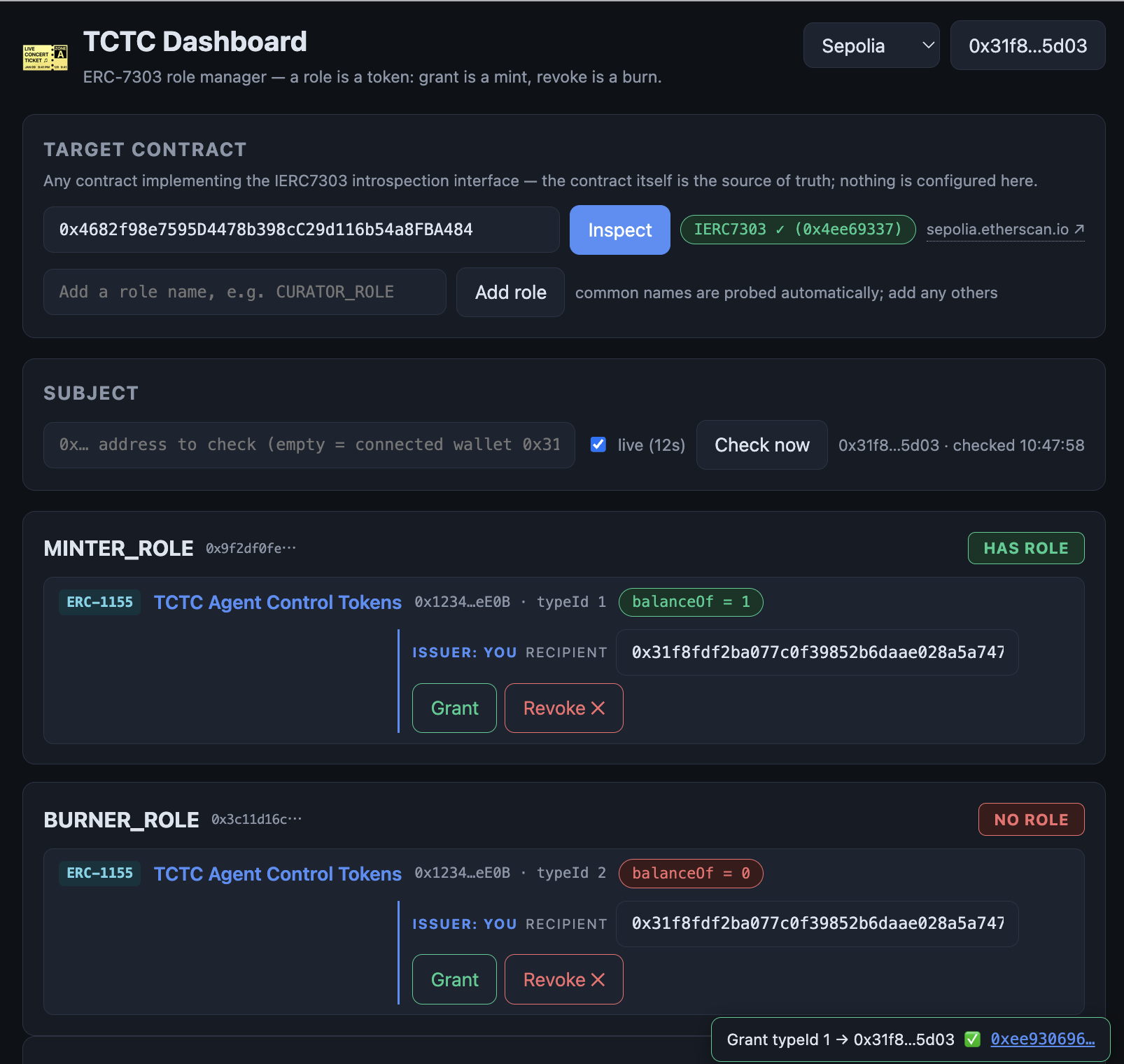
Not just for AI-agent delegation: any ERC-7303 contract works, so the dashboard doubles as a general-purpose on-chain permission manager — issue certificate collections, grant and revoke roles, and audit who holds what, all from a browser wallet.
Documents
- docs/CONCEPT.md — background and rationale: TCTC as the authorization layer for AI agents, its relationship to ERC-8004 (Trustless Agents) and ERC-6551 (Token Bound Accounts), recommended ERC-7303 spec updates, and the adoption strategy.
- docs/MCP_SERVER_SPEC.md — v1 design specification (architecture, config, tools, security, roadmap).
- docs/ERC_DRAFT_EXPIRABLE_1155.md —
working draft of a planned ERC, "Expirable ERC-1155 Tokens": the
standard behind the timed roles above (per-holder expiry, time-aware
balanceOf,expiresAt/ExpiryUpdated, interface ID0x300e616b). Not yet submitted to ethereum/ERCs; feedback welcome. - docs/TEST_REPORT.md — v1 test report: 24 unit tests and the live Sepolia E2E (on-chain kill-switch cycle through a real MCP client).
- examples/config.sepolia.json —
concrete config for the Sepolia demo deployment (primary roles,
static bindings) and the TCTC repo's
MyComplexTokensample (COMPLEX_*roles, resolved via IERC7303targetdiscovery). - examples/config.sepolia.agent.json — secret-free agent-side config for the same demo deployment (public RPC, no API keys); the one used in the Quick start above.
- examples/config.sepolia.discovery.json — IERC7303 auto-discovery variant: no control tokens configured, the target contract explains its own role structure.
- examples/contracts/ — sources of the demo
contracts deployed on Sepolia (
AgentControlTokens,TCTCDemoToken,ERC7303,IERC7303).
Demo deployment (Sepolia, Etherscan-verified)
AgentControlTokens(soulbound, issuer-burnable ERC-1155):0x12342A7F0190B3AF3F4b47546D34006EDA54eE0BTCTCDemoToken(ERC-721 + ERC-7303 target, implements theIERC7303introspection interface —hasRole, control-token getters, ERC-165 detectable via interfaceId0x4ee69337):0x4C0a78803D47154B9C6F42EC4AEbab2D1C94c97DExpiringControlTokens(soulbound, issuer-burnable ERC-1155 with per-holder expiry; time-awarebalanceOf— the basis of timed roles):0xb5abB6c060ed287e8B25aD121c8B46eE404fF09b- Expiry demo target (unmodified
TCTCDemoTokenbytecode bound to the expiring control tokens):0x3eAb11DE9655817A2e2977A486d9D33eBD10c9Ce
Development
git clone https://github.com/kofujimura/tctc-mcp.git && cd tctc-mcp
npm install && npm run build
node dist/index.js --config examples/config.sepolia.agent.json

npm test                  # unit tests (vitest)
node scripts/e2e-live.mjs # live E2E: spawns the server via MCP stdio client
                          # (needs ALCHEMY_API_KEY; admin phase additionally
                          #  TCTC_ADMIN_PRIVATE_KEY and E2E_SUBJECT)
Related
- Human dashboard (this repo,
dashboard/): https://tctc-mcp.vercel.app/ - npm package: https://www.npmjs.com/package/tctc-mcp
tctc-gate— token-gate any existing MCP server, no modification: https://www.npmjs.com/package/tctc-gatetctc-openai-starter— Next.js starter for token-gated OpenAI access.- Agent skill (teaches agents to use TCTC safely; install with
npx skills add kofujimura/tctc-skills): https://github.com/kofujimura/tctc-skills - TCTC reference implementation: https://github.com/kofujimura/TCTC
Installation
Source-derived launch command. Check the maintainer’s required arguments and credentials before running:
npx -y tctc-mcpSet up in your AI client
Merge this template into ~/Library/Application Support/Claude/claude_desktop_config.json. Keep existing servers. Add any arguments, credentials, and permissions required by the maintainer; this template has not been install-tested.
{
  "mcpServers": {
    "io-github-kofujimura-tctc-mcp": {
      "command": "npx",
      "args": [
        "-y",
        "tctc-mcp"
      ]
    }
  }
}
Restart Claude Desktop completely for changes to take effect. Confirm the server appears connected in the client’s tool list, then try a read-only example from its documentation.
Claude Desktop setup referencePackage
tctc-mcpnpmCompatible MCP Clients
io.github.kofujimura/tctc-mcp works with any MCP-compatible client. Copy the config snippet from the Configuration section above and add it to the file shown for your client, then restart the application.
- Claude Desktop
~/Library/Application Support/Claude/claude_desktop_config.jsonRestart Claude Desktop completely for changes to take effect. - Cursor
~/.cursor/mcp.jsonRestart Cursor for changes to take effect. - VS Code
.vscode/mcp.jsonReload VS Code window for changes to take effect. - Windsurf
~/.codeium/windsurf/mcp_config.jsonRestart Windsurf for changes to take effect. - Claude Code
.mcp.jsonSave at the project root, then start Claude Code in that project and review the MCP server approval prompt. Keep real credentials out of shared files.