com.textarttools/textarttools-mcp
Unicode text styling and ASCII art generation with 23 styles and 322+ figlet fonts
TextArtTools MCP Server



🌐 Live Server: https://mcp.textarttools.com
Transform text with Unicode styles and create ASCII art banners. A production-ready Model Context Protocol (MCP) server deployed globally on Cloudflare Workers.
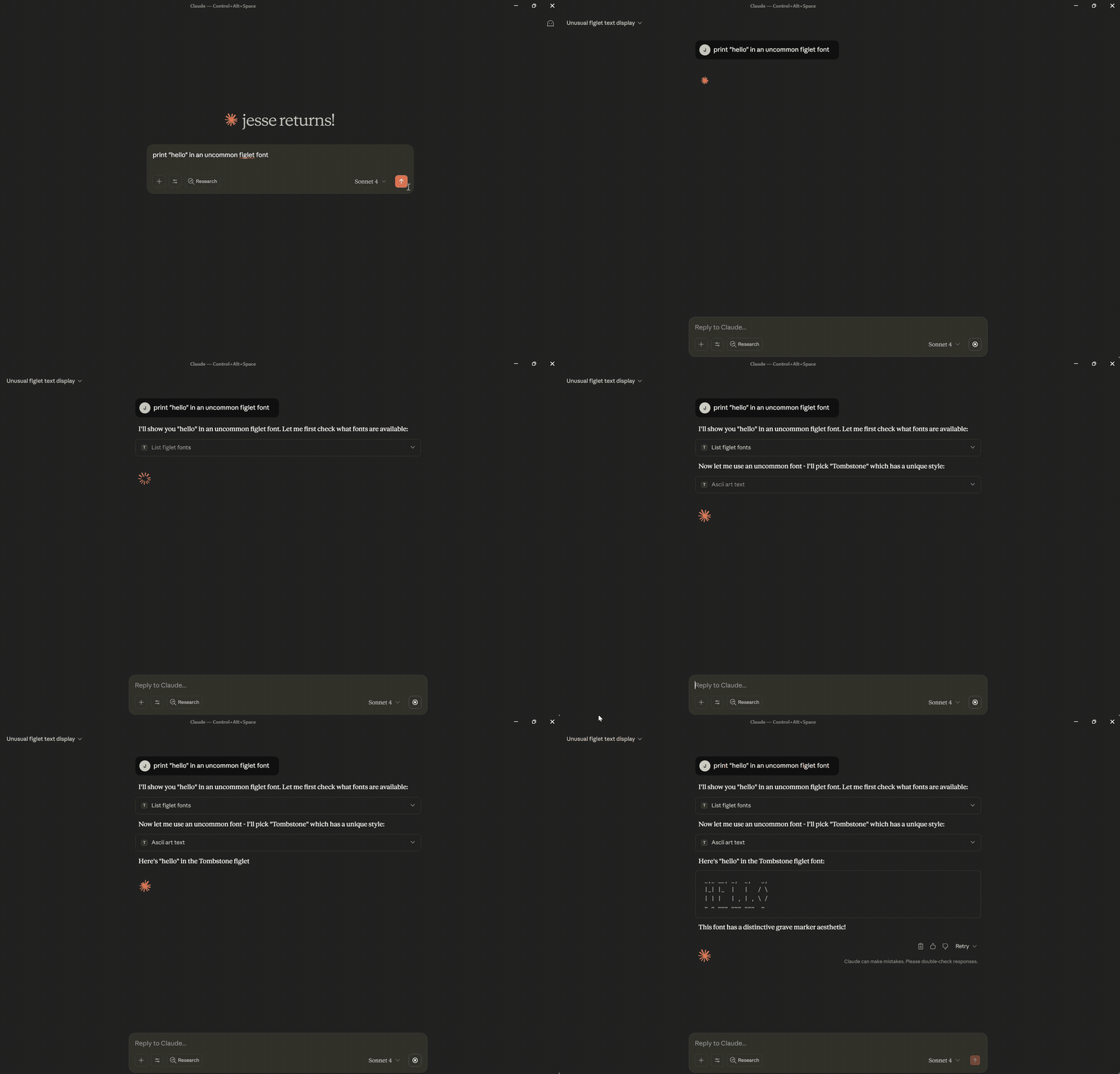
📺 Demo
✨ Features
- 23 Unicode Text Styles - Transform text to 𝗯𝗼𝗹𝗱, 𝘪𝘵𝘢𝘭𝘪𝘤, 𝒸𝓊𝓇𝓈𝒾𝓋𝓮, 𝔣𝔯𝔞𝔨𝔱𝔲𝔯, and more
- 322+ ASCII Art Fonts - Create stylized text banners for headers and decorations
- No Authentication - Public server ready to use immediately
- Global Performance - Deployed on Cloudflare Workers edge network
- Rate Limited - 100 requests per minute with burst protection
- Secure - Input validation, XSS prevention, and comprehensive security headers
🚀 Quick Start
Install with Claude Desktop
-
Install the MCP remote proxy:
npm install -g @anthropic/mcp-remote -
Add to your Claude Desktop config (
claude_desktop_config.json):{ "mcpServers": { "textarttools": { "command": "mcp-server", "args": ["https://mcp.textarttools.com/sse"] } } } -
Restart Claude Desktop and start using text styling tools!
💡 Example Usage
Try the live API directly:
# Transform text to bold Unicode style
curl -X POST https://mcp.textarttools.com/sse \
  -H "Content-Type: application/json" \
  -d '{
    "jsonrpc": "2.0",
    "id": 1,
    "method": "tools/call",
    "params": {
      "name": "unicode_style_text",
      "arguments": {
        "text": "Hello World",
        "style": "bold"
      }
    }
  }'

# Create ASCII art banner
curl -X POST https://mcp.textarttools.com/sse \
  -H "Content-Type: application/json" \
  -d '{
    "jsonrpc": "2.0",
    "id": 2,
    "method": "tools/call",
    "params": {
      "name": "ascii_art_text",
      "arguments": {
        "text": "Hello",
        "font": "Big"
      }
    }
  }'
🛠️ Available Tools
The server provides 7 MCP tools:
Unicode Text Styling:
unicode_style_text- Transform text with any of 23 Unicode styleslist_available_styles- Get all available styles with examplespreview_styles- Preview text in multiple stylesget_style_info- Get detailed style information and compatibility
ASCII Art Banners:
ascii_art_text- Generate stylized text banners with 322+ fontslist_figlet_fonts- Get all available fonts from R2 storagepreview_figlet_fonts- Preview text in multiple fonts
Visit https://mcp.textarttools.com/ for complete API documentation.
🏗️ Local Development
Want to run your own instance or contribute?
# Clone the repository
git clone https://github.com/humanjesse/textarttools-mcp.git
cd textarttools-mcp

# Install dependencies
npm install

# Create local environment file
cp .dev.vars.example .dev.vars
# Edit .dev.vars with your development values

# Start development server
npm run dev

# Test locally (server runs at http://localhost:8788)
curl -X POST http://localhost:8788/sse \
  -H "Content-Type: application/json" \
  -d '{"jsonrpc":"2.0","id":1,"method":"tools/list"}'
Development Commands
npm run dev        # Start development server
npm run build      # Build for production
npm run deploy     # Deploy to Cloudflare Workers (requires auth)
npm run lint       # Check code quality
npm run typecheck  # Validate TypeScript
📖 Documentation
- Live Server: https://mcp.textarttools.com
- API Documentation: https://mcp.textarttools.com/ (AI-friendly)
- Health Check: https://mcp.textarttools.com/health
- MCP Protocol: Model Context Protocol Spec
🤝 Contributing
Contributions are welcome! Please see CONTRIBUTING.md for guidelines.
📝 License
MIT License - see LICENSE file for details.
Built with Model Context Protocol • Deployed on Cloudflare Workers
Setup from the maintainer
This listing does not have a supported local package template. Use the maintainer’s documentation for its hosted endpoint, authentication, and client-specific setup. No install command has been inferred.