io.github.7mza/geolocation-mcp
An MCP server that provides fast and up-to-date IP geolocation data.
GeoLocation MCP Server

Fast and up-to-date IP geolocation data for LLMs
Demo
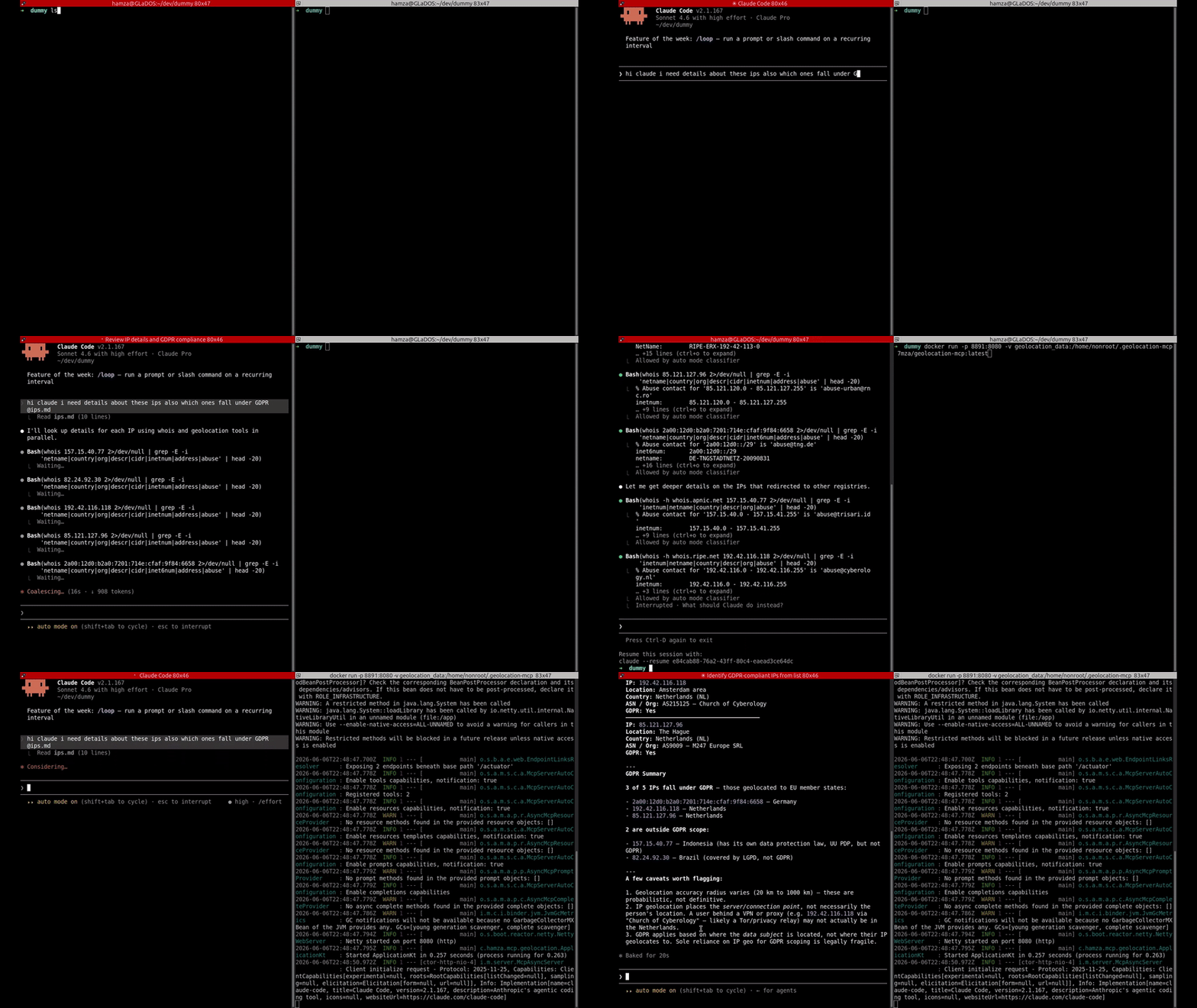
For public IPv4 / IPv6 address:
- Flags: isDatacenter, isTorExitNode, isVPN
- City name, region ISO code, latitude/longitude, accuracy radius, postal code, timezone
- Country name, ISO code, EU membership/GDPR
- ASN number, ISP/organization name, network CIDR
MCP tools
| Tool | Description |
|---|---|
getGeoLocationData | single IP lookup |
getGeoLocationDataBulk | batch lookup, failed IPs don't block the rest |
Data sources
| Data | Source | Refresh |
|---|---|---|
| City / ASN | GeoLite2 via P3TERX/GeoLite.mmdb | on startup if absent |
| Tor exit nodes | Tor Project | daily |
| VPN / Datacenter ranges | X4BNet/lists_vpn | daily |
Usage
# named volume so DBs persist across restarts
docker run -p 8891:8080 -v geolocation_data:/home/nonroot/.geolocation-mcp 7mza/geolocation-mcp:latest
or with compose
services:
  geolocation-mcp:
    image: 7mza/geolocation-mcp:latest
    ports:
      - '8891:8080'
    restart: unless-stopped
    volumes:
      - geolocation_data:/home/nonroot/.geolocation-mcp
volumes:
  geolocation_data:
    name: geolocation_data
Connect your LLM:
# example for claude
claude mcp add --transport http geolocation http://localhost:8891/mcp
Test with MCP inspector:
npm i && npm run mcp
# transport: streamable
# url: http://localhost:8891/mcp
Build from source
nvm use && npm i && sdk env install
JVM:
./gradlew clean ktlintFormat ktlintCheck build
./gradlew bootRun
Native:
./gradlew clean ktlintFormat ktlintCheck build -PgenerateMetadata
./gradlew buildImage
docker run -p 8891:8080 -v geolocation_data:/home/nonroot/.geolocation-mcp 7mza/geolocation-mcp:latest
License
GeoLite2 DBs are subject to the GeoLite2 EULA.
Installation
Source-derived launch command. Check the maintainer’s required arguments and credentials before running:
docker run -i --rm 7mza/geolocation-mcp:0.0.1Set up in your AI client
Merge this template into ~/Library/Application Support/Claude/claude_desktop_config.json. Keep existing servers. Add any arguments, credentials, and permissions required by the maintainer; this template has not been install-tested.
{
  "mcpServers": {
    "io-github-7mza-geolocation-mcp": {
      "command": "docker",
      "args": [
        "run",
        "-i",
        "--rm",
        "7mza/geolocation-mcp:0.0.1"
      ]
    }
  }
}
Restart Claude Desktop completely for changes to take effect. Confirm the server appears connected in the client’s tool list, then try a read-only example from its documentation.
Claude Desktop setup referencePackage
7mza/geolocation-mcp:0.0.1dockerCompatible MCP Clients
io.github.7mza/geolocation-mcp works with any MCP-compatible client. Copy the config snippet from the Configuration section above and add it to the file shown for your client, then restart the application.
- Claude Desktop
~/Library/Application Support/Claude/claude_desktop_config.jsonRestart Claude Desktop completely for changes to take effect. - Cursor
~/.cursor/mcp.jsonRestart Cursor for changes to take effect. - VS Code
.vscode/mcp.jsonReload VS Code window for changes to take effect. - Windsurf
~/.codeium/windsurf/mcp_config.jsonRestart Windsurf for changes to take effect. - Claude Code
.mcp.jsonSave at the project root, then start Claude Code in that project and review the MCP server approval prompt. Keep real credentials out of shared files.