io.github.autokeren/ghostfox
Self-hosted stealth browser for AI agents: Firefox engine + Rust MCP runtime.

Ghostfox
The agent-native stealth browser you can own.
Self-hosted · Open source · MCP-first · Engine-level anti-detect





-a78bfa)
AI agents get blocked. Headless Chrome triggers Cloudflare 403s on ~20% of the web, and hosted "stealth browsers" route your agent's cookies, identities and sessions through someone else's cloud.
Ghostfox is the alternative: a complete browser stack you run yourself — a fingerprint-coherent stealth engine plus a Rust MCP runtime, in one repo.
Firefox (MPL-2.0)
  └─ Camoufox (anti-detect patches, by daijro)
       └─ Ghostfox engine          engine/   — spoofing at the C++ level
            └─ Ghostfox runtime     runtime/  — Rust: sessions, identities, MCP
| Ghostfox | Hosted stealth (Browserbase etc.) | playwright-mcp | Anti-detect suites (Multilogin etc.) | |
|---|---|---|---|---|
| Self-hosted | ✓ | ✗ | ✓ | partially |
| Open source | ✓ | ✗ | ✓ | ✗ |
| MCP-native | ✓ | ✓ | ✓ | ✗ |
| Engine-level anti-detect | ✓ (C++/Firefox) | vendor partnerships | ✗ | ✓ (closed) |
| Coherent identities + auditor | ✓ | ✗ | ✗ | partial |
| Runtime language | Rust | — | Node | — |
Eyes for agents — page_a11y. One call returns every visible interactive
element with a stable ref, semantic role, accessible name, live value —
piercing shadow DOM and same-origin iframes, so web-component UIs
(Reddit, modern frameworks) are fully visible. The snapshot also reports
login_state (logged-in / logged-out / unknown), page URL and title —
agents check session health before acting, not after failing.
Agents act by ref: page_click_ref e38, page_type_ref e21 "text" — no CSS
selectors needed. Rich editors (Lexical, Draft, ProseMirror) are handled via
editor-native input paths with fire-then-verify receipts. page_wait_for
replaces manual sleeps. page_read_ref gives full untruncated values.
page_upload_file bypasses native file pickers.
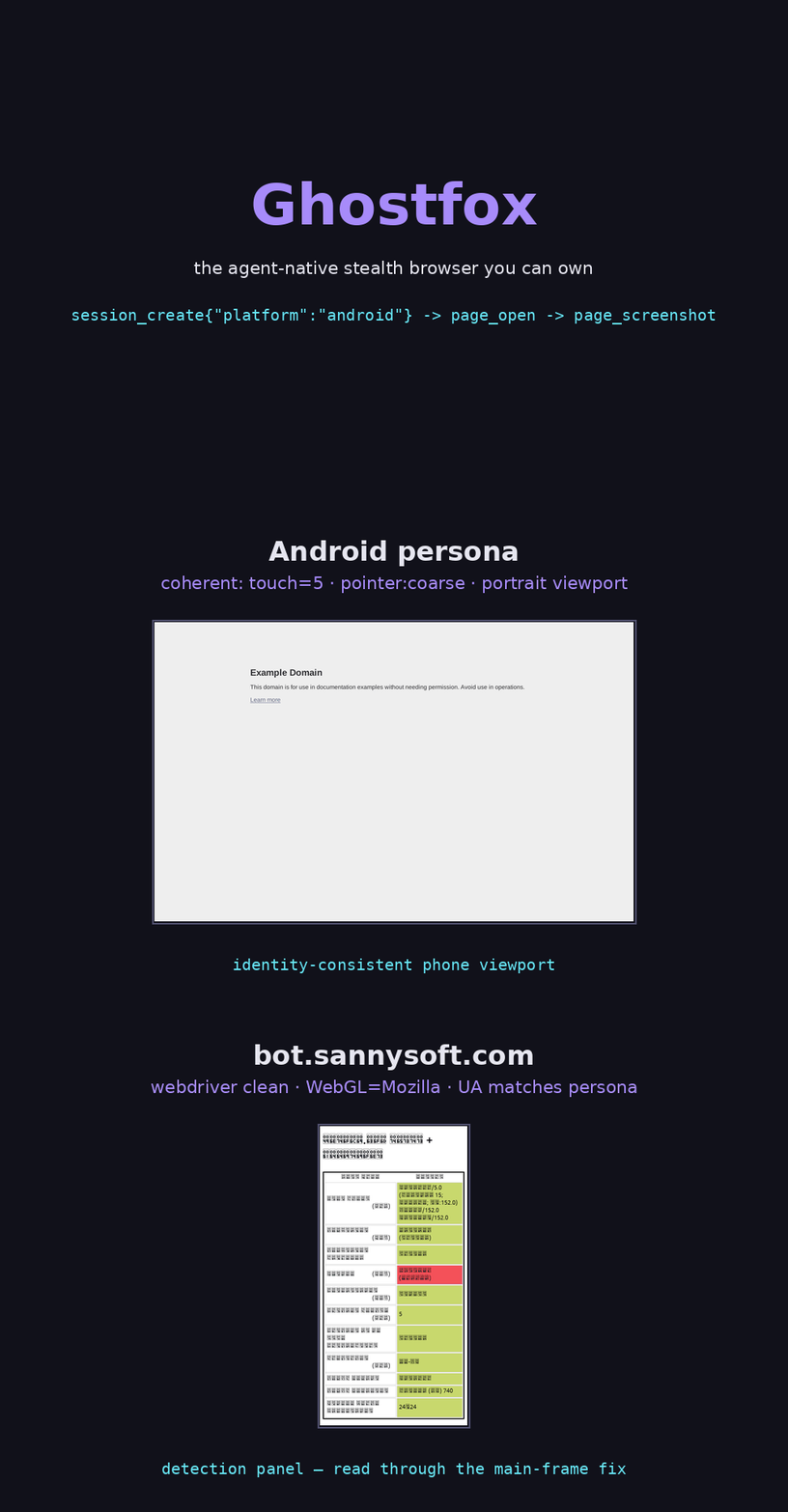
Android personas too — session_create {"platform": "android"} gives
portrait screens, Adreno/Mali GPUs, Android font stacks and Firefox-on-Android
UAs, all audited like desktop identities (500/500 coherent, see
runtime/docs).
One identity, no contradictions. Identities are generated from coherent device presets (platform, screen, GPU, fonts that actually ship together), injected at the engine level, and audited before use — a spoofed browser's worst enemy is itself saying "4 cores on a MacBook".
Quickstart
Requires: Rust toolchain (Linux, macOS, or Windows). Prebuilt engine binaries: see Releases.
# 1) Get the engine (prebuilt) and unpack it somewhere, e.g. /opt
unzip ghostfox-<ver>-lin.x86_64.zip -d /opt/ghostfox

# 2) Build the runtime
git clone https://github.com/autokeren/ghostfox.git
cd ghostfox/runtime
cargo build --release

# 3) Wire it into any MCP client (Claude Code, Cursor, ...)
{
  "mcpServers": {
    "ghostcloak": {
      "command": "/path/to/ghostfox/runtime/target/release/ghostcloak-mcp",
      "env": { "GHOSTFOX_HOME": "/opt/ghostfox" }
    }
  }
}
Then the agent can: session_create → page_open → page_a11y → act by ref.
Full tool surface (19 tools):
| Category | Tools |
|---|---|
| Session | session_create |
| See | page_a11y (semantic + login_state + shadow DOM/iframe) · page_snapshot · page_screenshot · page_read_ref (full value) |
| Wait | page_wait_for (poll until visible) |
| Act | page_click_ref · page_type_ref · page_click · page_type · page_fill · page_press · page_upload_file |
| Inspect | page_eval · page_open |
| Identity | identity_generate · identity_audit |
| Evidence | session_evidence · captcha_solve |
Every mutation returns a receipt — page_fill reports landed_chars, while
type_ref fire-then-verifies async editors, so a silent page swap can't eat an
edit unnoticed. Sessions can also run headful ({"headful": true}) when
humans want to watch the agent work.
Every run records evidence. Each session writes an append-only event log
(events.jsonl), full page snapshots and the identity it used under
~/.ghostfox/recordings/ — fetch it any time with session_evidence.
Or install in one command (Linux x86_64):
curl -fsSL https://raw.githubusercontent.com/autokeren/ghostfox/main/install.sh | bash
From source end-to-end (build the engine yourself):
see engine/README.md — make dir && make build.
Repository layout
runtime/   Rust: ghostcloak-{core,fingerprint,mcp,eval}     (MIT OR Apache-2.0)
engine/    Browser fork: patches, branding, build system    (MPL-2.0)
Two directories, two licenses, one product. The runtime speaks Juggler natively — no Node, no Python at runtime.
Why own the engine?
- Anti-detect that survives inspection. Spoofing happens inside the engine (navigator, screen, WebGL, fonts, WebRTC, timezone, audio) — not in injected JS that detectors can read.
- No cloud dependency. Your agent's identities and cookies never touch a third-party host.
- Upstream insurance.
engine/tracks daijro/camoufox asupstream; Ghostfox applies its own branding and can rebase whenever it wants — including if upstream patches go closed-source.
Status
Pre-alpha. Verified: identity coherence (500/500), full MCP round-trip
E2E (create → open → fill → submit), multi-page sessions. Known limits are
tracked in the changelogs under runtime/ and engine/.
Do not use against targets you don't have permission to test. This is a testing / research tool.
Credits
Ghostfox stands on the shoulders of giants — Camoufox (daijro) for the anti-detect patch stack, Mozilla Firefox for the engine, LibreWolf for the patch tooling lineage, and Playwright for the Juggler protocol.
License
engine/— MPL-2.0 (inherited from Firefox / Camoufox). See engine/LICENSE.runtime/— MIT OR Apache-2.0. See runtime/LICENSE-MIT.
Installation
Source-derived launch command. Check the maintainer’s required arguments and credentials before running:
uvx ghostfoxSet up in your AI client
Merge this template into ~/Library/Application Support/Claude/claude_desktop_config.json. Keep existing servers. Add any arguments, credentials, and permissions required by the maintainer; this template has not been install-tested.
{
  "mcpServers": {
    "io-github-autokeren-ghostfox": {
      "command": "uvx",
      "args": [
        "ghostfox"
      ]
    }
  }
}
Restart Claude Desktop completely for changes to take effect. Confirm the server appears connected in the client’s tool list, then try a read-only example from its documentation.
Claude Desktop setup referencePackage
ghostfoxpypiCompatible MCP Clients
io.github.autokeren/ghostfox works with any MCP-compatible client. Copy the config snippet from the Configuration section above and add it to the file shown for your client, then restart the application.
- Claude Desktop
~/Library/Application Support/Claude/claude_desktop_config.jsonRestart Claude Desktop completely for changes to take effect. - Cursor
~/.cursor/mcp.jsonRestart Cursor for changes to take effect. - VS Code
.vscode/mcp.jsonReload VS Code window for changes to take effect. - Windsurf
~/.codeium/windsurf/mcp_config.jsonRestart Windsurf for changes to take effect. - Claude Code
.mcp.jsonSave at the project root, then start Claude Code in that project and review the MCP server approval prompt. Keep real credentials out of shared files.