io.github.blinkingbit-oss/execkit
Stateful, structured, safe shell sessions for AI agents over local, SSH, and Docker.
execkit
Persistent, structured shell sessions for AI agents, on your laptop, your servers over SSH, and your Docker containers.





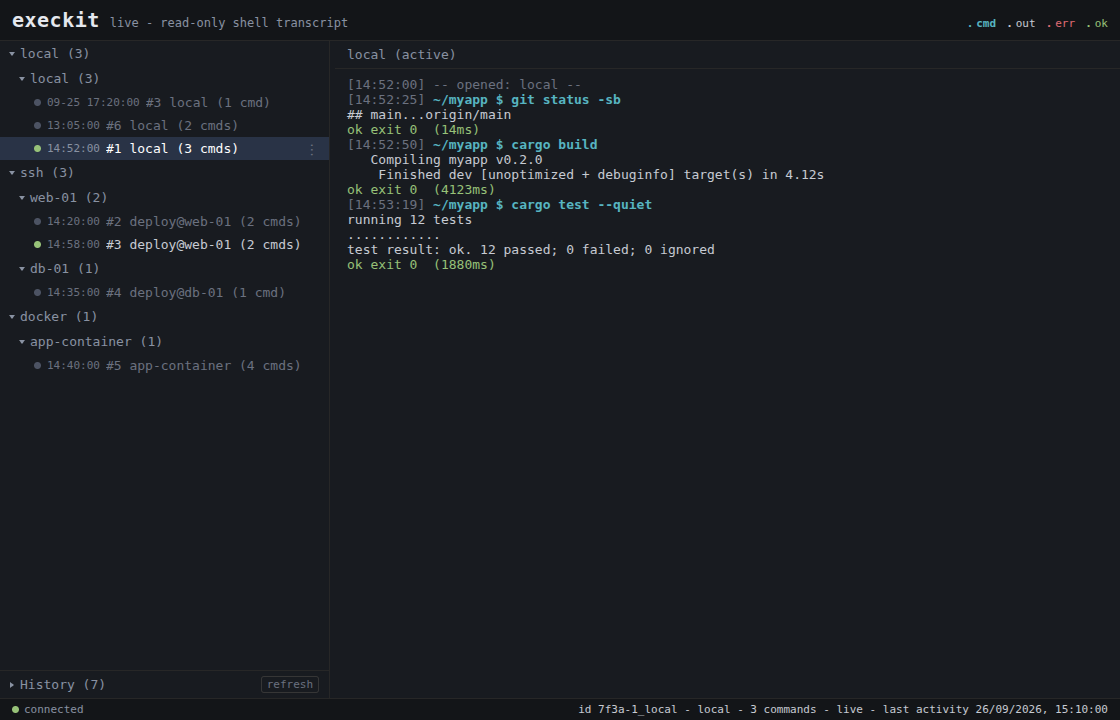
What you get that a built-in agent shell doesn't:
- Persistent sessions on local, SSH and Docker.
cdand env carry across calls, and every command returns a structured result: split stdout/stderr, exit code, duration, cwd. - Output that protects the agent's context. Secrets are redacted before the
model sees them, and output budgets (
tail,head,grep, a char cap) keep a noisy build from flooding the context window. - An audit trail, a live viewer, and undo. Every command can go to a JSONL audit log, you can watch sessions live in a terminal or browser (above), and remote sessions can checkpoint and restore the workspace files.
Install
Zero-install, with uv. Add this to your MCP client config:
{ "mcpServers": { "execkit": { "command": "uvx", "args": ["execkit-mcp"] } } }
Or install it and let execkit print the config for your client:
pip install execkit-mcp && execkit-mcp setup claude # or: cursor | gemini | codex | vscode | windsurf
Then execkit-mcp doctor checks your setup. More options (prebuilt binary,
cargo install, building from source) are in the Quickstart.
Status: early 0.x. The API may change between minor versions. Read
Limitations before pointing it at anything important.
Where it fits
execkit complements your agent's built-in shell or sandbox; it does not replace it. Use it when the agent needs to work on a remote host or inside a container, when you want a record of what ran, or when you want to undo file changes on a remote workspace.
The agent is the adversary. The LLM driving execkit can be prompt-injected by anything it reads, so execkit contains its own caller: a command passes the policy fence before it runs, secrets are redacted before output returns, and a changed SSH host key fails loudly instead of reconnecting into a MITM.
flowchart LR
    A([AI agent]) -->|command| F{policy fence}
    F -->|blocked| X([rejected, never runs])
    F -->|allowed| T[transport: local / SSH / Docker]
    T --> O[raw output]
    O --> R[redact secrets, bound output]
    R --> E([structured ExecResult])
    E -.-> A
Use it from an agent (MCP)
The agent gets session_create (local, ssh, or docker), session_exec,
session_list and session_destroy, plus session_checkpoint /
session_checkpoints / session_restore for remote undo.
State persists across calls, and every result is parsed, not scraped from a terminal:
// session_exec {"command": "cd /app && npm ci"}   -> { "exit_code": 0, "cwd": "/app" }
// session_exec {"command": "npm run build"}        // cwd is still /app
//   -> { "stderr": "Error: Cannot find module 'webpack'",
//        "exit_code": 1, "duration_ms": 3420, "cwd": "/app",
//        "truncated": false, "timed_out": false }
Commands time out after 120 seconds by default (timeout_secs per call, up to
3600). On timeout execkit interrupts the command with Ctrl-C and returns
timed_out: true with exit code 124. The session keeps its cwd and env.
See crates/execkit-mcp/README.md for the operator
security settings (host-key verification, key dir, audit, session limits).
Watch what the agent does
Set EXECKIT_MCP_AUDIT_DIR and every session is recorded. execkit-mcp watch
shows it live in the terminal, and execkit-mcp watch --serve --open opens the
read-only browser viewer shown at the top.
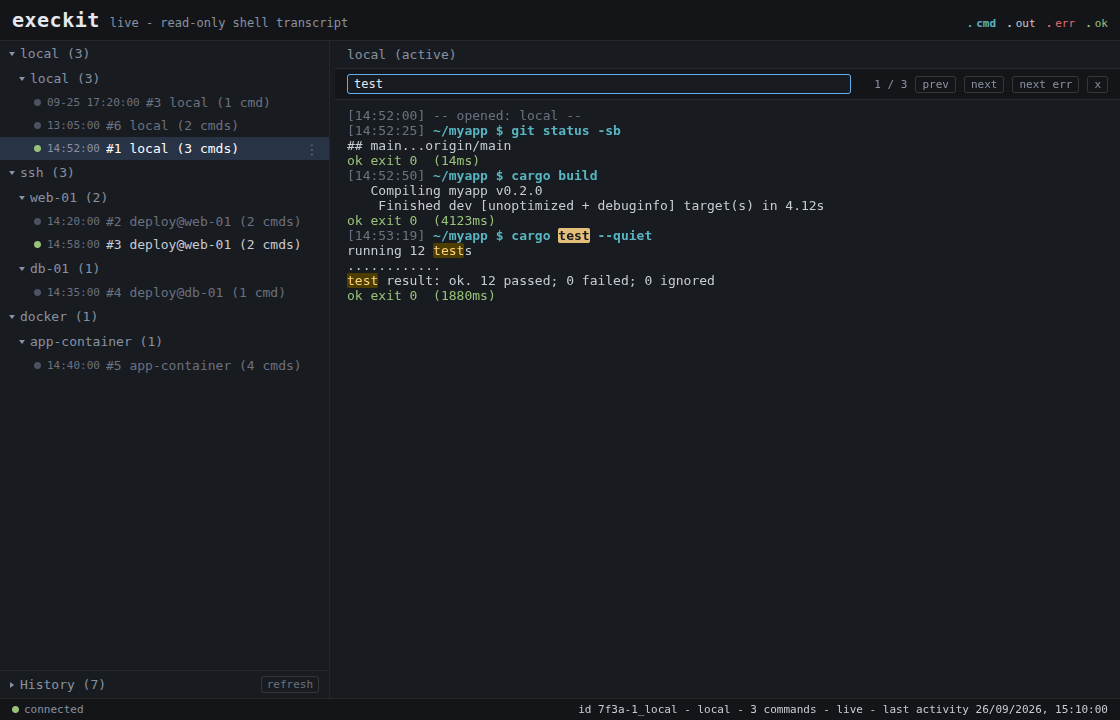 | 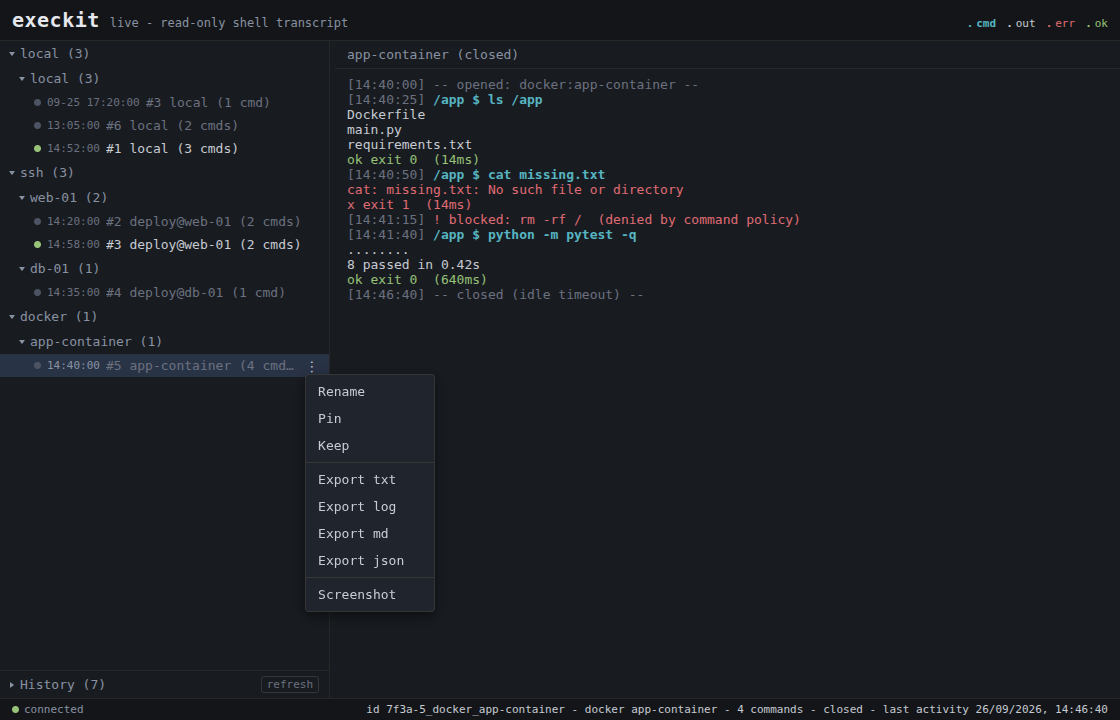 |
Search a transcript with / and jump between errors. | Rename, pin or keep a session, export it, or take a screenshot. Blocked commands show inline. |
Use it as a library
[dependencies]
execkit = "0.9"                                           # local + SSH + Docker
# execkit = { version = "0.9", default-features = false }  # local + Docker only (no SSH; no russh/tokio)
use std::time::Duration;
use execkit::{Policy, Session};

fn main() -> Result<(), execkit::Error> {
    let mut s = Session::local()?
        .with_policy(Policy { allow: vec![], deny: vec!["rm".into()] })
        .with_timeout(Duration::from_secs(60));

    let r = s.exec("echo hi; echo err 1>&2; cd /tmp")?;
    // r.stdout == "hi"  r.stderr == "err"  r.exit_code == 0  r.cwd == "/tmp"
    println!("{} (exit {})", r.stdout, r.exit_code);

    let r = s.exec_with_timeout("sleep 30", None, Duration::from_secs(1))?;
    // r.timed_out == true  r.exit_code == 124; the session is still usable
    Ok(())
}
Runnable examples: cargo run --example local,
EXECKIT_SSH="user:password@host:22" cargo run --example ssh, and
EXECKIT_DOCKER=<container> cargo run --example docker.
Python
The same sessions from Python. pip install execkit (native bindings, no Rust
toolchain needed):
from execkit import Session

with Session.local() as s:
    r = s.exec("echo hi; echo err >&2; cd /tmp")
    print(r.stdout, r.exit_code, r.cwd, r.stderr)   # hi 0 /tmp err
See crates/execkit-py/README.md.
What's in the box
- Persistent, stateful sessions over local PTY, SSH, or Docker. SSH
accepts host aliases from your
~/.ssh/config. - Structured
ExecResult: split stdout/stderr, exit code, duration, cwd,truncated,timed_out. - Base64 command framing. Comments, heredocs,
!, trailing&, syntax errors and long commands do not hang the session. - Timeouts that keep the session. A timed-out command is interrupted and the session carries on.
- Secret redaction of common token shapes (AWS, GitHub, GitLab, Slack, Stripe,
Google, Anthropic, OpenAI, JWTs, PEM private keys), URL passwords,
password=/token=-style pairs, and values the session assigned to secret-named variables. The echoed command is redacted too. - Output budgets:
tail/head/head+tailby line, agrepfilter with context, and a char cap. Per call or a session default; the result reports what was kept. - Undo for agent actions on remote sessions: snapshot the workspace and
restore files if a command goes wrong (needs
giton the remote and an explicit workspace; files only, not side effects). - Audit log and live viewer, plus live MCP notifications to the client.
- Embeddable, never a service:
cargo add, in your process; no daemon, no vendor.
Upgrading to 0.9
Breaking changes from 0.8. The details are in Upgrading to 0.9.
- SSH host keys are pinned in
~/.execkit/known_hosts, not~/.ssh/known_hosts. Old pins are not read. The first connection re-pins, or copy them over withmkdir -p ~/.execkit && chmod 700 ~/.execkitthengrep -E '^[^ ]+ SHA256:' ~/.ssh/known_hosts >> ~/.execkit/known_hosts. Old pins were keyed by bare host whatever the port: rewrite a line for a non-22 port as[host]:port, or a later port-22 connection to that host fails as a key mismatch. - stdin is
/dev/nullfor every command, and pagers are set tocat. - The target needs
base64. - A timeout returns exit code 124 with
timed_out: trueand keeps the session, instead of an error that closed it.ExecResulthas a newtimed_outfield. - Session ids look like
a3f9-1_localinstead of1_local. SshConfighas a newconnect_timeoutfield (default 15 s). UseSshConfig::new.
Limitations
- Not a sandbox. The command policy is advisory string matching. It is easy to
bypass:
deny: ["curl"]blockscurlbut notenv curl,sudo curlorsh -c curl. The real control is a least-privilege environment: run the agent and SSH user with minimal rights. - No interactive input. stdin is
/dev/null, so prompts, REPLs and editors do not work. Use non-interactive flags (sudo -n,apt-get -y). Pagers default tocat, but runninglessorvimdirectly hangs until the timeout and closes the session. Shell history is off. - Timeouts interrupt, they do not kill everything. execkit sends Ctrl-C. A
command that ignores Ctrl-C ends the session. For long jobs, run them in the
background (
nohup CMD > /tmp/job.log 2>&1 &) and poll the log. - The target needs a POSIX shell and
base64. Local sessions usebash. Windows is not supported. - Synchronous core. Fine for typical agent use; not tuned for thousands of concurrent sessions.
- SSH
AcceptAnyhost-key mode exists for testing, behind an explicit insecure opt-in. Never use it in production.
Found something rough? Open an issue.
Contributing & security
- Contributions: see
CONTRIBUTING.md. - Found a vulnerability? Follow
SECURITY.md. Please don't open a public issue for security reports.
License
Apache-2.0: embed it freely, including commercially. See LICENSE and
NOTICE.
Installation
Source-derived launch command. Check the maintainer’s required arguments and credentials before running:
uvx execkit-mcpSet up in your AI client
Merge this template into ~/Library/Application Support/Claude/claude_desktop_config.json. Keep existing servers. Add any arguments, credentials, and permissions required by the maintainer; this template has not been install-tested.
{
  "mcpServers": {
    "io-github-blinkingbit-oss-execkit": {
      "command": "uvx",
      "args": [
        "execkit-mcp"
      ]
    }
  }
}
Restart Claude Desktop completely for changes to take effect. Confirm the server appears connected in the client’s tool list, then try a read-only example from its documentation.
Claude Desktop setup referencePackage
execkit-mcppypiCompatible MCP Clients
io.github.blinkingbit-oss/execkit works with any MCP-compatible client. Copy the config snippet from the Configuration section above and add it to the file shown for your client, then restart the application.
- Claude Desktop
~/Library/Application Support/Claude/claude_desktop_config.jsonRestart Claude Desktop completely for changes to take effect. - Cursor
~/.cursor/mcp.jsonRestart Cursor for changes to take effect. - VS Code
.vscode/mcp.jsonReload VS Code window for changes to take effect. - Windsurf
~/.codeium/windsurf/mcp_config.jsonRestart Windsurf for changes to take effect. - Claude Code
.mcp.jsonSave at the project root, then start Claude Code in that project and review the MCP server approval prompt. Keep real credentials out of shared files.