io.github.henriquepe/lousa
A whiteboard where AI agents draw their explanations as hand-drawn animated diagrams
Lousa
A whiteboard where your AI agent draws its explanations.
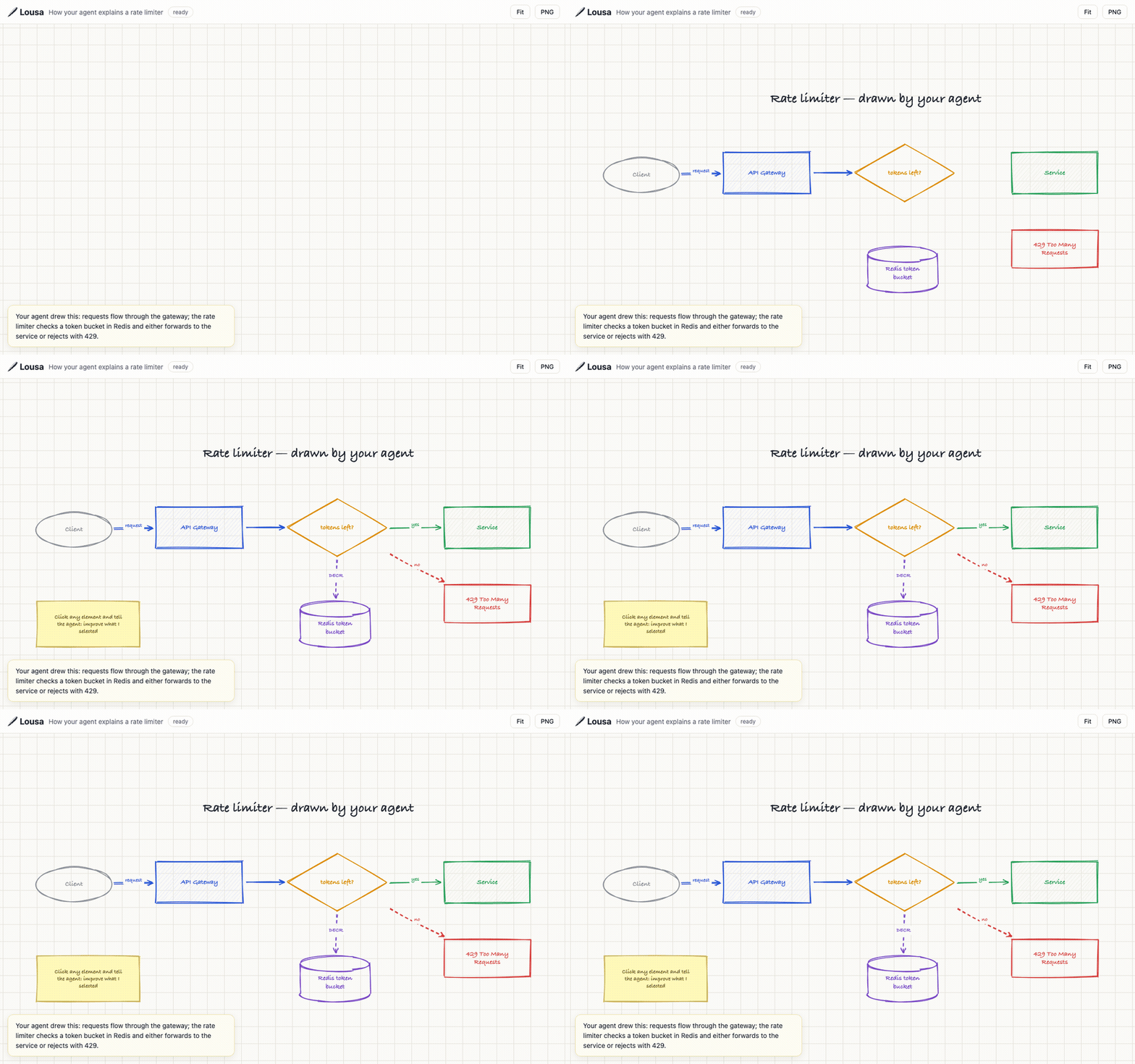
Ask your agent "explain this visually" and it sketches an animated, hand-drawn diagram on a live board — instead of another wall of text. Lousa is an MCP server + web viewer: the agent authors a declarative scene (boxes, arrows, cylinders, notes), and the board renders it stroke by stroke, as if someone were drawing it in front of you.
Lousa is Portuguese for the classic school blackboard.
Why it's different
- The agent is the artist. No prompt box, no OCR — your coding agent already has the context and draws through typed MCP tools.
- Live, incremental drawing. Follow-ups edit the scene; the open tab animates only what changed, like watching the diagram evolve.
- Point at things. Click elements in the viewer to select them, then tell your agent "improve what I selected" — it reads your selection through
get_selectionand targets exactly that. - Boards expire by default (12h, sliding) — a whiteboard, not a document graveyard.
ttlHours: 0keeps a board forever.
Quick start
Requires Node.js 18.17+.
# Claude Code
claude mcp add lousa -- npx -y lousa mcp

# or run the server directly
npx lousa            # viewer at http://127.0.0.1:4666
Any MCP host works — for stdio configuration use command npx, args ["-y", "lousa", "mcp"]. The stdio endpoint auto-starts the local server, so the viewer is always available. Then ask your agent to "draw how our auth flow works" and open the URL it returns.
MCP tools
| Tool | What it does |
|---|---|
create_board | Creates a board from a scene, returns {id, url} |
update_board | Replaces the scene; unchanged elements stay byte-identical so only changes animate |
get_board / list_boards | Read boards |
get_selection | What the user selected in the viewer (ids + full elements) |
delete_board | Deletes a board |
The scene is a JSON array of elements — box, ellipse, diamond, cylinder, arrow (connects ids), line, text, note — rendered with rough.js. The full schema ships inside the tool definitions; agents need no extra setup.
Self-hosting a shared server
Run lousa on any Node host and point machines at it:
LOUSA_TOKEN=<secret> HOST=0.0.0.0 npx lousa        # server
LOUSA_URL=https://your-host LOUSA_TOKEN=<secret> npx lousa mcp   # each client
LOUSA_TOKEN gates board listing/creation/deletion and /mcp; per-board URLs act as capability links. AWS Lambda + S3 deployment is supported out of the box (lambda.js handler + LOUSA_BUCKET for storage); any HTTPS front (API Gateway, etc.) works.
| Env var | Default | Purpose |
|---|---|---|
PORT / HOST | 4666 / 127.0.0.1 | server bind |
LOUSA_DATA_DIR | ~/.lousa/boards | filesystem board storage |
LOUSA_BUCKET | — | use S3 storage instead of filesystem |
LOUSA_TOKEN | — | require bearer token (header or ?t=) on global routes and MCP |
LOUSA_URL | — | lousa mcp proxies to this remote server |
LOUSA_DEFAULT_TTL_HOURS | 12 | default board expiry |
Development
npm install
npm test          # node --test
node cli.js       # local server
License
AGPL-3.0 © Henrique Pires
Installation
Source-derived launch command. Check the maintainer’s required arguments and credentials before running:
npx -y lousaSet up in your AI client
Merge this template into ~/Library/Application Support/Claude/claude_desktop_config.json. Keep existing servers. Add any arguments, credentials, and permissions required by the maintainer; this template has not been install-tested.
{
  "mcpServers": {
    "io-github-henriquepe-lousa": {
      "command": "npx",
      "args": [
        "-y",
        "lousa"
      ]
    }
  }
}
Restart Claude Desktop completely for changes to take effect. Confirm the server appears connected in the client’s tool list, then try a read-only example from its documentation.
Claude Desktop setup referencePackage
lousanpmCompatible MCP Clients
io.github.henriquepe/lousa works with any MCP-compatible client. Copy the config snippet from the Configuration section above and add it to the file shown for your client, then restart the application.
- Claude Desktop
~/Library/Application Support/Claude/claude_desktop_config.jsonRestart Claude Desktop completely for changes to take effect. - Cursor
~/.cursor/mcp.jsonRestart Cursor for changes to take effect. - VS Code
.vscode/mcp.jsonReload VS Code window for changes to take effect. - Windsurf
~/.codeium/windsurf/mcp_config.jsonRestart Windsurf for changes to take effect. - Claude Code
.mcp.jsonSave at the project root, then start Claude Code in that project and review the MCP server approval prompt. Keep real credentials out of shared files.