io.github.jyswee/ainpc-cli
AI NPCs with persistent memory for game studios. NPC CRUD, dialogue, voice. Stdio or remote SSE.
Meet the NPCs
Every one of these is a live AI NPC on the public demo — persistent memory, daily schedules, moods, and secrets. Click through and talk to them.
 Grok the Blacksmith merchant · Village Guard "Aye, what d'ye need? I've blades sharp enough to split a hair." |
 Elara Nightbloom herbalist · Healers Circle "Every leaf tells a story, if you know how to listen." |
 Captain Voss guard · Town Watch "State your business or move along. I haven't got all day." |
 Pip Tanglefoot innkeeper · Merchants Guild "Welcome, welcome! Ale's cold, stew's hot, and the beds only have a few bugs!" |
 Sister Maren priest · Temple of the Dawnlight "The light does not judge, child. It only reveals what is already there." |
 Dax Ironjaw merchant "A fair deal? Friend, every deal I make is fair — for me." |
 Old Thorn farmer "Rain's coming. Or trouble. Same thing, usually." |
 Lyra Ashford scholar · Academy of Letters "If the answer isn't in this book, I simply haven't found the right page yet." |
See It In Action
Real terminal sessions, real dashboard — no mockups. Click any card to watch.
 CLI & Coding Agents Signup to a remembering NPC — one terminal, 75 seconds |
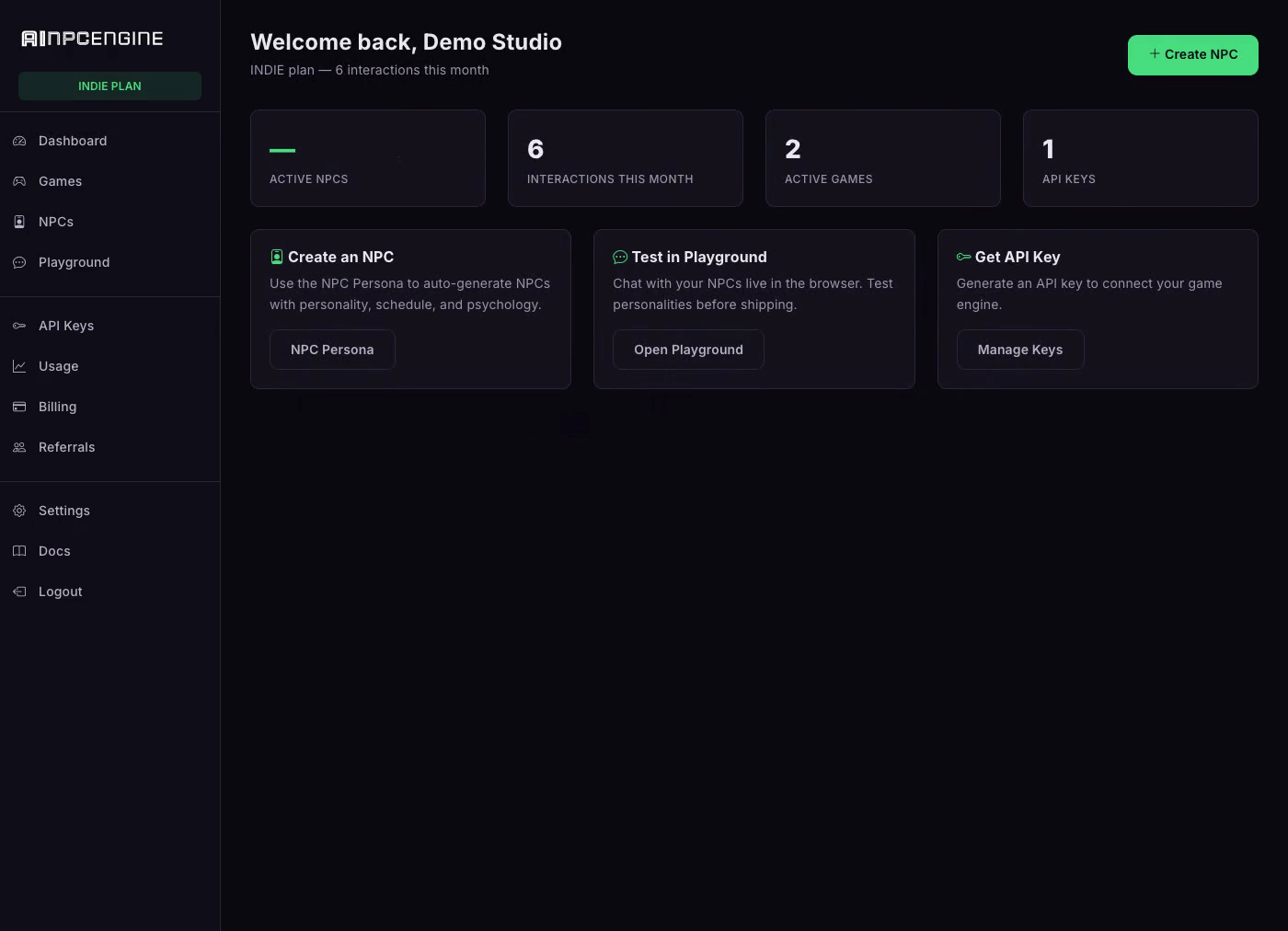 Dashboard Mission control: live NPC, game and interaction KPIs |
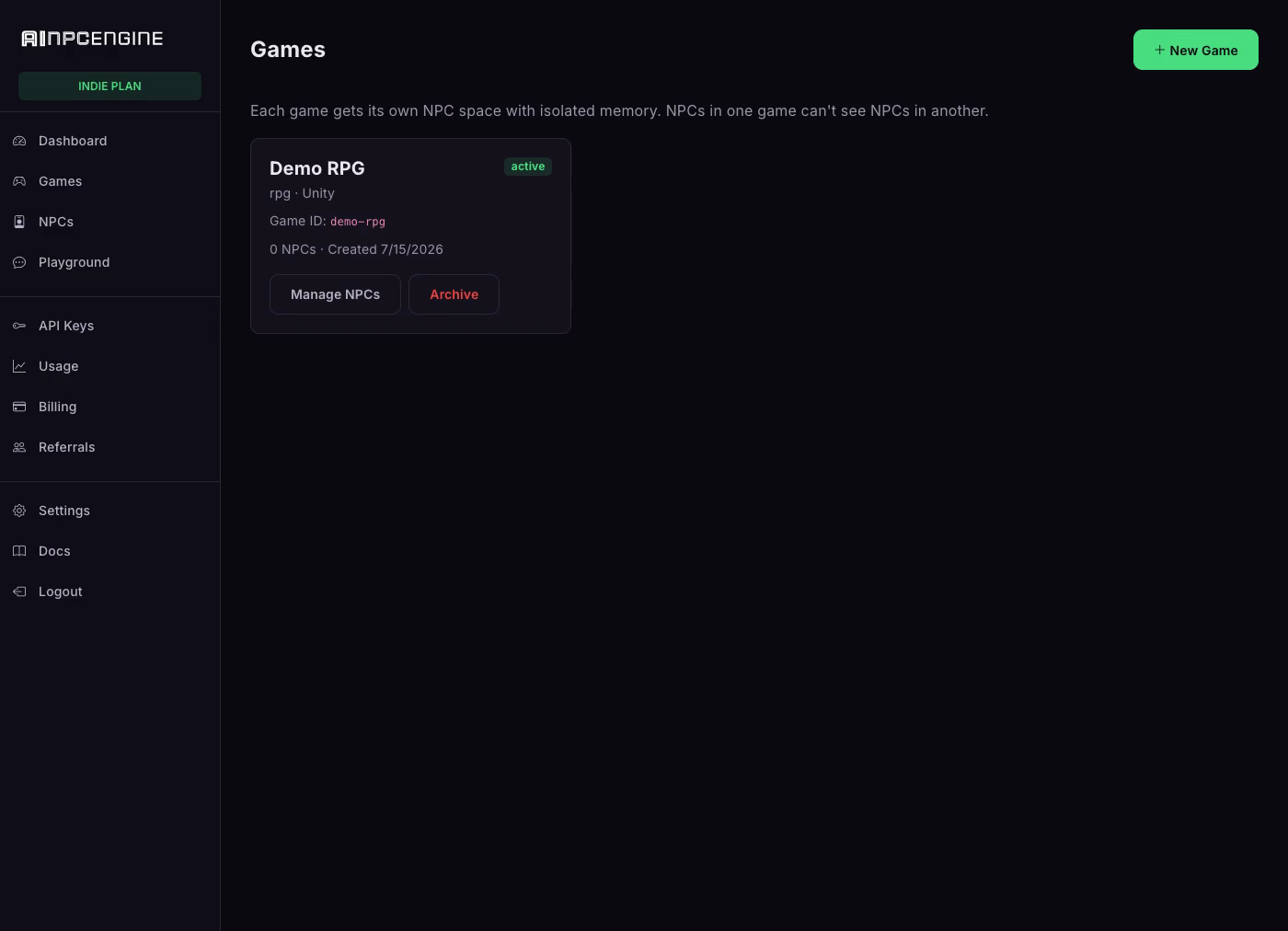 Games Each game gets its own world — create one in seconds |
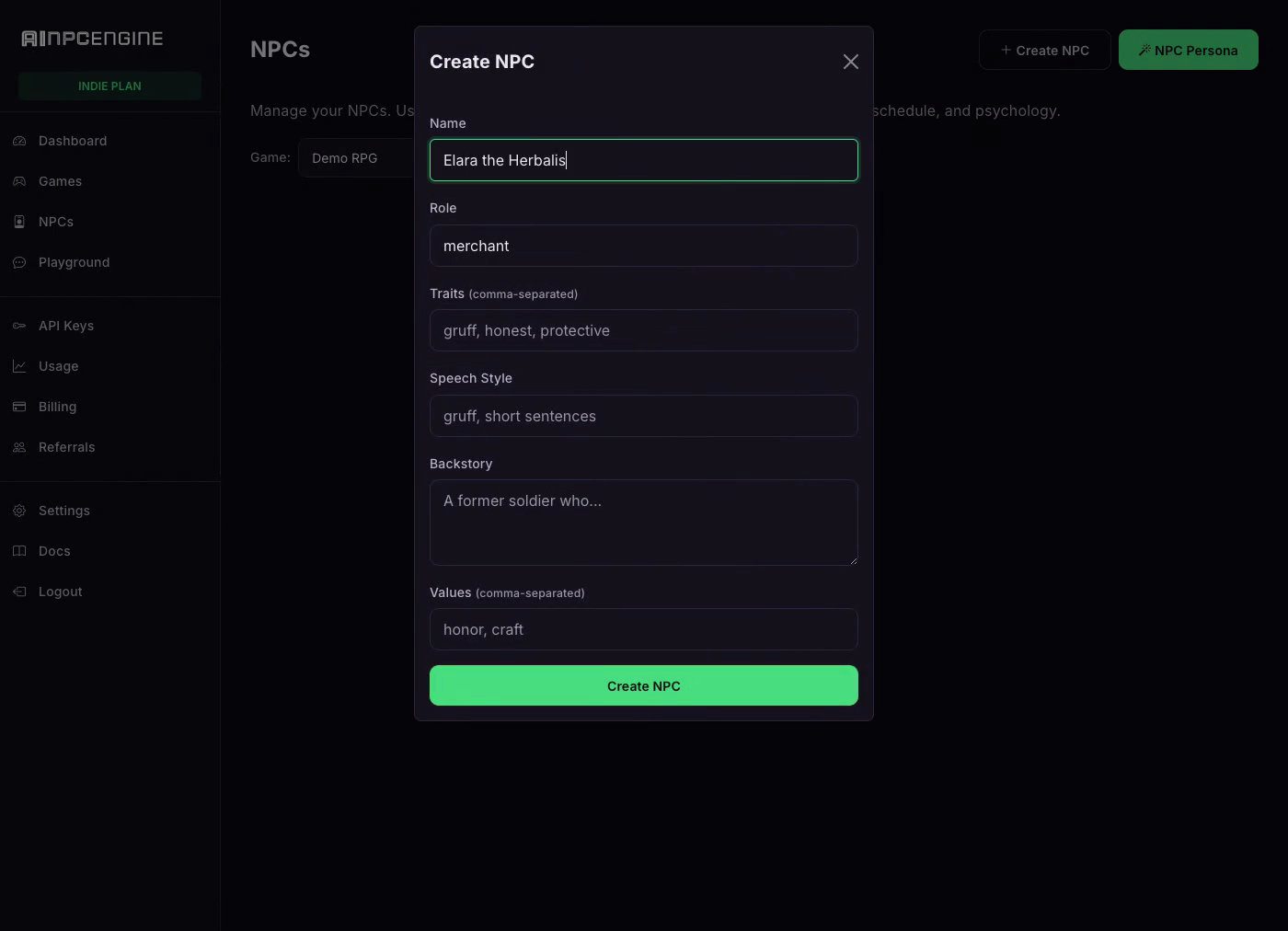 NPCs Create an NPC: role, traits, speech style, backstory |
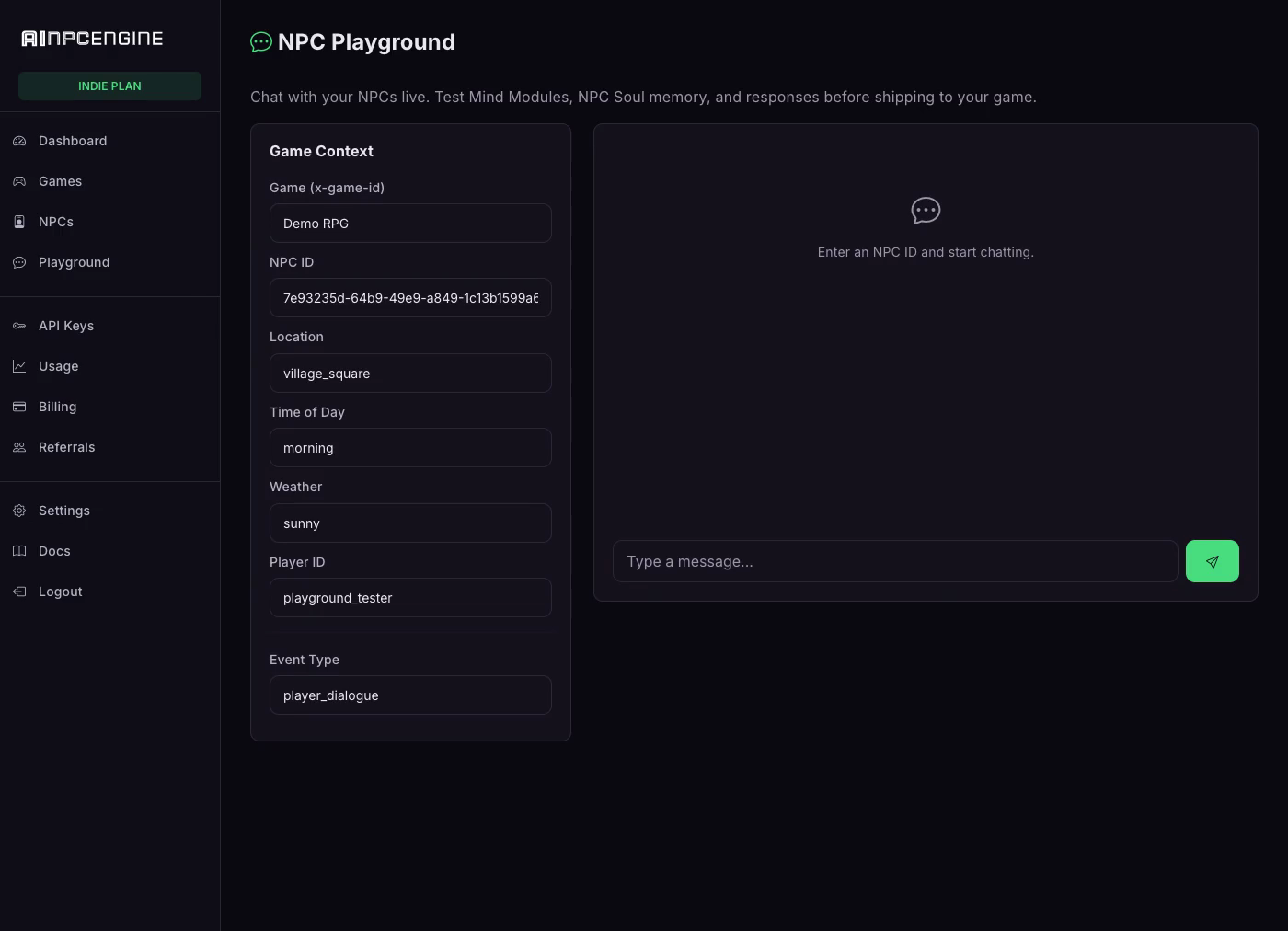 Playground Chat live with your NPC — watch it remember the debt |
Why AINPCEngine
- Persistent memory — NPCs remember every player across sessions: names, debts, favors, grudges
- Dynamic personalities — traits, moods, daily schedules, secrets; NPCs stay in character
- Full game-event coverage — dialogue, combat, trade, and quest events through one API
- AI persona generation — generate a complete NPC (backstory, traits, speech style) from a role
- NPC voice (TTS) — give any NPC a voice via the speak endpoint
- REST + WebSocket — request/response or realtime streaming, your choice
- Agent-native — 49 MCP tools; coding agents can create and manage NPCs end-to-end
- SDKs for every engine — Unity, Unreal, Godot, Rust, Node.js, plus a CLI
Pricing
Plans from $29/mo with a 7-day free trial ($0 today). See pricing →
Install
npm install -g ainpc-cli
Get Your API Key
ainpc signup "My Studio" --email you@studio.com --password ********
Creates your studio and auto-saves an npk_ API key. Then log in at https://ainpcengine.com and add a card to start the 7-day free trial ($0 today, plans from $29/mo). Or sign up at https://ainpcengine.com/auth/register and generate a key in Studio Dashboard → API Keys.
Quick Start
# Login (one time)
ainpc login --key YOUR_API_KEY --game my-rpg

# Create an NPC
ainpc create "Grok the Blacksmith" --role merchant --traits gruff,loyal

# Talk to them
ainpc say NPC_ID "Got any swords?"

# AI-generate a full NPC (NPC Persona)
ainpc generate --role guard --name "Captain Voss"

# List all NPCs
ainpc list

# Check status
ainpc status
Per-Project Config
ainpc login --local --key YOUR_KEY --game my-rpg   # saves to .ainpc/config.json
ainpc login --key YOUR_KEY --game my-rpg           # saves to ~/.ainpc/config.json
ainpc config                                       # show active config
Local config overrides global. Add .ainpc/ to your .gitignore.
Agent Integration
Add to your CLAUDE.md, .cursorrules, .clinerules, or .windsurfrules:
Use the ainpc CLI for NPC management.
Config auto-loaded from .ainpc/config.json or AINPC_API_KEY env.
Run ainpc --help for full reference.
MCP Server
49 tools for AI agents: NPC CRUD, dialogue, game events, persona generation, studio account, usage and billing.
Local (stdio):
{ "mcpServers": { "ainpcengine": { "type": "stdio", "command": "ainpc", "args": ["mcp-serve"] } } }
Requires npm install -g ainpc-cli + ainpc login --key npk_YOUR_KEY --game my-rpg (or AINPC_API_KEY env).
Remote (SSE, zero install) — for Claude Web and other web-based agents:
{ "mcpServers": { "ainpcengine": { "type": "sse", "url": "https://mcp.ainpcengine.com/sse",
  "headers": { "Authorization": "Bearer npk_YOUR_API_KEY" } } } }
No key yet? Connect keyless — the remote server starts in onboarding mode and an agent can self-signup via the ainpc_signup tool.
Commands
ainpc create "Name" --role R          Create NPC
ainpc list                            List all NPCs
ainpc show NPC_ID                     Show detail
ainpc say NPC_ID "message"            Talk to NPC
ainpc generate --role guard           AI-generate NPC
ainpc speak NPC_ID "text"             NPC voice (TTS)
ainpc status                          Quick overview
ainpc --help                          Full reference
Environment Variables
AINPC_API_KEY=your-key
AINPC_GAME_ID=my-rpg
AINPC_BASE_URL=https://ainpcengine.com   # optional
Links
- Platform: https://ainpcengine.com
- Docs: https://ainpcengine.com/docs
- Demo: https://ainpcengine.com/demo
License
Proprietary — see LICENSE. © 2026 Tyga.Cloud Ltd.
Installation
Source-derived launch command. Check the maintainer’s required arguments and credentials before running:
npx -y ainpc-cliSet up in your AI client
Merge this template into ~/Library/Application Support/Claude/claude_desktop_config.json. Keep existing servers. Add any arguments, credentials, and permissions required by the maintainer; this template has not been install-tested.
{
  "mcpServers": {
    "io-github-jyswee-ainpc-cli": {
      "command": "npx",
      "args": [
        "-y",
        "ainpc-cli"
      ]
    }
  }
}
Restart Claude Desktop completely for changes to take effect. Confirm the server appears connected in the client’s tool list, then try a read-only example from its documentation.
Claude Desktop setup referencePackage
Compatible MCP Clients
io.github.jyswee/ainpc-cli works with any MCP-compatible client. Copy the config snippet from the Configuration section above and add it to the file shown for your client, then restart the application.
- Claude Desktop
~/Library/Application Support/Claude/claude_desktop_config.jsonRestart Claude Desktop completely for changes to take effect. - Cursor
~/.cursor/mcp.jsonRestart Cursor for changes to take effect. - VS Code
.vscode/mcp.jsonReload VS Code window for changes to take effect. - Windsurf
~/.codeium/windsurf/mcp_config.jsonRestart Windsurf for changes to take effect. - Claude Code
.mcp.jsonSave at the project root, then start Claude Code in that project and review the MCP server approval prompt. Keep real credentials out of shared files.